
Ready to share your ideas, stories, or expertise with the world? Starting a WordPress blog website is easier than you think—and it could be the first step toward building your online presence, growing an audience, or even earning income.
Whether you want a simple personal blog or a professional site, you’ll find the right tools and guidance here. By the end of this article, you’ll know exactly how to set up your WordPress blog from scratch, avoid common mistakes, and make your website stand out.
Let’s dive in and get your blog up and running today!
Choosing Between WordPress.com And WordPress.org
Choosing between WordPress.com and WordPress.org is a key step in starting a WordPress blog website. Both platforms use WordPress software but differ in control, cost, and features. Understanding these differences helps you pick the best option for your needs. Below, we explore the main points to consider.
Free Plan Features And Limits
WordPress.com offers a free plan that includes hosting and a subdomain, such as yoursite.wordpress.com. This plan is easy to start with and requires no technical skills. It provides basic themes and limited customization options. Storage space is also limited, which can affect how many posts or images you upload.
The free plan does not allow you to use a custom domain name like yoursite.com. Monetization options are restricted, and you cannot run your own ads or use third-party plugins. These limits keep your blog simple but may hold back growth.
Benefits Of Self-hosting
WordPress.org lets you download free WordPress software to install on your own web hosting. This self-hosted option gives full control over your website. You can use any theme or plugin, customize your site’s design, and add advanced features.
Self-hosting means you own your data and can monetize your blog in any way. It also allows you to use a custom domain name, which looks more professional. You must manage security and updates yourself or choose a reliable hosting provider.
Cost Considerations
WordPress.com’s free plan costs nothing but has limits. Paid plans start at a low monthly fee and add features like custom domains, more storage, and monetization options. These plans include hosting and maintenance.
With WordPress.org, you pay separately for web hosting and domain registration. Hosting prices vary from budget-friendly to premium, depending on the service. You also may spend on premium themes or plugins. The initial cost is higher but offers more growth potential.
Setting Up Your Domain And Hosting
Setting up your domain and hosting is the first step to launch your WordPress blog website. This stage lays the foundation for your site’s online presence. Choosing the right domain and hosting ensures your blog runs smoothly and is easy to find. Focus on picking a memorable domain and reliable hosting service. Both affect your site’s speed, security, and SEO ranking.
Selecting A Domain Name
Choose a domain name that reflects your blog’s topic. Keep it short, simple, and easy to spell. Avoid using numbers or special characters. Use keywords related to your blog’s niche to help with search engine visibility. Check if the domain is available using domain registrars. Aim for a .com extension as it is the most common and trusted.
Picking A Hosting Provider
Select a hosting provider that offers good speed and uptime. Look for services with easy WordPress installation. Consider providers that offer customer support 24/7. Compare pricing plans based on your budget and needs. Choose hosting that can scale as your blog grows. Shared hosting is great for beginners with low traffic.
Connecting Domain To Hosting
After buying your domain and hosting, you need to connect them. This process links your domain name to your hosting server. Find the nameservers provided by your hosting company. Update these nameservers in your domain registrar’s dashboard. It may take a few hours for changes to apply worldwide. Once connected, you can start installing WordPress and building your blog.
Installing WordPress
Installing WordPress is the first step to create your blog website. This process sets up the core system that powers your site. WordPress installation can be quick and easy or done manually for more control.
Choose the method that fits your comfort level and hosting service. Both ways will get your blog ready to launch.
One-click Installation Options
Many web hosts offer one-click WordPress installation. This option saves time and effort. You simply log into your hosting control panel. Find the WordPress installer, often under “Softaculous” or “App Installer.”
Click on WordPress and fill in basic details like site name and admin username. The installer handles the rest automatically. Your WordPress site is ready in minutes. This method is beginner-friendly and requires no technical skills.
Manual Installation Steps
Manual installation gives you full control over your WordPress setup. First, download the latest WordPress package from wordpress.org. Next, upload the files to your web server using FTP or your hosting file manager.
Create a MySQL database and user on your hosting control panel. Note the database name, username, and password. Open your website URL in a browser. WordPress will start the installation wizard.
Enter the database details and set your site title, admin username, and password. Complete the setup to access your WordPress dashboard. Manual installation suits users with basic technical skills or custom hosting needs.
Credit: colorlib.com
Configuring Your Blog Settings
Configuring your blog settings is a key step after installing WordPress. This process shapes how your blog looks and functions. Proper setup ensures a smooth experience for you and your visitors. Take time to adjust settings carefully. These choices affect your blog’s design, usability, and visibility.
Choosing A Theme
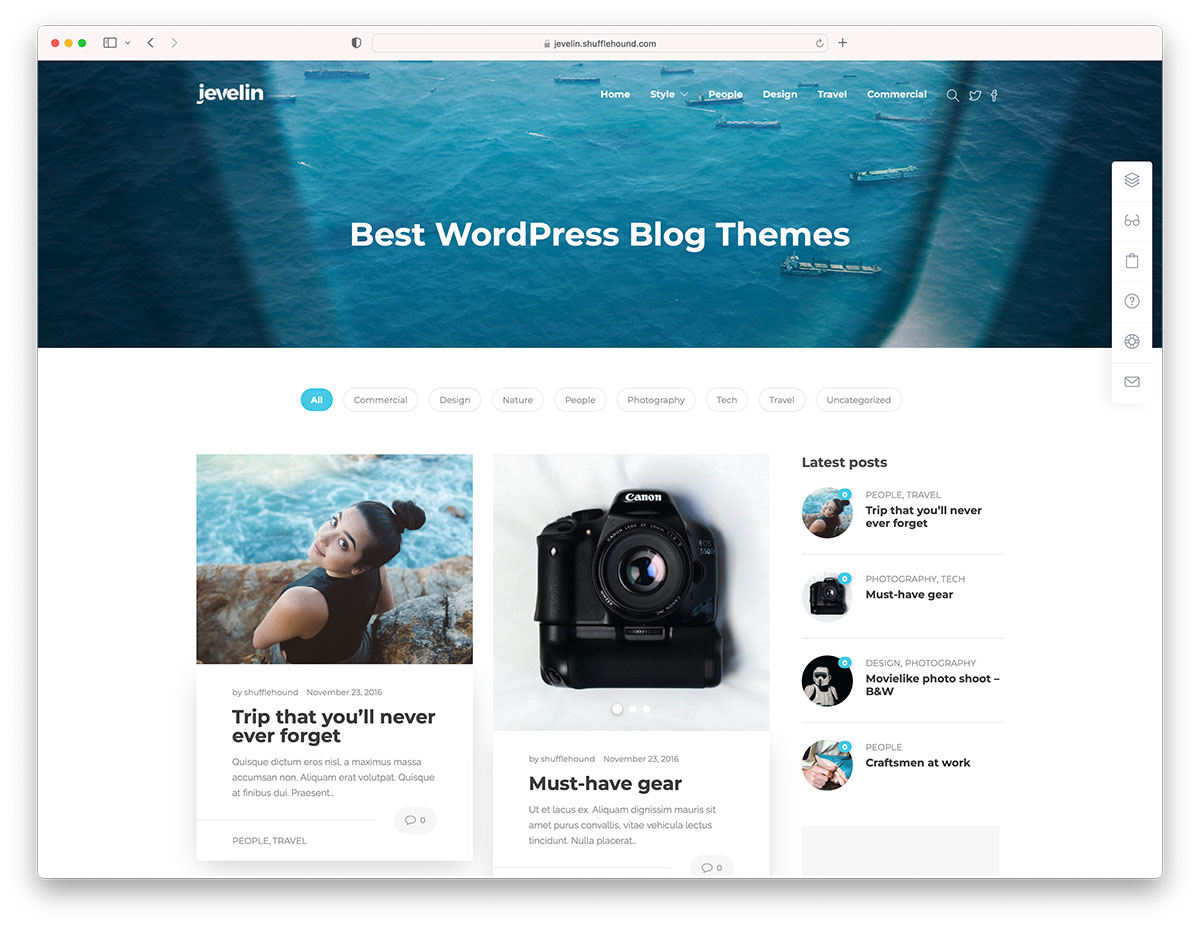
The theme controls your blog’s appearance. Pick a theme that matches your blog’s topic and style. WordPress offers many free and paid themes. Look for themes that are mobile-friendly and fast. Test a few themes before deciding. A clean, simple design helps readers focus on your content.
Installing Essential Plugins
Plugins add extra features to your blog. Start with essential plugins for SEO, security, and backups. SEO plugins help your blog rank better on search engines. Security plugins protect your site from hackers. Backup plugins save your data in case of problems. Only install plugins you really need to keep your site fast.
Setting Permalinks And Privacy
Permalinks are the URLs of your posts and pages. Use a clear, simple permalink structure. This helps search engines and visitors understand your links. The common choice is “Post name” for clean URLs. Adjust privacy settings based on your blog goals. Decide if your site should be public or private. Control search engine visibility from the settings.
Creating Core Blog Pages
Creating the core pages of your WordPress blog is essential for a professional look. These pages give visitors important information about you and your site. They build trust and guide readers to interact with your content. Focus on clear and simple pages that explain your blog’s purpose.
About And Contact Pages
The About page tells your story. Share who you are and why you started the blog. Keep it friendly and honest. Readers want to connect with the person behind the words.
The Contact page lets visitors reach you easily. Add a simple form or your email address. Include social media links if you want. Make it easy to find and use.
Privacy Policy And Terms
Privacy Policy explains how you collect and use visitor data. It is required by law in many places. Use clear language and cover cookies, data storage, and third-party services.
Terms of Service set the rules for using your blog. Mention content use, comments, and disclaimers. These pages protect you and your readers.
Homepage Customization
Your homepage is the first thing visitors see. Choose a clean design that shows your best content. Use a static page or latest posts, depending on your style.
Add a welcome message or tagline. Highlight popular posts or categories. Make navigation simple so visitors find what they want fast.

Credit: www.youtube.com
Writing Your First Blog Post
Writing your first blog post marks an exciting step in your WordPress journey. It brings your ideas to life and shares your voice with the world. A clear, simple approach helps you create content that readers enjoy. Focus on making your post easy to read and helpful. Organizing your writing well builds trust and keeps visitors coming back.
Using The WordPress Editor
The WordPress editor is user-friendly and designed for all skill levels. Start by clicking “Add New Post” in your dashboard. Use the block editor to add text, headings, lists, and other elements. Each block can be moved or edited easily. Write your title first, then add paragraphs in separate blocks. This method keeps your post clean and clear. You can save drafts or preview your post before publishing.
Optimizing Posts For Seo
SEO helps your blog show up in search engines like Google. Choose a clear, relevant title with keywords your readers might use. Use keywords naturally in your text and headings. Keep sentences short and paragraphs focused. Add a meta description to summarize your post in about 150 characters. Use simple language to make your content accessible. Proper SEO increases your chances of gaining more visitors.
Adding Images And Media
Images make your posts more interesting and easier to understand. Click the “Add Media” button to upload pictures, videos, or audio files. Use high-quality images that match your content. Add alt text to describe each image for better SEO and accessibility. Avoid large files that slow down your site. Media breaks up text and keeps readers engaged.
Promoting Your Blog
Promoting your WordPress blog is essential to attract visitors and grow your audience. Without promotion, your blog may remain unnoticed. Effective promotion helps build relationships with readers and increases your blog’s reach. Focus on simple, consistent actions to get your blog noticed.
Social Media Integration
Link your blog to social media platforms like Facebook, Twitter, and Instagram. Share your posts regularly to reach more people. Use social media buttons on your blog to make sharing easy for visitors. Engage with your followers by responding to comments and messages. Social media helps create a community around your blog.
Email Newsletter Setup
Create an email newsletter to send updates directly to your readers. Collect email addresses using signup forms on your blog. Offer something valuable, like a free guide, to encourage signups. Send newsletters consistently with new posts or special content. Email newsletters keep readers connected and coming back.
Using Analytics To Track Traffic
Install tools like Google Analytics to monitor your blog’s visitors. Check which posts get the most views and where traffic comes from. Use this data to improve your content and promotion strategies. Track visitor behavior to understand what your audience likes. Analytics help you make smarter decisions for your blog’s growth.
Credit: www.youtube.com
Monetizing Your Blog
Monetizing your WordPress blog turns your passion into income. It involves various methods that suit different audiences and niches. Choose the right strategy to earn steadily and grow your blog’s value.
Advertising Options
Display ads are a simple way to earn money. Use platforms like Google AdSense to show relevant ads on your blog. You get paid when visitors see or click these ads. You can also sell ad space directly to businesses. This option gives more control over what ads appear.
Affiliate Marketing Basics
Affiliate marketing means promoting products or services. You share links to items your readers might like. When someone buys through your link, you earn a commission. Choose products related to your blog’s topic for best results. Be honest about your recommendations to keep trust.
Selling Products Or Services
Offer your own products or services to your audience. This can be ebooks, courses, or consulting. Use WooCommerce or other WordPress plugins to set up an online store. Selling directly gives higher profits and builds a loyal audience. Keep your offerings useful and relevant to your readers.
Maintaining And Securing Your Blog
Maintaining and securing your WordPress blog is essential for its long-term success. A well-maintained blog runs smoothly and attracts more visitors. Securing your blog protects it from hackers and data loss. Regular care keeps your blog fast, safe, and reliable.
Regular Backups
Backing up your blog is a crucial step. It saves a copy of your site’s data and content. Backups help restore your blog if it crashes or is hacked. Use plugins like UpdraftPlus or BackupBuddy for easy backups. Schedule backups weekly or daily, depending on your posting frequency. Store backups in a secure location, such as cloud storage or your computer.
Updating Themes And Plugins
Keep your themes and plugins updated to ensure compatibility and security. Developers release updates to fix bugs and improve performance. Outdated plugins can cause errors or vulnerabilities. Check for updates in your WordPress dashboard regularly. Update one plugin at a time to avoid conflicts. Use trusted themes and plugins from reliable sources only.
Implementing Security Measures
Strong security measures protect your blog from attacks. Start by using a strong password and change it often. Limit login attempts to prevent brute force attacks. Install security plugins like Wordfence or Sucuri for monitoring. Use SSL certificates to encrypt data on your site. Regularly scan your blog for malware and suspicious activity. Disable file editing in the WordPress dashboard to reduce risk.
Frequently Asked Questions
How Much Does WordPress Pay For 1000 Views?
WordPress earnings vary widely, typically $1 to $5 per 1,000 views through ads or affiliate marketing. Results depend on niche and traffic quality.
Can I Start A Blog On WordPress For Free?
Yes, you can start a free blog on WordPress. com with hosting and a subdomain like yoursite. wordpress. com. The free plan limits customization and doesn’t support custom domains or advanced features. Upgrading to a paid plan unlocks more options and a custom domain.
Is Blogging Dead Due To Ai?
Blogging is not dead due to AI. AI enhances content creation but human creativity keeps blogging valuable and relevant.
Is WordPress Worth It For Blogging?
WordPress offers powerful, flexible tools ideal for blogging. It supports customization, SEO, and scalability, making it worth using.
Conclusion
Starting a WordPress blog website is easier than you think. Choose a plan that fits your needs. Pick a simple domain name and hosting service. Customize your site with themes and plugins. Write content that interests your readers. Keep your blog updated and secure.
With patience and effort, your blog will grow. Enjoy sharing your ideas with the world.


