
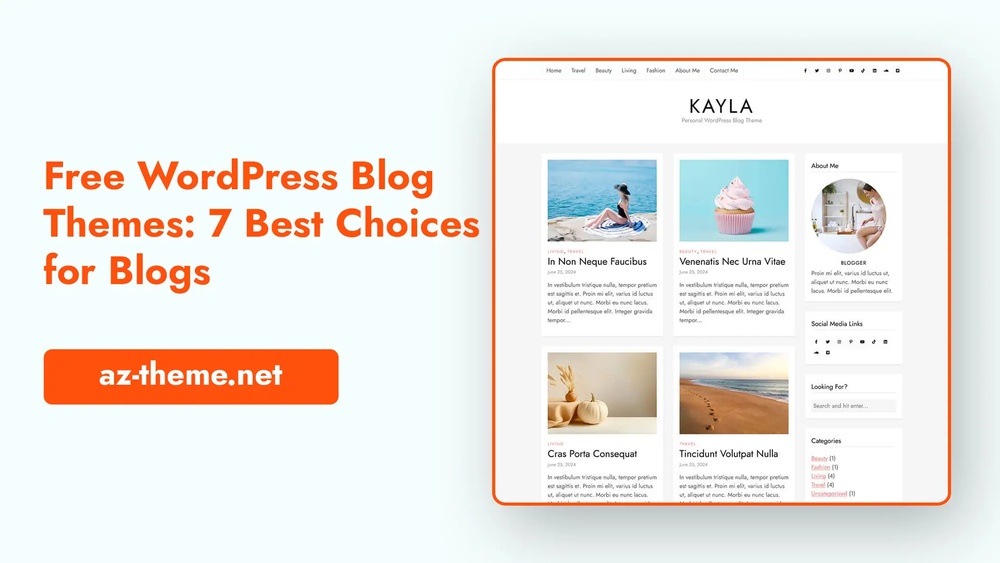
Want to share your ideas, stories, or expertise with the world? Starting a WordPress blog for free is easier than you think.
You don’t need any technical skills or a big budget to get your blog up and running. Imagine having your own space online where you control the content, design, and message. In this guide, you’ll discover simple steps to create your WordPress blog quickly and confidently.
By the end, you’ll be ready to publish your first post and start attracting readers. Ready to make your voice heard? Let’s dive in!
:max_bytes(150000):strip_icc()/wordpress-free-url-5c5b597146e0fb0001587351.png)
Credit: www.thoughtco.com
Choosing WordPress.com For Free Blogging
Choosing WordPress.com for free blogging is a popular choice. It offers an easy way to start without spending money. Beginners find it simple to use. There is no need to buy hosting or domain names. WordPress.com handles all the technical parts. You can focus on writing and sharing your ideas.
This platform gives a smooth start. It also provides tools to grow your blog over time. You get a professional look without much effort. WordPress.com lets you create content that reaches readers worldwide. It is a trusted service with many users.
Benefits Of WordPress.com
WordPress.com offers free hosting for your blog. You get a free subdomain like yourblog.wordpress.com. The platform includes built-in security and backups. No need to worry about technical problems. It provides easy-to-use tools for editing and publishing posts. You can choose from many free themes to change your blog’s look. There are options to add photos, videos, and links. WordPress.com makes it simple to start and manage a blog. It also supports mobile access for blogging on the go.
Limitations Of The Free Plan
The free plan has some limits. You cannot use custom plugins or themes. Your blog will display WordPress.com ads. There is limited storage space for files and images. You cannot run your own ads to earn money. The design options are fewer than paid plans. Also, the domain name includes “wordpress.com” which looks less professional. Support is limited to community forums only. These restrictions affect growth but are fine for beginners.
Setting Up Your Free WordPress Account
Setting up your free WordPress account is the first step to starting your blog. It takes only a few minutes. You will create your account, choose a blog name, and pick a design theme. Each step is simple and helps shape your blog’s look and feel.
Creating An Account
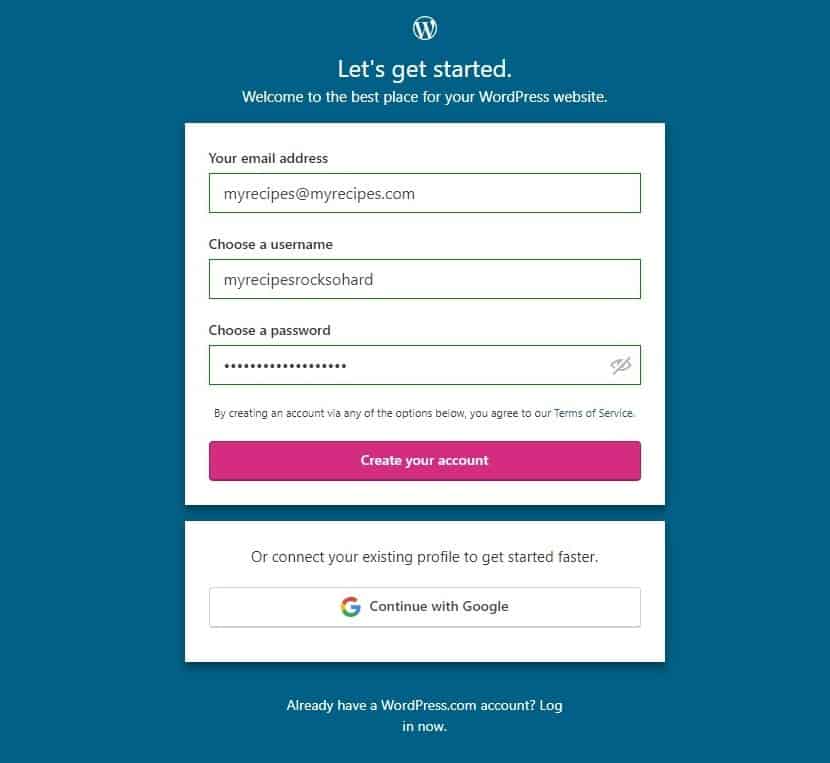
Go to the WordPress website and click on “Get Started.” Enter your email address, username, and password. Choose details that are easy to remember. Confirm your email by clicking the link sent to your inbox. This process activates your free WordPress account.
Selecting A Blog Name And Domain
Think of a name that reflects your blog’s topic or your style. This name will be part of your blog’s web address, called a domain. WordPress offers a free domain that ends with “.wordpress.com.” Pick a name that is short, clear, and easy to spell. This helps visitors find your blog easily.
Picking A Theme
WordPress has many free themes to choose from. Themes control how your blog looks to visitors. Browse through options and pick one that fits your style. Choose a simple design to start. You can change the theme anytime as your blog grows.
Customizing Your Blog Design
Customizing your blog design shapes how visitors see your site. A clean, attractive design helps keep readers interested. WordPress offers many tools to personalize your blog. You can change colors, fonts, add logos, and organize menus. These changes make your blog unique and easy to use.
Changing Colors And Fonts
Colors set the mood of your blog. Choose colors that match your topic and style. Use WordPress’s customizer to pick colors for backgrounds, text, and links. Fonts affect readability. Select simple fonts that are easy to read on all devices. Adjust font size for better comfort. Small changes in colors and fonts improve the overall look.
Adding A Logo And Header Image
A logo gives your blog a professional touch. Create a simple logo with your blog name or icon. Upload it using the WordPress customizer under the Site Identity section. A header image adds personality. Choose an image that fits your blog’s theme. Make sure it is clear and sized correctly. These visuals help visitors remember your blog.
Setting Up Menus And Widgets
Menus guide visitors through your blog. Create menus in the Appearance > Menus section. Add pages, posts, or categories to menus for easy navigation. Widgets add extra features like search bars or recent posts. Place widgets in sidebars or footers from Appearance > Widgets. Well-organized menus and widgets improve user experience and keep readers engaged.
Creating Your First Blog Post
Creating your first blog post is an exciting step in your WordPress journey. This is where your ideas come to life. Writing a clear and engaging post helps you connect with readers. WordPress offers tools to make this process simple and fun.
Focus on the main message you want to share. Keep your paragraphs short and easy to read. Let’s explore how to create your first blog post effectively.
Using The Block Editor
The WordPress block editor is easy to use. Each part of your post is a block. You can add text, images, videos, or lists as separate blocks. This helps organize content clearly.
Start by typing your title in the title block. Then add paragraphs in the text blocks below. You can move blocks up or down to change order. Use headings to break your post into sections.
Adding Images And Media
Images make your blog post more interesting. Click the plus icon to add an image block. Upload photos from your device or choose from the media library.
You can also add videos and audio files. These media types keep readers engaged. Make sure your images are clear and relevant to your topic.
Optimizing For Readability
Readability is key to keeping visitors on your blog. Use short sentences and simple words. Break text into small paragraphs for easy reading.
Use bullet points or numbered lists to highlight key ideas. Avoid large blocks of text. Use headings to guide readers through your post.
Managing Blog Settings
Managing your blog settings is a key step after starting your WordPress blog. It helps you control how your blog looks and works. Proper settings improve your readers’ experience and keep your blog organized.
Configuring Privacy And Comments
Privacy settings decide who can see your blog. You can make your blog public or private. Public means anyone can visit. Private means only invited people can see your posts.
Comments let readers share their thoughts on your posts. You can allow or disable comments. You can also approve comments before they appear. This keeps your blog safe from spam and unwanted messages.
Setting Up Categories And Tags
Categories help group your posts by topic. They make your blog easy to browse. For example, use categories like Travel, Food, or Tech. Tags are more specific keywords. They describe details in your posts.
Use clear categories and tags. This helps readers find posts fast. It also improves your blog’s SEO, making your site easier to find on search engines.
Enabling Sharing Options
Sharing options let visitors share your posts on social media. This brings more readers to your blog. Enable buttons for popular sites like Facebook and Twitter.
Choose sharing tools that match your blog style. Simple buttons work best for most blogs. Easy sharing increases your blog’s reach and visibility.
Credit: www.wordfence.com
Promoting Your Blog For Free
Promoting your WordPress blog does not need to cost money. Free promotion methods can help you grow readers fast. Consistent effort and smart tactics bring better results. Focus on simple ways to share your posts and connect with your audience. Here are some key strategies to promote your blog without spending a dime.
Leveraging Social Media
Social media platforms are great for sharing blog posts. Post your articles on Facebook, Twitter, and Instagram. Join groups or communities related to your blog topic. Share useful content to attract followers. Use short, clear descriptions with your links. Post regularly to stay visible to your audience.
Engaging With Readers
Reply to comments on your blog and social media. Ask questions to encourage discussion. Thank readers for their feedback. Create polls or surveys to learn what they want. Building relationships makes readers return. Engagement helps create a loyal community around your blog.
Using Seo Basics
Use keywords that people search for in your blog posts. Add keywords naturally in titles and content. Write clear and short sentences for easy reading. Use headings to break up text. Optimize images with descriptive file names and alt text. SEO helps your blog appear in search results and brings free traffic.
Upgrading From Free To Paid Plans
Starting with a free WordPress blog is a smart choice for beginners. It helps you learn the basics without spending money. Over time, your blog might grow. You may want more tools and features. That’s when upgrading to a paid plan makes sense.
Paid plans offer more options to improve your blog. They allow better design, more storage, and professional tools. You can remove WordPress ads and use your own domain name. Upgrading helps your blog look more professional and reach more readers.
When To Consider Upgrading
Think about upgrading when your blog grows. If you want a custom domain, a paid plan is needed. Also, if you need more storage for images and videos. Paid plans help remove WordPress ads from your site. When you want better support or advanced design tools, it’s time to upgrade.
Comparing Paid Features
Paid plans offer different features. Personal plans usually include a custom domain and no ads. Premium plans add more storage and advanced design tools. Business plans allow installing plugins and themes. E-commerce plans help you sell products online. Choose a plan that fits your blog needs and budget.
How To Upgrade
Log in to your WordPress account. Go to the dashboard and find the upgrade option. Select the plan you want. Enter your payment details and confirm. Your blog will update automatically. Start using new features right away.
Credit: www.websiteplanet.com
Frequently Asked Questions
What Is The Easiest Way To Start A Free WordPress Blog?
The easiest way is to use WordPress. com’s free plan. Sign up, choose a theme, and start writing immediately. No hosting or domain purchase is needed, making it perfect for beginners.
Can I Use A Custom Domain With A Free WordPress Blog?
Free WordPress blogs use a subdomain like yoursite. wordpress. com. To use a custom domain, you must upgrade to a paid plan.
How Much Does It Cost To Start A WordPress Blog For Free?
Starting a WordPress blog on WordPress. com is completely free. You get hosting and basic features without any cost.
Are Free WordPress Blogs Good For Beginners?
Yes, free WordPress blogs are beginner-friendly. They offer easy setup, basic customization, and no technical skills are required.
Conclusion
Starting a WordPress blog for free is simple and quick. Choose a name, pick a theme, and write your first post. Keep your blog updated with fresh content. Share your ideas and connect with readers. Enjoy learning as you grow your site.
Blogging can be fun and rewarding. Just begin today and see where it leads.


