
Setting up your own web hosting site might seem like a daunting task at first. However, with the right guidance, it can be a straightforward process that opens up a world of opportunities for you.
Imagine having the power to manage websites, control server resources, and provide hosting solutions to your clients, all from your personal platform. This guide is here to demystify the process for you, breaking it down into simple steps that anyone can follow.
Whether you’re looking to start a business or simply want more control over your web presence, you’ll find the information you need right here. With each step, you’ll gain confidence and clarity, ensuring that by the end of this article, you’ll have the knowledge to successfully set up your own web hosting site. Let’s dive in and unlock the potential of your online endeavors!
Credit: www.godaddy.com
Choosing The Right Hosting Platform
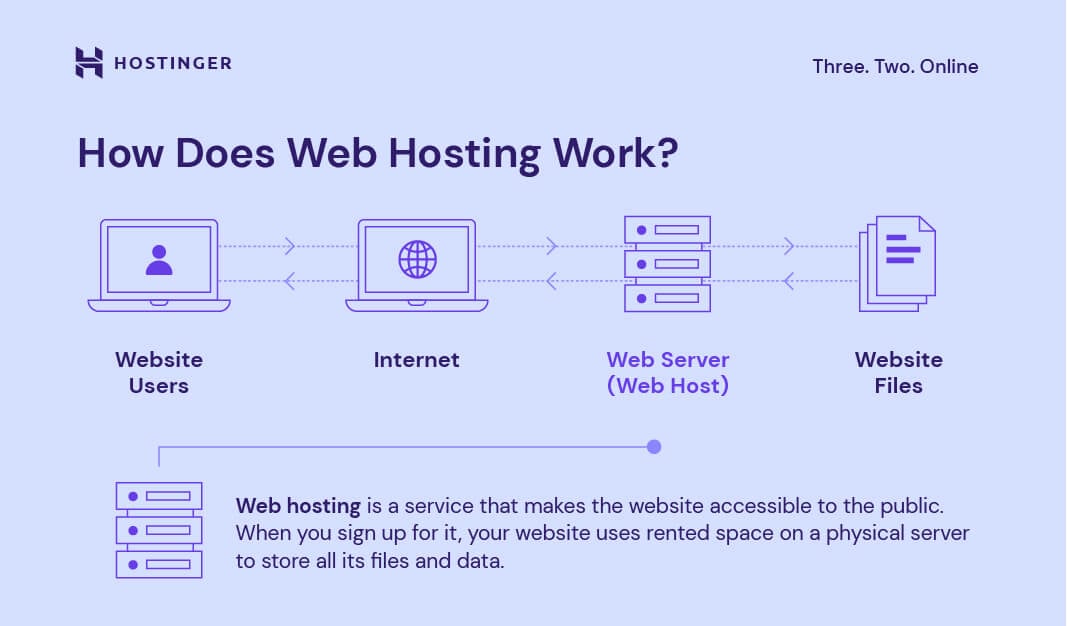
Shared hosting is like sharing a room. Many websites use the same server. It’s cheaper but slower. Dedicated hosting is like owning your own house. You get a whole server. It’s faster and more secure. Cost is higher, though. Choose what fits your needs best.
Cloud hosting uses many servers. Your site stays online even if one fails. It’s reliable and flexible. Pay only for what you use. Many big sites use cloud hosting. It’s good for growth and scalability.
Research each provider. Check reviews and ratings. Look for uptime guarantees. Support should be available 24/7. Compare prices and features. Pick the best one for your site. Reliability is key for success.
Registering A Domain Name
Choose a trusted registrar. Some popular options are GoDaddy, Namecheap, and Bluehost. Compare their prices and services. Look for customer support availability. This helps if problems occur. Find out about their renewal fees. Some registrars have hidden costs. Always read the fine print.
Pick a name that is easy to spell. Short names are best. Make it relevant to your business. Avoid numbers and hyphens. Use keywords that help people find your site. Try to be unique. Check availability before deciding.
Protect your personal data. Opt for domain privacy services. This hides your information. Helps prevent spam and identity theft. Choose registrars that offer privacy protection. It’s often a small fee. Worth it for security.
Configuring Dns Settings
DNS stands for Domain Name System. It works like a phone book for the internet. It helps to translate domain names to IP addresses. This makes it easier to find websites. Every device connected to the internet has a unique IP address. DNS helps us use easy names instead of numbers.
First, log in to your domain registrar. Find the DNS settings section. Change the nameservers to point to your hosting provider. Nameservers tell the internet where your website lives. After updating, it can take some time to work.
DNS changes might take time to update worldwide. This is called DNS propagation. It may take up to 48 hours. Check your DNS status using online tools. These tools show if your DNS is updated globally. Patience is key during this time.
Setting Up The Hosting Environment
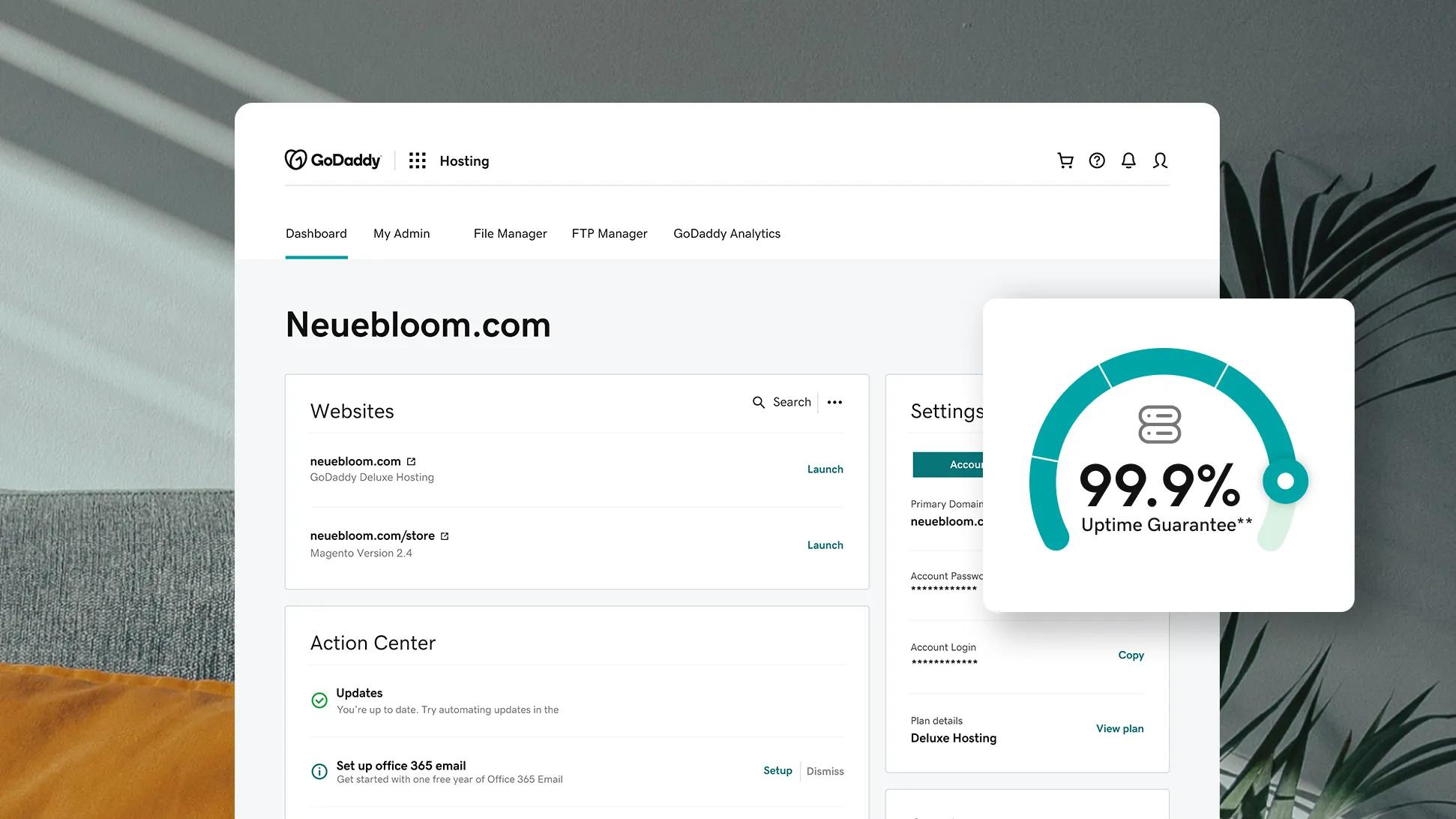
The control panel is your main tool. It helps manage your website. Learn to find different sections. Dashboard is where you start. Settings lets you change site options. File Manager helps you edit files. Explore each tab. See what they offer. Practice using them often.
FTP accounts help upload files to your site. Access is through a username and password. Go to the FTP section in your panel. Click Create Account. Enter username and password. Choose the folder for access. Save changes. Now you can upload files easily.
Databases store important site information. Use them wisely. Go to the Database section in your panel. Click Create New Database. Name your database clearly. Add a user. Set a strong password. Connect your site to this database. Always back up your data.
Installing A Content Management System
Setting up a web hosting site involves installing a Content Management System (CMS) for easy website management. Start by choosing a reliable web hosting provider and follow their instructions to install the CMS. Most platforms offer one-click installation, making the process quick and straightforward.
Choosing A Cms
Selecting a Content Management System (CMS) is crucial. Popular choices include WordPress, Joomla, and Drupal. Each has unique features. WordPress is user-friendly. Joomla offers flexibility. Drupal is powerful for developers. Think about what you need. Ease of use is important. Consider features and support. Look at the community size. Check available plugins. Choose based on your skills and site goals.
WordPress Installation
Installing WordPress is simple. First, download WordPress. Next, upload it to your server. Use FTP for this. Create a database using your hosting panel. Remember to note the database details. Open the WordPress setup page. Enter your database info. Then, choose a username and password. Install WordPress by clicking the button. You can now log in and start building.
Cms Security Considerations
Security is important for CMS. Always update your CMS. Use strong passwords. Enable two-factor authentication. Install security plugins. Backup your site regularly. Avoid using outdated themes. Check for vulnerabilities often. Secure your hosting server. Limit user access levels. Monitor site activity. Protect your site from hackers.

Credit: www.crazydomains.com
Designing Your Website
Choosing the right theme is very important. It gives your site a unique look. Themes can be simple or fancy. Pick one that fits your style. Make sure it is easy to use. Check if it supports your content type. Themes should be lightweight. This helps your site load fast. A slow site can annoy visitors.
Adjusting your site layout is fun. Arrange items neatly. Use colors that match your brand. Add images to make it lively. Keep it tidy and organized. Visitors like easy navigation. Simple designs are often the best. Try different layouts. See what looks nice.
Websites should work on all devices. Many people use phones to browse. A responsive design adjusts to any screen size. It keeps the site looking good. Test your site on phones and tablets. Make sure texts and images are clear.
Optimizing Website Performance
Large files slow down websites. Compress images to reduce their size. Use tools like TinyPNG or JPEG Optimizer. Optimize file formats. Choose JPEG over PNG for photos. Smaller files load faster.
Caching saves data. Browsers store website parts. This speeds up future visits. Server caching is important. It reduces load time. Use plugins for caching. W3 Total Cache is popular. It helps with page speed.
Check site speed often. Use tools like Google PageSpeed Insights. They show how fast your site is. Fix slow parts quickly. Regular checks keep your site fast. Fast sites rank better in search engines.
Securing Your Website
Setting up a web hosting site requires careful planning to ensure security. Choose a reliable hosting provider and implement strong passwords. Regular updates and backups help safeguard your website against potential threats.
Installing Ssl Certificates
SSL certificates protect websites. They keep data safe from hackers. SSL ensures information stays private. Users trust sites with SSL. Install SSL to build trust. Browsers show a lock icon for secure sites. This icon means safe browsing. SSL is important for safety.
Implementing Firewalls
Firewalls block unwanted access. They protect your site from attacks. Firewalls are like guards. They monitor traffic closely. Choose a strong firewall for your site. Firewalls keep hackers out. They are vital for security. Regular checks ensure firewall works well.
Regular Security Audits
Security audits check for weak spots. They find issues before hackers do. Audits help keep sites safe. Conduct audits regularly. Fix problems fast after audits. This keeps your site secure. Audits are important for peace of mind. Security checks save time and money.
Launching Your Website
Make sure your website looks good on all devices. Test it on phones and computers. Check that all links work. Fix any broken links. Ensure the website loads fast. Slow websites can upset visitors. Set up email and contact forms. They help you connect with visitors. Check all content for spelling mistakes. Use simple words. Make sure images are clear and not blurry. This makes the website look neat.
Tell people about your new website. Use social media to spread the word. Share the website link with friends. Ask them to tell others. Write a short post about the website. Explain what it does. Highlight any special features. Encourage people to visit. Excite them with a sneak peek of your site. This builds curiosity.
Use tools to track how many people visit. Google Analytics is a good tool. See which pages get the most visits. This tells you what people like. Ask visitors for feedback. Use a simple form on your site. Read the feedback carefully. It helps you improve the website. Make changes if many suggest the same thing. Happy visitors mean success.
Credit: www.hostinger.com
Frequently Asked Questions
How Do I Set Up My Website Hosting?
Choose a reliable hosting provider. Register an account. Select a hosting plan. Connect your domain. Upload your website files.
How To Start A Web Hosting?
Choose a reliable hosting provider. Sign up for a plan that suits your needs. Configure domain and server settings. Install necessary software, like cPanel. Set up security measures to protect your site. Begin uploading your website content and monitor performance regularly.
How Much Does It Cost To Host A Website?
Website hosting costs can range from $3 to $500 per month, depending on the provider and features. Shared hosting is cheaper, while dedicated hosting is more expensive. Consider your website needs and budget when choosing a plan. Always check for hidden fees and read reviews to ensure reliable service.
Can I Host My Website By Myself?
Yes, you can host your website yourself. You’ll need a computer, reliable internet connection, and server software. Hosting it yourself offers control but requires technical skills and maintenance. It’s typically more cost-effective to use a web hosting service for better reliability and support.
Conclusion
Setting up a web hosting site can seem daunting. But with patience, it’s achievable. Start with clear goals and a solid plan. Choose reliable hosting services that suit your needs. Ensure your site is user-friendly and secure. Regular updates keep your site running smoothly.
Remember, customer support is crucial. It helps solve issues quickly. Stay informed about new hosting trends. This will keep your site competitive. Practice and persistence lead to success. Good luck with your web hosting journey!


