
Are you ready to launch your website but feeling overwhelmed by the costs of web hosting? You’re not alone, and the good news is that you can actually set up a website without spending a dime on hosting.
Free web hosting is a fantastic option for beginners and small businesses looking to establish an online presence without breaking the bank. Imagine having your very own corner of the internet, where you can showcase your ideas, products, or hobbies.
It’s exciting, isn’t it? You’ll learn how to set up free web hosting effortlessly. We’ll guide you through each step, ensuring you have all the tools and knowledge to get your website up and running in no time. So, are you ready to unlock the potential of free web hosting and start your digital adventure? Let’s dive in!
Choosing The Right Free Web Host
Free web hosts have many features. Storage space is important. Choose hosts with enough space for your site. Bandwidth matters too. More bandwidth means faster load times. Look for easy-to-use control panels. These help manage your site easily. Customer support is crucial. Good support helps solve issues quickly. Check for ads on your site. Some hosts place ads on free plans. Decide if ads are okay for you.
| Provider Name | Key Features |
|---|---|
| 000webhost | 1 GB space, no ads, free domain |
| InfinityFree | Unlimited bandwidth, free SSL, no ads |
| FreeHosting | 10 GB space, limited bandwidth, free site builder |
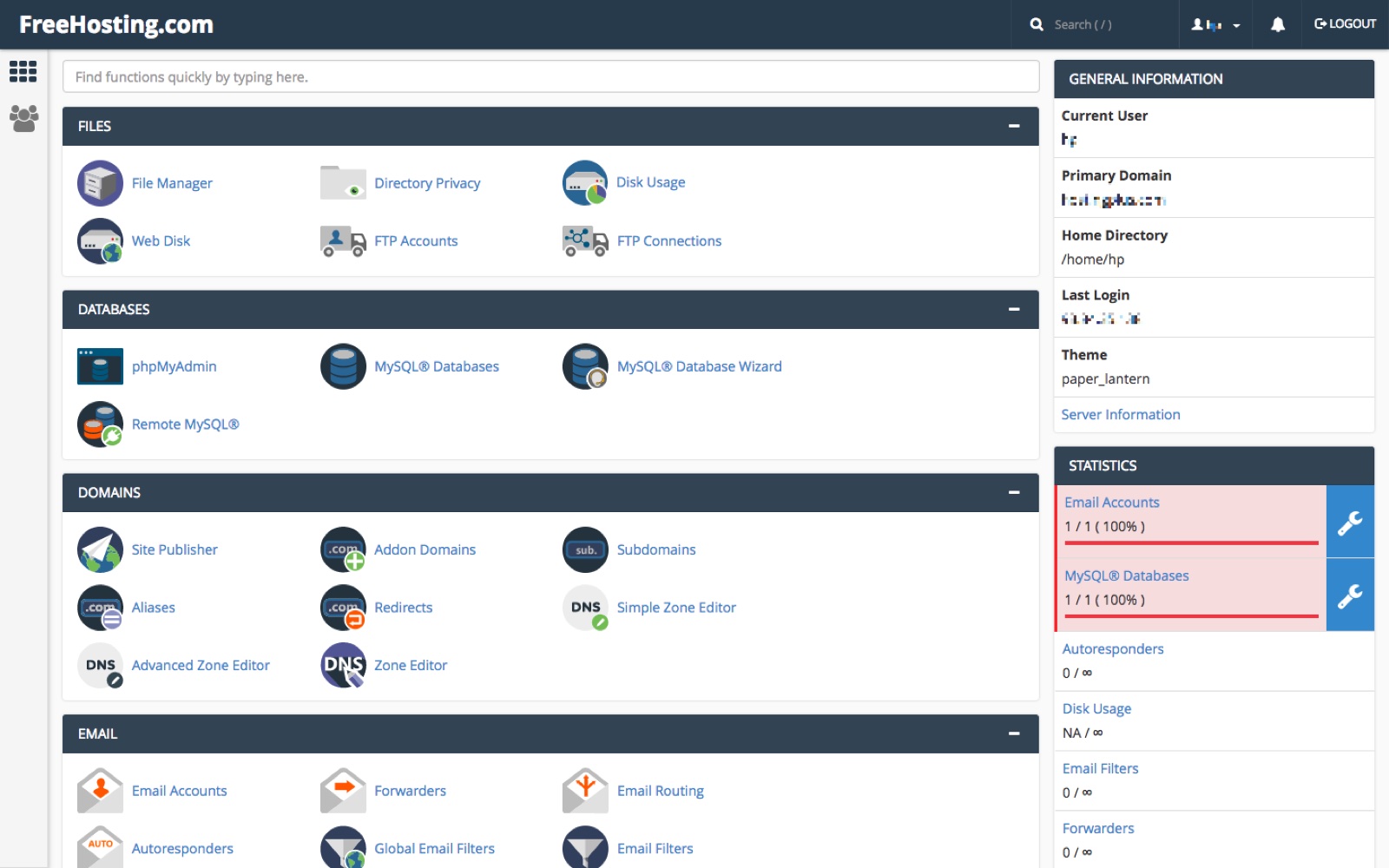
Credit: www.freehosting.com
Registering A Domain Name
Choosing between free and paid domain options is vital. Free domains often have long, complicated names. This makes them hard to remember. Paid domains are short and catchy. They look more professional. Free domains might have ads. Paid ones usually do not. Think about what you need. A paid domain gives more control. Free domains are good for small projects.
Keep the name short and simple. This helps people remember it. Use easy words. Avoid numbers and hyphens. These can confuse people. The name should reflect your website’s purpose. Check if the name is available. You can use online tools for this. Make sure it is easy to spell. Ask friends if they can spell it. Make it unique. This helps in building a brand.
Setting Up Your Hosting Account
Start by visiting the hosting website. Look for the “Sign Up” button. Click it to begin. Fill in your name and email. Use a strong password. Make sure it is easy to remember. Check for any spelling mistakes. Once done, click “Create Account.” Now, your account is ready.
Check your email inbox. Look for the verification email. It should arrive soon. Open the email when you find it. Click on the verification link inside. This confirms your email address. Without this step, your account is incomplete.
Configuring Domain Settings
DNS records help direct your domain to the right host. First, log in to your domain registrar. Look for the DNS settings. You will see several records. The most important ones are A Record and Nameservers.
Update the A Record to point to your host’s IP address. Also, change Nameservers to the ones your hosting provider gives. Save these changes. It might take some time for the updates to work.
After updating DNS, connect your domain to the web host. Log in to your hosting account. Look for an option like Domain Management. Add your domain name there. Follow any steps shown by the hosting provider.
This links your domain with the hosting. It may take a few hours to see the changes live on the internet. Be patient, and soon your site will be ready for visitors.
Installing A Website Builder
Many hosting services offer one-click installers. These make building easy. Choose a website builder from the list. Click the install button. Wait a few minutes. Your site is ready to edit. It’s simple and fast. No coding needed. Beginners love these tools. Feel free to explore different options.
| Website Builder | Features |
|---|---|
| WordPress | Easy to use, many themes, good for blogs. |
| Wix | Drag and drop, great for beginners, free templates. |
| Weebly | User-friendly, e-commerce options, simple editor. |
| Squarespace | Beautiful designs, mobile responsive, supports images. |
Uploading Website Files
First, download an FTP client like FileZilla. Open the app and enter your server details. These include the host name, username, and password. Connect to the server. On one side, you see your computer files. On the other side, you see server files. Select your website files. Drag them from your computer to the server. Wait for the upload to complete. Check if your files appear on the server.
Log into your web hosting account. Find the File Manager in the control panel. Open it to see your server files. Click the upload button. Choose the files from your computer. Start the upload process. You might see a progress bar. Wait until it’s done. Refresh the page to confirm your files are uploaded.
Testing And Launching Your Site
Test your website on different devices. Make sure everything looks good. Check links and images. They must work properly. Look for spelling mistakes. Correct any errors you find. This makes your site look professional. Ask a friend to review your site. They might find mistakes you missed.
Upload your files to the web host. Use a file manager or FTP. Ensure all files are in the right place. Check your site online. It should display correctly. If not, recheck your files. Try clearing your browser’s cache. This can fix display issues. Share your site link with friends. They can give feedback. This helps improve your site.
Managing Your Website
Making regular backups is very important. Your website data is valuable. You might lose it by accident. You need to save copies often. Use a reliable tool for this task. It should be easy to use. Plan how often you will backup. Daily backups are best. Keep backup copies in a safe place. Online storage is a good choice. Backup ensures your website is safe. It helps you recover quickly if problems arise.
Keeping an eye on your site is key. It must work well every day. Use tools to check site speed. Look at how fast pages load. Slow pages can drive visitors away. Check server uptime regularly. Visitors want your site available. Use analytics to track visitor actions. Know what pages they visit most. Find out if they leave quickly. Fix any problems you find. A well-performing site keeps visitors happy.
Upgrading From Free Hosting
Exploring the shift from free hosting reveals crucial benefits for serious website owners. Enhanced features and better performance often accompany paid plans, offering improved security and reliability. This transition supports growing traffic, ensuring websites remain fast and accessible to users.
When To Consider Upgrading
Free hosting is great for small sites. But sometimes, you need more. If your site grows big, it might slow down. Too many visitors can cause problems. You may notice limits in storage and features. More space and speed are needed for larger sites. Also, ads on free hosting can bother visitors. It’s important to make a good impression. Upgrading can help with that.
Benefits Of Paid Hosting
Paid hosting offers many benefits. Faster loading times make your site better. More storage means more content. Better security keeps your data safe. Paid plans often have 24/7 support. This helps solve problems quickly. Your site will have no ads. This gives a clean look. Paid hosting can handle more traffic. This is perfect for growing sites.
Credit: www.techradar.com

Credit: ecvps.com
Frequently Asked Questions
Can I Host A Website For Free?
Yes, you can host a website for free using platforms like GitHub Pages, WordPress. com, or Wix’s free plan. These platforms offer limited features and storage but are suitable for small projects or personal blogs. Consider upgrading for more control, functionality, and better performance.
Does Anyone Offer Free Web Hosting?
Several companies offer free web hosting, including InfinityFree, AwardSpace, and Freehostia. These services provide basic hosting features, often with limited resources. Always check the terms and conditions before signing up to ensure they meet your requirements.
Is Wix Really Free Hosting?
Wix offers free hosting with limitations. Users can create websites with Wix branding and limited features. Upgrading to premium plans removes ads and offers more functionalities. Free hosting is suitable for basic sites, but paid plans provide better customization and tools.
Consider your needs before choosing free or paid options.
Can Google Host A Website For Free?
Google offers free website hosting through Google Sites. It’s ideal for simple websites without advanced features. For more complex sites, consider Google Cloud hosting services, which are not free but offer scalable solutions. Using Google Sites can help beginners easily create and publish websites without any cost.
Conclusion
Getting free web hosting is easier than it seems. Follow the steps carefully. Choose a reliable provider. Set up your domain with precision. Explore control panel features. Manage files and databases wisely. Regularly check site performance. Address issues promptly. Use forums for help.
Free hosting has limitations. It’s great for beginners. Perfect for learning and testing. Upgrade when your site grows. Hosting services offer various plans. Consider future needs. Start small, think big. Enjoy your web hosting journey. Stay curious and keep learning.
Your website adventure awaits!


