
Are you a web designer looking to turn your creativity into cash? Selling your WordPress, HTML, and PSD themes on Themeforest might just be your golden ticket.
Themeforest is a bustling marketplace where thousands of designers showcase their work to a global audience. Imagine your designs being downloaded by buyers from all corners of the world, bringing in not just revenue but also recognition. But how do you stand out in such a competitive space?
This guide will walk you through the process, offering insider tips to increase your chances of success. Whether you’re a seasoned designer or just starting out, you’ll discover actionable strategies to make your themes irresistible to buyers. Let’s unlock the secrets to selling on Themeforest and propel your themes to the top of the charts!
Understanding Themeforest Marketplace
Themeforest is a big online place for selling themes. It is part of Envato Market. Here, creators sell their WordPress, HTML, and PSD themes. Buyers look for easy-to-use themes. They want themes for websites and blogs. Sellers need to follow rules when they list themes. This makes sure all themes are good and safe. Themeforest helps sellers with guides and tips. New sellers can learn a lot here.
Many people want themes for their websites. This means a big chance to sell. More people use the internet every day. They need themes for new sites. Businesses, bloggers, and others buy themes. The market grows as more people go online. Sellers can make good money if they have the right themes. Quality and design are key. Unique themes sell well. The demand is high, and opportunities are plenty.
Preparing Your Themes For Sale
Your theme must look great. Users love clean and modern designs. Keep things simple. No clutter. Use clear fonts and bright colors. Make sure your images are high quality. Professional images make a big difference.
Check your theme on different devices. It must work well on phones and computers. Users want fast loading times. Optimize your theme for speed. Every second counts.
Your theme must be easy to use. People like simple navigation. They should find things quickly. Good UX is key. Make sure your theme meets these standards. Success on Themeforest starts here.
The code must be clean and well-organized. Use the latest HTML and CSS standards. Your theme should follow WordPress coding practices. Ensure all files are named properly. This helps users find what they need.
Test your theme for bugs. Fix any errors. Users should have a smooth experience. Your theme must be compatible with popular plugins. Many users will use these plugins. Update your theme regularly. This keeps it safe and working well.
Your theme should be documented. Provide clear instructions. Users need help setting up their theme. Good documentation makes your theme popular.
Creating WordPress Themes
Good design is easy to use. Make sure your theme is simple and clear. Users love themes that are easy to understand. Choose colors that look nice together. Fonts should be easy to read. Keep all parts of the theme neat. Usability means users can easily find what they need. Make sure menus are simple. Every button should work well. A good theme also loads quickly. Slow themes make users unhappy.
Write clean and neat code. This helps your theme work well. Use comments in your code. This makes it easy for others to understand. Follow WordPress coding standards. This ensures your theme meets quality needs. Avoid using too many plugins. They can slow down the theme. Test your theme on different devices. It should work on phones and computers. Keep your code updated. This helps keep the theme secure.

Credit: themeforest.net
Crafting Html And Psd Themes
Create a clear and simple structure for your HTML. Use basic elements like , and . Style with CSS to make your theme look nice. Use colors and fonts that match. Keep your code clean and easy to read. It helps others understand it. Use comments to explain tricky parts. This is very helpful for beginners.
Use layers in Photoshop for neat designs. Each element should have its own layer. This makes it easy to change parts later. Use folders to group similar layers. This keeps your PSD file organized. Name your layers and folders well. Avoid leaving them with names like “Layer 1.” This helps when others work on your design. It also helps you find things fast.
Submission Process
Uploading files is the first step. Make sure your files are well-organized. Use clear names for each file. This helps buyers find what they need. Compress your files into a zip folder. This makes the upload faster. Check your internet connection. A stable connection ensures no interruptions.
A good description is important. It tells buyers about your theme. Use simple words to explain the features. Highlight the unique parts of your theme. Keep your sentences short and clear. This makes it easy to read. Add a list of key points if needed. Use bullet points for clarity. Make sure to spell-check your text. Errors can confuse buyers.

Credit: www.instagram.com
Pricing Strategies
Selling WordPress, HTML, and PSD themes on ThemeForest requires strategic pricing. Set competitive prices to attract buyers while ensuring quality. Analyze market trends and competitor pricing to determine the best price point for your themes.
Understanding Market Rates
Knowing the market rates is important. Research what other sellers charge. Look at the average price for similar themes. This helps you set a good price. It should be fair and competitive. Avoid pricing too high or too low. This can affect your sales.
Setting Competitive Prices
Competitive prices can attract more buyers. Think about the quality and features of your theme. Compare them with others. A lower price can help new sellers. But remember, your work should not be undervalued. Good pricing is a balance. It should reflect the value of your theme.
Promoting Your Themes
Social media is a great tool for sharing your themes. Post about your themes on Facebook and Twitter. Use clear pictures and short descriptions. Engage with your audience. Reply to comments and questions. This helps build trust and interest in your themes. Join groups related to web design. Share your work there. But don’t spam. Share helpful tips along with your themes. This makes people notice you more.
Influencers can help show your themes to more people. Find influencers in web design. Ask them to try your themes. If they like it, they might share with their followers. Offer them a free theme to review. This builds a good relationship. Make sure their audience matches your target. This way, your themes reach the right people.
Maximizing Sales And Revenue
Customer feedback is very important. Listen to your buyers. Their comments help improve themes. Always reply to questions quickly. Good support builds trust. Happy customers buy again. They tell others about your themes. This brings more sales.
Keep themes updated. Make them better. Add new features often. Check for bugs and fix them fast. Updated themes attract more buyers. They feel safe using your themes. Regular updates improve ratings. High ratings lead to more sales.
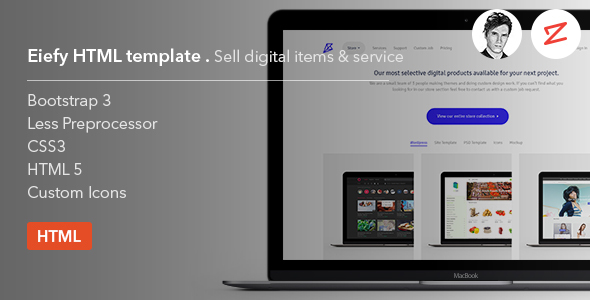
Credit: themeforest.net
Frequently Asked Questions
How To Start Selling Themes On Themeforest?
To start selling on Themeforest, create an account and submit your theme for review. Ensure your theme meets quality standards and guidelines. Optimize it for user experience and functionality. Once approved, your theme will be listed for sale on the platform.
What Are Themeforest Submission Guidelines?
Themeforest requires themes to meet specific quality and technical standards. Your theme should be well-coded, responsive, and compatible with different browsers. Include comprehensive documentation and ensure proper licensing for assets used. Following these guidelines increases the chance of approval.
How Do I Price My WordPress Theme?
Pricing your theme on Themeforest depends on its features, quality, and niche demand. Research competitors and analyze the market to set a competitive price. Consider offering introductory discounts to attract early buyers and increase visibility.
What Themes Are Popular On Themeforest?
Popular themes on Themeforest often feature modern design, responsive layouts, and powerful customization options. Themes catering to e-commerce, corporate, and creative industries tend to perform well. Keep track of market trends to align your theme with popular demands.
Conclusion
Selling WordPress, HTML, and PSD themes on Themeforest is rewarding. Follow these steps for success. Research the market trends. Understand your audience’s needs. Design unique and functional themes. Ensure your code is clean and efficient. Optimize for SEO to increase visibility.
Set competitive pricing to attract buyers. Engage with the Themeforest community. Respond to feedback and improve your themes. Remember, patience and persistence are key. With dedication, your themes can reach a global audience. Start your journey on Themeforest today. Success awaits you.


