
Imagine having access to a world of web pages, all hosted on one of the most popular platforms for developers and tech enthusiasts alike: GitHub. Whether you’re a coding newbie or a seasoned developer, there’s a treasure trove of information waiting for you.
But how do you actually see and navigate these GitHub-hosted web pages? You might feel overwhelmed at first, but don’t worry—you’re not alone. This guide will demystify the process and make it as straightforward as possible. Get ready to unlock valuable insights and resources that can enhance your projects and understanding.
By the end of this article, you’ll be equipped with the knowledge to effortlessly explore and utilize GitHub-hosted web pages. Don’t miss out on this opportunity to expand your digital horizons!
Setting Up Github Pages
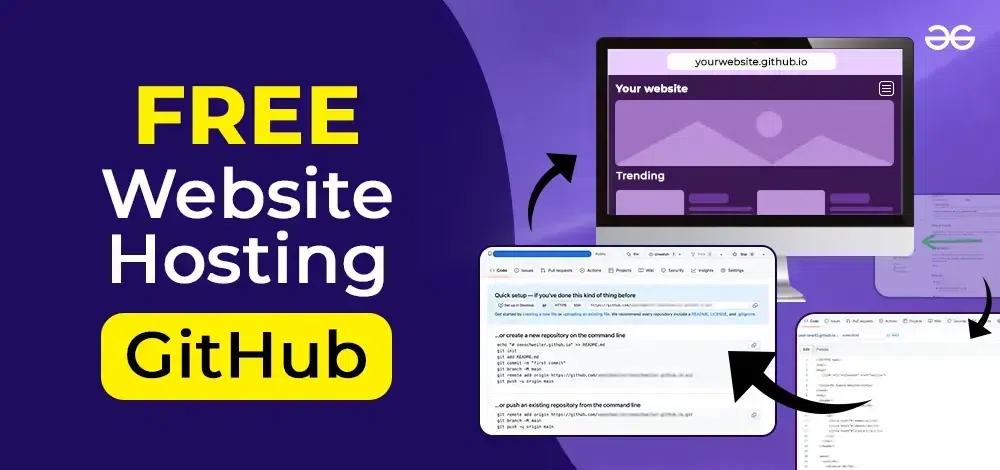
First, sign in to GitHub with your username. Click on the New button to create a repository. Name your repository as username.github.io. This name is important for your web page. Make sure the repository is public. Add a README file if you like. Then, click Create Repository. Now, your repository is ready.
Go to the Settings of your repository. Scroll down to the GitHub Pages section. Choose a branch for your site. Usually, the main branch works well. Save your changes. Your site will be live soon. Check the URL: username.github.io. Enjoy your new web page!

Credit: pages.github.com
Accessing Github Pages
Each project on GitHub can have a special page. This page has a unique URL. To find it, go to the project repository. Look for the settings tab. In settings, search for the GitHub Pages section. The URL will be there. It might look like username.github.io/projectname. Write it down or copy it.
Open a web browser. Paste the copied URL in the address bar. Hit enter on your keyboard. The browser will load the page. You can now see the website. The site shows what is in the repository. Check for updates if it looks old.
Troubleshooting Common Issues
Seeing a 404 error can be frustrating. Ensure your repository is named correctly. It should match your GitHub username or organization. Check the branch you are using. The default should be main or master. Make sure the index.html file exists. It must be in the root folder. Verify the URL is correct. It should follow the format: username.github.io/repository-name.
Sometimes pages don’t show the latest changes. Ensure you have pushed your updates to GitHub. Clear your browser’s cache. This helps to see new content. Check if your changes are in the correct branch. The default branch serves the webpage. Wait a few minutes. GitHub Pages may take time to update.
Credit: www.geeksforgeeks.org
Enhancing Your Github Pages
Custom domains make your GitHub pages look professional. They help users find your site easily. First, buy a domain name. Then, connect it to your GitHub page. This step needs DNS settings. Follow GitHub’s guide for this. It might take some time. Be patient. Soon, your site will have a custom URL. This can make it more memorable for visitors.
Analytics show how many people visit your site. They also show which pages are popular. You can use Google Analytics for this. Sign up on their website. Then, add the tracking ID to your GitHub page. This is done in the HTML code. Check your analytics dashboard often. This helps you understand your audience better. Make changes if needed based on the data. Analytics help improve your website over time.
Exploring Advanced Features
Discover how to view web pages hosted on GitHub with ease. Access these sites by navigating to the “Settings” tab, then selecting “Pages” to find the URL. Explore your projects and see them live on the web effortlessly.
Using Jekyll For Customization
Jekyll helps you create custom web pages on GitHub. It is a tool that converts plain text into websites. You can use it to design your page. This helps to make your site look unique. Jekyll uses templates for easy design. It is simple to use for beginners. You don’t need to be a coding expert. Just follow the steps and set up your page. Customize colors, fonts, and layout. Make your site stand out with Jekyll.
Implementing Https
HTTPS makes your site secure. It protects data from hackers. GitHub provides HTTPS for free. You must enable it in your settings. This keeps your visitors safe. They can trust your site. HTTPS also improves your site’s search ranking. It is important to have a secure site. Users feel safe when browsing. Make sure to check if HTTPS is active. Your site will be secure and trustworthy.

Credit: www.khanacademy.org
Frequently Asked Questions
How Do I See My Github Hosted Website?
Visit “your-username. github. io/repository-name” in your browser to view your GitHub hosted website. Ensure your repository is named “username. github. io” for personal sites. Make sure your repository has an index. html file. Check your GitHub Pages settings for confirmation if needed.
How To View Github Websites?
To view GitHub websites, open your browser and enter the URL: username. github. io or username. github. io/repository-name. Ensure the repository has a GitHub Pages branch. This is how projects hosted on GitHub Pages are accessed and viewed.
How To Access Github Pages Url?
Access your GitHub Pages URL by visiting `https://.github.io/`. Replace “ with your GitHub username and “ with your repository name. Ensure your repository has a `gh-pages` branch or is set to use the default branch for Pages.
How To Check Website Traffic On Github Pages?
Use Google Analytics to track traffic on GitHub Pages. Insert the tracking code in your HTML files. Monitor the analytics dashboard for visitor insights and traffic data.
Conclusion
Exploring Github pages is simpler than it seems. Follow the steps. Set up your repository. Enable Github Pages in settings. Your site is live. Now, share the link with others. This tool is great for showcasing projects. Also, it’s perfect for sharing personal sites.
A valuable skill for developers. With practice, it becomes second nature. Keep experimenting and learning. Soon, you’ll be proficient. Enjoy creating and sharing your work. Github Pages offer endless possibilities. Connect with the community. See your work grow and evolve.
Happy coding!


