
Are you ready to transform your WordPress website with a premium theme? You might have heard that premium themes can elevate your site’s design, improve functionality, and boost user experience.
But how do you actually purchase one, and more importantly, how do you make the most of it once it’s yours? Imagine having a sleek, professional-looking website that catches the eye and keeps visitors coming back for more. That’s not just a dream; it’s a tangible reality waiting for you.
In this guide, you’ll discover the step-by-step process to not only buy a premium WordPress theme but also use it effectively to enhance your site. Whether you’re seeking to increase traffic, improve aesthetics, or provide a seamless user experience, this article is tailored to help you achieve your goals. Dive in, and unlock the potential of your website.
Choosing The Right Theme
Start by knowing your website’s goal. Is it for a blog or shop? This helps in picking the right WordPress theme. A clear goal makes theme choice easy. Themes have different looks and uses. Pick one that matches your goal. It’s like choosing the right clothes for an event.
Many companies sell premium WordPress themes. Some popular ones are ThemeForest and Elegant Themes. Each provider has many choices. Look at designs and features. Check if they fit your website’s need. Compare prices too. Some themes are more costly than others. Find the best balance of price and features.
Reviews tell you how others liked a theme. Ratings show if a theme is good or bad. Check for both before buying. A theme with many good reviews is often a safe bet. Look for comments about support and updates. These are important for your site’s health.
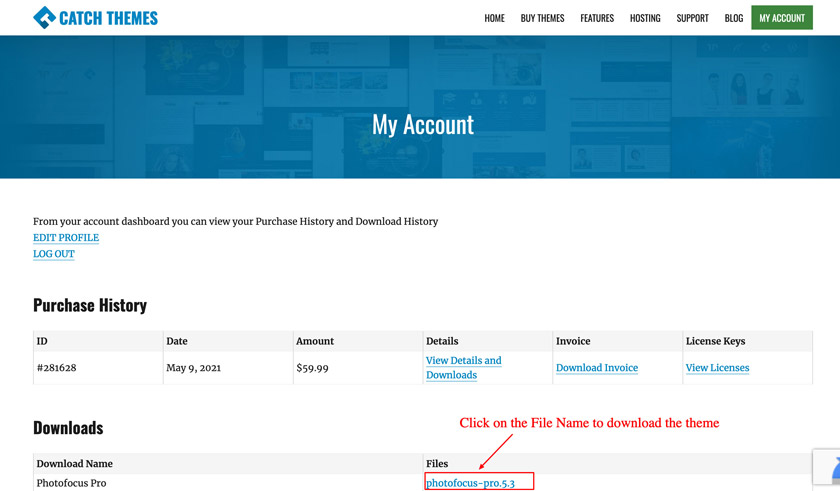
Credit: catchthemes.com
Purchasing A Premium Theme
First, find a popular marketplace like ThemeForest or Elegant Themes. Create an account using your email. Choose a strong password for safety. Verify your email to activate your account. This helps keep your account secure.
Themes come in different price ranges. Compare prices before buying. Some themes offer discounts. Look for theme bundles. Bundles can save money. Choose a theme that fits your budget.
Licenses tell how to use the theme. Read the license carefully. Some allow multiple websites. Others limit to one. Know what’s included. Check for updates and support. These are important for your theme’s future.
Downloading And Installing The Theme
First, log in to your WordPress dashboard. Look on the left side. Find the Appearance tab. Click on it. A menu will drop down. Here, you will see the Themes option. Click it. Now you are in the right place. You can manage your themes here.
Click on Add New button at the top. Then, choose Upload Theme. Click on Choose File. Find the theme file on your computer. It should be a .zip file. Select it and click Open. After that, click on Install Now. Wait for it to upload.
Once uploaded, you will see the Activate button. Click it to make your theme live. Your site will now use the new theme. Check your website to see the changes. You can always switch back if needed.
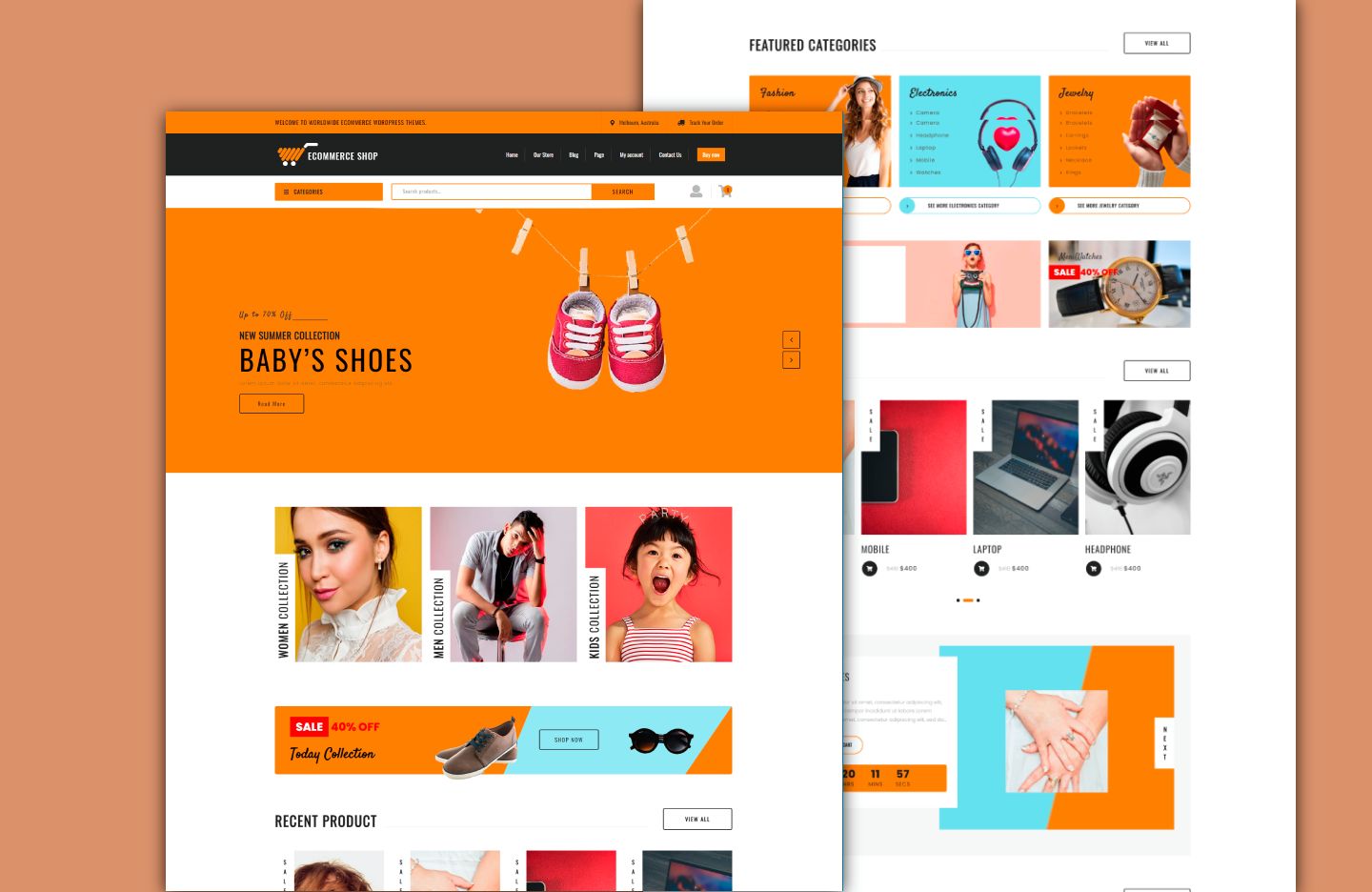
Credit: www.theclassictemplates.com
Customizing Your Theme
The WordPress Customizer is a great tool. It helps you change your site’s look. You can adjust colors and fonts easily. It is simple to use. Just go to your dashboard. Click on “Customize”. You will see many options. Change your site’s appearance in seconds.
Layout is key for a good website. Choose a layout that fits your style. You can move elements around. Make sure it looks nice. Simple designs work best. Keep it clean and easy to read. Design should be user-friendly. Visitors should find information quickly. Avoid clutter. Focus on important parts.
Plugins add more features to your site. Some plugins can make your site faster. Others can add special tools. Choose plugins that suit your needs. Too many plugins can slow your site. Always check plugin reviews. Install only trusted plugins. They help improve your site. Make sure they are updated often.
Ensuring Responsive Design
Always check the theme on many devices. Test on phones, tablets, and computers. Make sure it looks good everywhere. A theme should adjust to all screen sizes. Responsive design means users get a nice view. No matter the device. This keeps visitors happy. And it helps your site rank better.
Many users visit sites from their phones. So, design for mobiles first. Fast loading is crucial. It keeps users on your site longer. Simplify navigation for small screens. Use clear and large fonts. Make buttons easy to tap. Mobile-friendly sites engage more users. This means more traffic for you.

Credit: themeforest.net
Maintaining Your Theme
Keeping your theme up to date is very important. Updates fix bugs and add new features. Make sure to click “update” whenever you see it. This keeps your theme safe and working well. Regular updates also improve site speed and performance.
Always save your custom changes. Before updating, back up your customizations. This way, you won’t lose any changes. Use a backup plugin or save your files manually. It’s wise to keep a backup copy on your computer. This ensures you can restore your site if needed.
Sometimes, things might not work as expected. Start by checking the theme’s settings. Ensure everything is correct. If issues persist, consult the theme’s support documentation. Many themes have a helpful support team. Don’t hesitate to reach out for guidance. Make sure to describe the problem clearly. This helps in finding a solution fast.
Frequently Asked Questions
How Do I Choose A Premium WordPress Theme?
Selecting a theme involves assessing your website’s purpose and design preferences. Consider features, compatibility with plugins, and customer reviews. Ensure the theme is responsive and offers good support. Check for regular updates to keep your site secure and functional. A well-chosen theme enhances your site’s aesthetics and performance.
Where Can I Buy Premium WordPress Themes?
You can purchase premium WordPress themes from reputable marketplaces like ThemeForest, Elegant Themes, and StudioPress. These platforms offer a wide variety of themes, ensuring quality and reliability. Always check customer reviews and ratings before purchasing. Direct purchases from developers’ websites are also a good option for unique themes.
How Do I Install A Premium WordPress Theme?
To install a premium theme, log into your WordPress dashboard. Navigate to “Appearance” and then “Themes. ” Click “Add New” and upload your theme file. Once uploaded, activate the theme to apply it to your site. Ensure you follow the theme’s documentation for any additional setup steps.
Are Premium Themes Better Than Free Ones?
Premium themes often provide superior design, features, and support compared to free themes. They usually offer regular updates and better customization options. This can enhance your site’s functionality and security. However, the choice depends on your specific needs and budget.
Evaluate both options to make an informed decision.
Conclusion
Choosing a premium WordPress theme boosts your website’s appeal and function. Start by identifying your needs and budget. Then, explore trusted theme providers. Purchase your chosen theme and install it on your WordPress site. Customize the theme to align with your brand’s identity.
Make sure to test the theme’s features and responsiveness. Regular updates keep your theme secure and functional. These steps ensure a smooth experience with your premium theme. Enjoy a more professional and engaging website presence. Happy designing!


