
Are you ready to dive into the lucrative world of web hosting? If you’ve ever wondered how to provide web hosting services and turn it into a successful venture, you’re in the right place.
Imagine having the power to support businesses, bloggers, and creatives by giving them a platform to shine online. In this guide, you’ll discover the secrets to starting your own web hosting service. We’ll break down the process into simple steps, ensuring you have all the tools you need to succeed.
From understanding the technical requirements to attracting your first clients, this article will equip you with the knowledge and confidence to make your mark in the digital landscape. Get ready to unlock the potential of web hosting and transform your dreams into reality. Stay with us, and let’s explore how you can make it happen.
Choosing The Right Hosting Type
Shared hosting is simple and affordable. Websites share a server. This makes it cheap. But, websites can be slow. If one site gets busy, all sites slow down. It’s good for small websites. Easy for beginners. No need for technical skills.
VPS stands for Virtual Private Server. It gives more control. You get a private space on a server. It’s faster than shared hosting. Suitable for growing websites. Costs more than shared hosting. Needs some technical knowledge.
Dedicated hosting gives a whole server to you. It’s powerful and fast. Best for big websites. Very secure. You can customize it fully. But, it’s expensive. You need technical skills to manage it.
Cloud hosting uses many servers. It is very reliable. If one server fails, others help. It’s scalable. Good for growing businesses. You pay for what you use. It’s flexible and cost-effective.
Setting Up Server Infrastructure
Choose a strong computer for hosting. It needs a fast CPU and enough RAM. A reliable hard drive is also important. This keeps data safe. Use a cooling system to avoid overheating. Protect hardware from dust and heat. A well-chosen setup ensures smooth operation.
Install a stable operating system. Linux is a popular choice. Use web server software like Apache. It helps manage websites. Install database software such as MySQL. This stores website data. Don’t forget control panel software. It makes managing servers easier.
Set up a strong internet connection. It keeps websites online. Configure a reliable IP address. This helps in accessing servers. Use a good firewall for security. It protects from harmful attacks. Regularly check the network for issues. This ensures everything runs smoothly.
Domain Name Management
Choosing a domain name is exciting. It’s like naming a pet. Make sure it’s easy to spell and remember. Use simple words. Keep it short. Check if the name is available. Use a domain registrar to check. If it’s free, you can buy it. Registration needs a fee. Renew the domain yearly. Don’t forget this step.
DNS stands for Domain Name System. It links your domain to the web. Think of it as a phonebook. Each domain has an IP address. This is like a phone number. Set up the DNS with your hosting provider. Enter the correct details. Double-check to avoid mistakes. Save the settings once done. Your website will be live soon.
Implementing Security Measures
SSL Certificates keep information safe. They create a secure link between the server and browser. This makes data private. Without SSL, data can be stolen. Trust grows when sites use SSL. Users feel safe. Websites with SSL rank better on search engines. This is important for visibility.
Firewalls protect servers from attacks. They block bad traffic. Firewalls are like guards. They watch for threats. Settings can be changed to fit needs. A strong firewall is key for security. It keeps data and users safe. Always update firewall settings. This helps fight new threats.
Backups save important files. They help when data gets lost. Regular backups are essential. They protect against server crashes. Backups should be automatic. This saves time and prevents mistakes. Keep backups in a safe place. Users rely on their data. Reliable backups make them happy.
Creating User-friendly Control Panel
A good dashboard should be easy to use. Users like clear and simple layouts. Use icons that make sense. Each icon should tell what it does. Keep colors soft and not too bright. Bright colors can hurt eyes. Make sure buttons are big. Small buttons are hard to click. Users want to find help fast. Add a help button in the corner. This way, they can click for help anytime.
Important features should be easy to find. Add them to the main page. Users should not search for them. Make sure all tools work well together. This keeps users happy. Check that updates do not break things. Test each feature often. This avoids problems later. Users like new features. Add them slowly, so they can learn.

Credit: me.pcmag.com
Pricing And Packages
Explore flexible pricing options to provide web hosting services tailored to diverse needs. Offer package choices for different business sizes and requirements.
Competitive Analysis
Understanding the market is key. Look at what others offer. Check their pricing models. Compare features. Are they giving more for less? See how they bundle their services. This helps to find gaps. You can offer better value.
Tiered Pricing Models
Offering different levels can attract more users. Basic plans are cheap. Premium plans cost more. Each tier has more features. This is called tiered pricing. It lets customers choose what they need. You can reach different budgets. This flexibility appeals to many.
Marketing Strategies
Online ads are a great way to reach many people. Use platforms like Google and Facebook. Targeting specific audiences is important. Create clear and simple ads. Show what makes your service unique. Use clear images and strong calls to action. Ads should be easy to understand. Budgeting is key. Spend wisely.
SEO helps your website rank higher. Use keyword-rich content. Keywords should match what people search for. Optimize your website for speed. Fast websites rank better. Use alt tags on images. It helps search engines understand them. Meta descriptions should be clear and catchy. They tell search engines what your page is about.
Affiliates promote your service for a fee. Choose affiliates who know your market. They should have a strong online presence. Provide them with marketing materials. Banners and links work well. Offer good commissions to motivate them. Track their performance. Use software to see what works. Adjust your program based on results.

Credit: www.hostinger.com
Providing Customer Support
Setting up a help desk is easy. Use simple tools. Offer a way to ask for help. A help desk can be online. It helps users with problems. Keep it friendly and clear. Make it easy to find. A help desk is like a friend. It’s always there to help.
Live chat is fast. It helps users quickly. Users type their questions. Support answers right away. This is good for small problems. For bigger issues, use ticketing. A ticket records the problem. Support can work on it. Users feel cared for. They can see their ticket status. Both chat and tickets make support better.
Create guides to fix problems. Make them simple. Use pictures and steps. Help users solve issues alone. Guides save time. Users feel smart. They learn how things work. Always update these guides. Keep them accurate. Good guides build trust. Users rely on them.
Monitoring And Maintenance
Ensure your servers are always running smoothly. Check server speed and uptime regularly. Use tools to track website performance. Fast websites make users happy. Slow websites can lose visitors. Keep an eye on data. Find problems quickly.
Keep your software up-to-date. Updates fix security holes. They make systems run better. Regular updates are important. Update control panels and software often. Secure your web hosting. Protect against hackers. Stay safe online.
Solve problems quickly. Respond to customer issues fast. Use support tickets to track issues. Fix server errors. Help clients with website troubles. Keep communication open. Make customers feel heard. Happy customers stay longer.
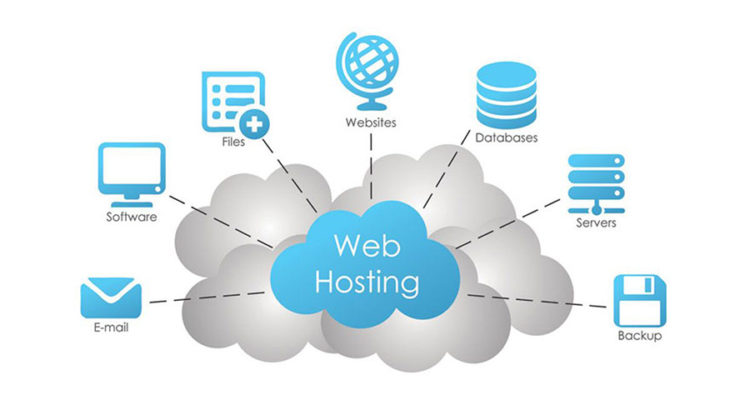
Credit: wpactivethemes.com
Frequently Asked Questions
How To Provide Web Hosting Services?
To offer web hosting services, choose a reliable server and set up hosting software. Create user-friendly plans and pricing. Provide excellent customer support, ensuring website uptime and security. Market services effectively and maintain transparency in terms and conditions.
How To Sell A Web Hosting Service?
Focus on quality service, competitive pricing, and excellent customer support. Highlight unique features and benefits. Use targeted online marketing to reach your audience. Offer promotions or free trials to attract new customers. Build trust through testimonials and reviews. Leverage SEO strategies to improve visibility in search engines.
Can I Be My Own Hosting Provider?
Yes, you can be your own hosting provider. Set up a server, manage software, and maintain security. Ensure a reliable internet connection and technical knowledge. This offers control but requires time, expertise, and resources. Consider potential costs and responsibilities before proceeding.
How Much Does It Cost To Host A Web Service?
The cost to host a web service varies from $3 to $500 monthly. Prices depend on bandwidth, storage, and features. Shared hosting is cheaper, while VPS and dedicated servers are pricier. Choose based on your needs and budget for optimal performance.
Conclusion
Starting a web hosting service demands clear planning and execution. Choose reliable technology. Provide excellent customer support. Ensure your servers are secure and fast. Keep pricing competitive. Understand your audience’s needs. Regularly update your services. Stay informed on industry trends.
Build trust with transparency and quality. Encourage feedback to improve continuously. These steps help you offer a web hosting service successfully. Your clients will appreciate reliable and friendly service. With commitment and care, your hosting service can thrive. You have the tools.
Now, take the first step and begin your journey.


