
Imagine you’re eagerly working on your new website, but it’s not quite ready for the world to see. You want to create a buzz, a sense of anticipation, while making sure your visitors know something amazing is coming soon.
Enter the “under construction” page—a simple yet powerful tool to keep your audience engaged and informed. If you’re hosting your site on GoDaddy, you might be wondering how to set this up seamlessly. You’re in the right place. This guide will walk you through the easy steps to put your GoDaddy-hosted website under construction, ensuring your visitors remain curious and excited about what’s to come.
Let’s dive in and discover how you can keep the anticipation alive with just a few clicks.
Setting Up Your Godaddy Account
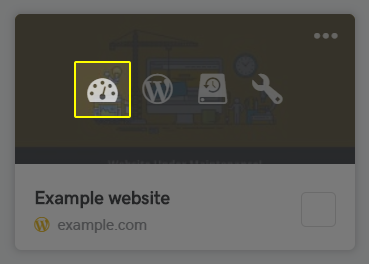
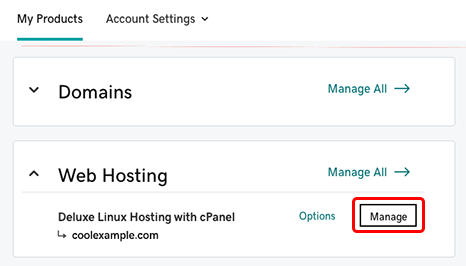
Accessing your dashboard is easy. First, log into your Godaddy account. Use your email and password. Find the “My Products” section. Click on it. This will show all your hosted sites. Pick the site you want. Click “Manage” to open the dashboard. You now have control over your site. Make changes and updates as needed.
Understanding hosting options is important. Godaddy offers several plans. Each plan has different features. Shared hosting is common. It’s good for small sites. VPS hosting is more powerful. It’s for bigger sites. Dedicated hosting is the strongest. It’s for very large sites. Choose the plan that fits your needs. Consider your site’s size and traffic. Ask yourself what features you need.
Credit: www.godaddy.com
Creating A ‘under Construction’ Page
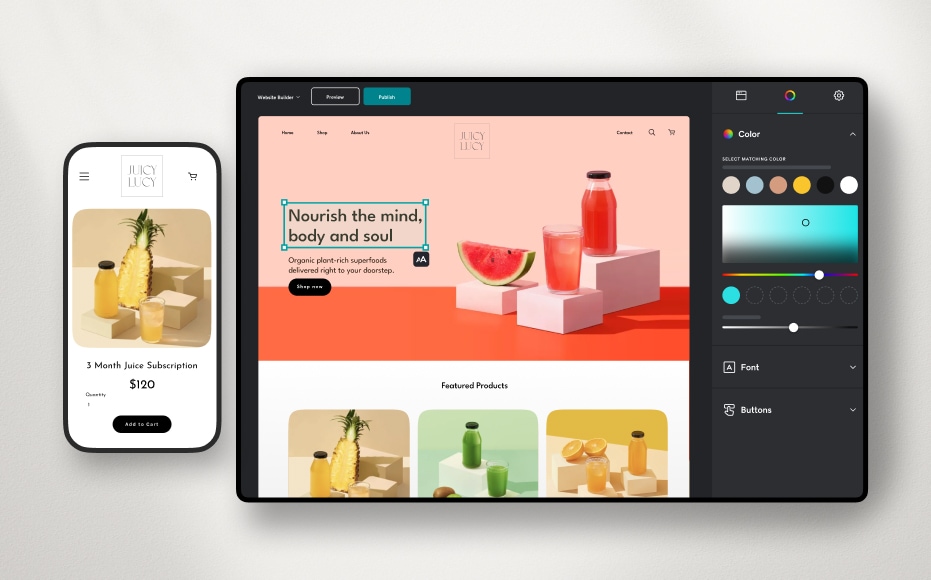
Keep the page simple and clear. Use bold colors and large fonts. Add a short message saying the site is under construction. Include a contact email for visitors. Use an eye-catching image to grab attention. Keep the design clean and minimal. Avoid clutter and too much text.
Many templates are available online. Choose a template that suits your style. Templates save time and effort. Godaddy offers some built-in templates. Use them for faster results. Customize the template with your logo and colors. Ensure the template is mobile-friendly. This helps visitors on phones and tablets.
Uploading The Page To Godaddy
Open the Godaddy account and log in. Click the Web Hosting tab. Select Manage next to your domain. Look for the File Manager option. Click to open it. Find the public_html folder. This folder holds your website files. Click the Upload button. Choose your under construction page file. Wait for the upload to finish. Check your site to see the changes.
Install an FTP client on your computer. Open the client and log in. Use your Godaddy FTP details. Connect to your server. Go to the public_html folder. This is where your site files are. Drag and drop your under construction page file here. Wait for the file to transfer. Visit your site to check the update.
Credit: www.godaddy.com
Configuring Website Settings
Set up a new page for your website. Name it “Under Construction”. Open your GoDaddy account. Go to the dashboard. Find your website. Click on settings. Look for the redirect option. Choose your new page. This makes visitors see the “Under Construction” page. It is easy and quick. Just a few clicks.
Open the domain settings in GoDaddy. Find the DNS manager. Look for the A record. Change it to your new page’s IP address. This points your domain to the right page. Check to see if it works. If not, repeat the steps. This keeps your domain active and correct.
Testing Your Page
Make sure everyone sees your page. Open different browsers. Check on your phone. Visibility is very important. The page must load quickly. If it loads slowly, fix it. Test many times. Ask friends to check too. Use tools online. They can help.
Test every button and link. Click them to see if they work. Functionality matters. If a button fails, fix it fast. Use different devices. Check on a tablet. Test on a computer. Make sure everything works. Errors upset visitors. Keep users happy. Update your page often.
Credit: www.godaddy.com
Troubleshooting Common Issues
Upload errors can frustrate anyone. Check if the file is too big. Godaddy might not allow large files. Try using a smaller file. Sometimes, the internet connection is weak. A strong connection helps in uploading files. Refresh the page if the file doesn’t upload. This might fix the error. Ensure you have the right permissions. Permissions allow files to upload smoothly.
A site that doesn’t display right can confuse visitors. Check your website settings first. Sometimes settings hide the content. Make sure the page is published. Published pages show up on the site. Clear the browser cache. Cache can hold old versions of the page. Try different browsers to see if the issue persists. Different browsers show pages differently. Adjust the display settings if needed.
Frequently Asked Questions
How To Put Under Construction On Website Godaddy?
To put your GoDaddy website under construction, log in to your account. Go to “My Products” and select “Manage” next to your website. Use the “Site Settings” to activate “Maintenance Mode” or “Under Construction”. Save changes to update your site status.
How Do I Put My Website Under Construction?
To put your website under construction, create an “Under Construction” page. Use plugins or HTML to display this page. Ensure proper redirects and maintenance messages. Update your website settings to display the construction page. Regularly check and update visitors on progress.
How Do I Upload A Project To Godaddy?
Log into your GoDaddy account. Navigate to “My Products” and select “Web Hosting. ” Use the cPanel to upload files via the “File Manager” or use FTP. Follow prompts to complete the upload. Ensure files are correctly placed in the “public_html” directory for website visibility.
How Do I Post To My Godaddy Website?
Log in to your GoDaddy account. Open your website builder. Select “Edit Website”. Click “Add Section” to post new content. Save changes to publish.
Conclusion
Posting an “under construction” page on your GoDaddy site is easy. Follow the steps, and your visitors will see your progress soon. Start by accessing your GoDaddy account. Next, create a simple HTML page. Then, upload it through the file manager.
Finally, check your site to ensure it displays correctly. This way, you inform visitors your site is being improved. Always keep your audience updated. They appreciate knowing changes are happening. Your site’s success depends on clear communication. Remember, a well-maintained site attracts more visitors.
Stay committed to enhancing your online presence.


