
Imagine having the power to captivate your audience with visually engaging stories right on your WordPress site. You want to keep your readers hooked, and learning how to post stories in a two-sidebar theme can do just that.
With this setup, you can share captivating narratives while utilizing the additional space to highlight related content, ads, or anything else you desire. Now, you might think it sounds complicated, but it’s easier than you imagine. You can transform your website into a storytelling hub that draws in visitors and keeps them engaged.
This guide will walk you through each step, ensuring you leverage the full potential of your WordPress theme. Get ready to enhance your site’s appeal and keep your audience coming back for more. Dive in, and discover how simple it can be to showcase stories that resonate with your readers.
Choosing The Right Two-sidebar Theme
Some themes have two sidebars. They can make your site look great. Twenty Fourteen is a famous theme. Responsive themes work well on phones and tablets. Hueman is another good choice. It has many colors to pick. Many people like the Magazeen theme. It looks like a real magazine.
Choose a theme that loads fast. Speed is important for readers. Themes should be easy to customize. You can change colors and fonts. Check if the theme supports widgets. Widgets are fun and useful. Make sure the theme is updated often. Updates keep your site safe.
Installing A Two-sidebar Theme
First, go to the WordPress dashboard. Click on Appearance. Then, select Themes. Look for the Add New button at the top. Click it. Choose the Upload Theme option. A new box will appear. Click Choose File. Find your theme’s zip file on your computer. Select it. Then, click Install Now. Wait a few seconds. The upload will finish soon.
After the theme uploads, you will see a new screen. Click Activate. This makes your theme live. Check your site. It should look different now. Two sidebars will show on your pages. Make sure everything looks right. Adjust settings if needed. Enjoy your new theme!
Customizing The Sidebars
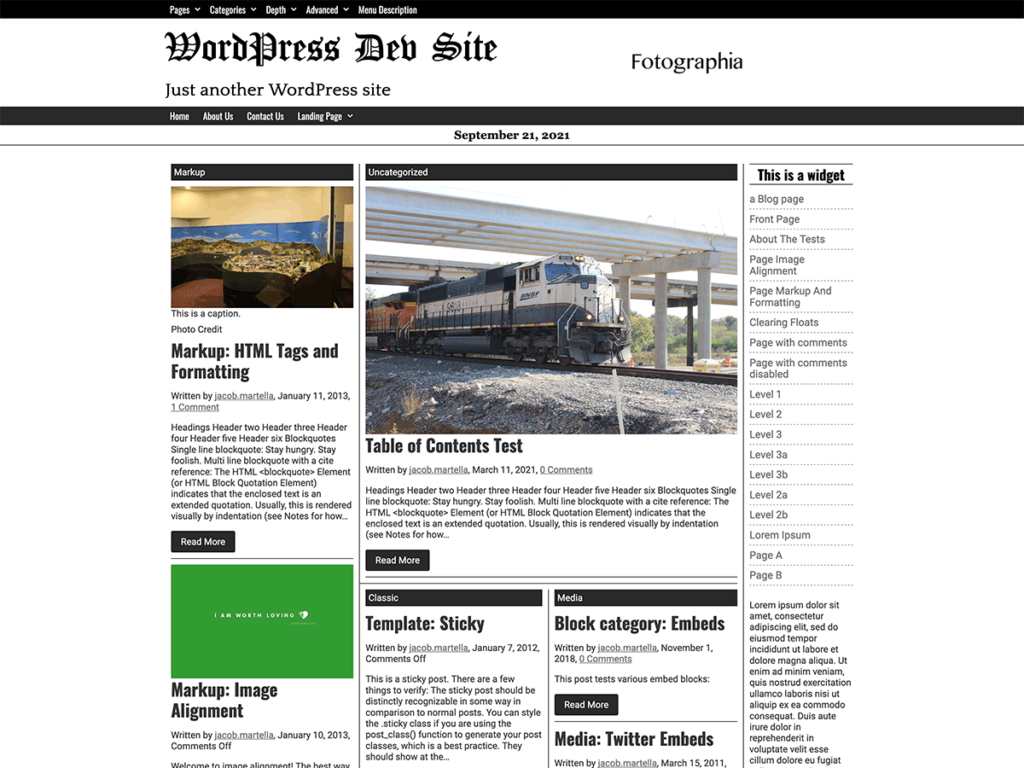
Easily manage content by customizing sidebars in WordPress’s two-sidebar theme. Arrange widgets to highlight stories effectively. Improve reader navigation with tailored sidebar options.
Adding Widgets
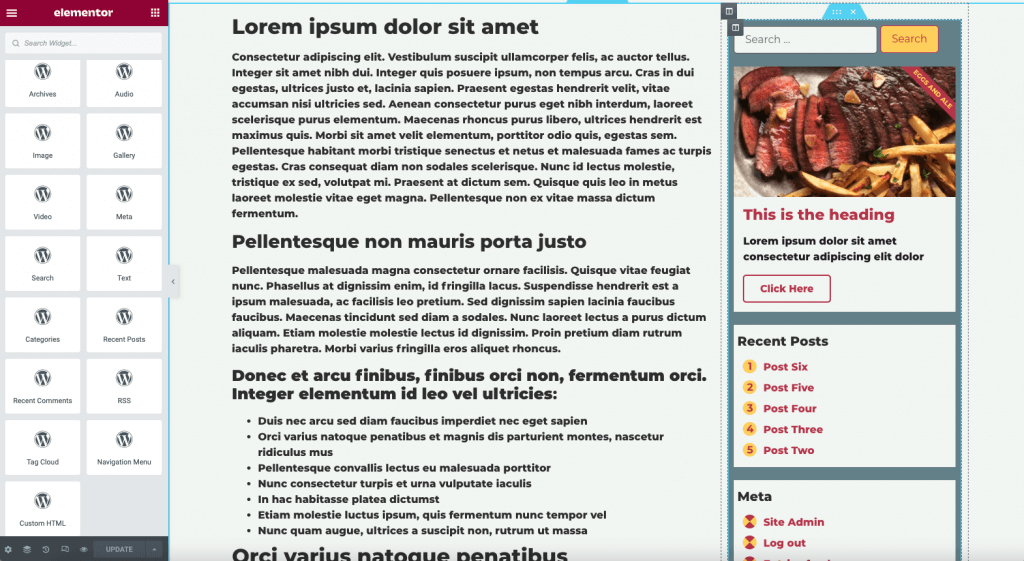
Widgets help you show extra content on your site. You can add them to your sidebars. Go to the WordPress dashboard. Click on Appearance. Then choose Widgets. Drag a widget to a sidebar. You can add text, images, or links. It is easy to change the order. Just drag and drop. Each widget has settings. Click to open and change them. Save your settings. Now your sidebar has more features.
Adjusting Layout
Adjusting the layout makes your site look better. Use the Customizer in WordPress. Go to Appearance. Click on Customize. Choose Layout Options. You can choose how wide or narrow your sidebars are. Try different settings. See what looks best. Click Publish to save your changes. Now your site looks good and works well.
Credit: jacobmartella.com
Creating Story Content
Good stories grab people’s attention. Use simple words to tell your story. Start with a fun idea. Make the readers feel happy or curious. Keep sentences short. Use words kids understand. Add a twist to surprise them. End with a memorable point.
Pictures make stories more fun. Add images that show your story. Use videos to make it exciting. Choose bright colors for your images. Include sounds that match your story. Make sure everything fits the theme. Kids love stories with cool pictures and sounds.
Publishing Stories
Stories need visibility settings. Choose who can see your stories. You can set them to public or private. Public stories are seen by everyone. Private stories are for special viewers. Click the visibility button to change settings. Save your changes before you leave the page.
Posts can be published later. You can schedule them for future dates. Pick a date and time for your post. Your story will be published at that time. To schedule, find the publish button. Then choose a date and time. This helps you plan your stories ahead.

Credit: mhthemes.com
Optimizing For Engagement
Use keywords that match your story. Place them in the title, first paragraph, and image alt text. These help search engines find your story. Keep your sentences short and clear. This makes it easy for readers to understand.
Add internal links to your other posts. This keeps readers on your site. Use headings to organize your content. This makes your story easy to read. The easier it is, the more people will engage with it.
Add social media buttons to your posts. These let readers share your stories. More shares mean more people see your content. Place these buttons at the top or bottom of your posts. This way, they are easy to find.
Troubleshooting Common Issues
Posting stories in a two-sidebar theme WordPress can sometimes be tricky. Ensure both sidebars are properly configured. Adjust widget settings for seamless content integration.
Theme Compatibility Problems
Some themes might not work with all plugins. This can cause display issues. Check your theme’s documentation first. It often lists compatible plugins. Update your theme and plugins to the latest versions. This can solve many problems. If issues continue, try another theme. Choose one with good reviews and support. Testing on a local server helps. This avoids affecting your live site.
Sidebar Display Errors
Sometimes sidebars don’t show correctly. Widgets may be in the wrong place. Check your WordPress settings. Go to the widget section. Drag and drop widgets to the right sidebar. Check if you have too many widgets. Too many can cause errors. Make sure your theme supports two sidebars. If not, consider a new theme. A theme made for two sidebars is best.
Credit: elementor.com
Frequently Asked Questions
How Do I Enable Two-sidebars In WordPress?
To enable two sidebars in WordPress, choose a theme that supports this layout. Navigate to the WordPress dashboard, select “Appearance,” then “Themes,” and activate your chosen theme. Ensure the theme settings allow two sidebars, and customize them through the widget section to suit your needs.
Can I Customize Sidebars In WordPress Themes?
Yes, you can customize sidebars in WordPress themes. Go to the WordPress dashboard, click on “Appearance,” then “Widgets. ” From there, you can add, remove, or rearrange widgets within your sidebars. This allows you to tailor the sidebar content to better match your website’s design and functionality.
Which Plugins Help Manage WordPress Sidebars?
Several plugins can help manage WordPress sidebars. Popular options include “Content Aware Sidebars,” “Custom Sidebars,” and “Sidebar Manager. ” These plugins allow you to create, customize, and manage sidebars with ease, offering flexibility in widget placement and display conditions across your site.
How To Post Stories In A WordPress Theme?
To post stories, log into your WordPress dashboard. Click on “Posts” and then “Add New. ” Enter your story’s title and content in the editor. Ensure your theme supports the desired layout, and use the two-sidebar configuration to enhance the presentation.
Finally, publish your post.
Conclusion
You now know how to post stories in a two-sidebar theme. This process is easy if you follow the steps carefully. Remember to customize your sidebars for a better user experience. Keep your content engaging and relevant to your audience.
Practice makes perfect, so try different story formats. Experiment with sidebar layouts to find what works best. Always preview your changes before going live. This ensures everything looks good and functions well. Now, you’re ready to share amazing stories with your readers.
Happy blogging!


