
Choosing the perfect WordPress theme can feel like searching for a needle in a haystack. With countless options available, how do you find the one that fits your needs perfectly?
The right theme not only enhances your site’s appearance but also boosts performance and user experience. Imagine your website looking not just good, but great—captivating your visitors from the moment they land on it. You want it to reflect your brand, engage your audience, and drive your goals.
This guide will show you how to pick a WordPress theme that ticks all those boxes, ensuring your site is both stunning and functional. Ready to transform your website? Let’s dive in and discover how you can select the ideal theme that makes your site stand out.
Understanding Your Website Needs
First, think about what your site will do. Is it for sharing stories, selling products, or showing pictures? The purpose helps decide the theme. For a store, a clean and simple theme works best. If it’s a blog, choose a theme that’s easy to read.
Next, think about who will visit your site. Are they kids or adults? Knowing your audience helps pick colors and fonts. A fun site needs bright colors. A serious site might use calm colors.
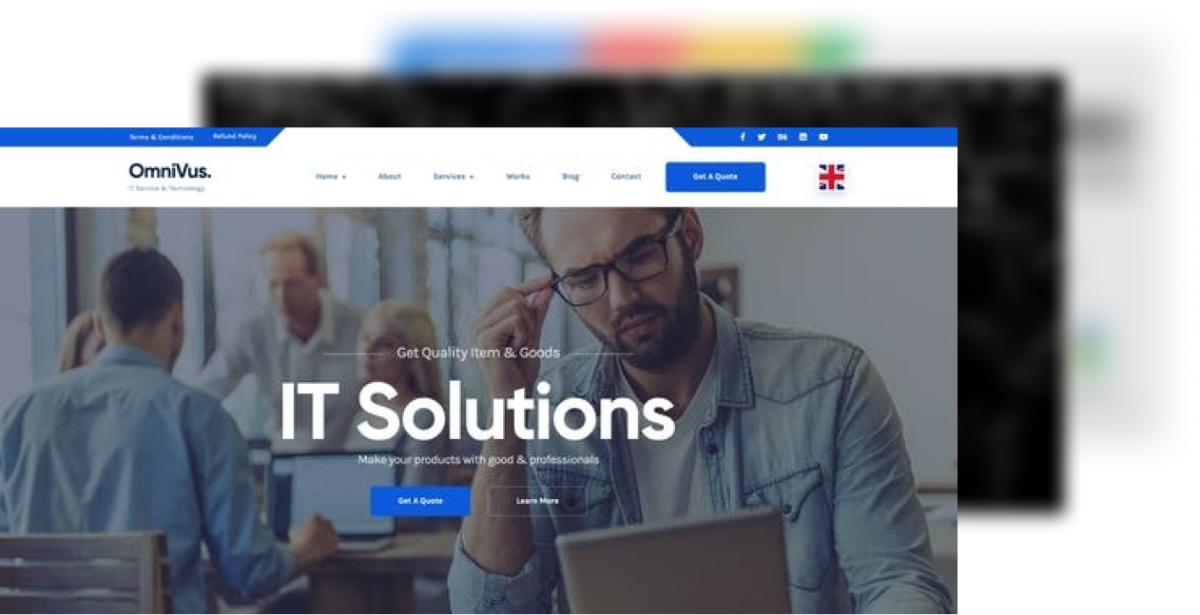
Credit: themeforest.net
Budget Considerations
Choosing between free and premium themes can be tricky. Free themes save money. They are simple and easy to use. But, they may lack special features. Premium themes often have more options. They can cost money. Sometimes, they offer better support. For some, this is worth the cost.
Some themes have hidden costs. These might be for extra features. Or, for updates. Always check before buying. Read reviews. They help you know what to expect. Some themes need plugins. Plugins can cost more. Keep this in mind. It helps avoid surprises.
Design And Layout
Responsive design is very important for your website. It makes sure your site looks good on phones, tablets, and computers. Many people use their phones to browse the web. A theme that is not responsive might make your site hard to read. Always check if the theme adjusts its layout on different devices. This helps in keeping users happy. Also, Google likes responsive sites. It helps your site rank better.
Customization options let you make your site unique. You can change colors, fonts, and layout. Some themes offer more options than others. Pick a theme that gives you control over how your site looks. This is important if you want your site to match your brand. Easy customization saves you time. You won’t need to code to make changes. Look for themes with built-in tools for easy edits. This will make your work easier.
Functionality Features
Choosing a WordPress theme requires considering essential plugins. These plugins help add important features to your site. Look for themes that support popular plugins. Plugins like Yoast SEO improve your site’s visibility. WooCommerce helps if you want an online store. Ensure the theme is compatible with security plugins. This keeps your site safe from threats. Themes must support contact form plugins for easy communication. Check for compatibility with social media plugins. This helps in sharing content easily. Remember, plugins enhance your site’s functionality.
A good WordPress theme should be SEO optimized. This helps your site rank better in search engines. Look for themes with clean code. Clean code helps search engines understand your site. Themes should be responsive. Responsive themes work well on phones and tablets. Speed is important too. Choose themes that load quickly. Fast sites rank better on search engines. Make sure your theme uses structured data. This improves search visibility. Check if your theme supports SEO plugins. These plugins help improve your site’s SEO.
Performance And Speed
Fast themes are important. Slow load times can frustrate users. A quick theme enhances the user experience. It keeps visitors happy. Google favors fast websites. This can help your site rank better. Always check theme speed before choosing. Use tools like GTmetrix or PageSpeed Insights. They show how fast a theme loads. A theme with many features might slow down the site. Choose a theme that balances speed and features. Simple themes often load faster. Fast themes make your site more enjoyable. Keep load times low for better performance.
Themes affect how quickly a site runs. A slow theme can hurt your site’s speed. Speed affects visitor experience. Fast sites keep users longer. They help reduce bounce rates. Choose themes that load quickly. Avoid themes with bloated code. Clean coding ensures quicker load times. Test theme speed before using it. Good speed keeps visitors and improves ranking. Optimize images and scripts for better speed. Regular checks help maintain performance. Remember, speed is key for a successful site.

Credit: nitropack.io
User Reviews And Ratings
Explore user reviews and ratings to find the best WordPress themes. Real experiences help you choose wisely. They highlight strengths and weaknesses, guiding your decision.
Reading User Feedback
Reading user feedback helps you know a theme’s good and bad parts. Users share real experiences. They talk about what they like or don’t like. These reviews are very helpful. They help you decide if a theme is right for you. Look for patterns in the feedback. Are many users happy with the theme? Or do many users face the same problem? This can show the theme’s strong or weak points.
Trustworthiness Of Reviews
Some reviews might not be true. Be careful with reviews that sound too good. They might be fake. Look for honest and balanced reviews. These often show both good and bad sides. Check the reviewer’s profile. Are they real users? Do they review many products? Real reviews often come from real experiences. Trust these more than overly positive or negative reviews.
Theme Support And Updates
Choosing a WordPress theme involves checking for theme support and updates. Regular updates ensure security and compatibility. Good support helps fix issues quickly.
Developer Support
Developer support is important for WordPress themes. Developers help fix issues quickly. They answer questions about the theme. Good support makes theme use easy. Some themes offer forums. Others have chat support. This helps users get answers fast. Choose themes with active support. It makes your website better. You feel more confident using the theme. Developers help keep things running smoothly.
Regular Updates
Regular updates are key for WordPress themes. Updates keep themes secure. They add new features often. Updated themes work better with new WordPress versions. This helps avoid bugs. Themes without updates can become outdated. This can cause problems. Pick themes that update often. This ensures your site stays fresh. Regular updates improve your site’s performance. They make your site safer and faster.

Credit: wordpress.org
Testing Before Purchase
Exploring options is crucial when picking a WordPress theme. Try demos to see design and functionality. Verify compatibility with plugins and check loading speed.
Demo Versions
Many WordPress themes offer demo versions
Use demos to test different pages and options. Check if the theme is easy to use. Make sure the demo version is user-friendly. This ensures you make a wise choice. Demos are a great way to learn about a theme before buying. Ensure the theme works with your plugins. Not all themes support every plugin. This can limit your site’s features. Check if the theme is compatible with your WordPress version. Old themes may not work well with new updates. Some themes have specific requirements. Make sure your site meets these needs. Test the theme’s speed and responsiveness. A slow theme can affect your site’s performance. Always perform compatibility checks to avoid problems later.Compatibility Checks
Frequently Asked Questions
What Is The Best Way To Choose A WordPress Theme?
Start by identifying your website’s purpose and target audience. Look for themes that align with your brand and features you need. Prioritize themes that are responsive, lightweight, and SEO-friendly. Check user reviews and ensure compatibility with popular plugins. Always preview the theme before finalizing your choice.
How Do I Know If A Theme Is Seo-friendly?
An SEO-friendly theme should have clean code and fast loading times. It should support popular SEO plugins and be responsive across devices. Additionally, it should use proper heading tags and offer schema markup. Check the theme’s description and reviews for these features before making a decision.
Can I Customize A WordPress Theme Easily?
Most WordPress themes offer customization options through the WordPress Customizer. This allows you to change colors, fonts, and layouts. Some themes come with page builders for more flexibility. Always choose a theme that offers documentation and support for easier customization.
How Important Is Theme Responsiveness?
Theme responsiveness is crucial for user experience and SEO. A responsive theme adapts to different screen sizes, improving mobile usability. This can lead to better search engine rankings. Always test a theme on various devices to ensure it is truly responsive before using it on your site.
Conclusion
Choosing the right WordPress theme is crucial. It impacts your site’s look and feel. Always prioritize simplicity and functionality. Consider your site’s purpose and audience. Test different themes before settling. Look for responsive designs. Mobile users matter. Check customization options.
Personalization is key. Ensure compatibility with plugins. They extend features. Read user reviews. They offer valuable insights. Keep your site loading fast. Speed affects user experience. Regular updates are vital. They improve security and performance. Make informed decisions. A well-chosen theme enhances your website’s success.
Stay patient and thorough. Your efforts will pay off.


