
Are you feeling overwhelmed by the clutter in your WordPress theme files? You’re not alone.
Many website owners struggle to keep their themes organized, which can lead to a chaotic backend and unnecessary headaches. Imagine the peace of mind that comes with a well-organized file structure where everything is easy to find and update. This not only saves you time but also enhances your website’s performance and security.
In this guide, you’ll discover simple yet effective ways to tidy up your WordPress theme files, making your website management a breeze. Stick around, and let’s transform your WordPress experience from messy to marvelous!

Credit: themeforest.net
Theme Files Structure
WordPress themes have many parts. The core components are very important. These parts include style.css and index.php. The style.css file controls the look of the site. It manages colors, fonts, and sizes. The index.php file is the main page. It shows the basic layout. Other files like functions.php add special features. Each file has a unique job. This makes the theme work well.
Themes have several folders called subdirectories. These folders hold different files. The images folder stores pictures. The js folder keeps JavaScript files. JavaScript makes the site interactive. The css folder saves extra stylesheets. Extra styles can change the site’s design. The template-parts folder holds reusable pieces. These pieces can be headers or footers. Each subdirectory has a clear purpose. This keeps things organized and easy to find.
Css Organization
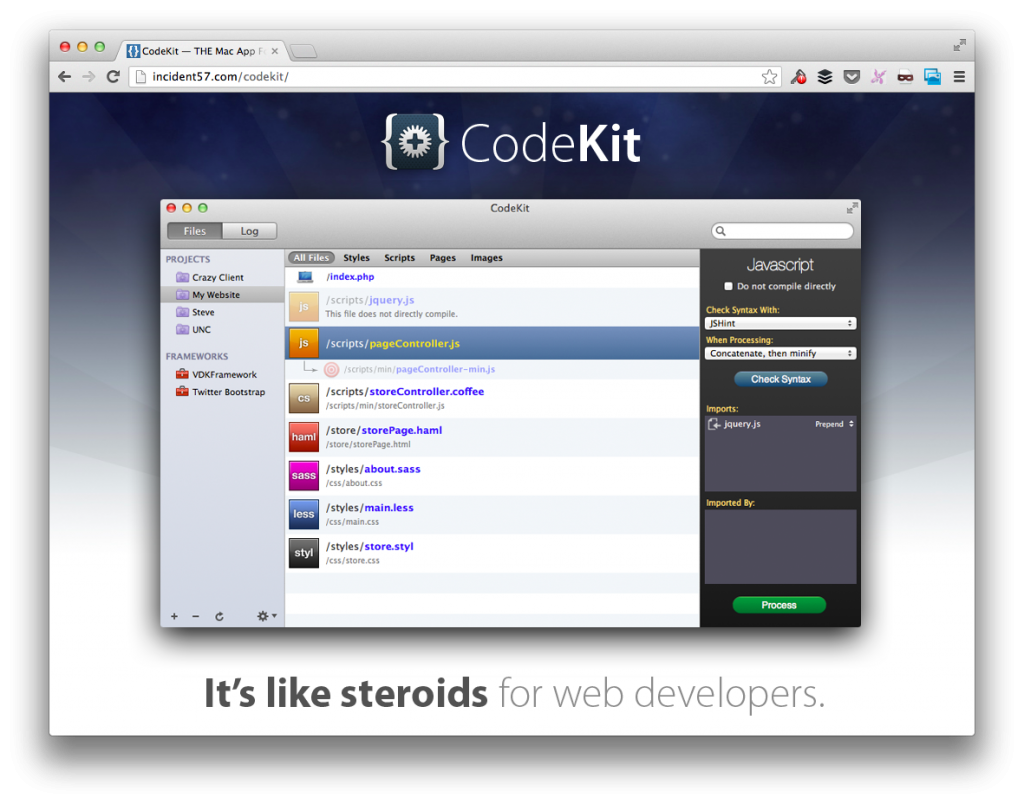
Organizing CSS files is important. Main styles should be in one file. Name it style.css. This is where your core styles will go. Keep it simple and clean. For changes, use separate files. This helps in better management. Follow a good structure. It makes your site load faster.
Use custom CSS for specific needs. Create a file named custom.css. Place your unique styles here. Do not mix with main CSS. This keeps things organized. It helps in finding changes quickly. If you have extra plugins, use separate files. Name them based on their function. This will help others understand the code better.
Javascript Management
JavaScript files help make websites interactive. Proper placement is important. Scripts can be placed in the header or footer. The header loads scripts first. Use for scripts needed early. The footer loads scripts last. Use for scripts needed later. This improves page speed. Faster pages are better for users.
Scripts often depend on each other. Managing these dependencies is key. Use a queue system to load scripts in order. WordPress has tools for this. ‘wp_enqueue_script’ helps manage queues. It loads scripts in the right order. This prevents errors. Proper handling keeps the site running smoothly.
Credit: www.cloudways.com
Template File Arrangement
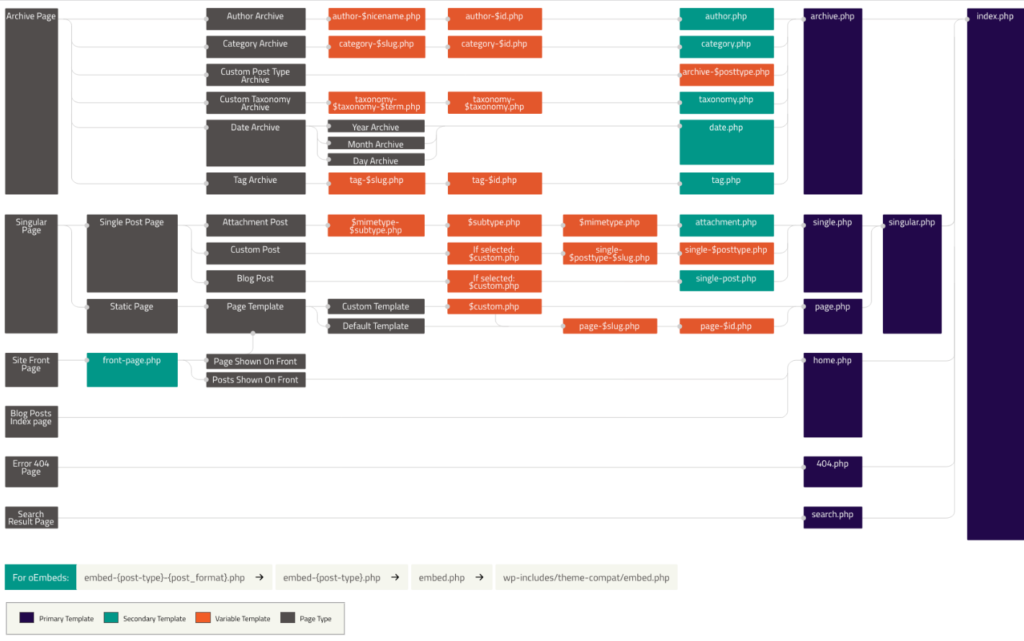
Arranging WordPress theme files efficiently enhances website performance and ease of updates. Group related template files into folders like ‘Header’, ‘Footer’, and ‘Sidebar’ for clarity. Consistent naming conventions improve navigation, making it simple for developers to locate and edit specific files.
Page Templates
Page templates help create different page layouts. Each layout serves a unique purpose. For example, a contact page is different from a blog page. The contact page may have a form. The blog page might show recent posts. These templates live in the theme folder. It’s important to name them clearly. This helps you find them easily. Use names like `contact-page.php` or `blog-page.php`. Keep them organized for quick access. This saves time when editing.
Single Post Templates
Single post templates are for individual posts. They decide how a post looks. You can have a default template. Or you can create custom ones. For instance, a template for news posts. Another for product reviews. Naming is key here too. Use clear names like `single-news.php`. Place them in the same theme folder. Consistent naming keeps things tidy. It helps you know what each file does. This makes editing simpler.
Php Functions Organization
The functions.php file is a key part of your theme. It stores important PHP functions. These functions help your theme work well. The file should be neat and clear. Add functions with care. Each function has a job. Write a note for each function. It helps others understand. Keep it tidy. It makes work easy.
Custom functions add special features to your theme. They can change how your site looks. They can add new tools. Use simple code for these functions. It makes them easy to read. Test each function before use. It ensures they work right. Update them often. It keeps them fresh and safe. Group similar functions together. It helps to find them quickly.
Asset Management
Organize WordPress theme files by categorizing them into folders like templates, styles, and scripts. This method makes managing assets easier and improves site performance. Proper organization helps in quickly finding and editing files, streamlining the development process.
Image Organization
Keep images neatly organized in folders. Name folders clearly. Use names like “banners” or “icons.” This helps find images quickly. Avoid clutter. Delete unused images. Compress large images. This keeps your site fast. Fast sites are good for users. They also help with SEO.
Font Integration
Integrate fonts in a clean way. Use a dedicated folder for fonts. Name it “fonts” for clarity. Download fonts you need. Avoid too many fonts. Too many fonts slow down sites. Choose a few and stick with them. This keeps your site looking good. Also, it loads faster. Faster sites make visitors happy.
Best Practices
Use the same names for files and folders. This keeps everything tidy. Stick to a naming pattern. For example, always use lowercase letters. Add dashes between words. This makes it easy to read. Keep the folder structure the same. It helps team members find files quickly. Consistent naming is also good for SEO. Search engines like well-organized sites.
Plan for growth. Think about adding more files later. Use folders for different parts of the theme. For example, have one for stylesheets and another for scripts. This makes it easy to add new files. Avoid putting all files in one folder. It gets messy and hard to manage. A clean structure makes it easy to update or expand your theme.
Credit: tommcfarlin.com
Frequently Asked Questions
How To Structure WordPress Theme Files?
Organizing WordPress theme files is crucial for efficient development. Use directories like ‘templates’, ‘includes’, and ‘assets’ to categorize files. Keep functions in a separate ‘functions. php’ file. Use the ‘style. css’ for styling. This structure aids in maintaining clean, manageable, and scalable themes, enhancing both development and user experience.
What Is The Purpose Of Theme Folders?
Theme folders help in organizing different components of a WordPress theme. They separate templates, styles, scripts, and other assets, ensuring a systematic structure. This organization simplifies theme development and updates. It aids developers in locating files quickly, leading to efficient coding and debugging processes.
Why Separate Css And Js In WordPress Themes?
Separating CSS and JS in WordPress themes improves code readability and maintenance. It allows developers to update styles and scripts independently. This separation enhances performance by enabling asynchronous loading. It also helps in optimizing theme customization, making it easier to adjust design elements or functionalities without affecting other parts.
How To Manage Theme Functions Efficiently?
To manage theme functions efficiently, centralize them in a ‘functions. php’ file. Group related functions for easy access. Use comments to describe each function’s purpose. This approach enhances code readability, maintenance, and scalability. It ensures efficient debugging and updates, facilitating smoother theme development processes.
Conclusion
Organizing WordPress theme files boosts efficiency and helps your workflow. Keep your files tidy; it ensures easy navigation. A well-structured theme aids faster updates and changes. Focus on clarity when arranging your folders. Use logical names for each file. Group similar items together for better management.
Regularly check and clean your files. This prevents clutter and confusion. Always backup before making changes. Safety first! Streamlined theme files enhance your site’s performance. Happy organizing! Remember, a neat setup is the foundation for a smooth-running WordPress site. Keep your work simple yet effective.


