
Are you feeling stuck with your current web host? Maybe your site is slower than you’d like, or the customer service leaves much to be desired.
Whatever the reason, it’s time for a change. Moving to a new web host might seem daunting, but it doesn’t have to be. Imagine a smoother, faster experience for both you and your visitors. Picture your website running seamlessly, with support that’s always there when you need it.
In this guide, you’ll discover simple steps to make the switch effortlessly, minimizing downtime and maximizing your site’s performance. Ready to transform your online presence? Let’s dive in and make your hosting transition as easy as possible.
Choosing A New Web Host
Picking the right web host is very important. It affects your website’s speed and performance. Think about the storage space you need. Some sites need more space for pictures and videos.
Check the customer support offered. Make sure help is available 24/7. Look at the security features. Your data must stay safe from hackers.
Compare the costs. Some hosts have hidden fees. Understand the features in each plan. Choose what fits best for your needs.
| Feature | Plan A | Plan B | Plan C |
|---|---|---|---|
| Storage | 50 GB | 100 GB | Unlimited |
| Bandwidth | 500 GB | 1 TB | Unlimited |
| Support | 24/7 | 24/7 | 24/7 |
| Price | $5/month | $10/month | $20/month |
Credit: www.isitwp.com
Preparing For Migration
Always create a backup of your website before moving. It’s like having a safety net. Use tools like cPanel or FTP to download files. A full backup includes databases and content. Save copies on your computer or a cloud service. This ensures your site stays safe. If something goes wrong, you have a copy. Backups are crucial for peace of mind.
Ensure the new host supports your site’s software and scripts. Check versions of PHP and MySQL. Not all hosts offer the same features. Verify email and domain settings too. Some hosts have limits. Review these before making a move. This avoids surprises later. Compatibility checks save time and headaches.
Transferring Domain Names
First, log into your domain account. Find the domain settings section. Look for the lock option. It might be turned on. Switch it off to unlock your domain. This step is important. Without it, the transfer can’t happen.
Go to your current registrar. Find the DNS settings menu. You need to update these settings. Enter the new web host’s DNS details. Save the changes. It might take a few hours. Sometimes, it can take up to a day. Your website will then point to the new host. This step is crucial for a smooth move.
Uploading Website Files
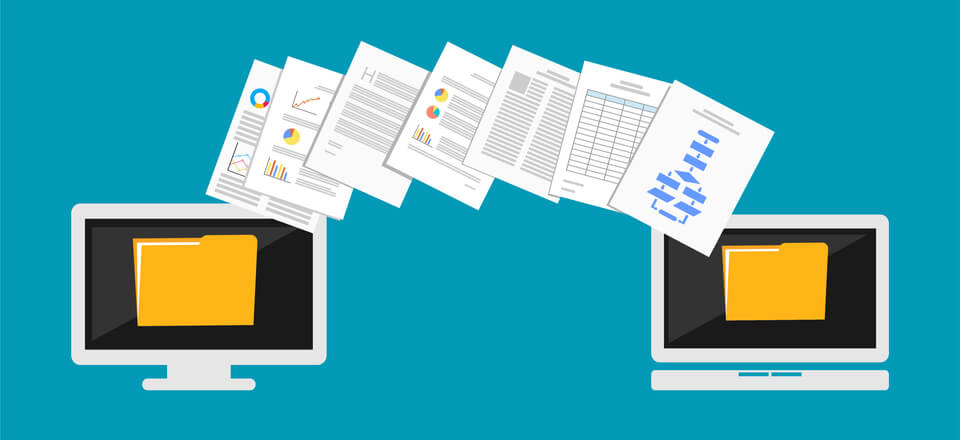
FTP clients help move files easily. They connect your computer to the server. Some popular FTP clients are FileZilla and Cyberduck. Install an FTP client on your computer. Enter the server details. You need the server address, username, and password. These are usually given by your web host. Drag and drop your website files into the server folder. Wait for all files to upload. Check if all files are there. It is important to keep the file structure the same.
Database migration involves moving data. First, export your database. Use tools like phpMyAdmin for this. Save the file on your computer. Next, go to the new web host. Open the database tools there. Import the saved database file. Ensure all tables and records are present. Check for errors after importing. Fix any issues before going live. Keeping backups is a good idea.
Testing The New Setup
Checking Site Functionality is very important. Ensure every link works. Check forms on your site. Verify images load correctly. Test buttons for correct actions. Try logging in and out. Navigate through pages smoothly. Ensure the design appears as expected. Confirm that scripts are running properly. Look for any broken elements. This helps in identifying issues early.
Monitoring Performance is crucial after migration. Check site speed. Use tools like Google PageSpeed Insights. Monitor server response times. Evaluate loading times for different pages. Watch out for any downtime. Track traffic patterns. Ensure the site remains stable. Keep an eye on resource usage. Look for any unusual spikes. This ensures your site performs optimally.
Credit: www.elegantthemes.com
Finalizing The Transition
Change the DNS records to point to the new host. This step is crucial. It ensures your visitors reach the new server. Log into your domain registrar account. Find the DNS settings. Update the nameservers with details from the new host. This process might take a few hours. The internet needs time to update. Meanwhile, monitor the site for any issues. Ensure everything works smoothly.
Inform users about the change. Send an email or post an update. Let them know about possible downtime. It keeps them prepared. Assure them the site will improve. Highlight any new features or benefits. This step builds trust with your audience. Respond to any questions they might have. Keep the communication clear and simple.
Troubleshooting Common Issues
Moving to another web host can be challenging. Common issues include downtime, data loss, and broken links. Troubleshooting involves checking DNS settings, ensuring file backups, and verifying URL redirects.
Resolving Downtime
Downtime can stress you. Check your server’s status first. Your host might be down. Notify your web host if problems persist. They should fix it. Monitor your site regularly. Tools like UptimeRobot can help. Keep backups of your site. They save you from loss.
Fixing Broken Links
Broken links frustrate users. Use online tools to find them. Google Search Console is helpful. Fix broken links quickly. Redirect them to correct pages. Update your URLs regularly. This prevents more issues. Check links after moving hosts. Ensure they work smoothly. Broken links hurt SEO. Fix them to improve ranking.

Credit: www.seoclerk.com
Frequently Asked Questions
How Do I Move From One Web Host To Another?
First, backup your website files and databases. Update DNS settings to point to the new host. Upload files to the new host and import databases. Test your website thoroughly before canceling the old hosting plan. Ensure email settings are also updated with the new server information.
How Do I Change The Host For A Website?
To change your website host, first choose a new hosting provider. Backup all website files and databases. Update your domain’s DNS settings to point to the new host. Upload your website files to the new hosting account. Test your website to ensure everything works correctly.
How Do I Shift A Website From One Server To Another?
To shift a website, backup all files and databases first. Transfer them to the new server using FTP. Update DNS settings to point to the new server’s IP address. Test the site to ensure everything works correctly. Verify email and other configurations are properly set on the new server.
How Do I Move My Domain To A New Host?
Unlock your domain and obtain the authorization code from your current registrar. Choose a new host and initiate the transfer process. Enter the authorization code when prompted. Confirm the transfer via email, if required. Wait for the transfer to complete, which usually takes a few days.
Conclusion
Migrating to a new web host can feel challenging. Follow each step carefully. Prepare backups before transferring. Check all site elements post-migration. Regularly monitor your website’s performance. Ensure your new host offers reliable support. A smooth transition ensures your site stays active.
Your visitors won’t notice the change. Better hosting leads to improved site speed and security. Don’t hesitate to reach out for help. Many resources are available online. Stay patient throughout the process. Your website deserves the best hosting experience. Moving to another host can be simple with the right approach.


