
Have you ever wondered if your website hosting server is performing at its best? As someone who relies on your website for business or personal projects, keeping it running smoothly is crucial.
Imagine the frustration of losing visitors due to slow load times or unexpected downtime. Monitoring your website hosting server can prevent these issues and give you peace of mind. In this guide, you will discover simple yet effective ways to track your server’s health.
You’ll learn how to detect problems before they escalate, ensuring your website runs efficiently all the time. Don’t let server issues hold you back from achieving your online goals. Dive in and empower yourself with the knowledge to keep your website in top shape!
Importance Of Monitoring Hosting Servers
Monitoring hosting servers is very important. It ensures your website runs smoothly. Downtime can cause your site to be offline. This makes visitors unhappy. It can also impact your site’s search engine rankings. Regular checks help catch problems early. This keeps your site fast and reliable.
Performance issues are easy to spot with monitoring tools. These tools alert you to any slowdowns. They also help you understand traffic patterns. This information is valuable. It helps in making informed decisions. Your website stays secure and efficient.
Key Metrics To Track
Uptime shows how long your server is working. It is important. More uptime means fewer problems. Downtime is when the server is not working. This can be bad for your website. Track both to ensure smooth running. Use tools to get alerts about downtime. This helps fix problems quickly.
Servers use resources like CPU and RAM. High usage can slow down the site. Track these to keep your site fast. Too much usage means you need more power. Check regularly to avoid slowdowns. Use monitoring tools to help.
Network latency is the time data takes to travel. It affects load times. Low latency is good for users. High latency makes sites load slow. Check it often to improve user experience. Use tools that show latency data clearly.
Tools For Monitoring Servers
Open source tools are free to use. They help you watch your servers. One such tool is Nagios. It checks your server’s health. Another is Zabbix. It offers many features. You can track server load. Check disk space too. These tools are good for beginners. They are easy to set up. Communities support these tools. You can find help online.
Open source means the code is open. You can see how it works. You can even change it. This makes it flexible. Many people love open source.
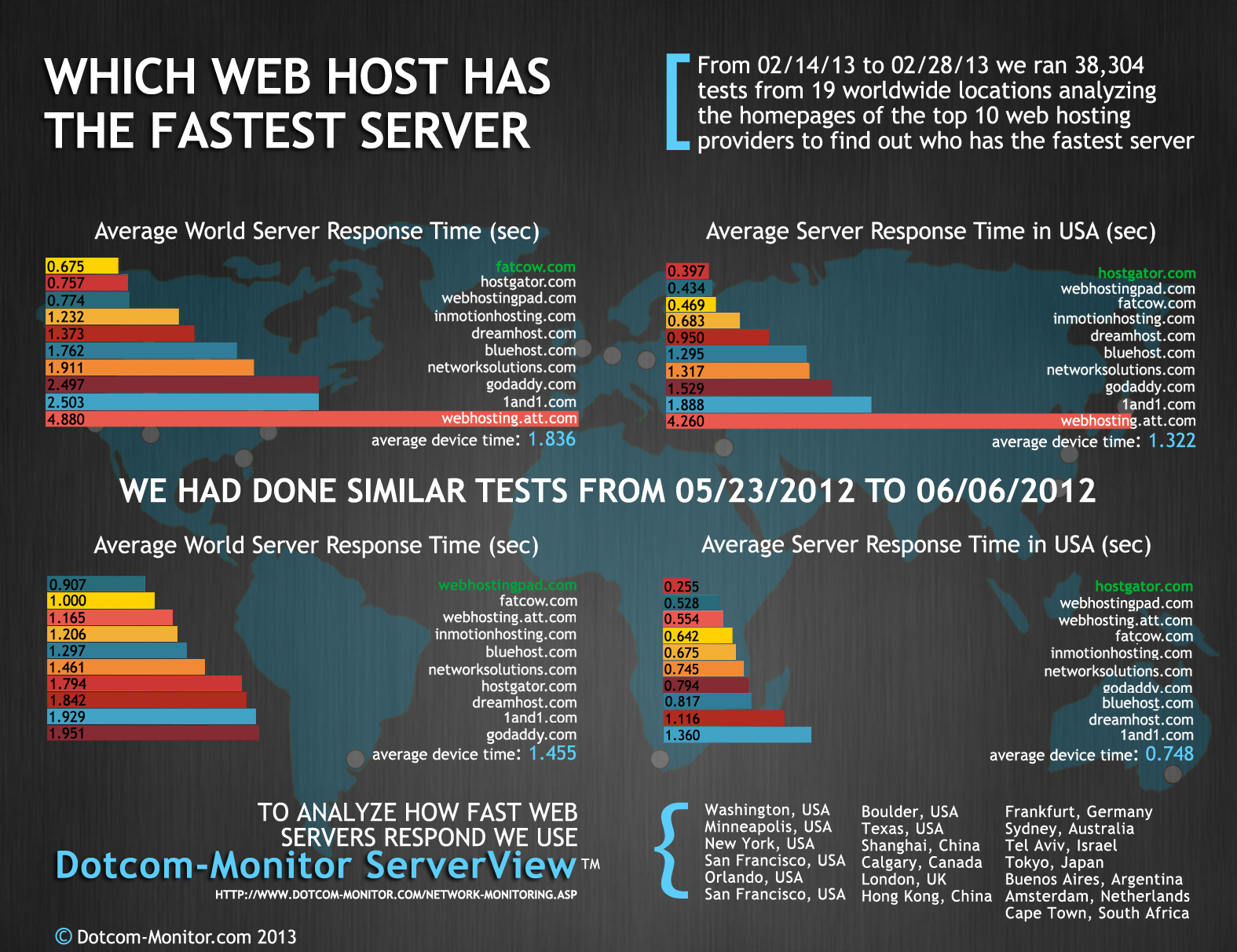
Commercial tools are paid. They give more support. They are often easier to use. One such tool is Datadog. It is very popular. Another is New Relic. These tools offer dashboards. You can see all data at a glance. They also give alerts. If something breaks, you know fast.
Paid tools often have better features. They are good for big companies. They help you save time. They offer customer support too. This makes them reliable.
Credit: www.dotcom-monitor.com
Setting Up Alerts And Notifications
Setting up email alerts is easy and helpful. Use a tool or service that sends alerts. Choose how often you want to receive alerts. Make sure your email is correct. Alerts help you know if something goes wrong. This keeps your website running smoothly.
SMS alerts reach you quickly. They are sent to your phone. This way, you can act fast if needed. Mobile notifications are also useful. You can use apps to get these alerts. They keep you updated on the go. Both SMS and mobile alerts are important for fast responses.
Regular Performance Testing
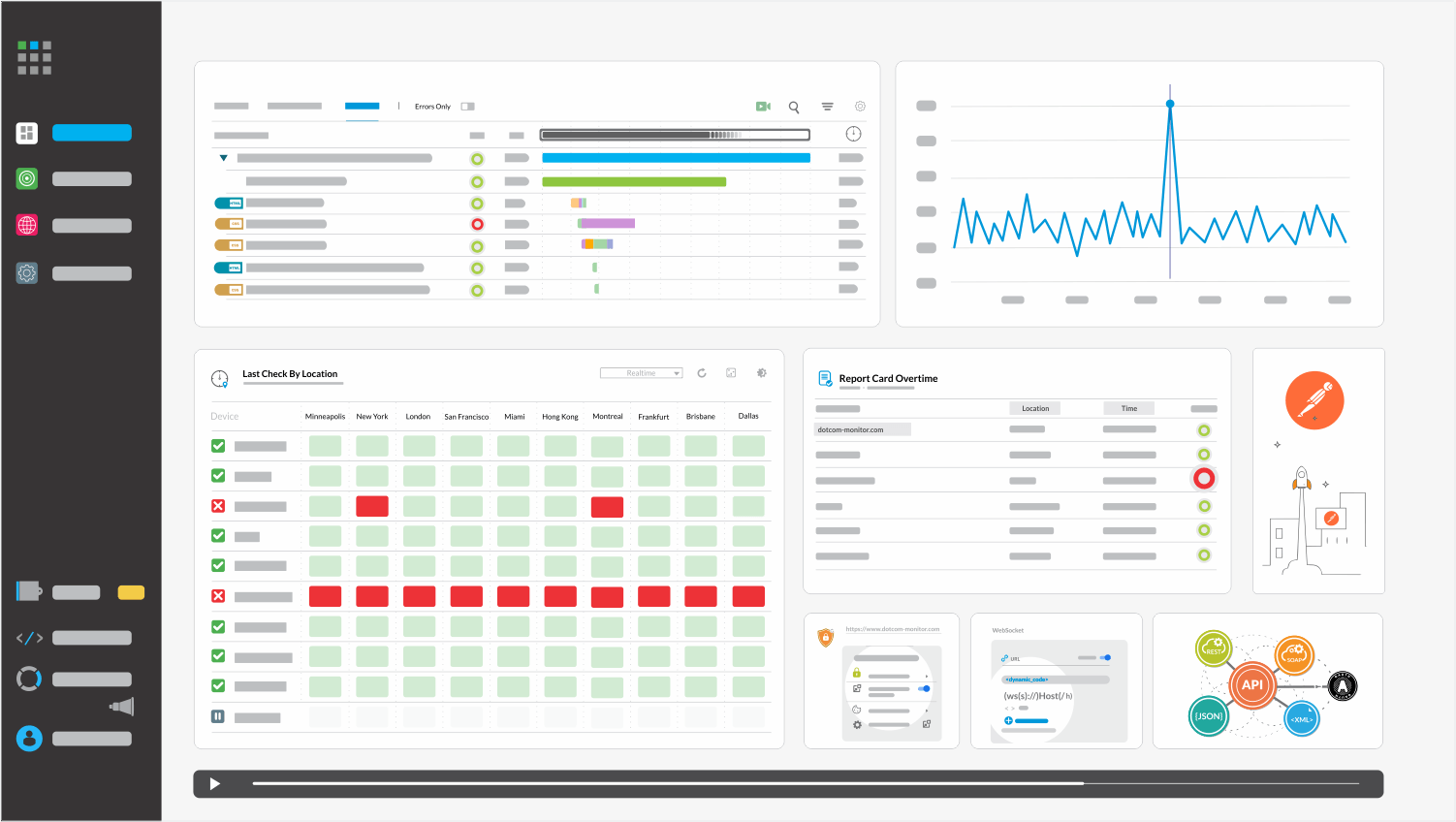
Websites need to handle many visitors at once. Load testing checks how well a website does this. It simulates many users visiting the site. This helps find slow pages. It also shows which part may crash. Testing tools can help. They measure response times. They also check server stability. Regular testing keeps websites running smoothly.
Stress testing pushes servers to their limit. It helps find breaking points. This is done by adding more traffic than usual. Servers might fail under stress. Testing helps identify weaknesses. Fixing these makes sites stronger. It prepares them for sudden rushes. Stress tests are crucial for busy seasons. They ensure websites stay online.
Credit: www.dotcom-monitor.com
Security Monitoring Practices
Intrusion Detection Systems (IDS) help spot bad activity on servers. These systems watch for strange patterns. They alert you about possible dangers. It’s like having a guard dog for your server. IDS keeps data safe and warns about threats. They also help find weak spots in your setup. Using IDS can stop attacks before they cause harm. It’s important to update IDS software regularly. This ensures you get the best protection.
Firewalls are like barriers. They block bad traffic from reaching your server. Monitoring firewalls helps keep them strong. It checks for unusual activity trying to get through. Keeping an eye on firewalls is crucial. This practice ensures only good traffic is allowed. Regular checks help spot changes in traffic patterns. Firewall monitoring prevents unauthorized access. It also stops harmful attacks from happening. Always keep your firewall settings up to date.
Interpreting Monitoring Data
Monitoring data helps find patterns in server performance. Daily checks show if servers are slow or fast. Monthly reports help spot bigger trends. These trends tell if more resources are needed. Spotting trends early can prevent problems. Knowing these can save time and money.
Monitoring helps find problems before they get worse. Look for unusual spikes in data. High CPU usage can mean trouble. Memory leaks slow servers down. Downtime reports show when servers are off. Frequent crashes need attention. Fixing these issues keeps websites running well.
Best Practices For Server Monitoring
Monitoring website hosting servers involves regular checks on performance, uptime, and security. Use tools to track server health and identify issues quickly. Analyze data to ensure optimal performance, prevent downtime, and maintain user satisfaction.
Automating Monitoring Processes
Monitoring servers manually takes a lot of time. Automation makes it easier. Use tools that send alerts for any issues. Set up notifications for performance drops. Automate checks for server health. This saves time and prevents problems. Automated systems can work all day and night. They don’t get tired or miss issues. Always check if your tools are working properly.
Regularly Updating Monitoring Tools
Tools must be updated often. Updates fix bugs and improve features. Old tools may miss new issues. Check for updates weekly. Always install the latest version. This keeps your system safe and effective. Updated tools catch problems early. They help in keeping servers running smoothly. Regular updates ensure reliable monitoring.
Future Trends In Server Monitoring
AI and Machine Learning help in smart server monitoring. They can predict issues before they happen. This means fewer downtimes and better performance. AI learns from past data. It finds patterns humans might miss. Machine Learning keeps servers running smoothly. It saves time for IT teams. They focus on more important tasks. AI tools are becoming more common. They are easy to use and understand. Even beginners can use them effectively.
Cloud-based monitoring is simple and fast. You don’t need special hardware. Everything is online. This makes setup easy. You can monitor servers from anywhere. Just need an internet connection. Cloud solutions are also cost-effective. You pay for what you use. No extra fees. They also update automatically. This keeps your monitoring tools fresh. Cloud-based tools work well with other apps. This makes them very flexible. You can customize them to fit your needs.
Credit: www.dotcom-tools.com
Frequently Asked Questions
How To Check Website Hosting Server?
Use online tools like Whois or hosting checker websites. Enter your domain name to see server details. Alternatively, access your website’s control panel for hosting information. Check domain registration emails for hosting provider details. Use command prompt tools like ‘ping’ or ‘tracert’ to identify server IP addresses.
How Do You Monitor Your Servers?
We monitor servers using real-time analytics, automated alerts, and performance monitoring tools to ensure optimal operation.
How Do I Track A Website Server?
Track a website server using online tools like Pingdom or GTmetrix. These tools monitor uptime, load speed, and performance metrics. Additionally, server logs can provide real-time insights. Use Google Analytics for traffic analysis and server status. Regular monitoring ensures optimal server health and website performance.
How Do I Monitor Server Availability?
Use server monitoring tools like Nagios or Zabbix. Set up alerts for downtime or performance issues. Regularly check server logs. Implement uptime monitoring services like UptimeRobot. Ensure real-time notifications via email or SMS.
Conclusion
Monitoring website hosting servers is crucial for smooth operations. It ensures your site runs efficiently. Regular checks prevent potential problems. They help maintain optimal performance. Use reliable tools for accurate tracking. Consider uptime, speed, and security. Always stay informed about server status.
This proactive approach saves time and money. Keep your website reliable and fast. A well-monitored server supports better user experience. Protect your online presence. Stay ahead of issues with consistent monitoring. Your website deserves the best care. Start today for peace of mind.


