
Migrating your web hosting might sound like a daunting task. But what if you could do it smoothly and without any headaches?
Whether you’re looking for better performance, enhanced security, or more features, moving your website to a new host can open up a world of possibilities. Imagine faster load times, improved uptime, and a seamless experience for your visitors. You deserve a hosting solution that meets your needs and helps your site shine.
We’ll guide you through the process, step by step, ensuring you feel confident every step of the way. Ready to make the switch and elevate your online presence? Let’s get started!
Choosing The Right Host
First, understand what your website requires. Consider storage space and bandwidth. Think about the number of visitors you expect. Decide if you need special software. Consider if you want shareddedicated hosting. Make a list of your needs.
Research different hosting providers. Compare their features and prices. Look at their customer reviews. Check the uptime guarantee. See if they offer 24/7 support. Make sure they fit your needs. Choose a provider with a good reputation.
Ensure your current website files are compatible with the new host. Check the software versions they support. Make sure your content management system is supported. Verify that your domain name can be easily transferred. Ensure there are no hidden fees for migration. Proper compatibility ensures a smooth transition.
Credit: www.cloudways.com
Preparing For Migration
Always create a backup of your data. It is very important. Save files to a safe place. Use cloud storage or an external drive. This ensures no data is lost. Backups protect against accidental data loss. They are your safety net.
A clear migration plan helps a lot. List every step you need. Write down the tools you will use. Know who will help with the move. Set a timeline for each task. This keeps the process smooth. Without a plan, things can go wrong.
Keep your stakeholders informed. They should know about the migration. Tell them the date and time. Explain any possible downtime. This way, they can prepare. Communication is key to avoid surprises. Everyone stays on the same page.
Dns And Domain Management
Change DNS records for a new host. Find the DNS settings in your domain. Enter new DNS server details. Wait for changes to take effect. This can take up to 48 hours. Ensure all details are correct. Incorrect DNS can break your website.
Start the domain transfer through your new host. Unlock the domain from the old host. Get the transfer code or EPP code. Enter this code in the new host. Approve the transfer email. This process can take a few days.
Check if your domain points to the new host. Use online tools to verify DNS changes. Ensure your website loads properly. Look for errors or broken links. Fix any issues found. Your site should be smooth and functional.
Credit: www.scalahosting.com
Transferring Website Files
FTP helps move website files easily. Use an FTP client like FileZilla. Connect it to your old server. Download files to your computer. Next, connect to your new server. Upload the files there. Make sure all files are transferred successfully. Double-check for missing files.
Database migration needs careful handling. Export your database from the old server. Use tools like phpMyAdmin. Save the database file safely. Import it to the new server. Check for any errors. Fix them if needed. Ensure data stays the same.
After transfer, check file integrity. Compare file sizes. Use checksums for accuracy. Ensure files work fine on the new server. Test your website for errors. Make sure everything is in place. Your site should run smoothly now.
Testing The New Setup
Visit your site and click on every link. Check if all pages load. Ensure images and videos show up. Test forms to see if they send messages. Verify login systems work as expected. Make sure everything looks the same as before.
Use tools like Google PageSpeed Insights. Check how fast your site loads. Slow sites make visitors leave. Fast sites keep them happy. Look at server response times. Quick responses mean good performance. Keep an eye on uptime too.
Check for broken links. Use tools to find them. Fix these links soon. Look for 404 errors. These mean pages are missing. Review error logs on the server. They help find hidden problems. Solve these issues quickly.
Finalizing The Migration
Check all your links on the new site. Make sure they go to the right places. Use redirects for old links. This helps users find the new pages. Redirects also keep SEO intact. Use tools to find broken links. Fix them quickly to avoid issues.
Tell users about the changes on your site. Use emails or social media. Let them know what is new. Share a list of important updates. Help them understand the new site. This keeps users happy and coming back.
Watch for problems after the move. Check if the site loads well. Ensure everything works as it should. Fix any errors fast. Use tools to track site performance. Regular checks keep your site running well.
Credit: www.hostinger.com
Frequently Asked Questions
How Do I Transfer A Website From One Hosting To Another?
To transfer a website, back up all files and databases. Update domain DNS settings to point to the new host. Upload files and databases to the new hosting account. Test the website functionality on the new host. Once confirmed, cancel the old hosting service.
Is It Easy To Switch Website Hosts?
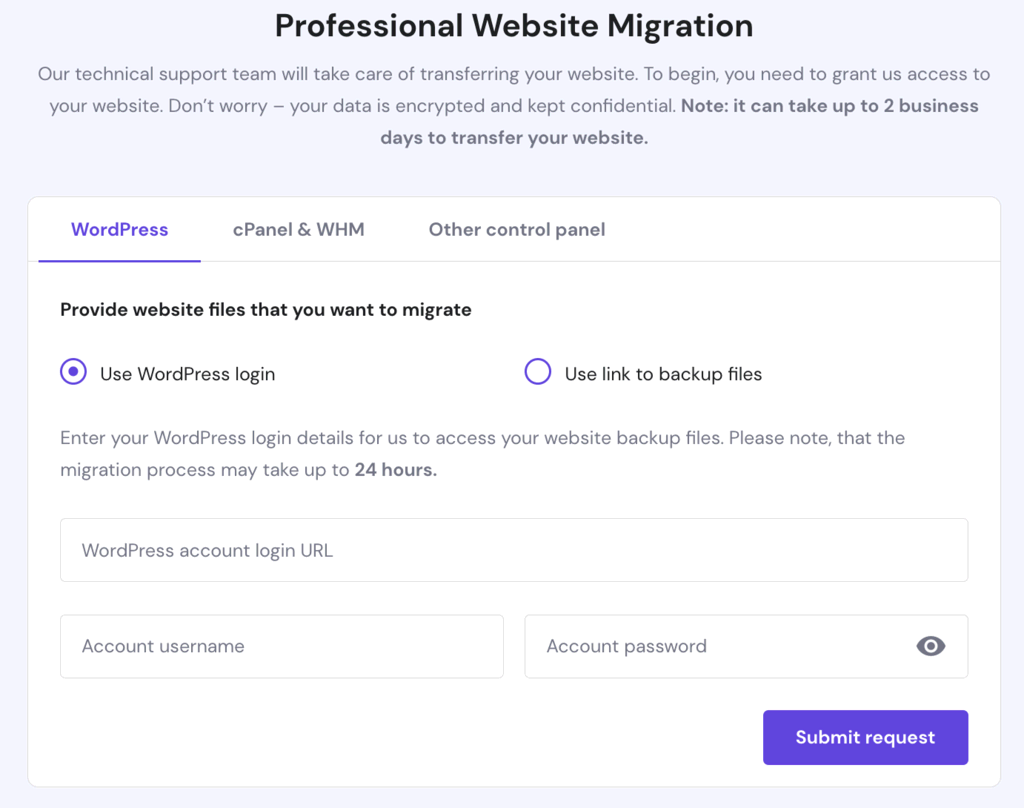
Switching website hosts is relatively easy with the right tools and support. Choose a reliable host, backup your data, and follow the migration steps provided. Many hosts offer free migration services, simplifying the process. Ensure your new host meets your website’s needs for a smooth transition.
What Is Migration In Web Hosting?
Migration in web hosting involves transferring a website from one hosting provider to another. This process includes moving all website files, databases, and configurations to ensure seamless performance. It’s crucial for upgrading services, enhancing speed, or changing providers. Proper migration minimizes downtime and maintains user experience.
How Long Does It Take To Migrate A Website To A New Host?
Migrating a website to a new host typically takes 24 to 72 hours. Factors include website size, host efficiency, and domain propagation speed. Ensure data backup for smooth transition. Optimize DNS settings for quicker domain propagation. Always test the website post-migration to confirm functionality and performance.
Conclusion
Migrating web hosting can seem complex. But with proper steps, it’s manageable. Start by planning your move. Ensure you backup data securely. Check compatibility between old and new hosts. Test the site before finalizing the switch. Make sure all links work correctly.
Monitor performance post-migration for any issues. Regular checks help maintain site stability. Patience and diligence are key during migration. Avoid rushing the process. Proper execution ensures smooth transition. A well-migrated site enhances user experience. Aim for minimal downtime. Your site deserves the best hosting environment.
Successful migration boosts site reliability. Keep your visitors satisfied and engaged.


