
Switching web hosts might seem like a daunting task. You know your website is your digital storefront, and you want everything to transition smoothly.
Imagine the frustration of downtime, lost data, or a botched migration. But don’t worry—this guide is here to help you navigate the process with ease. By understanding the steps involved, you’ll feel confident in making the move without any hiccups.
You’ll discover practical tips and insights that ensure your site remains live and your visitors keep coming back. Keep reading to unlock the secrets to a seamless migration, making your hosting switch a stress-free experience.
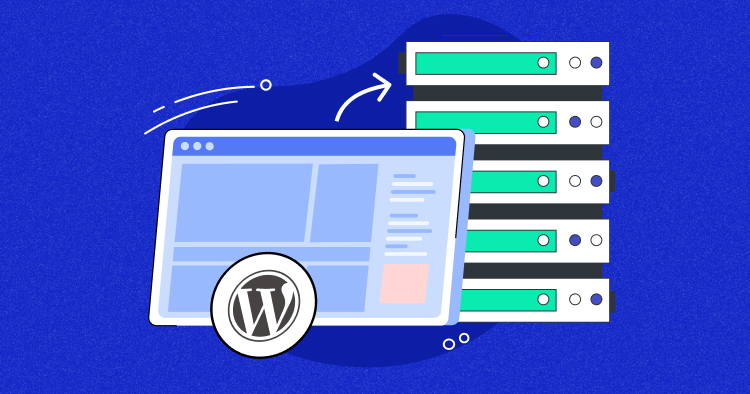
Credit: www.cloudways.com
Preparing For Migration
Check your website’s traffic and storage needs. Think about your site’s speed and uptime. Are there any special features you need? Make a list of what you use now. This helps you know what to look for later.
Look for hosts with good reviews. Check their customer support. Do they offer 24/7 help? Compare prices and features. Some hosts give free migration services. Make sure they fit your budget.
Save a copy of your website. Use a backup tool or plugin. Store the backup in a safe place. Check that everything is saved correctly. This keeps your data safe during the move.
Credit: www.nexcess.net
Choosing The Right Host
Check each hosting plan details. Look for the storage and bandwidth limits. Make sure they meet your needs. Compare the cost of each plan. Some hosts offer discounts for longer contracts. Think about what features you need. Do you need email hosting? Or maybe SSL certificates? Choose the plan that fits your needs best.
Customer support is very important. Check if support is available 24/7. Find out how to contact them. Can you use chat, email, or phone? Good support can help with problems quickly. Some hosts offer support in different languages. Make sure you can understand and get help easily.
Read what other users say. Look for reviews on the host’s website. Also check independent review sites. See if users are happy with the service. Pay attention to common issues mentioned. Trust the hosts with many positive reviews. This shows they provide good service.
Technical Requirements
Server specifications are key for your website’s performance. Know the CPU, RAM, and disk space needs. Check if the new host meets these needs. A mismatch can cause problems.
Software compatibility ensures smooth operations. Confirm your current software works on the new host. This includes operating systems, databases, and applications. Avoid surprises by verifying this early.
Security is vital for protecting data. Ensure the new host offers strong security measures. Look for SSL certificates and firewall protection. These keep your site safe from threats.
Domain And Dns Management
Start by unlocking your domain at your old host. Then get the EPP code. This code is important. Next, go to the new host. Enter this code there. Follow the steps given by the new host.
Access the DNS settings at your new host. You need to change the nameservers. Get the new nameservers from your new host. Enter them in the DNS settings. Save your changes.
After updating DNS, your changes need time. This is called domain propagation. It can take up to 48 hours. Check your website often. Use online tools to see if your site is live. Be patient during this process.
Transferring Website Files
FTP helps move files between computers. It stands for File Transfer Protocol. Download an FTP client like FileZilla. Open it and enter your old host details. Connect and see your files. Select them and choose “Download”. Save them on your computer. Now, connect to your new host. Enter new host details. Upload files to the new host. Done!
Use database tools to export data. Log in to your old host’s control panel. Find the database section. Select your database and click “Export”. Save the file. Now, log in to the new host. Go to the database section. Click “Import”. Select the file you saved. Wait for the upload to finish. Your data is now on the new host.
Check if the website works well. Open your site in a browser. Look for broken links or missing images. Test forms and buttons. Navigate through pages. Fix any issues you find. Ensure everything looks good. Ask friends to visit your site. Get feedback on how it works. Make changes if needed. Keep your site running smoothly.
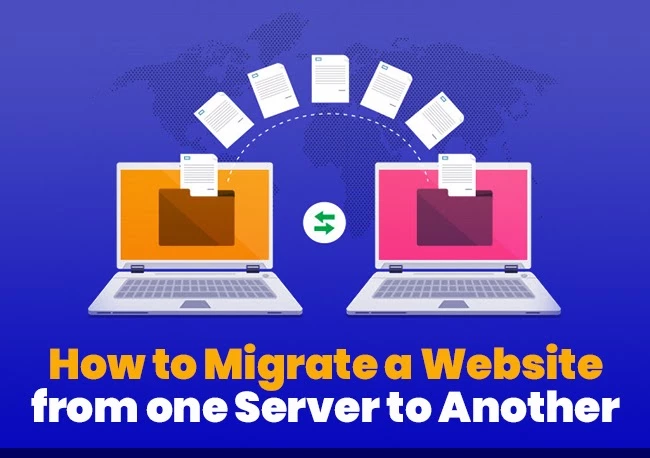
Credit: www.hostitsmart.com
Email Migration
Ensure all email accounts are backed up. Losing emails can be painful. Use an email client to download messages. Save them to your computer. Backup includes attachments and contacts. Double-check everything is saved. You don’t want surprises later. Keep backups in a safe place. It’s smart to have more than one copy.
Configure email settings with the new host. Follow instructions given by the host. Create new email accounts if needed. Use the same usernames and passwords. This helps in smooth transition. Check SMTP and POP settings. Make sure they are correct. Test by sending emails to yourself. This ensures everything works.
Ensure emails are delivered correctly. Sometimes, emails end up in spam. Check sender reputation. Use tools to verify. Ask friends to test by sending emails. Look at your spam folder. Make sure emails are getting through. Fix issues if you find any. This keeps communication flowing.
Post-migration Tasks
After moving your website, ensure everything functions smoothly. Check for broken links and update DNS settings. Test website speed and security features to guarantee a seamless user experience.
Monitor Website Performance
Check your website’s speed and uptime often. Use tools to track loading times. Ensure everything loads quickly. Slow sites lose visitors fast. Look for sudden changes in traffic. This might show a problem. Keep an eye on error messages. Fix them soon.
Resolve Technical Issues
Find broken links on your site. Fix them right away. Check if all forms and buttons work. Test your site on different browsers. Make sure it looks good everywhere. Your site’s images must load properly. If not, adjust their settings. Address any security warnings promptly. Protect your site and its data.
Update Website Content
Review your site’s text and photos. Make sure they are current. Add new articles or blog posts if needed. Update old information. It’s important to keep your site fresh. Check your contact details. Ensure they’re correct. This helps users reach you easily. Keep your audience informed and engaged.
Cost Considerations
Always check the hosting fees before switching. Some hosts offer low prices. But only for the first year. Fees might go up later.
Beware of hidden costs. These can include charges for backups or SSL certificates. Sometimes, you need to pay for extra features too.
Plan for future upgrades. Your site might grow. You may need more resources. Budget for these upgrades early. It helps avoid surprises later.
Frequently Asked Questions
Can I Transfer My Website From One Host To Another?
Yes, transferring your website to a new host is possible. First, backup your website files and database. Choose a new hosting provider and upload your backup. Update your domain’s DNS settings to point to the new host. Ensure everything works smoothly before cancelling your old hosting service.
How To Transfer From One Host To Another?
Start by backing up your website files and databases. Choose a new host and set up your account. Upload your files to the new server. Update your domain’s DNS settings to point to the new host. Verify everything works correctly before canceling the old hosting account.
Can You Change Website Hosts?
Yes, you can change website hosts. Start by researching new hosting providers. Backup your website data and files. Then, transfer your domain and website to the new host. Update DNS settings to point to the new server. Ensure everything works correctly after migration.
How Long Does It Take To Migrate A Website To A New Host?
Migrating a website to a new host typically takes 24 to 72 hours. Preparation and testing can influence this timeline. Ensure all files and databases are correctly transferred. DNS propagation may take additional time. Always back up your site before starting the migration process to prevent data loss.
Conclusion
Switching web hosts doesn’t have to be stressful. Follow steps closely. Back up your data. Ensure compatibility with your new host. Test your website after migrating. Check links and functionality. Keep your users informed. Communicate any changes clearly. Your website deserves a seamless transition.
Plan ahead to avoid common mistakes. Seek help if needed. Many resources are available. A successful migration enhances your site’s performance. Enjoy improved features and services. Stay proactive in maintaining your website. With proper care, your site thrives on its new host.


