
Are you struggling with a WordPress theme that doesn’t look good on mobile devices? You’re not alone.
In a world where everyone is glued to their smartphones, having a responsive website is crucial. If your site isn’t mobile-friendly, you could be losing visitors and potential customers. But don’t worry; making your WordPress theme responsive is easier than you think.
In this guide, you’ll discover simple, effective steps to ensure your site looks stunning on any device. Ready to transform your WordPress theme and keep your audience engaged? Let’s dive in!
Understanding Responsiveness
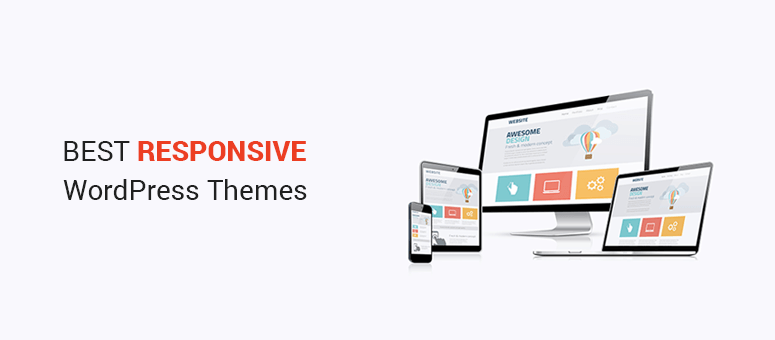
Responsive themes fit all screen sizes. This is important for users. They can see your site on phones, tablets, and computers. This makes your site more user-friendly. It helps in reaching more people. A theme adjusts images and text. This ensures everything looks good. No matter the device.
To make your theme responsive, use flexible grids. They adjust to different screens. Also, use media queries in CSS. They change styles based on screen size. Always test your site on various devices. Check how it looks and functions. A responsive theme improves user experience. It can also boost SEO ranking.

Credit: blog.teamtreehouse.com
Choosing A Responsive Framework
Using a responsive framework can save a lot of time. These frameworks offer pre-made layouts and styles. Developers can focus on content, not just design. Frameworks also ensure consistency across different devices. This means your site looks good on phones, tablets, and computers. They often have built-in tools for faster website loading. So, your site can be quick and responsive without much extra work. Frameworks are also easy to update. This keeps your site modern and secure. Many frameworks have supportive communities. You can get help when you need it. Overall, frameworks make building a website easier and faster.
| Framework | Features |
|---|---|
| Bootstrap | Easy to use, lots of components, large community |
| Foundation | Highly customizable, responsive grid, supports SASS |
| Bulma | Simple, modern design, flexbox-based, no JavaScript |
Implementing Media Queries
Media queries help make websites look good on all screens. They use CSS to change styles. This depends on the device’s screen size. Media queries use the @media rule. They check the device’s width. They change styles based on this width.
A simple media query example is:
            @media (max-width: 600px) {
                body {
                    background-color: lightblue;
                }
            }
This changes the background color for small screens.
Breakpoints are key in responsive design. They are points where styles change. Common breakpoints include:
- 320px for small phones
- 480px for larger phones
- 768px for tablets
- 1024px for small laptops
- 1200px for desktops
These breakpoints are just a guide. They help ensure that your site looks good on any device.
Flexible Grid Systems
Fluid layouts change with screen sizes. They help themes look good on all devices. Use CSS Grid and Flexbox for this purpose. CSS Grid divides space into neat rows and columns. It’s like a table. Flexbox arranges items in a line. It can be a row or a column. Both tools help make layouts flexible.
Start with CSS Grid for complex designs. It offers more control. For simple alignments, use Flexbox. It aligns items in a neat line. With these, you can make your WordPress theme responsive. Ensure all elements adjust smoothly. This creates a better user experience.
Optimizing Images For Mobile
Images need to fit on all screens. Use responsive images to ensure this. The tag can help. It lets you show different images for different screen sizes. Use it to choose the best image size for each device.
The srcset attribute is also useful. It lets the browser pick the best image. This saves data on mobile devices. It also helps pages load faster. Always use the alt attribute. Describe what is in the image. This helps with accessibility.
Images should look good and load fast. Use the right format. JPEG is good for photos. PNG is better for graphics. Compress images to make them smaller. Tools like TinyPNG can help. They keep quality but reduce size.
Lazy loading can speed up a site. Images load only when needed. This saves bandwidth. It improves the user experience. Remember, a fast website keeps visitors happy. Always test your changes. Make sure everything works well on all devices.
Credit: www.isitwp.com
Typography And Readability
Choose scalable fonts for better readability. Fonts that change size easily are best. This helps on small and large screens. Responsive fonts adjust to the device. Users can read easily. Font size should be flexible. It should fit all devices. Make sure fonts are clear and simple. Avoid fancy fonts. They can be hard to read.
Legibility means users can read text easily. Text should not be too small. Keep it clear and visible. Use colors that contrast with the background. Avoid cluttered designs. Space out text. This helps users focus. Good legibility improves user experience. It keeps readers engaged. Make sure all text is readable on phones and tablets. This is very important.
Testing Across Devices
Testing your website on different devices is important. Many tools help with this task. BrowserStack and Google’s Mobile-Friendly Test are popular choices. They show how your site looks on many screens. Responsive Design Mode in browsers is also helpful. It helps you see your theme on different sizes. Each tool has its own features. Picking the right one is key.
Ask users for feedback on your site. They can find issues you might miss. Use surveys to collect their thoughts. Online forms make this easy. Listen to their comments to improve your theme. Feedback is a valuable tool. It helps make your site better.
Common Pitfalls And Solutions
Creating a responsive WordPress theme often leads to common pitfalls such as improper media queries or neglected flexible images. Fix these by ensuring accurate coding practices and using tools to test responsiveness on various devices.
Avoiding Fixed Width Elements
Fixed width elements can break on small screens. Always use relative units like percentages. This helps your theme fit different devices. Use CSS media queries to adjust the layout. It changes based on screen size. Test on different devices to ensure the layout is flexible. Avoid using absolute units like pixels for widths. They are not flexible.
Handling Browser Compatibility Issues
Different browsers may show your theme differently. Use CSS resets to make styles consistent. Check your theme on popular browsers. This includes Chrome, Firefox, and Safari. Use tools like BrowserStack for testing. Always update your theme code. New browser versions may require changes. Use modern CSS features with fallbacks for older browsers.
Leveraging WordPress Plugins
Transforming a WordPress theme into a responsive design is effortless with plugins. These tools adjust layouts to fit different screen sizes. Enhancing user experience, they ensure your site looks great on mobile, tablet, and desktop devices.
Plugins For Responsiveness
Responsive design is important for websites today. WordPress plugins make sites flexible. They help adjust layouts for different screens. WPtouch is a popular choice. It makes themes mobile-friendly. Jetpack also offers features for responsive design. These plugins improve user experience. Users find information quickly. This boosts engagement.
Installation And Setup Tips
Installing plugins is easy. Go to your WordPress dashboard. Click on “Plugins” then “Add New”. Search for the plugin name. Click “Install Now”. After installing, activate the plugin. Follow setup instructions. Some plugins need extra settings. Check their documentation. Regular updates keep plugins secure and functional. Always update plugins. Back up your site before updates. This prevents data loss.
Advanced Css Techniques
Crafting a responsive WordPress theme involves using advanced CSS techniques. Flexible grids and media queries ensure the theme adapts to different screen sizes. Also, optimizing images and using relative units like percentages enhance responsiveness. These methods create a seamless user experience across all devices.
Using Css Variables
CSS variables make your code cleaner. They let you reuse values. Define a variable with –name: value; in the root. Use it with var(–name). For example, –main-color: blue; can be used in background-color: var(–main-color);. This reduces errors. Also, it makes future changes easy. One change updates all instances.
Incorporating Css Animations
CSS animations make your site lively. They can change the way elements look. Use @keyframes to define steps. For example, 0% { opacity: 0; } to 100% { opacity: 1; } makes things fade in. Apply it with animation: fadeIn 2s;. Adjust timing for different effects. Always test animations. They should enhance, not distract.
Credit: themeforest.net
Frequently Asked Questions
How To Make A WordPress Theme Responsive?
Make a WordPress theme responsive by using flexible grid layouts. Implement media queries for various screen sizes. Optimize images for faster loading. Ensure touch-friendly navigation and buttons. Test responsiveness on different devices and browsers.
Are WordPress Sites Automatically Responsive?
WordPress sites are not automatically responsive. Responsiveness depends on the theme and plugins used. Choose a responsive theme for mobile-friendly design. Ensure to test your site on various devices for compatibility.
How Do I Know If My WordPress Theme Is Responsive?
Check your theme by resizing your browser window or using online tools like Google’s Mobile-Friendly Test. Responsive themes adjust layout and elements for different screen sizes. Verify by testing on multiple devices. Ensure usability on smartphones, tablets, and desktops for optimal user experience.
Why Is My WordPress Site Not Mobile-friendly?
Your WordPress site may not be mobile-friendly due to outdated themes, plugins, or non-responsive design. Optimize images, enable caching, and update to a responsive theme. Check for any CSS or JavaScript issues affecting mobile rendering. Use Google’s Mobile-Friendly Test for further insights and improvements.
Conclusion
Responsive themes create better user experiences. They adapt to all devices smoothly. This ensures visitors stay longer. A responsive design boosts engagement and reduces bounce rates. It enhances mobile usability, meeting modern web standards. Remember, testing is crucial. Check your theme on various devices.
This guarantees consistent performance. Choose plugins wisely for added functionality. Keep your code clean and efficient. It’s vital for speed and responsiveness. Regular updates maintain compatibility with new browsers. Stay informed about design trends. They help keep your theme fresh and appealing.
A responsive theme is key to website success.


