
Imagine clicking on your WordPress site and waiting… and waiting. Frustrating, right?
A slow website can drive your visitors away faster than you can say “bounce rate. ” But what if you could make your WordPress theme faster and keep your audience engaged? Speed is crucial in keeping users on your site and boosting your search engine rankings.
This article will guide you through simple yet effective techniques to turbocharge your WordPress theme’s performance. With these tips, you’ll not only enhance the user experience but also increase your chances of turning visitors into loyal followers. Ready to speed up your site and keep your audience hooked? Let’s dive in!
Optimizing Images
Big images make websites slow. Use tools to compress them. This makes files smaller. Your site will load faster. Web visitors will be happy.
Choose the right image format. JPEG is good for photos. PNG works for graphics. WebP is new and very fast. It helps your site speed.
Lazy loading helps with speed. Images load only when needed. This saves time and data. Your page becomes quicker and smoother. Users like fast pages.
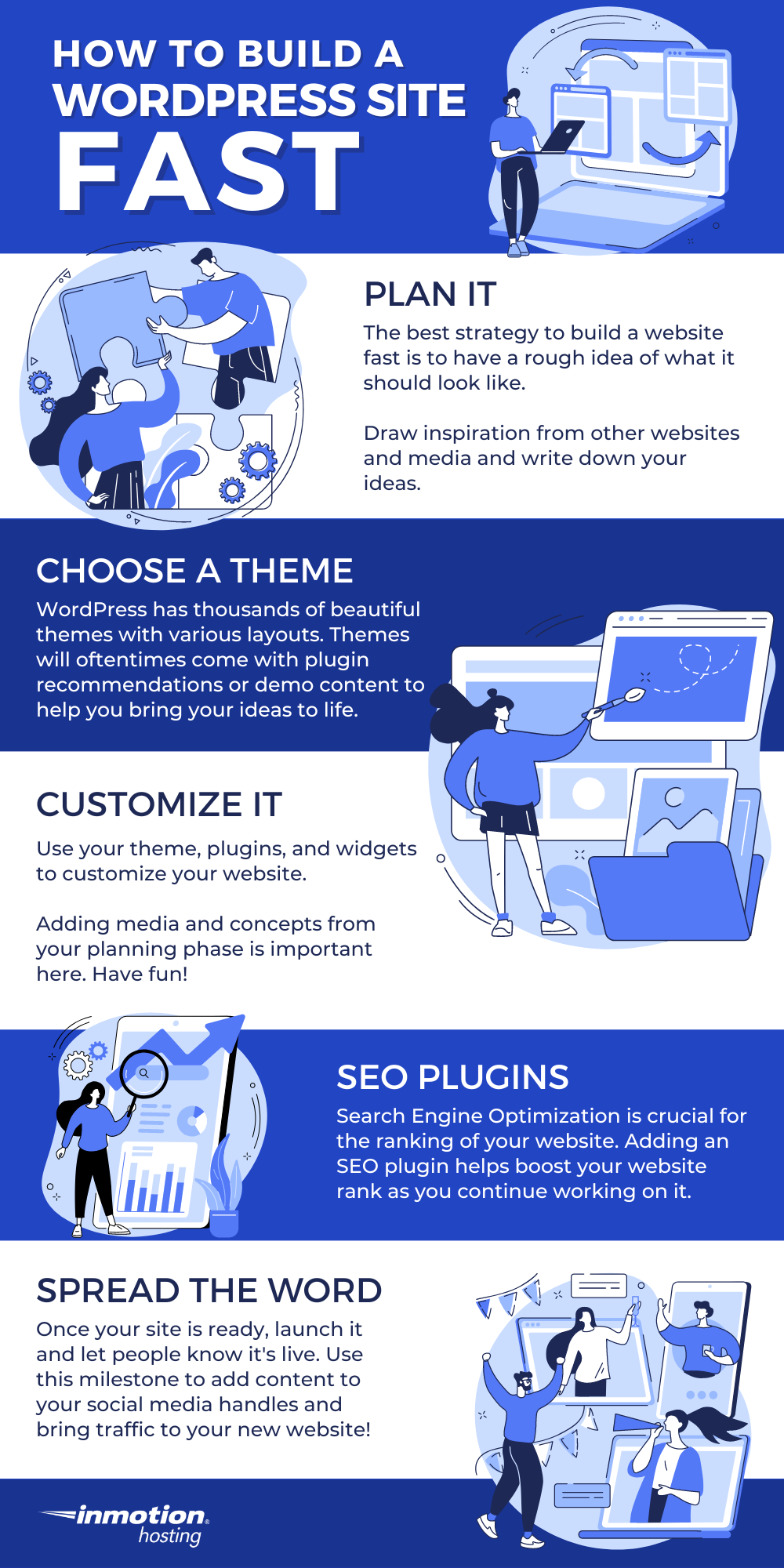
Credit: www.inmotionhosting.com
Minifying Css And Javascript
Minifying CSS and JavaScript makes your site load faster. It removes extra spaces and comments. This makes files smaller. Smaller files load quicker. Use tools like UglifyJS and CSSNano for minification. These tools are easy to use. They help make code clean and fast.
There are many tools for minification. Some are online tools. Others are plugins for WordPress. Autoptimize and W3 Total Cache are good plugins. They can automatically minify files. This saves time. Online tools like Minifier are also helpful. They minify files in seconds.
Unnecessary code slows down your site. Remove unused CSS and JavaScript. This makes your site faster. Use tools like PurgeCSS to find unused code. It helps clean up your files. A clean site is a fast site.
Combine similar files into one. This reduces the number of requests. Fewer requests mean faster load times. Tools like Gulp can combine files. Combining CSS files is a good start. Do the same for JavaScript files. This makes a big difference.
Leveraging Browser Caching
Setting expiry headers is important. They tell browsers how long to keep files. This means less loading time for returning visitors. Browsers store these files. It helps your site load faster next time.
Using cache plugins can help a lot. They make your website quicker. These plugins store parts of your site. This means the server does less work. It speeds up page delivery. Popular plugins include W3 Total Cache and WP Super Cache.
Managing cache duration is easy. Set it for a few days or weeks. This keeps content fresh. But remember, too short means more server load. Too long might show old content. Balance is key.
Utilizing Content Delivery Networks
A Content Delivery Network (CDN) helps your site load faster. Pick a provider that suits your needs. Look at cost, speed, and location. Many options exist. Some popular ones are Cloudflare and Amazon CloudFront. Compare their features. Decide based on your site’s traffic and budget. A good choice will improve your site’s speed.
After picking a CDN, connect it to WordPress. Most CDNs have easy guides. Follow them step by step. Some plugins help with this. Install a plugin like W3 Total Cache or WP Super Cache. These make setup easier. Once done, your site’s files will load from the CDN. This speeds up your website.
Using a CDN brings many benefits. Your site loads quicker for users. This keeps visitors happy. CDNs also reduce server load. They handle traffic spikes better. This means fewer crashes. Security is improved too. CDNs can block bad traffic. Overall, a CDN makes your website better.
Optimizing Database Performance
Boost WordPress theme speed by optimizing database performance. Keep your database clean and organized for faster query execution. Regularly delete unnecessary data and optimize tables to enhance overall site speed and user experience.
Cleaning Up Database
Old data slows down your site. Remove unused data often. Delete spam comments and trashed posts. This keeps your database light. Light databases run fast. Fast sites make users happy. Use tools for cleaning. They make the job easy.
Using Database Optimization Plugins
Plugins help you optimize your database. They find and fix issues. Popular choices include WP-Optimize and WP-Sweep. These plugins are simple to use. They clean up tables and remove overhead. A clean database means better speed. Better speed means happier visitors.
Regular Maintenance
Keep your database healthy with regular checks. Check for errors and fix them. Update your plugins and themes. Updated software works better. Schedule backups to prevent data loss. Backup copies save your site if errors occur. Regular care keeps your site running smooth.
Reducing Http Requests
Combining files can make your site load faster. Merge multiple CSS files into one. Do the same with JavaScript files. This reduces the number of HTTP requests. Fewer requests mean faster loading. Use tools like Gulp or Grunt. They help in combining files easily. This step is simple and effective.
External resources slow down your site. Avoid too many external scripts or stylesheets. Each external file needs a separate request. This adds to the loading time. Host important files on your server. This makes them load quicker. Always check for unnecessary resources. Remove what you don’t need.
Inline scripts can speed up page load. Place small JavaScript codes directly in HTML. This reduces external file requests. Use inline styles for small CSS rules. Keep inline scripts short. This method saves time and boosts performance.
Choosing Lightweight Themes
Fast themes load quickly. Always check speed scores. Low scores mean slow themes. Use tools like GTmetrix. Check for slow elements. Images and scripts can slow down. Choose themes with simple designs. Simple designs load faster.
Avoid themes with too many features. Extra features slow sites. Pick themes with essential features only. Extra features add extra code. Extra code means extra load time. Less is more for speed. Choose themes that focus on speed.
Customizing a theme can improve speed. Remove unused features. Optimize images and scripts. Use plugins wisely. Too many plugins can slow down sites. Always update themes. Updates fix bugs. Bugs can slow down themes. Keep themes clean and simple.
Credit: www.isitwp.com
Implementing Gzip Compression
GZIP compression reduces file size. This speeds up your site. Most servers support it. You need to enable it in settings. This helps the browser load pages quicker. Smaller files mean faster loading times.
Check if compression is active. Use online tools. They show if your files are compressed. If not, you need to fix this. Proper compression is crucial for speed. Always verify after enabling.
Compression makes load times faster. Users see your site sooner. Faster sites keep visitors happy. Slow sites can lose visitors. Speed is important for user experience. GZIP helps achieve this.
Monitoring Performance
Speed testing tools are very helpful. They show how fast your site loads. Tools like GTmetrix or PageSpeed Insights are popular. They help find issues. Fixing these issues makes your site faster. A faster site is better for users. It keeps them happy. It also helps with search engine rankings. Using these tools is easy and quick.
Analyze load times to see how your site performs. Look for slow elements. Images and plugins can slow down your site. Make them smaller or remove them if needed. Check each page on your site. Each page should load quickly. Quick loading keeps visitors engaged. It also improves user experience.
Improvement is ongoing. Always check your site’s speed. Use tools regularly. Fix new issues as they come up. Keep plugins and themes updated. Updates often improve speed. Stay informed on new speed tips. Apply them to your site. A fast site is a happy site.

Credit: www.radiustheme.com
Frequently Asked Questions
How Can I Speed Up My WordPress Theme?
Optimizing images and using a caching plugin can significantly speed up your WordPress theme. Minifying CSS, JavaScript, and HTML files also helps improve loading times. Additionally, choosing a lightweight theme and reducing server requests contribute to a faster performance. Regular updates and clean coding practices further enhance speed.
What Plugins Help In Speeding WordPress Themes?
Several plugins can help speed up WordPress themes, including WP Super Cache and W3 Total Cache. These plugins optimize server performance and reduce loading times. Image optimization plugins like Smush also enhance speed. Autoptimize and Asset CleanUp improve front-end performance by minifying scripts and styles.
Does Hosting Affect WordPress Theme Speed?
Yes, hosting significantly affects WordPress theme speed. Choosing a reliable hosting provider with optimized servers can improve loading times. Managed WordPress hosting often offers better speed and performance. Shared hosting may slow down your site during high traffic. Consider VPS or dedicated hosting for better results.
Can Removing Plugins Improve Speed?
Removing unnecessary plugins can improve WordPress theme speed. Each plugin adds loading time, so less is more. Evaluate plugin usage and deactivate those not in use. Opt for lightweight plugins that do not affect performance negatively. Regularly update plugins for better optimization and speed.
Conclusion
Speed up your WordPress theme with simple tweaks. Optimize images for faster load times. Minimize plugins; keep only the essentials. Choose a lightweight theme for improved speed. Use caching tools to reduce server load. Regular updates are key for performance.
Clean your database often for better efficiency. Consider a content delivery network for global reach. Focus on these strategies to enhance user experience. A quicker theme leads to happier visitors. Keep these tips handy for ongoing improvements. Your website deserves to be fast and efficient.


