
Are you ready to unleash your creativity and give your WordPress site a unique look? Imagine having a theme that reflects your style and meets the specific needs of your audience.
Creating a custom WordPress theme might sound daunting, but with the right guidance, it’s entirely achievable—even if you’re not a coding expert. You’ll discover the steps to design a WordPress theme that not only enhances your website’s appearance but also boosts user engagement and functionality.
You’ll learn how to tap into your creative potential, craft a visually appealing design, and ensure optimal performance. Whether you’re looking to revamp your blog, business site, or portfolio, this guide will walk you through the essentials of theme development. Ready to transform your site into a masterpiece? Let’s get started!
Getting Started
Creating a WordPress theme needs some basic tools. A code editor like VS Code is essential. It helps you write and edit code easily. You’ll need WordPress installed on your local server. This lets you test your theme. A browser is necessary to view your theme live. Finally, FTP software is useful for uploading your theme online.
First, install XAMPP or MAMP. These help you run WordPress locally. Next, download the WordPress package. Extract it to your server’s root directory. Open your browser and type “localhost/wordpress” to start the setup. Create a new database in phpMyAdmin. Complete the WordPress installation steps. Your development environment is ready!
Understanding WordPress Themes
WordPress themes have many parts. A theme has a style.css file. This file controls how things look. Colors, fonts, and sizes are in this file. Another part is the functions.php file. This file adds features to a site. It can add widgets or menus. A theme also has template files. They decide how pages show up. For example, a header.php file is for the top part of a page. Themes also include images and JavaScript files. These make a site pretty and interactive. All these parts work together. They make a site look nice and work well.
A parent theme is the main theme. It has all the main features. A child theme is like a copy. It uses the parent theme’s features. But it can have changes. Changes in a child theme do not affect the parent theme. This is good for updates. If a parent theme updates, child theme changes stay safe. A child theme is great for experiments. It lets you test new looks. Make a child theme to keep your site safe. Use it to try new ideas. Parent themes are strong. Child themes are flexible.
Planning Your Theme
Knowing your audience is key. Who will use your theme? Decide if your theme is for kids, teens, or adults. Each group likes different things. Kids like bright and fun designs. Teens might want something trendy. Adults often prefer simple styles. This helps in picking the right colors and fonts.
Think about their needs. Do they need a blog, a shop, or both? Understanding this helps in making a useful theme. This way, your theme matches what users want.
Design is very important. Choose colors that fit your audience. Use fonts that are easy to read. A clean layout makes the site look nice. Keep spaces around text and images. This makes it easy to see everything.
Plan the layout. Where will you place menus and buttons? Think about where users look first. A good layout helps users find things quickly. This makes the theme user-friendly.
Building The Theme Structure
Every WordPress theme needs some essential files. These files help your theme work well. Start with style.css. This file tells the browser how your site should look. Next, create index.php. This file shows the main content. Add a functions.php file. It adds special features to your theme. Don’t forget the header.php and footer.php. They show the top and bottom parts of your site. These files are the building blocks of your theme.
Keep your files organized. It makes things easy to find. Create folders for CSS, JavaScript, and images. Put all CSS files in the CSS folder. JavaScript files go in the JavaScript folder. Store all images in the images folder. This way, your theme stays neat and tidy. It also helps your site run smoothly.
Developing Theme Templates
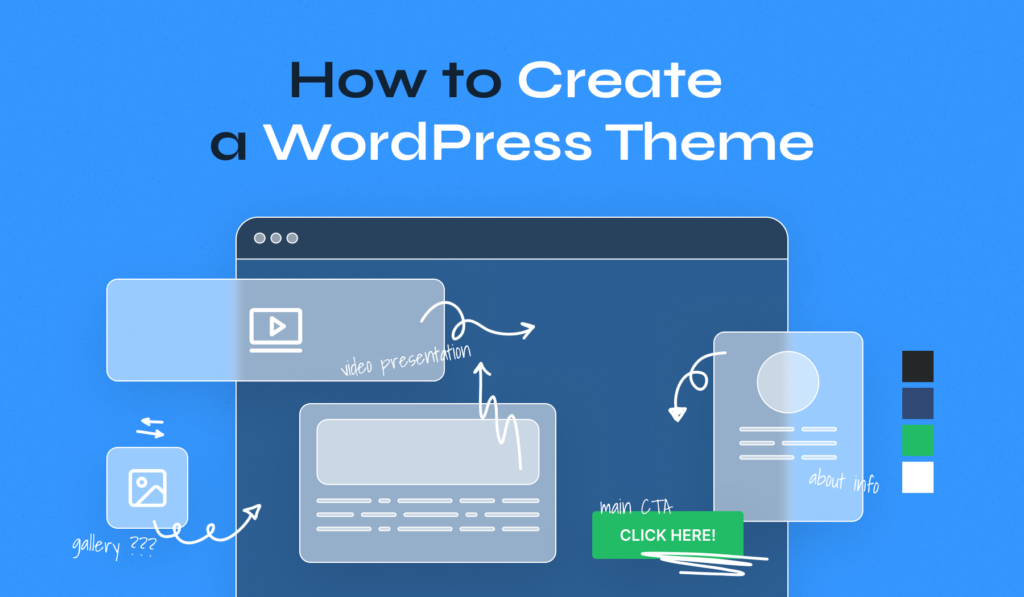
The header and footer are key parts of a WordPress theme. The header usually shows the site’s logo. It may also show the navigation bar. The footer often contains contact details. Sometimes it also has copyright information. Both are reused across pages. This makes them very important for consistency.
Single post templates show one blog post. They highlight the post’s title and content. Page templates are similar. But they work for static pages. These templates help in displaying specific content. Each template can have a unique design. This makes your site look interesting.
Archive templates list posts based on categories or dates. They help users find older posts easily. Search templates show search results. Users can quickly find what they are looking for. These templates make navigation easier. They improve the user experience on your site.
Credit: www.wpzoom.com
Styling With Css
Crafting a WordPress theme with CSS enhances your site’s look. Start by setting colors and fonts for a unified design. Then, fine-tune layouts and add custom styles to ensure a unique appearance.
Basic Styling Techniques
CSS helps in changing how your website looks. You can change colors, fonts, and sizes. Use color to make text blue or any color. Use font-size to make text bigger or smaller. Padding adds space inside elements. Margin adds space outside them.
Use background-color to change the color behind text. Borders can make your boxes stand out. Use border to add lines around elements. CSS lets you style lists too. Bullets or numbers can be changed to icons.
Responsive Design
Websites look good on all devices with responsive design. Use media queries for different screen sizes. You can hide items on small screens. Change layout for tablets and phones. Make images adjust automatically. This keeps them from being too big.
Use percentages instead of pixels for widths. This makes elements flexible. Your site will look nice on any device. Always test your site on phones and tablets. This helps ensure everything works well.
Adding Functionality With Php
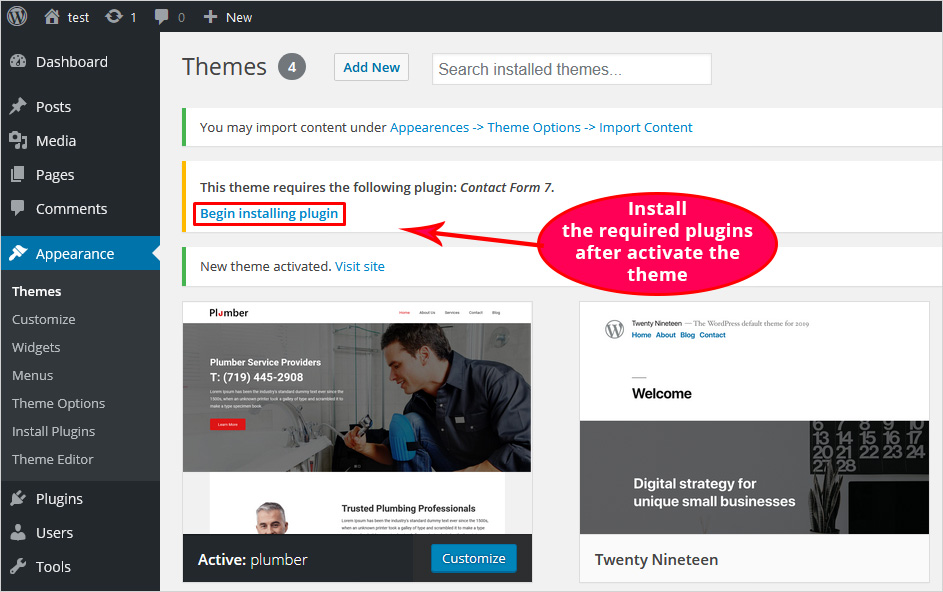
WordPress hooks make themes flexible. They help add features easily. Hooks come in two types: actions and filters. Actions let code run at certain times. Filters change data before displaying it. Developers use hooks to customize themes. Adding a hook is simple. First, identify the function. Then, use add_action() or add_filter(). Understanding hooks is key for theme creation. They allow creativity without limits. Code becomes reusable and neat. Hooks save time and effort. They make themes unique and dynamic. Every theme needs hooks for better functionality. Explore hooks for endless possibilities.
Custom functions add special features. They enhance theme abilities. Developers write unique code for different needs. Functions can be small or big. Use them to create sliders, widgets, or menus. Each function has a purpose. They make themes interactive. Custom functions use PHP code. Start by planning the feature. Write clean and simple code. Test the function well. Ensure it works smoothly. Custom functions set themes apart. They offer a personal touch. Create features users will love. Functions provide flexibility and control. Discover the power of custom coding.
Credit: blog.templatetoaster.com
Incorporating Javascript
JavaScript adds life to web pages. It creates interactive elements. Users enjoy clicking buttons. They love seeing animations. JavaScript makes this possible. It helps improve user experience. Adding JavaScript is easy. You include scripts in your theme. Place them correctly. Users will notice the change. They will stay longer on your site.
WordPress has a special tool. It’s called enqueue scripts. This tool helps manage JavaScript files. You use it to load scripts properly. It prevents conflicts. It ensures all scripts work well together. This is important for your theme. You want everything to run smoothly. Enqueue scripts helps achieve this goal. Learn how to use it. Your theme will be better for it.
Testing And Debugging
Building a WordPress theme involves testing and debugging to ensure smooth functionality. Check for errors and fix them promptly. Validate code to maintain clean design and user-friendly features.
Cross-browser Testing
Testing your theme on different browsers is important. Each browser may show your website differently. Use tools like BrowserStack for testing. Check for font issues and alignment problems. Ensure your theme looks good on Chrome, Firefox, and Safari. Don’t forget Edge and Opera too.
Common Issues And Fixes
Many themes face common issues. Images may not load or might appear broken. Check your image paths. Fonts might look different on browsers. Use web-safe fonts. Buttons may not work as expected. Test button links. CSS might not load properly. Clear browser cache to fix it.
Credit: www.hostinger.com
Preparing For Launch
Themes need to load quickly. Make sure images are compressed. Use a good caching plugin. This helps speed up loading times. Less JavaScript is better. Too much slows down your site. Keep code clean and simple. Your theme will perform well. Users will be happy.
Security is very important. Use secure coding practices. Make sure your theme is updated regularly. Avoid using outdated functions. They can be unsafe. Check for vulnerabilities often. Protect user data. Use strong passwords. Your theme must be safe. Everyone’s data stays secure.
Submitting To WordPress Repository
Creating a WordPress theme involves coding skills and creativity. Submit your theme to the WordPress Repository to share it. Follow guidelines for approval and reach a wider audience.
Meeting WordPress Guidelines
Creating a theme is exciting. But it must follow WordPress guidelines. Check the theme against the rules. Ensure it meets accessibility standards. The theme should be secure and responsive. Avoid using deprecated functions. Make sure your code is clean and well-commented.
Submitting For Review
Once ready, submit the theme. Use the WordPress Theme Review system. Upload your theme files. Add a description and tags. Ensure all details are correct. A team will check the theme. Be patient during the review. Fix any issues they find. After approval, your theme will be live.
Frequently Asked Questions
What Tools Are Needed For WordPress Theme Development?
To develop a WordPress theme, you need a code editor like Visual Studio Code, a local server environment like XAMPP or WAMP, and an FTP client. You also need knowledge of HTML, CSS, PHP, and JavaScript. These tools and skills help in creating functional and attractive themes.
How Do I Start Designing A Theme?
Begin by sketching your ideas and creating wireframes. Use design tools like Adobe XD or Sketch for detailed mockups. Ensure your design is responsive and user-friendly. Think about color schemes, typography, and layout. Planning helps streamline the development process and enhances the user experience.
Can I Create A Theme Without Coding?
While coding offers more customization, you can use theme builders like Elementor or Divi. These tools allow drag-and-drop design, eliminating the need for coding. They provide pre-built templates and customization options, making theme creation accessible. However, coding knowledge can offer more flexibility and control.
How Do I Test My WordPress Theme?
Testing involves checking functionality, responsiveness, and compatibility. Use tools like BrowserStack to test on different devices and browsers. Validate your code with tools like W3C Validator. Check for any errors or bugs and ensure smooth navigation. Thorough testing ensures your theme works perfectly across platforms.
Conclusion
Creating a WordPress theme can be simple and rewarding. Start with understanding your audience’s needs. Use a clear design and simple code. Always test your theme on different devices. Don’t forget SEO-friendly practices for better visibility. Keep learning and updating your skills.
WordPress resources and communities can help a lot. Build themes that reflect your style and creativity. Remember, each theme is a step towards mastering WordPress design. Stay curious, keep exploring, and enjoy the journey of creating your unique themes. Happy designing!


