
Creating a customizer for your WordPress theme can feel like unlocking a treasure chest of design possibilities. Imagine having the power to tweak and tailor every aspect of your website, ensuring it reflects your unique style and meets your specific needs.
This isn’t just a task; it’s an opportunity to transform your vision into a digital reality. If you’ve ever felt limited by pre-set themes or frustrated by a lack of flexibility, you’re in the right place. Ready to dive into the world of customization and make your WordPress site truly yours?
Stick around, because you’re about to discover the secrets to creating a customizer that will set your website apart from the rest.
Benefits Of Theme Customization
Customizing a WordPress theme helps to create a unique website. It makes the site look different from others. You can change colors, fonts, and images. This is important for branding. A unique look makes a brand stand out. Users remember a site that looks special.
Custom themes can help with better performance. They allow you to remove unwanted features. This makes the site load faster. A fast site keeps visitors happy. Happy visitors stay longer. They also visit more pages.
Custom themes can also improve SEO. They help in adding special tags and keywords. These help search engines find the site easily. When search engines find the site, more people visit. This helps in growing the website’s audience.
Setting Up A Child Theme
Start by making a new folder. Name it after your theme with “-child” added. This folder will hold all your custom files. It’s important for organizing your work. Make sure the name is easy to remember.
Inside your new folder, add a file named style.css. This file is crucial. It tells WordPress about your child theme. Write a comment block at the top. Include theme name and template. This helps WordPress understand your theme better.
To make your child theme look like the parent, import styles. Use the @import rule in your style.css file. Point it to the parent theme’s stylesheet. This way, your child theme will inherit the parent’s design. Remember to save your changes.
Integrating The WordPress Customizer
The WP_Customize_Manager helps you change how your site looks. It is like a tool to make your website unique. You can add new colors, fonts, or styles. This makes your site special. Developers use this to give users more control.
Controls help you change things on your site. They make it easy to adjust settings. You can add buttons or sliders for changing colors. This lets users play with their site’s look. These controls are like tools in a toolbox.
Sections and panels organize your settings. They keep everything neat and tidy. You can create sections for different parts of your site. Panels group these sections together. This helps users find settings quickly. Like a book with chapters and pages.
Adding Custom Settings And Controls
Adding text and input fields is easy. These fields let users type words or numbers. Use them for titles or names. They help gather simple user info. Customizing themes becomes more user-friendly.
Color pickers allow users to select colors. This makes themes look unique. Users can choose colors for backgrounds or text. Image uploads let users add pictures. These pictures can be logos or banners. Both features make themes personal.
Dropdowns offer a list of choices. They help users pick from options. Radio buttons let users select one item. Both tools simplify choices. Themes become more organized. Users enjoy easy navigation.
Customizing Theme Styles With Css
Creating dynamic CSS helps make themes look unique. You can use variables to change colors and fonts. This makes your theme more flexible and personal.
Link inputs to CSS using simple code. This allows changes made by users to affect the style. Input values update the CSS instantly. This makes the theme very interactive.
PostMessage lets users see changes live. It sends messages between the customizer and the preview. This gives a real-time view of edits. Users love seeing changes as they happen.

Credit: wpmarmite.com
Enhancing User Experience
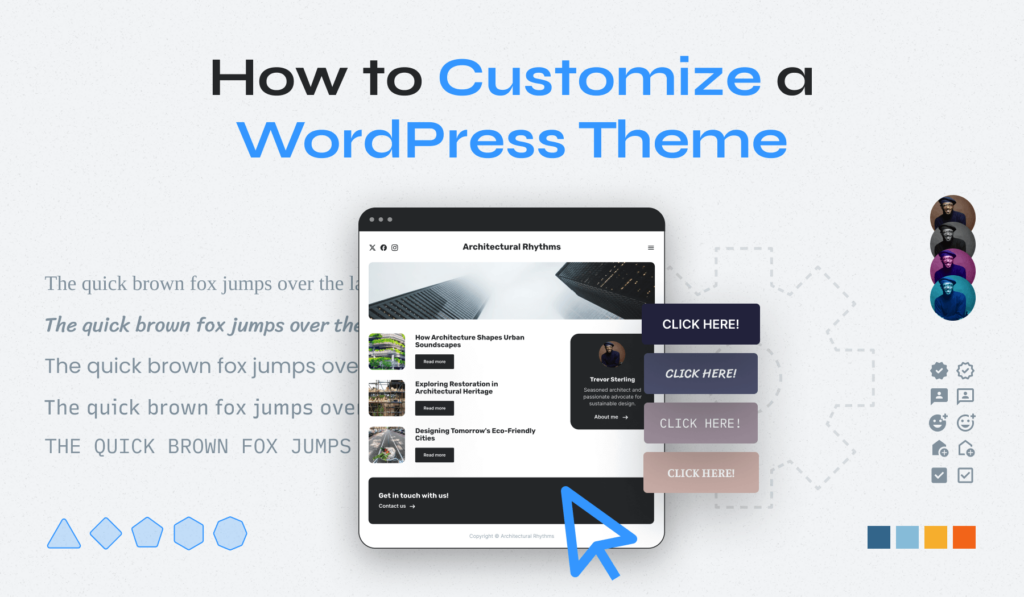
Adding a WordPress customizer makes a theme easy to use. It helps users change how their site looks. Good design makes this process simple. Users find it easy to change colors, fonts, and layouts. This makes their site feel unique.
Simple menus and buttons are key. Users should find settings quickly. Pictures and icons help guide them. They show what each button does. This keeps the experience smooth and fun.
Sites must work on all devices. Phones, tablets, and computers should show the site well. Making sites responsive means they change to fit any screen. Accessibility is also important. Everyone should use the site easily, including those with disabilities.
Testing helps find problems. Users can give feedback about their experience. This helps improve the customizer. Always listen to users. Their feedback makes the customizer better.
Troubleshooting Common Issues
Creating a customizer for a WordPress theme can be tricky. Common issues include missing settings, preview errors, and saving problems. Resolve these by checking theme files, ensuring correct syntax, and updating WordPress regularly.
Debugging Customizer Errors
Customizer errors can be tricky. Always check for syntax errors first. Missing semicolons or brackets can cause big issues. Look at error logs for clues. They often show the exact problem. Disable plugins temporarily to see if they cause the error. This helps narrow down the issue. Remember to clear the cache after making changes.
Resolving Compatibility Problems
Compatibility problems often arise after updates. Ensure your theme is compatible with the latest WordPress version. Some features might not work with older themes. Test your theme with different browsers. This checks if it displays correctly everywhere. Update third-party plugins regularly for better compatibility. Make sure your theme follows WordPress standards. This reduces the risk of issues.
Best Practices For Updates
Always backup your site before updates. This prevents data loss. Use child themes to make changes safely. They protect the original theme files. Read update notes carefully. They show what changes were made. Test updates in a staging environment first. This allows you to fix issues before going live. Keep your code clean and well-organized.

Credit: www.greengeeks.com
Credit: www.wpzoom.com
Frequently Asked Questions
What Is The WordPress Customizer?
The WordPress Customizer is a tool for live-editing themes. It allows users to modify site designs and preview changes instantly. It’s a user-friendly interface that supports customization of various theme elements like colors, fonts, and layouts. This tool enhances the personalization of WordPress websites effectively.
Why Use A Custom Theme Customizer?
A custom theme customizer offers tailored design options. It empowers users to create unique looks without coding. By using it, you can improve user engagement and brand identity. This tool simplifies the design process, making theme customization accessible to everyone.
How To Start Customizing A WordPress Theme?
To start, access the WordPress dashboard and navigate to Appearance > Customize. From there, explore different customization options. You can adjust colors, fonts, and layouts easily. Save changes and preview them instantly to ensure your design meets your preferences.
Can I Add Custom Features To WordPress Customizer?
Yes, you can add custom features to WordPress Customizer. Developers can extend its functionality using customizer API. This allows for adding unique options tailored to specific needs. These features enhance user experience and site design flexibility.
Conclusion
Creating a customizer for your WordPress theme isn’t hard. Follow the steps, and you’ll have a personalized site quickly. This tool lets you adjust colors, fonts, and layouts with ease. It helps your site stand out and match your style.
Take your time to explore options and experiment. Don’t hesitate to make changes. Your site should reflect your vision. Customizing can be fun and rewarding. Enjoy the process and make your website unique. Remember, your site is your digital home.
Make it welcoming and personal.


