
Are you eager to give your WordPress site a unique look without breaking the bank? Crafting a simple theme in WordPress might seem challenging, but it’s easier than you think.
Imagine having the freedom to design your site exactly as you envision, with just a few clicks and some creativity. This guide will walk you through the process, step by step, making it accessible even if you’re a beginner. By the end of this article, you’ll not only have a custom theme but also a sense of accomplishment.
You’ll learn how to blend your personal style with functional design, ensuring your site stands out and serves its purpose effectively. Ready to transform your WordPress site with your own simple theme? Let’s dive in and unleash your inner designer!
Understanding WordPress Themes
Themes make websites look nice. They change how a site looks. You can pick colors and fonts. They add style to websites. Themes are like clothes for sites. A theme can make a site look fun or serious.
Themes give a website its personality. They help show what the site is about. A good theme makes it easy to read. It keeps users on the site longer. With a good theme, users find what they need fast. They also make websites work well on phones and computers. Everyone can see the site clearly.
Setting Up Your Development Environment
To start, you need the right tools and software. Install a code editor like Visual Studio Code. It helps you write and edit code easily. Another tool is Node.js. It helps with JavaScript work. Also, download Git for version control. This keeps track of your changes.
Don’t forget WordPress itself. You can download it from the official site. These tools make your work smoother. They are essential for theme development.
A local server is needed to test your theme. Use XAMPP or MAMP to create this server. Install it on your computer. Once installed, start the server. It allows you to run WordPress locally.
This server is like a small internet just for you. It helps you see changes in real-time. No need for a live website yet. Practice safely in this space.
Basic Theme Structure
Every WordPress theme begins with a theme folder. This folder holds all theme files. Inside, the style.css file is important. It has the theme’s details. The index.php file is the main template. It shows your content. Other files like functions.php add custom features. Always include these core files. They make your theme work well.
Themes have many parts. Each part has a role. The header.php file shows the top of your site. The footer.php file shows the bottom. The sidebar.php file is for extra info. You can also have page templates for different looks. All these parts fit together. They make your site look good and run well.
Credit: www.elegantthemes.com
Creating The Style Sheet
CSS makes the web look beautiful. It styles your WordPress theme. Start with a basic style.css file. This file tells browsers how to display your site. Use selectors to target HTML elements. Change colors, fonts, and layouts easily. Experiment with different styles. Small changes can make a big difference.
Personalize your theme with custom styles. Try using background images for a unique look. Adjust the padding and margin for better spacing. Add hover effects to buttons for interaction. Play with font sizes to improve readability. Test your design on different devices. Responsive design is key.
Building Template Files
The template hierarchy helps WordPress decide which file to use. Knowing this is important for theme creation. Template files determine how your site looks. Files like single.php or archive.php are common. They control posts and pages. WordPress checks them in a specific order. Understanding this order helps in designing themes. Start simple. Learn the basic files first. Then expand your knowledge. Build one file at a time. Your theme will grow.
The header and footer are key parts of a theme. Every page uses them. The header appears at the top. It often has a logo and menu. Footer is at the bottom. It might have contact info or links. Create them in header.php and footer.php. Add styles using CSS. Keep them simple. Clean design is best. Test your theme often. Check how it looks. Adjust as needed. Make it easy for users.
Credit: www.elegantthemes.com
Integrating WordPress Functions
PHP helps create dynamic websites. It is like the engine for your theme. WordPress functions use PHP to show posts, pages, and more. To start, open your theme’s folder. Find the functions.php file. This file is very important. It links your theme with WordPress.
Add new code for extra features. For example, add menu support with add_theme_support('menus');. This makes navigation easy. Remember to save changes. Check your site to see new features. PHP and WordPress work together. They make your site better.
WordPress has many built-in functions. These functions do many jobs. get_header() adds the header to each page. get_footer() adds the footer. Use the_content() to show the main text of a post. Always use these functions in the right place. They help your theme work well. Make sure to test your theme. Ensure all functions do their job.
Adding Functionality With Plugins
Plugins add features to your website. Pick plugins that fit your needs. Some plugins can slow down your site. Read reviews before installing. Ensure plugins are updated often. This helps keep your site secure. Ask others for plugin recommendations. Choose plugins with good support. Popular plugins often have more resources.
Test plugins on a small site first. This helps find problems early. Backup your website before adding a plugin. It saves your work if something goes wrong. Keep plugins updated. Updates fix bugs and add new features. Use only what you need. Too many plugins can cause issues. Deactivate plugins you don’t use. It helps speed up your site.
Testing And Debugging
Common Issues in Themes can be frustrating. Themes sometimes break. Colors may not show correctly. Images might not load. Check your code for mistakes. Make sure all files are in the right place. Look for missing tags in your HTML. Ensure your CSS is clean. Fix broken links. Test your theme step by step. Try different browsers. Ask a friend to help test. Two eyes are better than one.
Testing Across Devices is important. Themes should work on all screens. Phones, tablets, and computers need to look good. Use tools to see your theme on different devices. Adjust your design for each screen size. Check buttons and text. They must be easy to click and read. Make sure images fit well. Test your theme regularly. Keep it updated and smooth for all users.
Deploying Your Theme
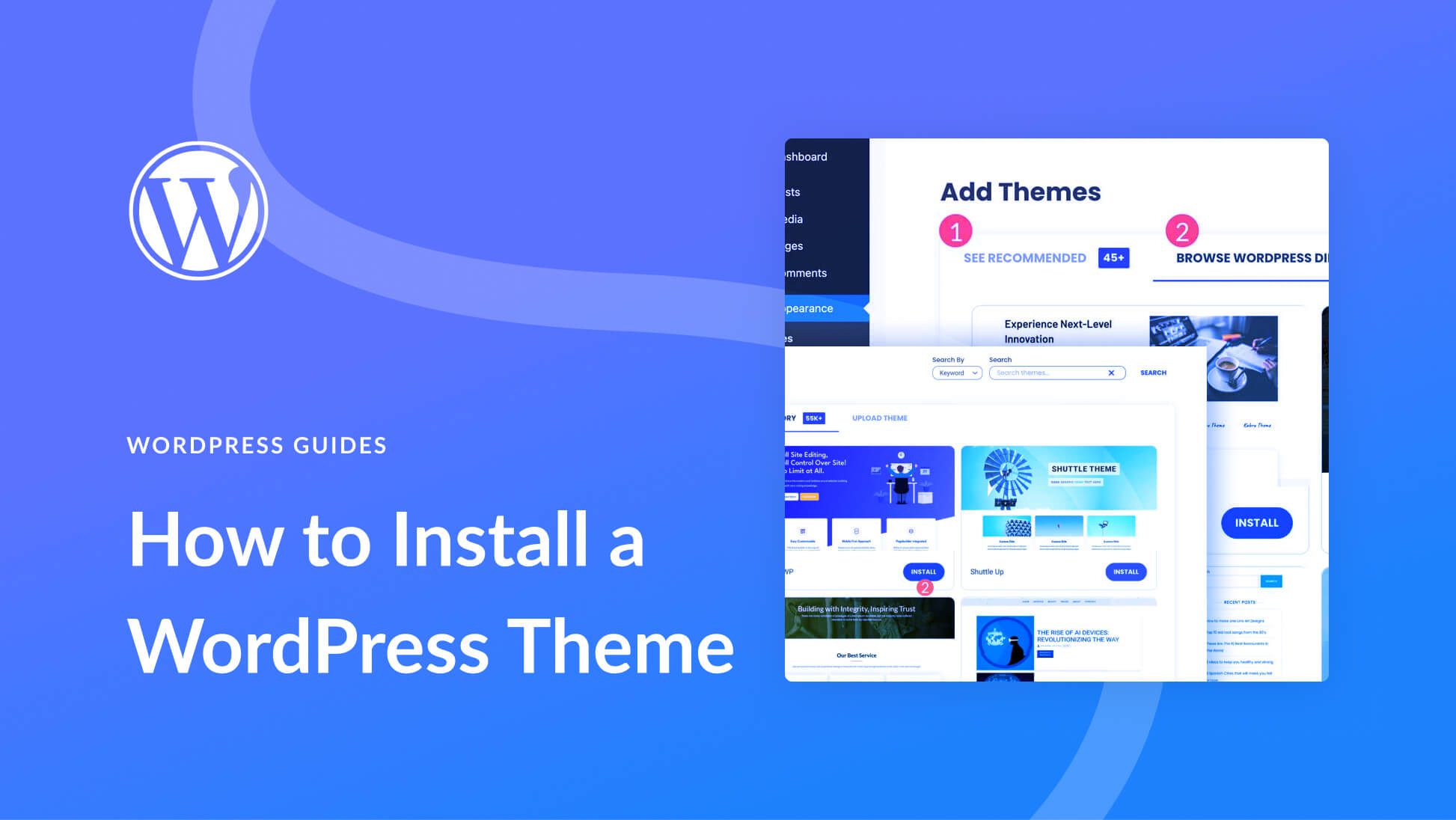
First, log into your WordPress dashboard. Go to the Appearance section. Select Themes. Click the Add New button. Then choose Upload Theme. Find your theme’s zip file. Click Install Now. Once installed, activate your theme. Your new theme is live.
Make sure your theme works with plugins. Test it with popular ones. Check if it looks good on phones and tablets. Use tools to test browser compatibility. Ensure the theme loads fast. A slow theme can be annoying. Keep updating your theme. This helps with security.
Credit: www.youtube.com
Frequently Asked Questions
How Do I Start Creating A WordPress Theme?
To start, set up a local WordPress environment. Create a new theme folder under wp-content/themes. Add essential files like style. css and index. php. Activate your theme through the WordPress dashboard. Begin customizing by coding templates and styles.
What Tools Are Needed For WordPress Theme Development?
You’ll need a code editor like Visual Studio Code. Install a local server environment such as XAMPP or WAMP. Familiarize yourself with HTML, CSS, PHP, and JavaScript. Use a browser for testing and debugging. Optional tools include design software like Adobe XD or Figma.
Can I Create A Theme Without Coding Skills?
Basic coding skills in HTML, CSS, and PHP are essential. Beginners can use WordPress starter themes or frameworks. These provide a foundation with pre-built components. Page builder plugins like Elementor simplify design. Online resources and tutorials can help you learn coding basics.
What Is The Importance Of Style.css In Themes?
The style. css file is crucial for WordPress themes. It contains theme metadata like name, author, and version. This file handles the styling and layout of your theme. Without it, WordPress won’t recognize your theme. Ensure it’s correctly formatted and linked to your theme.
Conclusion
Creating a simple theme in WordPress doesn’t have to be hard. Start with a clear plan. Focus on functionality and design. Keep code clean and organized. Test your theme regularly. Ensure it works on different devices. Customize to match your style.
Practice helps improve skills. Share your theme with others. Feedback can guide improvements. With patience and effort, you can create a theme. A theme that suits your needs and stands out. Your WordPress journey begins with this first step. Keep learning, keep exploring.
The possibilities are endless.


