
Are you tired of scrolling through countless WordPress themes, only to find that none of them perfectly fit your vision? Imagine having a blank canvas, ready for your creative ideas, that not only looks good but is also responsive across all devices.
Sounds perfect, right? Creating a blank responsive theme in WordPress might seem like a daunting task, but it’s easier than you think. Whether you’re a seasoned developer or a curious beginner, this guide will walk you through the process, step by step.
You’ll learn the secrets to crafting a theme that not only meets your aesthetic goals but also enhances user experience. Dive in to discover how you can bring your unique design to life and make your website stand out in the digital crowd!
Getting Started
Responsive design means your website looks good on any device. It adjusts automatically. A blank theme gives you a clean slate to work with. No distractions. You can customize it from scratch. Learn the basics of responsive design. Understand how it works. This is key to creating a great website.
Understanding Responsive Design
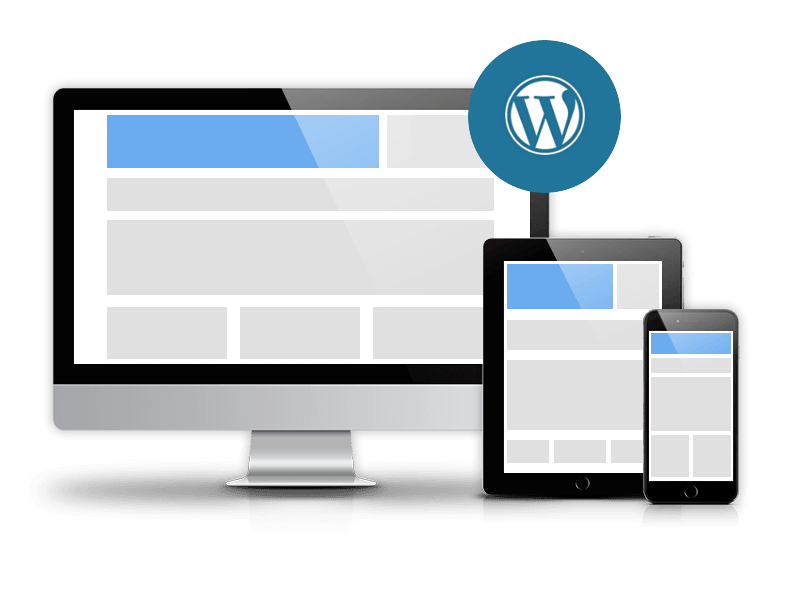
Responsive design makes sure your site works on phones, tablets, and computers. It uses flexible grids. Images resize themselves. CSS media queries change styles. Everything adapts to different screen sizes. Users enjoy a better experience. They stay longer on your site. More visits can mean more success.
Tools And Resources Needed
| Tool | Purpose |
|---|---|
| WordPress | Create your site and manage content. |
| CSS | Style your site and make it responsive. |
| HTML | Structure your pages and content. |
| JavaScript | Add interactivity and dynamic features. |
| Design tools | Create visuals and layouts for your theme. |
Setting Up WordPress
First, download the WordPress software from the official website. Then, set up a local server using a tool like XAMPP or MAMP. Extract the WordPress files into the server’s root directory. Open your browser and type “localhost/wordpress”. Follow the steps to create a database. Enter your database name, username, and password. Click “Submit” and run the installation. It’s easy and straightforward.
Log in to your WordPress dashboard. Go to “Settings” and click “General”. Set your site title and tagline. Ensure your URL settings are correct. Next, visit “Permalinks” and choose a simple URL structure. Set your time zone and language under “General”. Don’t forget to save your changes. Your WordPress site is now ready.
Creating A Theme Structure
Organize your theme files neatly. This helps in easy management. Start with a main theme folder. Inside, create folders like CSS, JS, and images. Each folder holds specific files. The CSS folder keeps all style sheets. JS folder is for JavaScript files. Images folder stores pictures used in the theme.
Every WordPress theme needs some basic files. The style.css file is for theme styles. It also has theme info at the top. The index.php file is the main template. It shows content on the site. Other important files are header.php and footer.php. These files help in structuring the site layout.
Credit: ordasoft.com
Developing Responsive Layouts
CSS Media Queries help make your website look good on all devices. They adjust styles based on the screen size. Use them to change font sizes, colors, or layouts. This makes your site flexible. Add queries in your CSS file. This ensures your theme is responsive. Test your site on different devices. Make sure everything looks right.
Fluid Grids create layouts that change with the screen size. They use percentages instead of fixed units. This makes elements shrink or grow with the screen. Use a simple formula: target size divided by context size. This helps calculate percentages. Keep the design balanced and neat. Fluid grids make your site adaptable. They ensure a smooth user experience.
Adding Custom Features
Widgets make your site more interactive. They add special features. Custom widgets let you add unique touches. You can make a weather widget. Or a widget showing recent posts. Each widget is easy to add. Go to your theme’s functions file. Then, use the WP_Widget class. This helps in creating widgets. It takes some coding. But it’s not too hard. Soon, your site will stand out.
Menus help visitors find things. They guide people through your site. A custom menu makes navigation easy. Start with the WordPress admin panel. Go to the menu section. Here, you can add new items. Pick pages, posts, or links. Save it and your menu is ready. You can also change the order. Drag and drop items to rearrange. A well-planned menu helps everyone.

Credit: www.hongkiat.com
Testing And Debugging
Testing on many devices is important. Check on phones, tablets, and computers. Make sure everything looks good. Responsive themes should work on all devices. Use tools to see how the theme looks. Check for any problems on different screen sizes.
Test buttons and links. They should work well everywhere. Sometimes, things look fine on one device but not on another. Fix these issues quickly. Keep the user experience smooth.
Images sometimes stretch. Make sure they fit the screen well. Use CSS to fix this. Sometimes, text is too big or small. Adjust font sizes for readability. Menus can be tricky. Ensure they open and close properly. Test them on different devices.
Check loading times. Slow pages frustrate users. Optimize images and scripts. If a page is slow, find out why. Fix it to keep users happy. Regular testing finds problems early. Fixing them keeps the theme looking good.
Optimizing For Performance
Minifying makes files smaller. Small files load faster. Fast loading improves performance. Use tools to minify CSS and JavaScript. Tools like CSSNano and UglifyJS are helpful. They remove spaces and comments. They also shorten variable names. Result? Smaller files.
Caching saves data. Saved data loads quicker. Quicker loads mean better site speed. Use browser cache. It keeps files on user’s computer. Use server cache too. It stores data on the server. Combine browser and server caching for best results.
Deploying Your Theme
Check your theme for bugs and errors first. Use tools like Theme Check. This helps find issues. Clean up your code. Remove any extra files. Optimize your images. Smaller files load faster. Fast sites are better for users. Make sure your theme is mobile-friendly. Test it on phones and tablets. Check if menus and buttons work well. All users should have a good experience.
Ensure your theme meets WordPress standards. Follow the guidelines closely. Package your theme into a zip file. Go to the WordPress website. Submit your theme there. Fill out all required details. Add a clear description. This helps users understand your theme. Wait for the review process. It can take some time. Be patient. If there are issues, fix them quickly. Submit again if needed.

Credit: wordpress.com
Frequently Asked Questions
What Is A Blank WordPress Theme?
A blank WordPress theme is a minimal starter template. It provides basic structure and functionality without styling. This allows developers to customize and create unique designs. It’s ideal for building responsive and tailored themes from scratch. Blank themes speed up development by offering a clean slate.
Why Use A Responsive WordPress Theme?
Responsive themes ensure your website displays well on all devices. They automatically adjust layouts for different screen sizes. This improves user experience and boosts SEO. Google favors mobile-friendly sites in search rankings. Responsive design is essential for reaching a wider audience and enhancing engagement.
How Do I Start Creating A WordPress Theme?
Begin by setting up a local development environment. Download and install WordPress on your server. Create a new theme folder in the wp-content/themes directory. Add essential files like style. css and index. php. Use a blank theme as a base.
Customize as needed using HTML, CSS, and PHP.
What Tools Are Needed For Theme Development?
You’ll need a code editor, like Visual Studio Code or Sublime Text. A local server environment, such as XAMPP or WAMP, is essential. Familiarize yourself with HTML, CSS, PHP, and JavaScript. Consider using version control systems like Git. These tools streamline development and help manage changes efficiently.
Conclusion
Creating a blank responsive WordPress theme is easier than it seems. Follow the steps carefully, and you’ll have a solid foundation. Customization is key; tweak elements to fit your vision. Test your theme on different devices to ensure responsiveness. Stay updated with WordPress standards and community tips.
This approach builds your skills and enhances your website. Practice regularly for better results. Now, you can confidently design themes that work beautifully on all screens. Start building your unique WordPress theme today and enjoy the flexibility it offers. Your creative journey begins here.


