
Creating a custom WordPress theme is like crafting a personal masterpiece. You get to decide every detail, from the colors to the layout.
But when it comes to loading a header and footer in your custom theme, things might seem a bit tricky at first. Don’t worry—you’re not alone! Many WordPress enthusiasts face this same challenge. Imagine your website with a perfectly crafted header welcoming visitors, and a footer that leaves a lasting impression.
Sounds great, right? In this guide, you’ll discover simple steps to seamlessly integrate headers and footers into your custom WordPress theme, ensuring a cohesive look and feel. So, if you want to transform your website from good to great, keep reading to unlock the secrets behind a polished, professional appearance.
Theme File Structure
Loading the header and footer in a custom WordPress theme involves editing the theme’s files. Place the header code in the `header. php` file and the footer code in the `footer. php` file. Use `get_header()` and `get_footer()` functions in your template files to load them.
Essential Files
Building a custom WordPress theme needs some important files. The style.css file is crucial. It tells WordPress about your theme. The index.php file shows your content on the screen. The functions.php file is like a toolbox. It adds extra features to your theme. Each of these files has a special role. They help your theme work well.
Directory Organization
Keeping files tidy is very important. Put all theme files in one folder. Name this folder with your theme’s name. Inside, create a folder for images. Name it images. Add another folder for scripts. Name it js. Make sure everything is easy to find. This keeps your theme neat and organized. It also helps you find things quickly.
Creating Header Template
The header is important for your site. Use clean HTML to build it. Start with a header tag. Add a nav element for the menu. Include logo and title tags. Use divs to organize content. Ensure links are inside the nav. Make it responsive with CSS. Check all elements are nested correctly.
PHP helps load the header. Create a header.php file. Use the get_header() function. This loads the header template. Place this in your theme files. Ensure the header.php file is in the theme folder. Check syntax errors in PHP code. Use WordPress functions for dynamic content. PHP and HTML must work together smoothly.
Crafting Footer Template
The footer is a key part of your website. It holds important links and details. Start by using simple HTML elements. Use tags to mark the footer area. Inside, use for navigation links. Add for lists. Make sure to include contact info with tags. This helps users find what they need quickly.
PHP makes the footer dynamic. Use PHP functions to load footer parts. In your theme folder, create a file named footer.php. Add PHP code to this file. Use php get_footer(); ? in your theme files. This tells WordPress to load your footer file. Keep the code simple and clean. This ensures your footer works well.
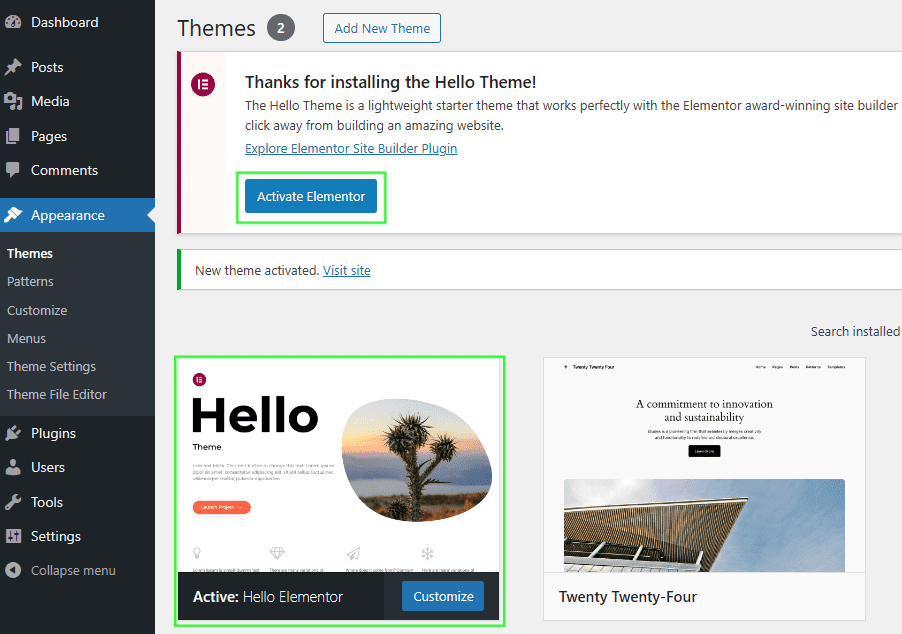
Credit: help.elements.envato.com
Utilizing Get_header And Get_footer
WordPress offers simple functions like get_header and get_footer. These functions help load the header and footer in themes. Place them in your theme files. They are usually at the top and bottom. This way, your theme looks complete.
These functions have optional parameters. The get_header function can take one parameter. It defines which header file to use. The get_footer is similar. It also takes one parameter. This helps load different footer files. Just pass the name as a parameter. It’s simple and neat.
Adding Styles And Scripts
Use the enqueue function to add styles and scripts. This makes sure they load right. WordPress has a special hook for this: wp_enqueue_scripts. You can add your styles with wp_enqueue_style(). For scripts, use wp_enqueue_script(). This keeps your code neat and tidy.
Dependencies are important when loading scripts. A script might need another script to work. Use the dependency array in wp_enqueue_script(). This tells WordPress what to load first. Without this, scripts can break. Always check what your scripts need. This way, everything runs smoothly.
Customizing Header And Footer
A custom WordPress theme needs a special touch. The header and footer should have dynamic elements. This helps keep content fresh. Dynamic content changes based on user actions. It makes the site interactive.
You can use WordPress functions. Functions like wp_head() and wp_footer(). These functions load the needed scripts. They make sure everything works well.
Conditional Logic is also helpful. It displays different content for different users. It can show a special message or image. This makes the site feel personal. Users enjoy a site that feels unique to them.
Debugging Common Issues
Loading header and footer in a custom WordPress theme often requires PHP tweaks. Use `get_header()` and `get_footer()` functions to ensure seamless integration. Debug common issues by checking file paths and theme settings.
Error Identification
Errors can stop your header and footer from loading. These errors might come from wrong file paths or missing files. Check if the files exist in the right folder. Sometimes, a small typo can cause big problems. Look for errors in code syntax. Proper syntax is crucial. Debugging tools help find these errors quickly. Use them to spot mistakes.
Solution Strategies
Fixing errors needs smart strategies. First, ensure all file paths are correct. Double-check them for accuracy. Next, inspect your code for typos or syntax issues. Correct any errors you find. Use debugging tools to assist in locating problems. These tools show error locations. Keep your WordPress updated. Updates can fix bugs and improve functionality. Check plugins and themes for compatibility. Incompatible plugins might cause issues. Solve these by updating or changing plugins.

Credit: elementor.com
Best Practices
Organize your code well. Keep it clean. Use separate files for header and footer. This helps in easy management. Add comments where needed. Comments explain the code. They help others understand. Divide your code into sections. Each section should have a specific task. Avoid clutter. Clutter makes code hard to read.
Optimize for speed. Fast websites are better. Reduce file sizes. Big files slow down loading. Use cache for repeated data. Cache saves time. Minimize external scripts. They can slow down your site. Compress images. Smaller images load faster. Check your site regularly. Ensure it runs smoothly. Speed improves user experience.
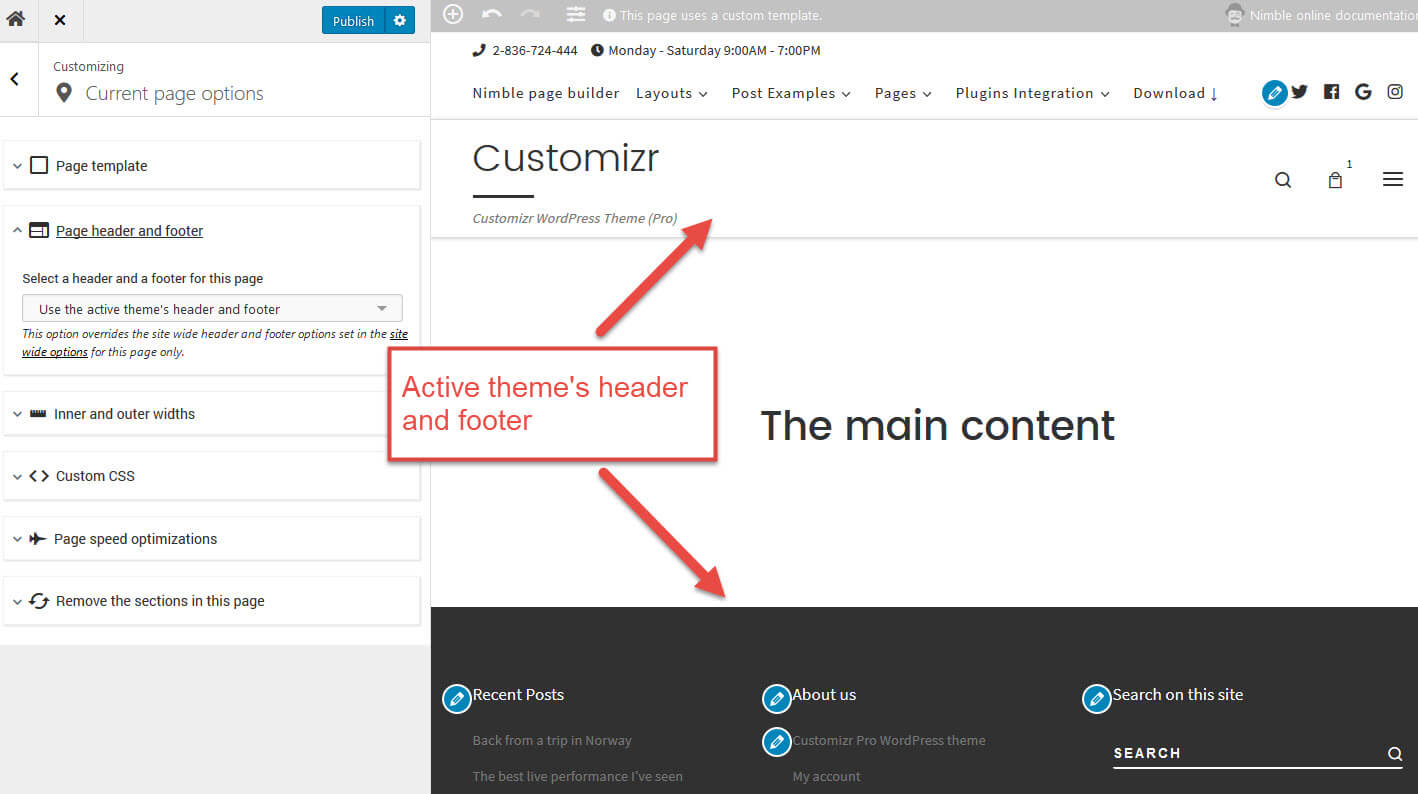
Credit: docs.presscustomizr.com
Frequently Asked Questions
How To Add A Header In WordPress Theme?
To add a header in a custom WordPress theme, edit your theme’s header. php file. This file typically contains the site’s header HTML and WordPress functions like wp_head(). Customize the HTML and styling to suit your design needs. Ensure your theme’s template files include the get_header() function to load the header properly.
How Do I Add A Footer In WordPress Theme?
To add a footer, edit the footer. php file in your theme. This file contains footer HTML and WordPress functions like wp_footer(). Customize it with your desired content and styling. Ensure your theme’s template files use the get_footer() function to load the footer correctly.
What Is The Purpose Of Header.php?
The header. php file contains the HTML and WordPress functions necessary for displaying the header section. It typically includes the site’s metadata, stylesheets, and navigation menu. This file is crucial for maintaining consistency across your site’s pages and enhancing the user experience with a uniform header.
Why Is Footer.php Important In WordPress?
The footer. php file is essential for displaying the footer section of your WordPress theme. It typically includes credits, links, and closing HTML tags. The footer. php file ensures a consistent look across pages and facilitates the inclusion of scripts and functions via wp_footer().
Conclusion
Creating custom WordPress themes can be rewarding. Loading headers and footers is crucial. It helps structure your site. These parts enhance user experience. Visitors navigate easily with clear headers. Footers offer essential links and information. They improve overall design. Proper coding ensures functionality.
Maintain clean code for best results. Test your theme thoroughly. Check for errors before launching. Adjust as needed for responsive design. Focus on simplicity and clarity. Your theme reflects your brand’s identity. Keep learning and experimenting. You’ll create a unique and effective WordPress theme.


