
Have you ever stumbled upon a website and wondered which web hosting provider powers it? Whether you’re a budding webmaster, a curious tech enthusiast, or someone looking to switch hosting services, knowing the web hosting provider of a website can be incredibly useful.
It might help you discover reliable hosting solutions or even avoid potential pitfalls. In this guide, you’ll uncover simple strategies to identify the hosting provider behind any website. By the end, you’ll have the knowledge to make informed decisions about your own web hosting needs.
Keep reading, because the secrets to unlocking this information are just a few scrolls away!
Credit: www.hostinger.com
Web Hosting Basics
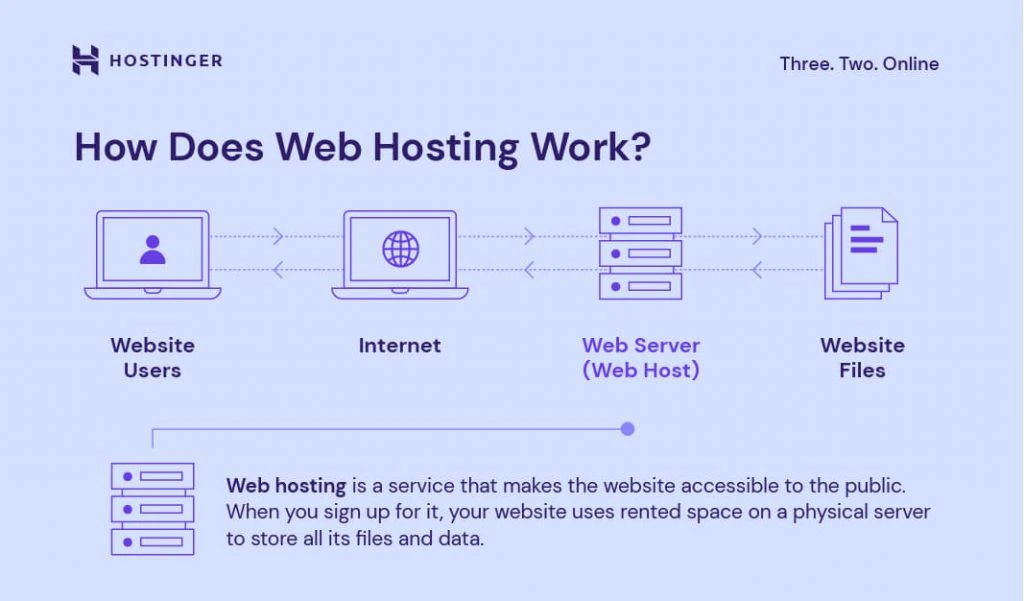
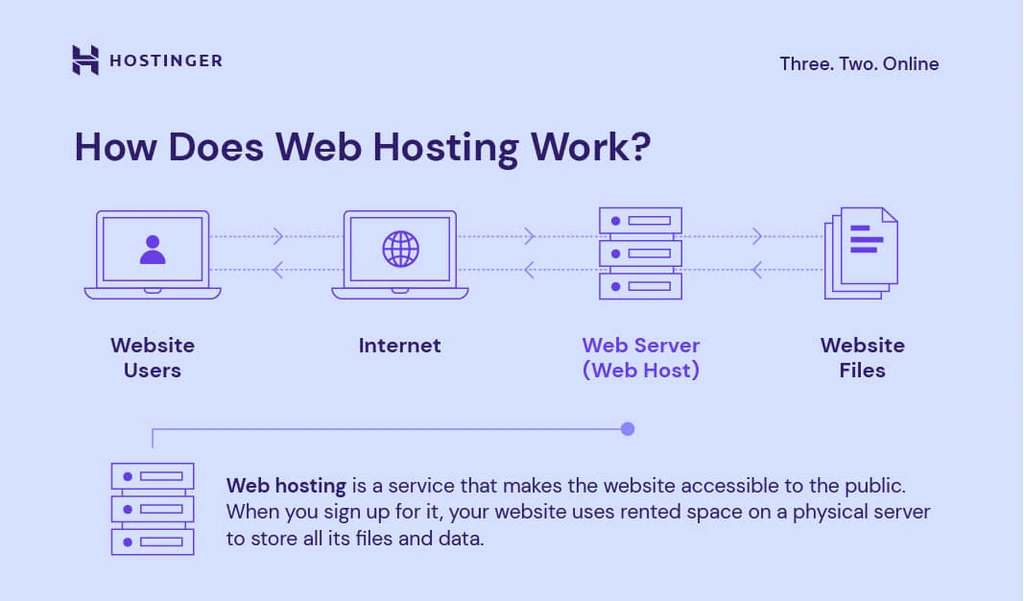
Web hosting is like renting space on the internet. It helps websites stay online. Your website files live on a server. This server is owned by the hosting company. Without hosting, no one can see your website. Hosting keeps your website safe and fast. It also makes sure your site is always up. Hosting is crucial for any website owner. Choosing the right host is important.
Web hosting comes in different types. Shared hosting is popular and cheap. Many sites share one server. VPS hosting is like a private room. It’s more secure and faster. Dedicated hosting means one server for one site. It’s powerful but costly. Cloud hosting uses many servers. It’s flexible and scales well. Each type has its pros and cons. Picking the right one depends on your needs.
Credit: www.youtube.com
Tools For Identifying Web Hosts
Online tools help find a website’s hosting provider. Simply enter the website’s URL. The tool will show the hosting details. Some popular tools include WhoIsHostingThis and Hosting Checker. These tools are easy and fast. They provide accurate hosting information. You can use them for free.
Browser extensions can also detect web hosts. They work directly in your browser. This makes them convenient to use. Extensions like Wappalyzer and BuiltWith can help. They provide information about the website’s technology. This includes its hosting provider. Install these extensions for quick results.
Manual Methods To Discover Hosting Information
WHOIS records show details about a website. These records help find the hosting provider. Start by visiting a WHOIS website. Enter the domain name in the search box. Look for the Registrar or Hosting Company in the results. Not all websites show this data. Some keep it private for security. Checking WHOIS is a simple step. It gives a lot of information.
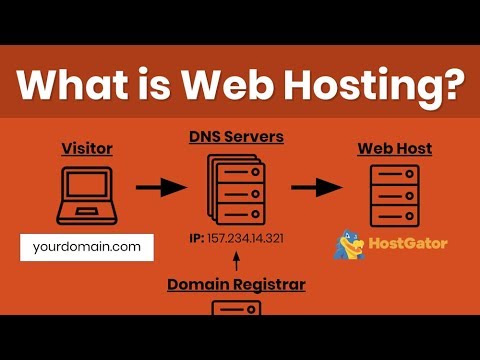
DNS records tell where a website is hosted. Use a DNS lookup tool online. Enter the website’s domain name. Check the A record or NS record. These point to the IP address of the hosting provider. Sometimes, you see CDN services instead. DNS records give clues about the server’s location. It helps in finding the hosting provider.
Advanced Techniques
Command line tools can help find a website’s host. Use the command `nslookup` to get the website’s IP address. Enter the domain name after `nslookup`. Another helpful command is `tracert` or `traceroute`. This command shows the path taken by data. It helps identify the hosting server. Type `tracert` followed by the domain name. Server headers can also provide clues. Use `curl -I` in the command line. This fetches the server headers from the website. Look for the “Server” or “Host” fields. These fields often reveal hosting details.
Server headers carry useful information. Open a web browser’s developer tools. Find the “Network” tab. Reload the website while this tab is open. Click on the website’s URL in the list. Search for “Response Headers.” These headers may show the server type. Check for “Server” or “X-Powered-By” fields. These fields can hint at the hosting provider.
Limitations And Accuracy
Identifying the web hosting provider of a website can be tricky. Many websites use tools to hide their hosting details. This makes it hard for users to find accurate information. Some websites might use multiple hosting services. This adds to the confusion. It’s important to know that tools used to find hosting information may not always be right. Sometimes, they might show old or incorrect data. This is one of the common challenges users face.
Ensuring reliable information requires patience. Try using multiple tools to confirm hosting details. Compare results from different sources. Always check for the latest data. Remember, not all tools will give the same results. Cross-checking can help find the most accurate info. This method increases the chances of getting correct hosting details.
Privacy And Ethical Considerations
Respecting website privacy is very important. Some websites may hide their hosting provider. This is often for security reasons. Always ask for permission before digging deep. It shows respect. Be careful with tools that reveal hidden data. They might break rules. Sometimes, it is best to leave it alone.
Legal implications can be serious. Digging into hosting details without permission can lead to trouble. You could break laws about privacy. Each country has different rules. Check the laws in your area first. Some actions might be seen as hacking. This can have serious consequences.
Choosing Your Own Web Hosting Provider
Reliability is key when picking a hosting provider. Check their uptime. A good provider keeps your site up 99% of the time. Speed matters too. Fast hosting means your site loads quickly. Customer support is important. Look for providers with 24/7 support. Pricing should fit your budget. Look for clear costs with no hidden fees.
Many people choose Bluehost. It’s known for good support. HostGator is popular for budget hosting. SiteGround offers strong security features. GoDaddy has many services, not just hosting. A2 Hosting is fast and reliable. Each provider has different strengths. Pick one that suits your needs best.
Credit: www.hostinger.com
Frequently Asked Questions
How To Find The Hosting Provider Of A Website?
Use tools like “Whois” or “Hosting Checker” to identify a website’s hosting provider. Enter the website URL and check the results. These tools display hosting details quickly. Alternatively, inspect the website’s IP address and trace it back to the hosting company.
How To Find Out What Platform A Website Is Hosted On?
Use tools like BuiltWith or Netcraft to identify hosting platforms. Inspect website code for server details. Check WHOIS data for hosting info. Use domain-specific queries for deeper insights.
What Is The Name Of My Hosting Provider?
You can find your hosting provider’s name in your account details or billing statements. Alternatively, check your domain registrar’s dashboard or email notifications for hosting information. Use hosting provider lookup tools or contact your web admin for assistance. Ensure your hosting details are securely stored for easy access.
Who Is My Website Domain Provider?
Check your domain registration email for the provider’s details. Alternatively, use WHOIS lookup tools to find your domain provider by searching your domain name.
Conclusion
Finding a web hosting provider can be straightforward. Tools like WHOIS offer quick insights. Check website details for hosting information. Visit hosting sites for more data. Online forums often discuss hosting providers. Consider reading reviews about services. Understand your needs before choosing.
Reliable hosting enhances site performance. User-friendly interfaces simplify management. Security features protect data. Good hosting supports growth. Choose a provider wisely. Your website’s success depends on it. Remember, easy navigation and support are crucial. Explore options, gather information, and make informed decisions.
A strong hosting choice benefits your website’s future.


