
Have you ever stumbled upon a website so beautifully designed that you thought, “Wow, I wish my site looked like this”? You’re not alone.
Many of us experience this moment of website envy. But here’s the good news: discovering the theme of a WordPress site is easier than you might think. In this guide, you’ll unlock the secrets to identifying any WordPress theme. Imagine the time and effort you could save by knowing exactly which theme to use to make your site just as appealing.
Stick around, and you’ll soon be able to transform your website with the right theme, tailored to your vision. Ready to dive in? Let’s unravel the mystery together.
Identifying WordPress Themes
Check the website’s footer. Many websites show the theme name there. Right-click on the page and choose “View Page Source.” Look for “wp-content/themes/” in the code. The theme name is after this path. Some websites hide this info. In that case, use online tools.
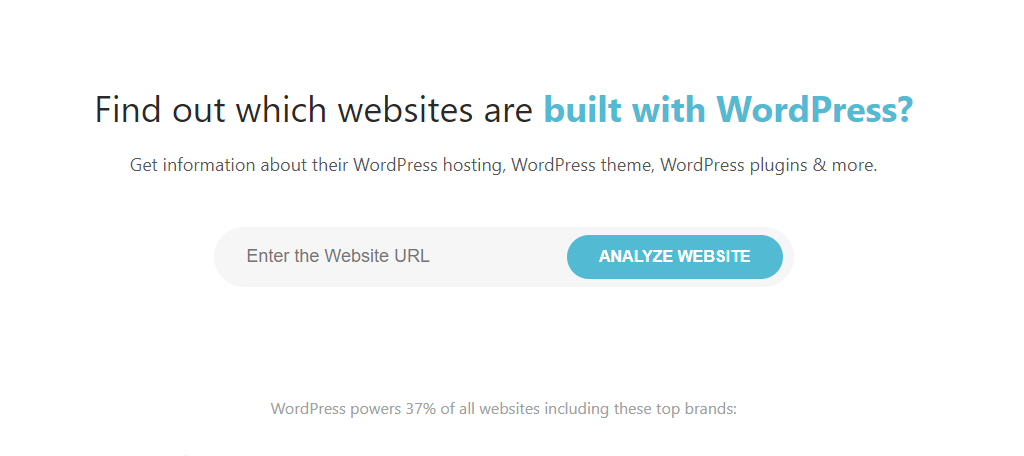
Online tools can help find the theme. Visit websites like “What WordPress Theme Is That?” or “WPThemeDetector.” Enter the website URL in the tool. The tool shows the theme name. It may also list some plugins. These tools are easy to use. They save time and effort.
Manual Theme Detection
Discovering a WordPress site’s theme manually involves inspecting the site’s code. By right-clicking and selecting “View Page Source,” you can search for theme-related keywords. Look for terms like “themes” or “wp-content” to identify the active theme.
Inspecting Source Code
Open the website in your browser. Right-click on the page. Choose “View Page Source” from the menu. A new tab will open with lots of code. Look for the “wp-content/themes” path in the code. This part of the code shows the theme name. Usually, the theme name comes after “themes/”. You may find it between two slashes. This method works for most websites.
Checking Css Files
Open the source code again. Press “Ctrl + F” to search. Type “style.css” in the search box. Click on the link if you find it. This file usually has theme information. Look for the first few lines. They often tell the theme name and author. It’s like looking at a book cover. You see the title and writer at the start. This way, you know the theme quickly.
Theme Information In Admin Panel
Finding the theme details is easy. First, log into your WordPress admin panel. Look for the Appearance tab on the left side. Click it. You will see the Themes option. Click on it. A list of installed themes will appear. Each theme shows its name and description. You can see the active theme highlighted at the top. Click on the theme to view more details. You will see the theme version, author, and website link.
Customizing the theme is simple. Click on Customize under the Appearance tab. You will enter the theme customization area. Here, you can change colors, fonts, and menus. You can also adjust the header and footer. The preview on the right shows changes as you make them. Save your changes once done. This way, your website looks the way you want.
Credit: www.greengeeks.com
Using Browser Extensions
Browser extensions can help find a website’s theme. Some extensions are very popular. They help you learn about WordPress themes quickly.
One famous extension is Wappalyzer. It shows you the theme and plugins used. Another good choice is BuiltWith. This tool reveals a lot about websites.
First, install the extension in your browser. Open the website you want to check. Click on the extension icon. It will show details about the theme. Look for the theme name in the list. Read the theme details carefully.
Some extensions might need permissions. Allow the permissions if asked. Now, you can know the theme of any WordPress website. No coding skills are needed!
Theme Sniffing Services
Theme sniffing services help find the WordPress theme. They work fast and save time. You don’t need tech skills. Simple to use for everyone. These services provide accurate results. They show theme name, version, and more. You get more info about the theme. It helps in learning and understanding themes better. Knowing the theme makes website building easier. You can choose the best theme for your site. These services are very useful for bloggers and web designers.
| Service Name | Features |
|---|---|
| WPThemeDetector | Shows theme details, plugin info |
| What WordPress Theme Is That | Detects theme, lists plugins |
| IsItWP | Finds theme, provides website details |

Credit: themeforest.net
Verification Of Theme Authenticity
Checking for Originality is important. A genuine theme has a unique name. It should not be a copy. Look for theme files. Check the style.css file. It often holds theme details. Look for the theme author. Verify their details online. Always ensure the theme is not pirated. Use trusted sources to download themes. Check for a license file. This file proves authenticity. Be cautious of free themes. They may have hidden issues.
Detecting Theme Modifications is vital. Modified themes may lack updates. Check theme version numbers. Compare them with the original version. Look for changes in theme files. Use tools like Theme Authenticity Checker. This tool can spot changes. Modified themes may cause security risks. Always update themes regularly. It keeps the website safe.
Considerations For Theme Identification
Identifying a WordPress theme can be tricky. Tools like online theme detectors help. These tools scan the website’s code. They find the theme’s name and details. But, accuracy is not guaranteed. Some websites use custom themes. These themes may not show up in results. Others might use child themes. These can also confuse theme detectors. It’s important to understand these limitations.
Accuracy And Limitations
Theme detectors may miss custom themes. They often can’t detect child themes. Sometimes, results might be wrong. Knowing these limits helps manage expectations. It’s wise to use multiple tools for better results. This way, you can compare results. The more tools, the more accurate the guess.
Privacy Concerns
Some people worry about privacy. Using online tools can feel risky. These tools access website data. Personal data is generally not at risk. Yet, it’s good to stay aware. Check the tool’s privacy policy. Make sure it doesn’t store your data. Being informed keeps you safe.
Credit: torquemag.io
Frequently Asked Questions
How Can I Identify A WordPress Theme?
To identify a WordPress theme, inspect the site’s source code. Look for the theme’s name in the CSS file path. You can also use online tools like What WordPress Theme Is That to quickly find the theme details. These tools provide accurate and instant results.
What Tools Help Find WordPress Themes?
Tools like What WordPress Theme Is That and WPThemeDetector can identify WordPress themes. They analyze the site’s source code to provide theme information. These tools are user-friendly and deliver fast, accurate results. They are popular choices for developers and curious users alike.
Is It Legal To Check A Website’s Theme?
Yes, checking a website’s theme is generally legal. Inspecting a site’s source code is a common practice. It helps developers learn and draw inspiration. However, copying the theme without permission is illegal and unethical. Always respect copyright laws and the original creator’s work.
Can Plugins Help Find WordPress Themes?
Yes, plugins can help identify WordPress themes. Some browser extensions detect theme details automatically. They analyze the site’s code and display theme information. These tools are convenient and easy to use. They save time and provide accurate results for users.
Conclusion
Identifying a WordPress theme is easier than it seems. Tools like WhatTheme or WPThemeDetector help a lot. Explore the theme by checking page source codes. Find the stylesheet, which often reveals the theme name. Inspect the theme directory; it might have clues.
Remember, themes shape the website’s look and feel. Understanding the theme helps in customization and design. This knowledge boosts your WordPress skills. Your website can look exactly how you want. With practice, finding themes will become second nature. Make your website stand out.
Dive into WordPress themes with confidence!


