
Are you struggling to speed up your WordPress site while ensuring it looks stunning on every device? You’re not alone.
In the fast-paced digital world, loading speed can make or break your website’s success. That’s where AMP (Accelerated Mobile Pages) comes in, offering a solution to boost your site’s performance without compromising aesthetics. But how do you know if your chosen WordPress theme is AMP compatible?
This guide is crafted just for you. We’ll unravel the mystery, providing simple steps to determine compatibility and enhance your site’s speed and user experience. Stay with us, and by the end, you’ll have the confidence to optimize your website effortlessly.
Amp Compatibility Basics
AMP stands for Accelerated Mobile Pages. It makes web pages load fast. This is important for mobile users. Faster pages mean better experiences. AMP uses special code. It helps pages load quickly. Most WordPress themes need adjustments to work with AMP.
AMP helps improve search engine rankings. Google likes fast pages. It shows them higher in search results. This means more visitors to your site. A theme not compatible with AMP might need a plugin. Plugins help make themes work with AMP. Choosing a theme that is AMP-ready saves time and effort.
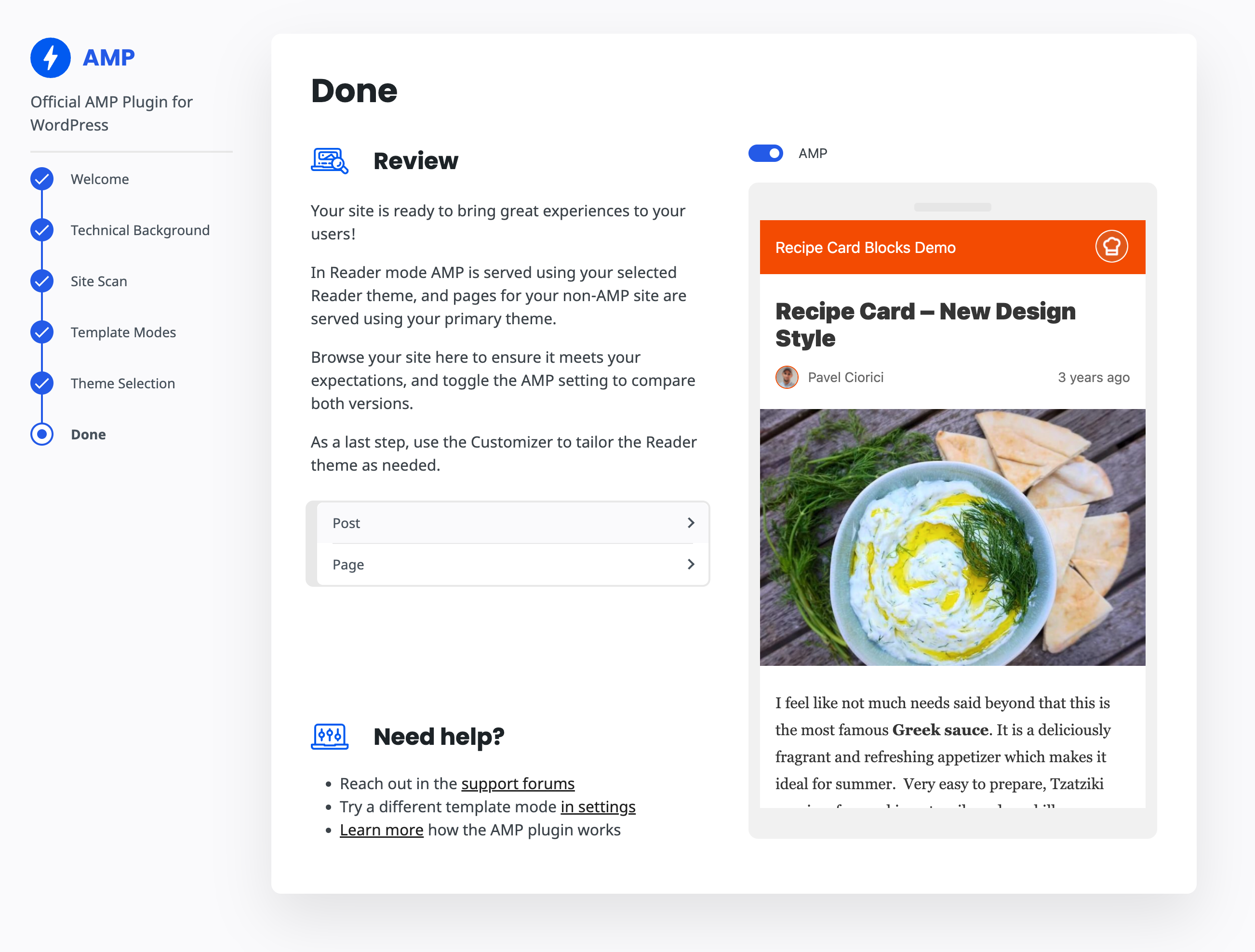
Credit: recipecard.io
Checking Theme Specifications
Finding AMP compatibility in a theme is crucial. First, explore the theme documentation. This document holds key details. Look for the AMP feature listed there. Themes usually provide a section for AMP support. If AMP is not mentioned, it might lack compatibility. Always check for updates and enhancements.
Another important aspect is developer support. Developers can guide you on AMP features. Many themes offer forums or contact options. Engage with the developer community. Ask specific questions about AMP. Reliable themes have responsive support. Good support ensures your theme works well.
Testing Amp Compatibility
AMP Validator tools help check if a theme is AMP-ready. These tools scan your site for errors. Fixing these errors makes your site load fast. Fast sites are better for users. They also help with Google rankings. Use free tools like Google’s AMP Test. Just enter your site URL. It shows if your theme has AMP issues. Fixing errors improves site speed and performance.
Open your site on a phone. Check the loading speed. Does it load quickly? Make sure images and text look right. Try clicking links. Do they work well? Check different pages. Fast loading is key. If something looks wrong, your theme might not be AMP-ready. Make notes of any problems.

Credit: wptavern.com
Common Compatibility Issues
AMP does not allow all JavaScript codes. This can limit features in themes. Some scripts may cause pages not to load correctly. It is important to test your theme. Check for broken elements. Use AMP tools to find issues. Fix them before using the theme.
AMP puts limits on CSS size. Your theme’s style may change. Themes with large CSS files may not work. It is crucial to minimize CSS. Themes should use simple styles. Ensure they follow AMP rules. This helps pages load faster. It is key to a good user experience.
Solutions And Workarounds
Plugins can make a theme AMP ready. Many plugins are available for AMP support. Choose one that fits your needs. Install it on your WordPress site. The plugin helps convert your pages. It makes them AMP compatible. This process is usually simple and quick. Always check plugin reviews. Choose a popular and well-rated option.
Sometimes, plugins might not work. Themes can be complex. Custom development might be needed. Hire a developer if necessary. They can code your theme for AMP. This ensures full compatibility. Custom solutions are often more reliable. They are tailored to your specific needs. Always test the theme after changes. Make sure everything works smoothly.
Choosing The Right Theme
Many themes claim to be AMP compatible. It’s important to check if they really are. Look for themes with good reviews about their AMP support. Often, popular themes have support forums. These forums can help you see what other users say. A theme that works well with AMP will often have fast loading times.
The right theme should be updated often. Check if the theme’s creators update it regularly. Updates help with security and new features. Make sure the theme has responsive design. This means it looks good on all devices. Choosing a theme that is future-proof helps keep your site reliable over time.
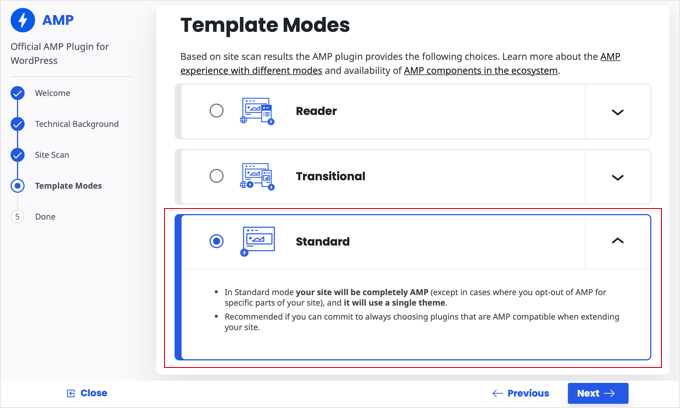
Credit: www.wpbeginner.com
Frequently Asked Questions
What Is An Amp-compatible WordPress Theme?
An AMP-compatible WordPress theme is optimized for fast loading on mobile devices. It supports Accelerated Mobile Pages (AMP) to enhance user experience. Such themes help improve page speed and mobile SEO. Ensuring your theme is AMP-compatible can lead to better search engine rankings and increased mobile engagement.
Why Is Amp Important For WordPress Sites?
AMP is crucial for WordPress sites because it improves mobile loading speed. Faster pages enhance user experience and reduce bounce rates. With AMP, your site can rank higher in search results. This can lead to increased traffic and user engagement, benefiting your overall SEO strategy.
How Can I Check Theme Amp Compatibility?
To check AMP compatibility, use Google’s AMP Test tool. Enter your theme’s URL to see if it passes. Alternatively, look for AMP-ready labels in theme descriptions. Ensure the theme supports essential features like responsive design and clean code for optimal performance.
Can I Make My Existing Theme Amp-compatible?
Yes, you can make your existing theme AMP-compatible by using plugins. Popular plugins like AMP for WP can help. They simplify the process and ensure your site meets AMP standards. Be sure to test your site after installation to ensure compatibility and performance.
Conclusion
Knowing if your WordPress theme is AMP compatible is crucial. AMP enhances mobile loading speed. Faster pages improve user experience. Check the theme’s documentation first. Look for AMP support details. Test with AMP plugins. These can reveal compatibility issues. A responsive theme is often AMP-friendly.
Regular updates help maintain compatibility. Speed matters for SEO ranking. Prioritize AMP in your theme selection. This ensures a smooth mobile experience. Stay informed on theme updates. Compatibility boosts your site’s performance. Readers appreciate faster access. Implement AMP for better engagement.
A simple step for a significant impact.


