
Are you ready to take control of your online presence? Installing a web hosting server is your first step towards independence and customization in the digital world.
Imagine being able to manage your website’s performance, security, and scalability, all tailored to your specific needs. Sounds great, right? But, perhaps you’re feeling a bit overwhelmed by the technical aspects. Don’t worry, this guide is designed just for you.
You’ll discover straightforward steps that will guide you through the entire process, ensuring you feel confident and capable. This isn’t about drowning in technical jargon; it’s about empowering you to create a solid foundation for your online endeavors. Whether you’re starting a blog, an e-commerce site, or a personal project, having your own web hosting server unlocks a realm of possibilities. Ready to get started? Let’s dive in and demystify the process together.
Choosing The Right Server
Shared hosting means you share the server with others. It is cheaper but slower. Dedicated hosting gives you your own server. It is faster and more secure. Choose shared hosting for small websites. Choose dedicated hosting for big websites.
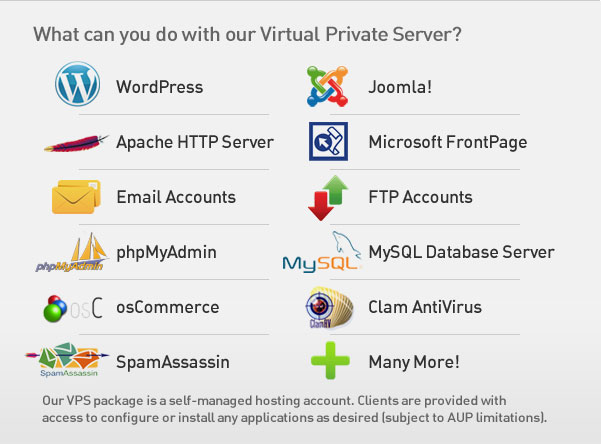
VPS stands for Virtual Private Server. It is like a mix of shared and dedicated hosting. You get your own space but share some parts. VPS is cost-effective and good for medium-sized sites. It provides more control than shared hosting.
Cloud hosting uses many servers. This gives better performance and reliability. If one server fails, others take over. Cloud hosting is scalable, meaning it can grow with your needs. It’s good for sites that get more traffic.
Preparing The Environment
A good server needs strong hardware. At least 8GB RAM is crucial. This helps to manage tasks smoothly. A quad-core processor is also recommended. This will support multiple users at once. Storage space should be at least 500GB. This is important for storing files and data. A solid-state drive (SSD) is a better choice. It is faster than traditional hard drives.
Software is needed to run the server. Linux is a popular choice. It is free and open source. A web server like Apache or Nginx is required. This helps to serve web pages. A database system like MySQL or PostgreSQL is necessary. It stores user data and information. PHP is also important. It helps in running web applications smoothly.
Setting Up The Operating System
Start by getting a Linux distribution. Popular choices are Ubuntu and CentOS. Download the ISO file from their websites. Burn the file to a USB drive or DVD. Boot the computer with this drive. Follow the on-screen instructions to install. You will need to choose a language and timezone. Create a username and password. Make sure to install all updates after setup. This keeps your system secure.
Insert the Windows installation media into the computer. Boot the system from this media. Select your preferred language and input settings. Click “Install Now” to start. Enter your product key if asked. Choose the custom installation option. This allows better control over disk partitions. Wait for the installation process to finish. Follow prompts to set up a username and password. Install updates to keep your system secure and up-to-date.

Credit: www.amazon.com
Installing Web Server Software
Apache is a popular web server. Install it using your system’s package manager. On Linux, use the command: sudo apt-get install apache2. After installation, start the server with sudo service apache2 start. Check if it’s working by visiting http://localhost in your browser.
Nginx is another web server choice. Install it using: sudo apt-get install nginx. Start it with sudo service nginx start. Test the setup by accessing http://localhost. Nginx serves static files efficiently.
IIS is used on Windows. Go to Control Panel > Programs. Click on Turn Windows features on or off. Select Internet Information Services. Click OK to install. Open a browser to http://localhost to verify installation.
Configuring Domain Name System (dns)
First, choose a unique domain name. Visit a domain registrar website. Search for your chosen name. Make sure it is available. Register the domain. Follow the steps on the website. Pay the required fee. Save the confirmation email. This email has important details.
Log in to your hosting account. Find the DNS settings page. Add DNS records for your domain. Use the IP address from your hosting provider. Create A records for your website. Set up CNAME records if needed. Check MX records for email. Save all changes. Test your domain. Ensure it points to your server.
Securing The Server
A firewall keeps your server safe. It blocks bad traffic. Ensure you set up the firewall properly. Use strong rules to allow only good traffic. Monitor the firewall regularly. It helps keep hackers away. Firewalls are the first line of defense.
An SSL certificate is like a lock. It keeps data safe between users and the server. Always install an SSL certificate for secure connections. It protects sensitive information. Users trust websites with SSL. Ensure your SSL is up to date.
Software needs updates to stay secure. Updates fix bugs and vulnerabilities. Always apply security updates as soon as they are available. This keeps the server protected. Neglecting updates can be risky. Regular updates ensure the server runs smoothly.
Deploying Websites
First, gather all your website files. Use an FTP client like FileZilla to transfer them. Connect the client to your hosting server. You’ll need the server address, username, and password. Once connected, find the folder named “public_html” or “www.” Upload your website files into this folder. Wait until all files are uploaded.
Create a new database in your hosting control panel. Note the database name, username, and password. Import your database file using phpMyAdmin. In your website files, find the configuration file. Update it with your database details. Ensure all information is correct. Save changes to the configuration file.
Visit your website in a browser. Check if all pages load correctly. Look for any missing images or broken links. Fix any issues you find. Test your website on different devices. Make sure it looks good on phones and tablets. Use tools like Google PageSpeed to check performance. Optimize images and scripts for faster loading. Keep testing until everything works well.
Credit: www.serverpronto.com
Managing And Monitoring
Monitoring tools help watch server health. They show when something is wrong. Choose tools that fit your needs. Easy ones are better. They should alert you fast. Look for tools that show CPU usage and disk space. These tools help keep your server safe.
Performance tuning makes servers fast. Check settings often. Adjust them for best speed. Reduce load times. This helps users stay happy. Look at server logs. They show what’s slowing things down. Fix these issues quickly.
Keeping backups is very important. They save data from loss. Plan backups often. Daily backups are best. Store them safely. Use cloud services for extra safety. Check backup integrity. They must work when needed.
Troubleshooting Common Issues
Installing a web hosting server can be challenging. Common issues include server configuration errors, firewall settings, and database connection problems. Ensuring software compatibility and checking system requirements are crucial for a successful installation.
Server Downtime
Server downtime can be frustrating. Sometimes, servers stop working. Check the power supply first. Ensure all cables are connected properly. Restart the server if needed. This might fix the issue. If not, contact your hosting provider. They can help resolve major problems.
Connectivity Problems
Connectivity issues occur often. Check your internet connection. Ensure your router is working. Reset it if necessary. Verify server settings. Sometimes, settings can change. Contact support if problems persist. They can offer further assistance.
Error Logs Analysis
Error logs are important. They show what went wrong. Access the error logs in your server control panel. Look for any red flags. Google the error messages you find. This can offer solutions. Consult forums and support for detailed help. This can make troubleshooting easier.

Credit: www.inmotionhosting.com
Frequently Asked Questions
How Do I Install A Hosting Server?
To install a hosting server, choose a reliable provider and select your preferred server type. Register a domain name, configure DNS settings, and install server software like Apache or Nginx. Secure your server with firewalls and regular updates. Test the setup to ensure functionality and security.
How Do I Install A Web Server?
Install a web server by choosing software like Apache or Nginx. Download and install the package. Configure settings, including domain and security. Start the server, ensuring it runs smoothly. Test by accessing your site from a browser. Regularly update and maintain the server for optimal performance.
How Do I Make My Computer A Web Hosting Server?
Install a web server software like Apache or Nginx. Configure your router to forward port 80. Obtain a static IP or use a dynamic DNS service. Ensure your firewall allows HTTP traffic. Secure your server with regular updates and backups.
Do I Need A Server To Host A Website?
Yes, you need a server to host a website. Web hosting services provide the server space necessary. You can choose shared, dedicated, or cloud hosting based on your requirements. Many hosting providers also offer additional features like domain registration and website management tools.
Conclusion
Setting up a web hosting server is easier than it seems. Follow the steps carefully. Choose the right hardware and software. Install and configure everything properly. Remember to secure your server. This ensures smooth operations. Troubleshoot any issues with patience.
Practice makes perfect in hosting. Regular updates keep your server safe. Seek help if you face difficulties. Online forums can be useful. You are now ready to host websites. Enjoy your journey into web hosting.


