
Are you ready to transform your WordPress site into a stunning, user-friendly masterpiece? Installing the Divi Theme might just be the game-changer you’ve been searching for.
Whether you’re a seasoned web designer or a curious beginner, this guide will show you how to install the Divi Theme with ease. Imagine the possibilities: captivating layouts, effortless customizations, and a professional look that draws your visitors in. You’ll discover just how simple it is to bring your creative vision to life.
So, if you’re eager to elevate your website and captivate your audience, read on to unlock the secrets of the Divi Theme installation. Your site’s transformation is just a few clicks away!
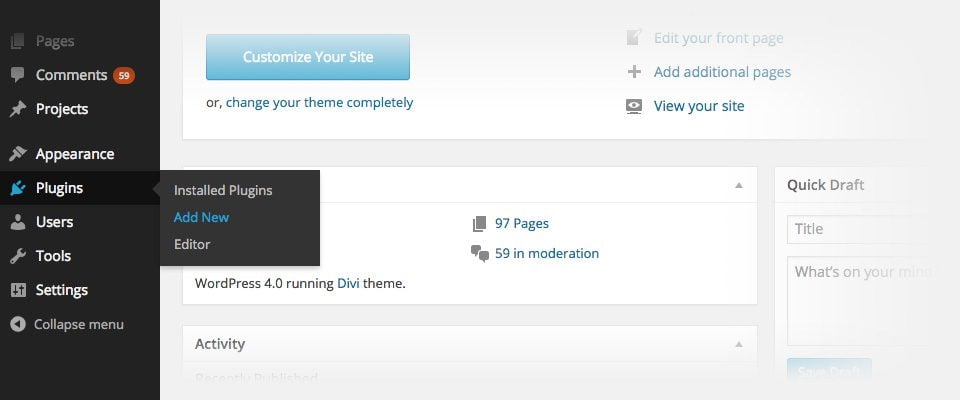
Credit: www.elegantthemes.com
Preparing For Installation
Getting ready to install the Divi Theme in WordPress involves simple steps. Start by ensuring your WordPress site is active. Download the Divi Theme package from the Elegant Themes website.
System Requirements
WordPress needs a good server to work well. Choose a host that meets the minimum requirements. You need a PHP version 7.4 or higher. Also, a MySQL version 5.6 or greater is necessary. Make sure you have HTTPS support. Check your server settings. They should be ready for WordPress.
Backing Up Your Site
Before installing, back up your site. This keeps your data safe. Use a plugin for easy backup. Save your files and database. You can restore them later if needed. Regular backups are important. They protect your site from mistakes. Always back up before changes.
Credit: www.elegantthemes.com
Downloading Divi Theme
First, visit the Elegant Themes website. Sign in with your account. If you don’t have one, create it. Find the member area. Click it. Look for the Divi Theme download link.
The link is easy to spot. Click it to start downloading. Save the file in a place you can find. Remember the location. You will need it later. The download is now complete.
Open your computer’s file manager. Go to the folder where you saved the file. Look for the Divi Theme zip file. Make sure it is there.
You are ready for the next step. Keep the file safe. Use it for your WordPress site. Divi is now downloaded.
Uploading The Theme
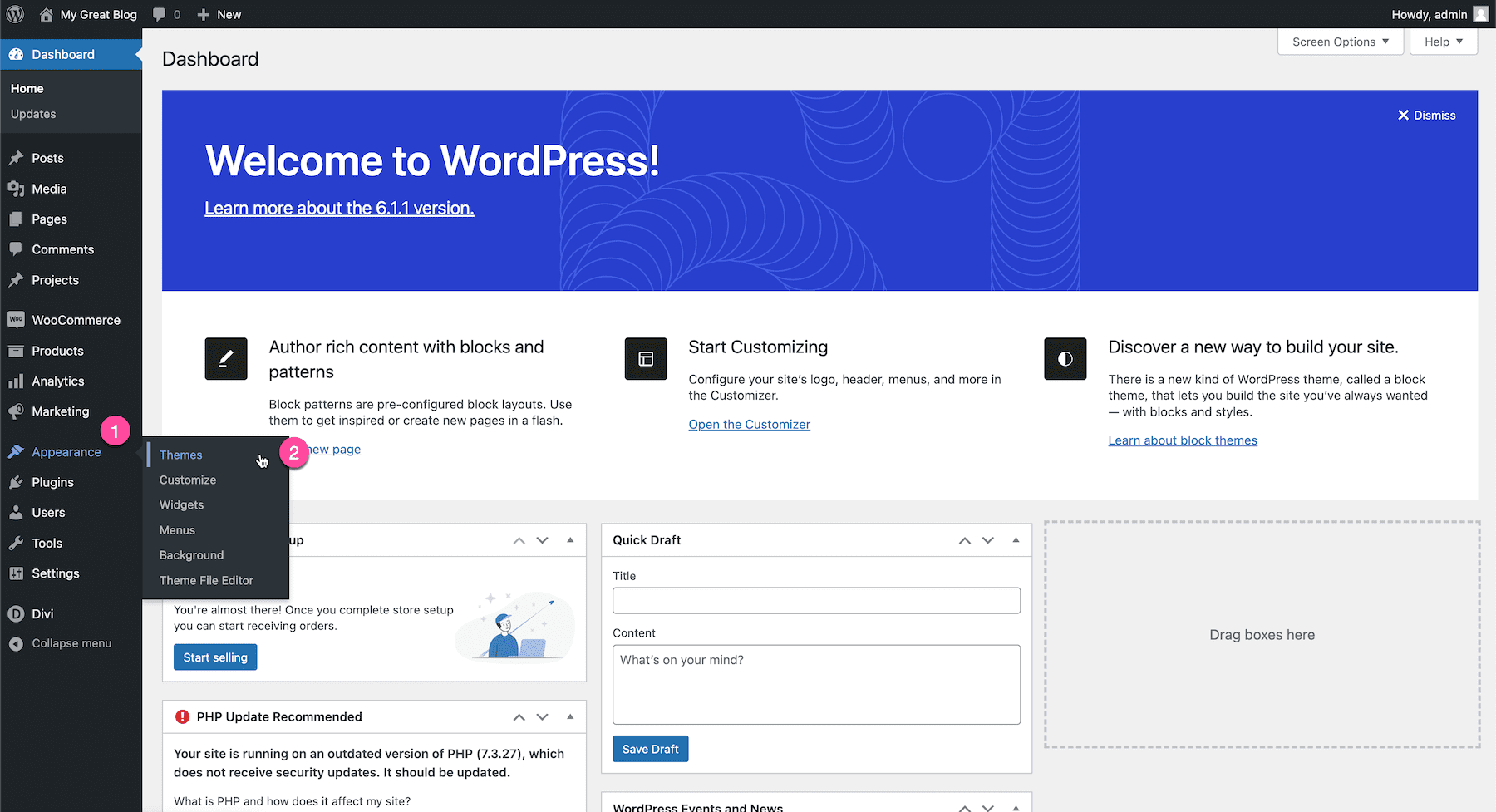
First, log in to your WordPress Dashboard. Go to Appearance and select Themes. Click on Add New and then Upload Theme. Choose the Divi theme file from your computer. Press Install Now. After installation, click on Activate to start using Divi.
Open your FTP client and connect to your website. Navigate to the wp-content/themes folder. Upload the extracted Divi theme folder here. After uploading, go to your WordPress Dashboard. Under Appearance, find Themes. You will see Divi here. Click Activate to use the theme.
Activating Divi
Start by logging into your WordPress dashboard. Find the Appearance tab on the left. Click on it to see the Themes option.
Choose the Divi theme from the list. Click on the Activate button. This will make Divi your active theme.
License Key Entry
Go to the Divi menu on the left. Click on Theme Options. You will see a place for your license key.
Enter your key in the box. This will make sure you get updates. Click on Save Changes to finish. Now, you are ready to use Divi.
Customizing Your Theme
Exploring Divi Builder is fun and easy. It helps you create pages. You can drag and drop elements. This makes designing simple. No coding is needed. Anyone can use it. Add text, images, and buttons. Make your site unique. Change colors and fonts. It’s all in one place. The builder is like a big toy box. You have many choices. Try different styles. See what looks best. The Divi Builder saves your work. You can come back later. Keep your ideas safe.
Adjusting Theme Settings helps make your site special. You can change the header and footer. Pick colors that match your brand. Choose how big or small text is. Settings let you change layout. Make your site look neat. There are options for adding a logo. Decide on the menu style. All these settings help your site stand out. It’s like choosing clothes for a doll. You want everything to look nice together.

Credit: www.youtube.com
Troubleshooting Common Issues
Installing the Divi theme in WordPress can sometimes lead to issues like upload errors or activation problems. Ensure your WordPress version is updated. Check file size limitations and PHP settings.
Installation Errors
Sometimes, the Divi theme won’t install properly. This can be frustrating. First, check your WordPress version. It must be up-to-date. Next, ensure the Divi theme file is not corrupted. You can try downloading it again. Another reason could be low memory limits. Increase your site’s PHP memory limit. This can be done in the wp-config.php file. Always back up your files before making changes. If errors persist, contact your hosting provider. They can offer help and support.
Compatibility Concerns
Divi may not work with some plugins. This can cause conflicts. Disable all plugins first. Then, activate them one by one. This helps find the troublesome plugin. Sometimes, outdated themes can also cause issues. Make sure all themes and plugins are up-to-date. If you still face problems, consult the Divi support team. They provide guidance for compatibility problems. Remember, a smooth install ensures a great website.
Frequently Asked Questions
How Do I Download The Divi Theme?
To download the Divi Theme, visit the Elegant Themes website. After purchasing, log in to your account. Navigate to the “Downloads” section, and click on “Divi Theme” to download the zip file. Ensure you save it to a location you can easily access for installation.
Can I Install Divi Without Coding Knowledge?
Yes, you can install Divi without any coding knowledge. The installation process is straightforward and user-friendly. Simply upload the Divi Theme zip file to your WordPress dashboard, activate it, and start customizing using the visual builder. Divi is designed for users of all skill levels.
What Are The System Requirements For Divi?
Divi requires WordPress 4. 9 or higher and PHP 5. 6 or greater. It’s recommended to use the latest version of WordPress for optimal performance. Ensure your hosting environment meets these requirements for a smooth experience. Always update your theme and plugins for security and efficiency.
Is Divi Theme Compatible With All Plugins?
Divi is compatible with most WordPress plugins. However, conflicts can occur with some plugins, especially those affecting design or functionality. It’s advisable to test new plugins on a staging site. Check compatibility by reading reviews and support forums if you encounter any issues.
Conclusion
Installing the Divi Theme in WordPress is simple and effective. Follow the steps outlined, and your site will look professional. Remember to customize your design to match your needs. Keep exploring Divi’s features for more creativity. Regular updates ensure your theme stays current and secure.
With practice, you’ll build stunning websites. Take your time and enjoy the process. A well-designed website can attract more visitors. So, start creating with confidence today. Your WordPress journey begins now. Happy designing!


