
Are you looking to enhance your WordPress website with powerful third-party functionalities? Imagine effortlessly integrating additional features and services that elevate your site’s performance and user experience.
If you’re using the Divi Theme, you’re in luck! This guide will walk you through the simple steps to import a third-party API into your WordPress site seamlessly. Whether you’re aiming to add dynamic data, improve user interaction, or streamline processes, this integration can transform your website into a robust platform.
Get ready to unlock new possibilities and captivate your audience with an enriched digital experience. Dive in and discover how easy it can be to bring your website to the next level.
Setting Up Your WordPress Environment
Picking the right tools makes work easier. Start with a good hosting service. It keeps your site safe and fast. Select a WordPress-friendly host. This helps with easy updates and support. Use tools that you understand. Simple tools save time. They also help avoid errors. Look for tools that have good reviews. Happy users mean useful tools. Always keep your tools updated. New versions fix bugs and add features.
Begin by installing the Divi theme. It is easy to use and flexible. Open your WordPress dashboard. Go to Appearance then Themes. Click Add New and upload the Divi theme file. Activate the theme once uploaded. Check if it looks good. Adjust settings to fit your style. Use the Divi Builder. It helps design pages fast. Drag and drop elements where you want them. Save changes often. This keeps your work safe. Test the theme on different devices. Make sure it looks right everywhere.
Understanding Apis And Their Benefits
API stands for Application Programming Interface. It helps different software talk. Think of it as a bridge. This bridge lets two apps share info. Apps use APIs to get data or services. It’s like asking for help from a friend. They give you what you need fast. This makes apps work better together.
Third-party APIs make your website more powerful. They give access to features you don’t have. Want weather updates? Use a weather API. Need maps? Use a maps API. These save time and resources. No need to build new things. Just plug in and use. Your site becomes smarter and more fun.
Selecting The Appropriate Api
Finding the right API is important. Many APIs are available. Start by exploring different options. Each API offers unique features. Compare them side by side. Choose one that fits your needs.
API features can vary greatly. Look for clear documentation. Good documentation helps understand how the API works. It should be easy to follow. Check for examples in the documentation. These examples can guide you. Ensure the API has all the features you need.
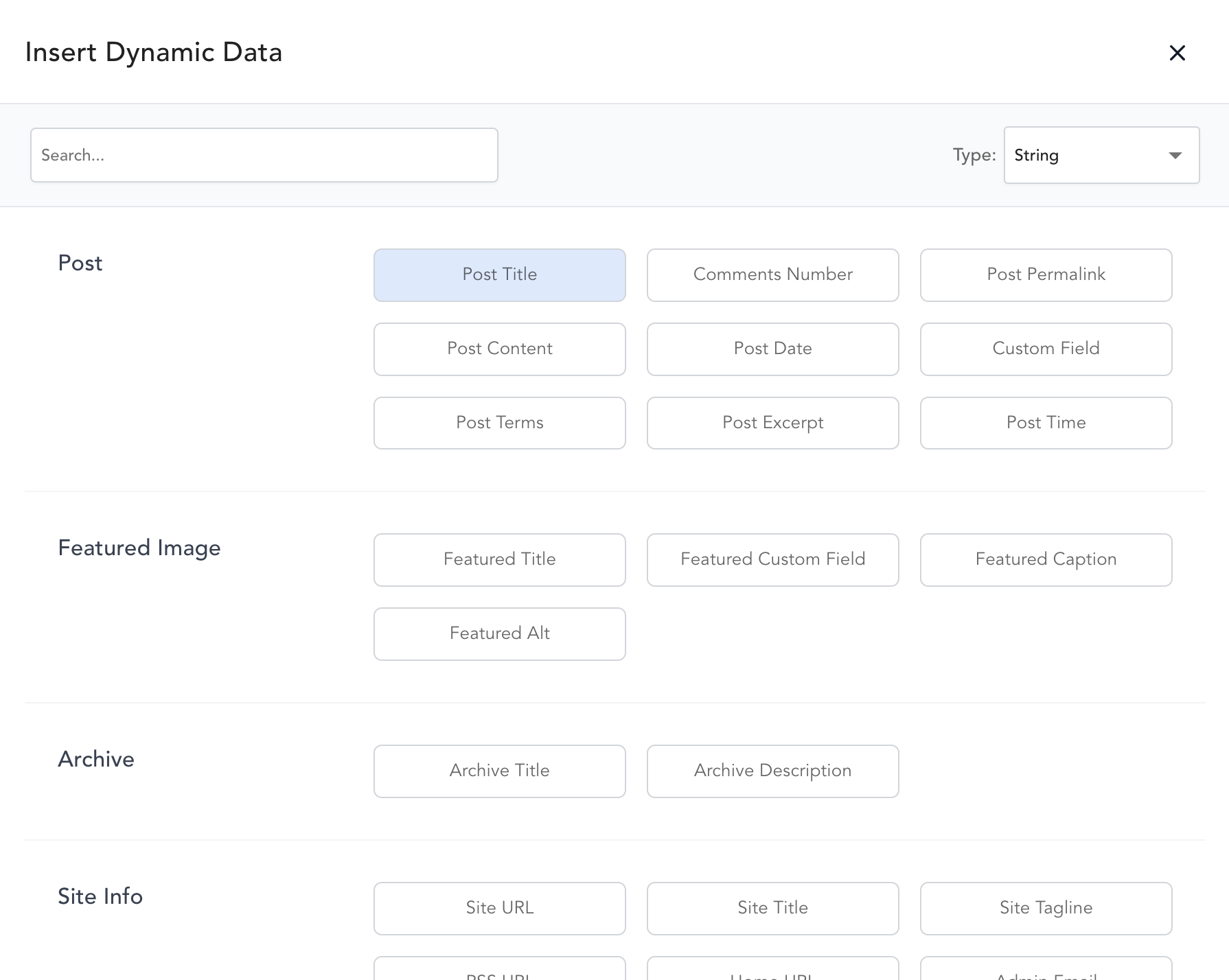
Credit: breakdance.com
Registering For Api Access
First, visit the API provider’s website. Look for a sign-up button. Fill in the required details. Usually, they ask for your name and email. Sometimes, you need to verify your email. Check your inbox for a confirmation email. Click the link in the email. Now, you have your API account.
After creating the account, log in to the dashboard. There, you will find a section named API Keys. Click on it. You might need to create a new key. Follow the instructions given. Keep your keys safe. They are like passwords. Do not share them with others.
Integrating Api With Divi Theme
APIs help websites get new features. They connect different tools. To use an API, first get an API key. This key is like a password. Keep it safe. Then, go to your WordPress dashboard. Find the Divi theme. Click on it to open. Use a plugin to add the API. Some plugins make it easy. Choose the best one. Follow the steps. Now, your site can do more things.
Customizing Divi Using Child Themes
A child theme is like a copy of the main theme. It helps keep changes safe. First, make a new folder. Name it like your theme plus “-child”. Inside, add a file called style.css. Write some code in this file. This code tells WordPress about your child theme. Next, add another file. Call it functions.php. This file adds new features. Use it to load your child theme. Now, changes will not break your site.
Adding Custom Code To Divi
To add custom code, use the Theme Customizer. Find it in the WordPress dashboard. Click on “Additional CSS”. Add your code there. This makes the site look special. For advanced changes, use the Divi Builder. Add code modules. These modules help place code on pages. Always save your work. Check if everything looks right. If not, go back and fix it.
Using WordPress Plugins For Api Integration
Importing third-party APIs into the WordPress Divi Theme is simple with plugins. These tools allow seamless data integration, enhancing website functionality. Easily connect and display external content, improving your site’s interactivity and user experience.
Exploring Plugin Options
Many plugins can help with API integration in WordPress. Some popular ones include WPForms, REST API, and Gravity Forms. Each plugin has its own features. It’s important to check if they fit your needs. Reading reviews can help you decide. Most plugins have a free version. Trying them is a good idea before buying.
Installing And Configuring Plugins
First, find the plugin in the WordPress Plugin Directory. Then, click on Install Now. After installation, click on Activate. Go to the plugin settings. Follow the instructions to set it up. You might need an API key. The plugin’s website usually provides this. After setup, test if it works. Check if the data shows up correctly.
Testing The Api Connection
First, ensure your API key is correct. It should match the one given by the provider. Access the API settings in Divi. Enter the key where required. Save the changes. Now, test the connection. Open a page with the API data. Check if the information appears. If yes, the connection works fine.
Verifying Api Data Fetching
Open the WordPress dashboard. Go to the page where API data should show. Refresh the page. Does the data appear? If yes, data fetching is successful. If not, check the API settings. Ensure everything is set properly. You may need to contact support if issues persist.
Troubleshooting Common Issues
Sometimes, the data might not show. Check your internet connection first. Slow internet can cause issues. Next, ensure your API key is correct. Try resetting it. Still no luck? Clear the browser cache. This often solves display problems. If nothing works, reach out to the API provider. They can help resolve deeper issues.
Enhancing User Experience With Apis
APIs help make websites more fun. They give extra features. Users get better experiences. Using APIs can make things work smoother. This makes visitors happy. They enjoy being on the site.
Good design helps users find things easily. It should be simple and clear. APIs can make designs better. They add useful tools. People like using sites that work well. It feels more friendly.
Fast websites keep users happy. Slow sites can make them leave. Performance is important. APIs should not slow things down. They should be quick and smooth. Good speed helps users stay longer. They enjoy browsing without delays.
Maintaining And Updating Api Integration
APIs can change over time. Developers may update or modify them. It’s important to check for updates regularly. Visit the API provider’s website often. Stay alert for news or notifications about changes. This helps to keep your website working smoothly. Ignoring changes can lead to errors. Errors may confuse your website visitors. Regular checks ensure your website stays healthy.
Credentials are like keys. They help you access the API. Sometimes, you need to update these keys. This can happen if they expire or change. Always update your credentials in your WordPress settings. Keeping them current is important. Old credentials can stop the API from working. This can affect your website’s performance. Always use the latest credentials for best results.
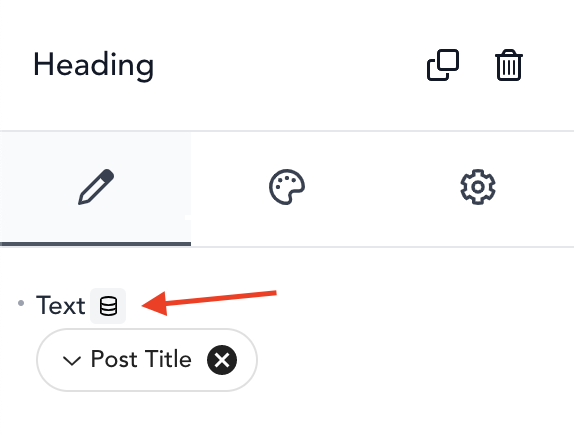
Credit: breakdance.com
Credit: www.elegantthemes.com
Frequently Asked Questions
How Do I Integrate A Third-party Api In Divi?
To integrate a third-party API in Divi, use a child theme. Add custom code to functions. php. Utilize the WordPress REST API or custom Divi modules for seamless integration. Ensure API keys are secure. Test thoroughly for compatibility and performance.
Can I Use Api With Divi Builder?
Yes, Divi Builder supports API integration. Use custom code modules to incorporate API data. Ensure compatibility by testing thoroughly. Secure API keys and credentials. Leverage Divi’s flexibility to display dynamic content from APIs efficiently.
What Are The Steps To Import An Api In WordPress?
First, identify the API endpoint and obtain credentials. Add custom code to your theme’s functions. php file. Use cURL or WP HTTP API for requests. Ensure data is correctly parsed and displayed. Test for functionality and security.
Is It Safe To Use Third-party Apis In Divi?
Yes, using third-party APIs in Divi is safe if done correctly. Secure API keys and credentials. Validate and sanitize incoming data. Regularly update your theme and plugins. Monitor for any vulnerabilities. Ensure compliance with API provider terms.
Conclusion
Integrating third-party APIs into the Divi Theme enhances your WordPress site. It offers new features and improved functionality. Follow the steps carefully for seamless integration. This process may seem technical but is manageable. Patience and practice help you succeed. Remember, clear goals simplify the integration task.
Always test thoroughly to ensure smooth operation. Troubleshoot any issues promptly to maintain site performance. Enjoy a more dynamic and engaging website. Explore possibilities that third-party APIs bring. Your site becomes versatile and interactive. Keep learning and adapting for best results.
Your website’s potential is limitless.


