
Creating a website for your nonprofit organization can be daunting, but using WordPress can simplify the process. With the right theme, you can effectively showcase your mission, engage supporters, and drive donations.
But how do you implement a nonprofit theme that captures the essence of your organization while being functional and easy to manage? This guide is designed just for you. By the end of this article, you will feel empowered to transform your online presence, making it more appealing and efficient.
Imagine a website that not only tells your story but also connects with your audience on a deeper level. Keep reading to discover how you can achieve this with ease, even if you’re not tech-savvy.
Choosing The Right Nonprofit Theme
Nonprofit themes should be easy to use. Look for themes with simple layouts. Easy navigation is key. Ensure the theme supports donation plugins. Check for mobile-friendly designs. A responsive theme is important. Look for themes with SEO features. Fast loading times matter. Consider customization options. Themes should allow color changes and logo updates. Check for good support and updates. Look for themes with positive reviews.
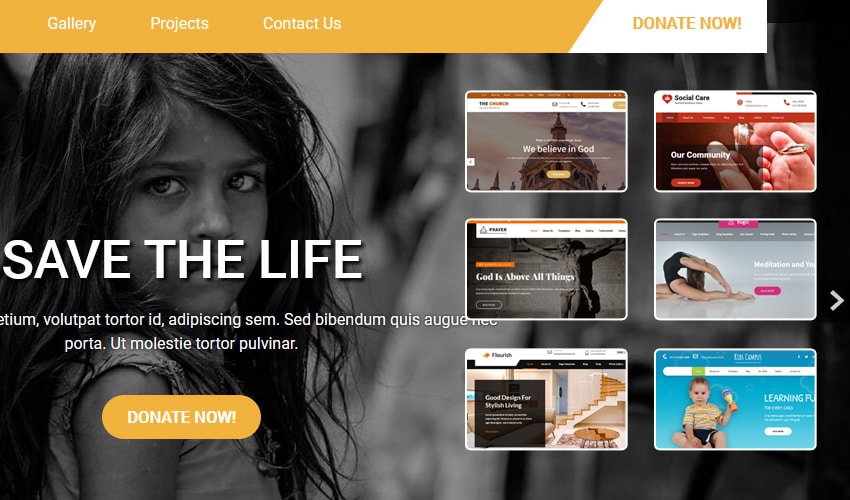
Many themes suit nonprofits well. Charity WP is popular. It offers donation tools. Give WP is another option. It supports fundraising. NonProfit Press is easy to use. It has good reviews. HelpingHands offers great features. It supports events. Charity Hub is well-designed. It’s mobile-friendly.

Credit: www.misbahwp.com
Installation Of WordPress Theme
Visit a trusted website for themes. Search for a nonprofit theme. Click on the download button. Save the theme file on your computer. It often comes as a .zip file. Ensure the file is safely stored. Remember the location for easy access later.
Open your WordPress dashboard. Find the Appearance section. Click on Themes. Then select Add New. Look for the Upload Theme option. Click on it. Choose the .zip file from your computer. Hit the Install Now button. Wait for the upload to finish.
Customizing The Theme
Choose a layout that suits your nonprofit’s needs. Make sure it is simple and easy to navigate. Adjust colors to match your organization. Use fonts that are clear and readable. Avoid clutter to keep the site clean.
Add your logo to the header. Use images that reflect your mission. Ensure all elements align with your brand colors. Keep your message consistent across the site. These adjustments help maintain brand identity.
Essential Plugins For Nonprofits
Implementing a nonprofit theme on WordPress enhances your site’s functionality. Essential plugins offer tools for donations, event management, and volunteer coordination. Customize your theme to reflect your mission and engage supporters effectively.
Donation Plugins
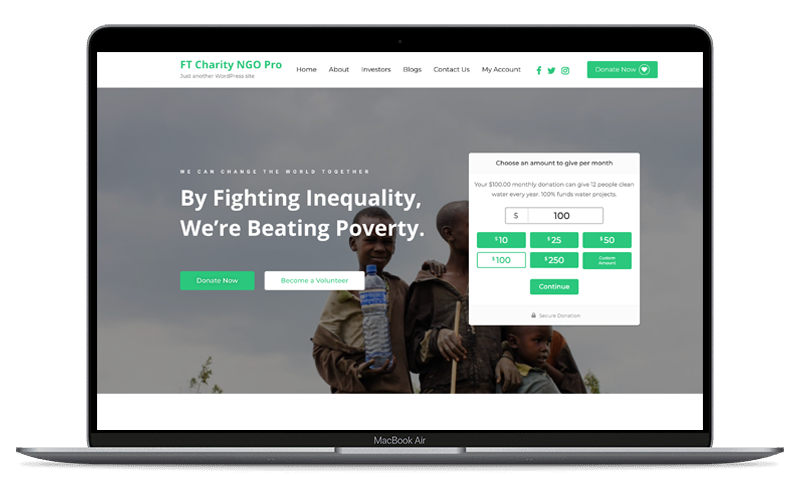
Donation plugins help nonprofits collect funds online. These tools make donating easy. The plugin lets users pay with different methods. Credit cards, PayPal, and more. Some plugins show progress bars. This helps show donation goals. It’s simple to set up. These plugins keep track of donations. Nonprofits can send thank you emails easily. Reports show how much money is raised. These plugins are a big help for nonprofits.
Event Management Tools
Event management tools are perfect for planning nonprofit events. They organize event details. Tickets can be sold online. Guests register easily. These tools send reminders to guests. Nonprofits can manage seating plans. They handle event check-ins. Reports show attendee numbers. Event tools keep everything in order. They save time and make events run smoothly. It’s easier to plan successful events.
Optimizing For User Engagement
Boost user engagement by implementing a nonprofit theme in WordPress. Customize layouts to fit your mission and attract visitors. Use interactive features like donation buttons and event calendars for a dynamic experience.
Enhancing Navigation
Clear menus make it easy for users to find information. Use simple words in your menu items. Group similar topics together. This helps users understand your site quickly. Add a search bar at the top. Users can find what they need fast. Drop-down menus can show more options. Keep them simple. Too many choices can confuse users.
Integrating Social Media
Social media buttons should be visible. Place them at the top or bottom. Users can share content easily. Link to your social media pages. Users can follow you for updates. Use icons that are easy to recognize. Facebook, Twitter, and Instagram are popular choices. Encourage users to share your posts. This can bring more visitors to your site.
Ensuring Mobile Responsiveness
It’s important to test your site on different devices. This ensures your website looks good everywhere. Use phones, tablets, and computers. Each device might show your site differently. Check buttons, images, and text. Everything should be clear and easy to read. Mobile responsiveness makes your site user-friendly. People should enjoy visiting your site without problems. Use online tools to help test. These tools show how your site looks on many screens. Fix issues you find during testing. This ensures a smooth user experience.
Fast load speed is crucial for keeping visitors. Slow websites make people leave quickly. Compress images to make them smaller. Use fewer plugins to help the site run faster. Choose a good hosting provider. A good provider improves speed a lot. Enable caching to store parts of your site. This makes it load faster next time. Regularly test your site’s speed. Use online tools for speed testing. Make adjustments as needed to keep the site fast.
Maintaining And Updating The Site
Regular updates keep your site safe and fast. Nonprofit themes need updates. Updates fix bugs and add new features. Check the theme settings often. Look for any update alerts. Always back up the site before updating. This helps to avoid losing data. Use a plugin for easy backups.
Fresh content keeps visitors interested. Add new posts weekly. Use simple words. Clear language is important for all readers. Short sentences are best. Use images to explain ideas. Add captions to every image. Check for spelling mistakes. Use tools to help with this. Update old posts with new facts. This keeps the site helpful.
Credit: gracethemes.com
Credit: www.flawlessthemes.com
Frequently Asked Questions
What Is A Nonprofit Theme In WordPress?
A nonprofit theme in WordPress is a pre-designed template. It is tailored for organizations seeking to promote causes. These themes often include features like donation pages, event calendars, and volunteer forms. They help in effectively managing and showcasing nonprofit activities online.
How Do I Install A Nonprofit Theme?
To install a nonprofit theme, navigate to your WordPress dashboard. Click on “Appearance” and then “Themes. ” Search for a nonprofit theme or upload one. Click “Activate” to apply the theme to your site. Ensure it’s compatible with your version of WordPress.
Can I Customize Nonprofit Themes Easily?
Yes, nonprofit themes are designed for customization. Use the WordPress Customizer to change colors, fonts, and layouts. Many themes also offer drag-and-drop builders. This allows you to personalize your site to fit your organization’s branding.
Are There Free Nonprofit Themes Available?
Yes, there are many free nonprofit themes available. WordPress. org offers a variety of options suitable for nonprofit organizations. These themes provide essential features but might have limited customization. Premium themes offer more advanced features and support.
Conclusion
Creating a nonprofit website using WordPress is straightforward. Choose a suitable theme. Customize it to reflect your mission. Add essential plugins for better functionality. Ensure your content is clear and engaging. Keep the design simple and user-friendly. Regularly update the site with fresh information.
This helps engage your audience effectively. Always test the site on different devices. Mobile compatibility is crucial. Your website can inspire support and donations. Stay focused on your goals. With these steps, your nonprofit can thrive online.


