
Have you ever stumbled upon a beautifully designed WordPress site and wondered what theme is making it shine? If you’ve ever tried to replicate a website’s look for your own project, you know how frustrating it can be to track down the exact theme being used.
But there’s good news: you can uncover this mystery by simply peeking into the site’s source code! You’ll discover a straightforward method to identify a WordPress theme just by viewing the source code. Imagine the time and effort you’ll save by knowing precisely where to start.
Get ready to dive in, because once you learn this trick, you’ll have a powerful tool in your website design toolkit. Let’s unlock this secret together and elevate your web design game!
Credit: wpcode.com
Inspecting Page Source
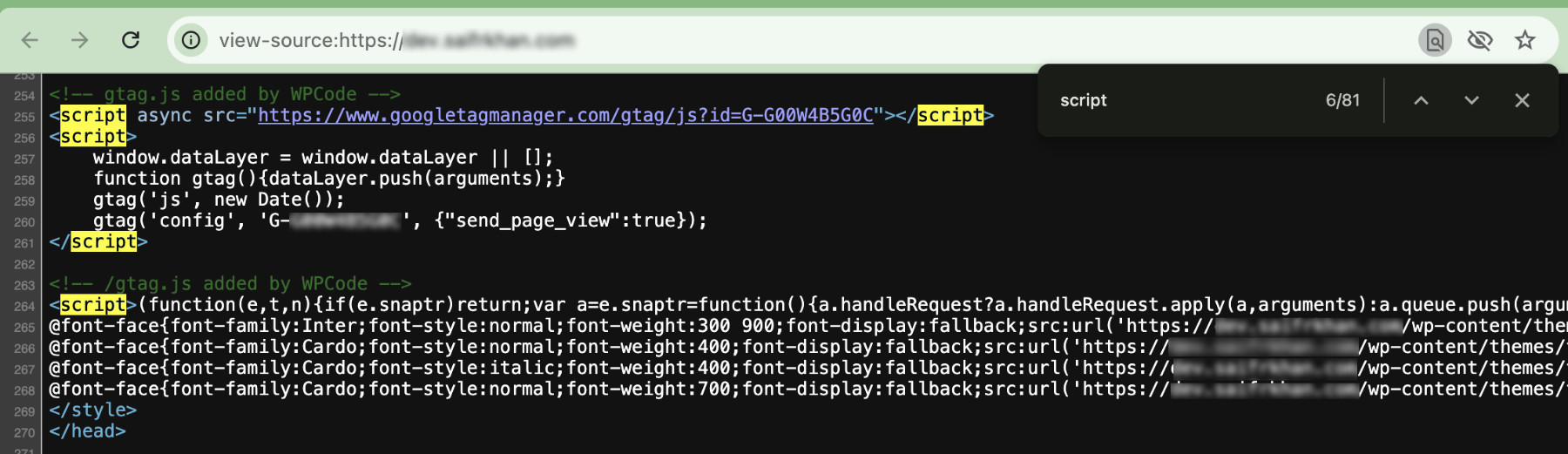
Open the website in your browser. Right-click on the page. Select “View Page Source”. This action opens the code. Scroll through the code. Look for style.css. This file holds theme details. Click on it to see more.
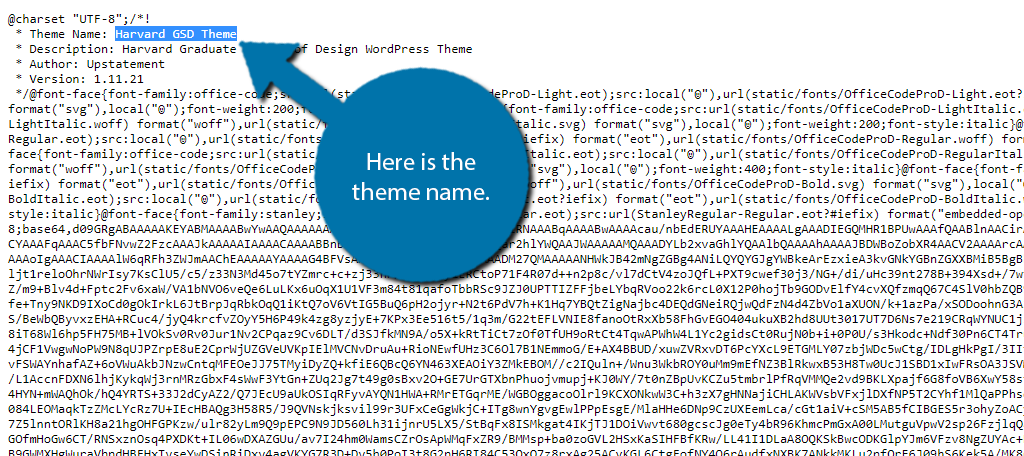
The theme name is inside style.css. Find lines at the top. Look for “Theme Name”. The version and author are also listed. These lines help identify the theme. Themes can change design and layout. Knowing the theme gives clues about the site’s look.
Identifying Theme Name
Open the website. Right-click anywhere. Choose “View Page Source”. Press “Ctrl + F” to search. Type style.css in the search bar. The theme name is usually in this file. Look for “Theme Name” in the code.
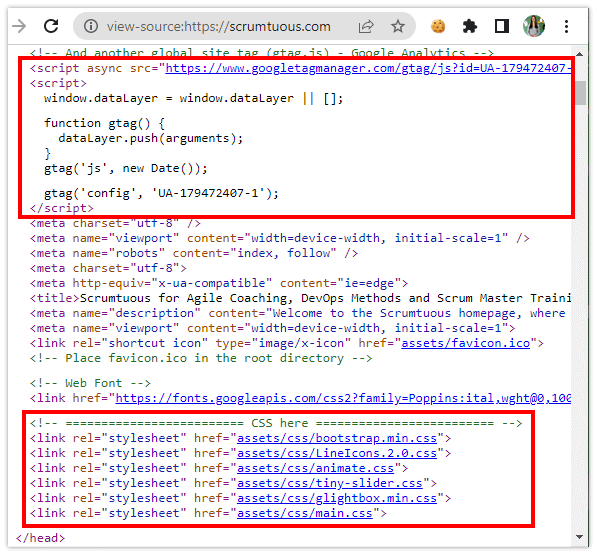
In the source code, search for the header. This is where theme info often is. Check for comments in the code. Look for words like “Theme” or “Template”. This can help you find the theme name. Keep reading until you find it.
Using Browser Extensions
Discovering a WordPress theme through browser extensions is simple. Open the page source and search for style. css. This file often reveals theme details. Extensions like ‘What WordPress Theme is That? ‘ Can quickly identify themes by analyzing the source code.
Recommended Extensions
Browser extensions can help find a WordPress theme. Some popular extensions include Wappalyzer and WhatRuns. These tools are easy to install and use. They can show the theme details quickly. Look for them in your browser’s store.
How Extensions Work
Extensions scan the website code. They find the theme name and version. This is helpful for web designers. It saves time and effort. You can learn about the site without much work. Extensions make this task simple. They give clear and quick results.
Online Theme Detection Tools
Several tools help find out the WordPress theme of a site. These tools are easy to use. They give quick results. One popular tool is What WordPress Theme Is That. It shows the theme and its details. Another tool is WPThemeDetector. It provides theme information and plugins. ScanWP is also well-known. It offers detailed theme insights.
These tools have some limits. They may not find custom themes. Encrypted themes can be missed too. Sometimes, tools give wrong data. It’s important to double-check the results. Not all tools show plugin details. Some themes are hidden by site owners. This makes detection hard. Always use multiple tools for better accuracy.
Manual Inspection Techniques
Recognizing Theme Structure begins with inspecting the source code. Look for distinctive theme tags in the HTML. These tags often include theme-specific classes or IDs. Identifying these can give clues about the theme’s framework. Another way is to check the stylesheet. The style.css file often contains the theme’s name and version. These details are usually found at the top of the file. They help in pinpointing the exact theme.
Cross-referencing Theme Features involves comparing the site’s features with known theme characteristics. Note the layout elements and design features. Features like sliders, specific widgets, or custom post types can be unique to certain themes. Using online resources or theme directories can aid in this comparison. Gathering information from the theme’s official website can also be helpful. This method enhances the accuracy of theme identification.
Credit: www.greengeeks.com
Contacting Site Owner
Discovering a WordPress theme is simple by examining the page source. Look for the “theme” directory path in the code. This reveals the theme name, aiding contact with the site owner for queries.
Reaching Out Politely
Start with a friendly greeting. Say why you like the site. Mention the design or features you admire. Be specific about what caught your eye. Then, ask politely about the theme. Use simple words and be clear. Avoid sounding demanding or impatient. People respond better to kindness. Close with a thank you for their time.
Requesting Theme Information
Ask for the theme name directly. Mention you want to learn more. Explain why you need the information. Be honest and straightforward. Respect their decision if they choose not to share. Not everyone will respond. Remember, patience is key. Keep your request short and simple. A polite request can go a long way.
Credit: www.theserverside.com
Frequently Asked Questions
How Can I Find A WordPress Theme’s Name?
To find a WordPress theme’s name, view the page source. Look for the “style. css” file in the theme directory. This file often contains the theme’s name, author, and version details. Identifying this file is key to discovering the theme’s name quickly.
What Tools Help Identify WordPress Themes?
Several online tools help identify WordPress themes. Tools like “What WordPress Theme Is That? ” Analyze a site’s source code. They provide information about the theme and plugins used. These tools are user-friendly, fast, and accurate.
Can I Identify A Theme Without Plugins?
Yes, you can identify a theme without plugins. View the source code of the website. Search for “style. css” in the code. This file often reveals the theme’s name and additional details like the author.
Why Is Identifying A WordPress Theme Useful?
Identifying a WordPress theme helps in understanding its features. It allows you to replicate or draw inspiration for your own website. Knowing the theme can also help troubleshoot issues or enhance site customization.
Conclusion
Identifying a WordPress theme from view source is straightforward. First, inspect the page. Then, look for “style. css” in the code. This file reveals the theme name. Simple tools like browser extensions can assist. Practice makes the process quicker. With these steps, you’ll easily spot any theme.
Understanding themes helps customize your own site. It boosts your WordPress skills. Keep exploring and learning. Soon, you’ll be a WordPress pro. Remember, each theme has unique features. Enjoy discovering them!


