
Are you ready to take control of your online presence? Hosting your website’s web pages is a vital step that transforms your ideas into reality.
Imagine having the power to create, share, and manage content that speaks directly to your audience. Whether you’re launching a personal blog or a business site, understanding how to host your web pages can unlock endless possibilities for growth and engagement.
You’ll discover straightforward steps to get your website up and running. We’ll demystify the technical jargon and guide you through the process with clarity and precision. From choosing the right hosting provider to ensuring your pages load quickly and efficiently, every detail matters. Stick with us, and you’ll gain the confidence to make informed decisions, ensuring your website stands out in the digital world. Let’s dive in and explore how you can become the master of your domain!
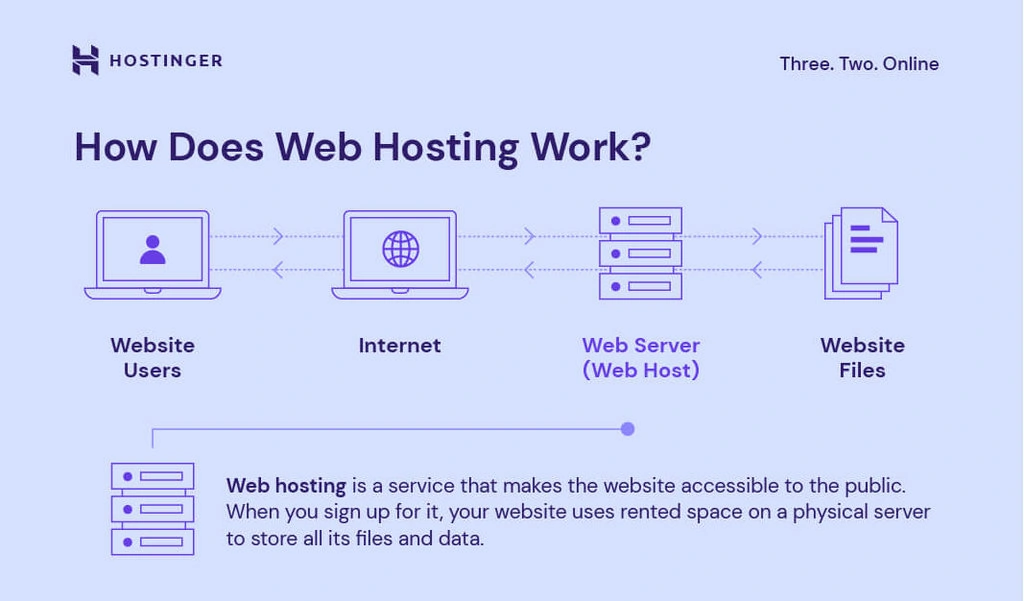
Credit: www.hostinger.com
Choosing A Web Hosting Provider
Cost is a major factor in choosing a host. Affordable plans are available for beginners. Reliability is key too. Your site should be online 24/7. Customer support is important. They help when things go wrong. Look for 24-hour support. Scalability matters as well. Your site may grow. Make sure the host can handle it. Security is another factor. Protect your site from hackers. Look for hosts with strong security features.
Shared hosting is a good choice for small sites. It is budget-friendly. VPS hosting offers more control and resources. It’s more expensive than shared hosting. Dedicated hosting means your site gets a whole server. It is for large websites. Cloud hosting is flexible and scalable. It uses many servers. Choose the type that fits your needs.
Setting Up Domain Name
Choose a unique domain name for your website. Visit a domain registrar to check availability. Register your domain by providing your contact information. Pay the required registration fee. Ensure the information is correct to avoid issues. Registration usually lasts for one year. You can renew it before it expires. Remember, a good domain name is easy to remember. It should reflect your website’s purpose.
Log in to your domain registrar account. Find the option for DNS settings. Enter the nameservers provided by your hosting provider. Save the changes to connect your domain. It may take a few hours to update. Once updated, your domain points to your hosting server. This connects your domain to your website’s files. Ensure all steps are completed correctly.
Configuring Hosting Settings
To set up your website, you need to access the control panel. This is where you manage your website’s settings. First, log in to your hosting account. Look for the control panel link. It might be called cPanel or something similar. Click the link to open it. Once inside, you’ll see many options. Each option helps with different tasks. Don’t worry if it looks confusing. Start with basic tasks. You can learn more as you go.
Server settings help your website work well. Start by checking the PHP version. Make sure it is up-to-date. An old version can cause problems. Next, look at the file permissions. They control who can see your files. Set them carefully to keep your website safe. Finally, check your database settings. Ensure they match your website’s needs. A little care here keeps your site running smoothly.
Uploading Website Files
Learn how to host your website web pages by uploading files to a server. Choose a reliable hosting provider, then upload your website files using FTP or cPanel. Ensure all files are correctly organized for a smooth website launch.
Using Ftp Clients
FTP clients help move files from your computer to a server. FileZilla is a popular choice. First, download and install the client. Open it and enter your server details. You need the server address, username, and password. Click “Connect” to access your server space. On the left, you’ll see your computer files. On the right, your server files. Drag your website files from the left to the right. This uploads them. Ensure all files are uploaded, including images and stylesheets. Once done, check your website online.
Uploading Via Control Panel
Many hosts offer a control panel for uploads. Log in to your hosting account. Find the “File Manager” or “Website” section. Open it to see your server files. Click on “Upload” to start. Select the files from your computer. Wait for them to upload. Ensure all files are present. This includes HTML, CSS, and images. Refresh your site to see changes. Check for missing files if the site doesn’t look right.
Managing Databases
Databases store information. They help keep data organized. First, choose a database type. Popular options are MySQL and PostgreSQL. Next, set up your database server. You will need a username and password. Use strong passwords. Protect your data.
Create your database. Use a command or tool. Follow the steps. Name your database. Start adding tables. Tables hold specific data. Organize your information well.
Web pages need data. Connect them to your database. First, use a server-side language. PHP is a good choice. It helps link pages to databases. Write code to make the connection. Include your database name. Add your username and password.
Test the connection. Ensure it works well. Check for errors. Fix any problems quickly. Keep your data flowing smoothly. Your web pages will be complete.

Credit: www.webhostinghub.com
Implementing Security Measures
SSL Certificates are very important. They help secure your website. SSL stands for Secure Sockets Layer. This means your data stays safe. No one can steal it. Visitors will trust your site more. They see a padlock icon in the address bar. This tells them your site is secure. Google also likes secure sites. It can help your site rank better.
Firewalls act like guards. They keep bad things out. Malware is bad software. It can harm your site. A firewall stops it. Firewalls block unauthorized access. This keeps your data safe. Malware protection tools scan your site. They look for threats. If they find any, they remove them. This keeps your site healthy and safe.
Monitoring And Maintenance
Regular checks on your website are crucial. Fix bugs and update content to keep pages efficient. Ensure hosting is reliable, preventing downtime and improving visitor experience.
Regular Backups
Backups keep your data safe. Important files can get lost. A backup protects them. Do it often. Maybe once a week or more. Use cloud storage or an external drive. It’s like having a copy of your favorite book. If one gets lost, you have another. This keeps your website running even if problems arise. Never skip a backup. It’s a small task with big benefits.
Performance Analytics
Analytics show how your site works. They tell you if it’s fast or slow. Fast sites make people happy. Slow sites can make visitors leave. Track page load times. Check how many people visit. Use simple tools like Google Analytics. It helps you see what’s good. And what needs fixing. This helps your site stay strong and healthy.
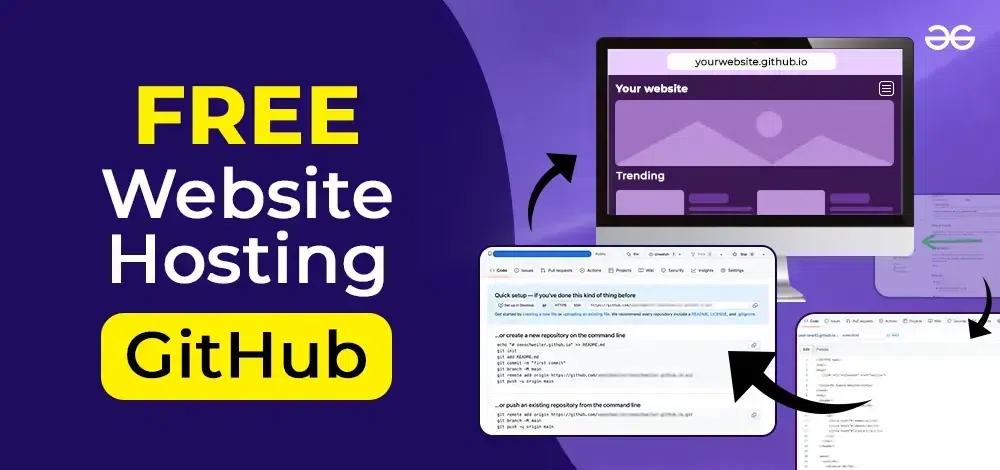
Credit: www.geeksforgeeks.org
Troubleshooting Common Issues
Encountering website hosting issues can be frustrating. Ensure your domain is connected properly to avoid downtime. Check server settings and permissions for smooth uploads. Regularly update software to prevent security risks and improve performance.
Resolving Downtime
Downtime happens when your site is not online. It can be due to server issues. First, check your server status. Contact your hosting provider for help. Consider switching to a reliable host. Use monitoring tools to watch your site. This helps in knowing problems fast.
Fixing Configuration Errors
Configuration errors can break your website. Check your server settings. Ensure all paths are correct. Look at your error logs for clues. Update your software and plugins often. This can fix many issues. Backup your site before making changes. This keeps your data safe.
Frequently Asked Questions
How Can I Host My Own Website?
To host your own website, purchase a domain name and choose a hosting provider. Set up hosting account, upload website files using FTP, and configure DNS settings. Ensure site security and regularly update content. Optimize for SEO to improve visibility.
Can I Host My Website For Free?
Yes, you can host your website for free. Platforms like WordPress. com, Wix, and GitHub Pages offer free hosting options. These services usually provide limited features, so consider upgrading for more functionality. Ensure to check the terms and conditions for any restrictions before choosing a free hosting provider.
Is It A Good Idea To Host Your Own Website?
Hosting your own website offers control and customization but requires technical skills and maintenance. It can be cost-effective for small projects. Consider your expertise and time commitment before deciding. For larger sites, professional hosting services might be more reliable. Evaluate your needs and resources carefully.
Is Google Web Hosting Free?
Google does not offer free web hosting. Users can try Google Cloud with a free trial credit. Costs apply after the trial ends. Google Sites allows you to create simple websites but isn’t a full hosting service. Always check Google’s official site for the most current pricing information.
Conclusion
Creating a website is like building a home online. Hosting your web pages is the foundation. Choose a reliable hosting provider. Understand your needs. This step ensures your site runs smoothly. Check for features like security and support. Keep your audience in mind.
Make your site easy to navigate. A well-hosted site helps visitors find what they need. Regular updates keep your site fresh. Hosting affects your site’s performance. So choose wisely. Your online presence matters. Start small, grow big. Hosting is key.
Make your site shine. Happy hosting!


