
Are you ready to launch your website but feel overwhelmed by the idea of choosing a web hosting plan? You’re not alone.
Many people find themselves stuck at this crucial step, unsure of where to begin. But don’t worry—by the end of this article, you’ll have a clear understanding of how to host your website with the perfect web hosting plan tailored just for you.
Imagine having your website up and running smoothly, accessible to anyone at any time. The right hosting plan can make this dream a reality, offering you peace of mind, speed, and reliability. But here’s the secret: it’s not just about picking any plan. It’s about selecting the one that aligns perfectly with your needs. You might be wondering, how do I know which hosting plan is right for me? That’s exactly what we’ll explore together. This article will guide you through the maze of options, simplifying complex terms and helping you make confident choices. Whether you’re launching a personal blog, an online store, or a portfolio, the right hosting plan is the key to your success. Get ready to unlock the mysteries of web hosting and transform your website into a powerhouse of creativity and functionality. Dive in, and let’s simplify the world of web hosting for you!
Choosing The Right Web Hosting Type
Shared hosting means your website shares a server with others. Cost-effective for beginners. Good for small sites. Limited resources. If one site uses too much, others slow down. Easy to manage. No technical skills needed. Control panel provided. Popular choice for new websites. Best for low traffic sites.
VPS stands for Virtual Private Server. More powerful than shared hosting. Your site has its own space. More control over resources. Higher cost but worth it. Good for medium-sized sites. Flexible with configurations. Can handle more traffic. Technical knowledge needed for setup.
Dedicated hosting means you have the whole server. High performance and control. Best for large sites. Expensive option. Needs technical skills. Full access to resources. No sharing with others. Handles high traffic well. Ideal for businesses. Customizable hardware and software.
Cloud hosting uses many servers. Scalable and reliable. Pay for what you use. Handles traffic spikes well. Flexible resources. Great for growing sites. Backed up data for safety. Cost varies with usage. Easy to expand storage. Suitable for dynamic content.
Understanding Domain Names
A domain name is the address of your website. To own one, it must be registered. Many companies offer domain registration services. Choose a name that is easy to remember. Ensure it reflects your website’s purpose. Check if the name is available before registering. Some names may already be taken.
Domain privacy keeps your personal info safe. When you register a domain, your details are public. Anyone can see them in the WHOIS database. With domain privacy, your contact info stays hidden. This helps avoid spam emails or calls.
The Domain Name System (DNS) is like a phonebook. It translates domain names to IP addresses. This way, computers find websites easily. Without DNS, you would need to remember numbers to visit websites. DNS makes browsing the web simple and user-friendly.
Evaluating Hosting Providers
Reputation is vital for choosing a hosting provider. Check online reviews. See what others say. Positive reviews mean trust. Look for consistent praise. Avoid providers with many complaints. A well-known provider often gives better service. Reputation reflects their reliability.
Good support is crucial. 24/7 support is ideal. Issues can happen anytime. Check if they offer live chat or phone support. Fast response is key. Friendly support helps resolve issues quickly. Look for knowledgeable staff. It saves time and frustration.
Security protects your data. Look for SSL certificates. They secure connections. Firewalls help block threats. Ask about DDoS protection. It stops attacks. Regular backups are essential. They save your data. Choose providers with strong security measures. Your website stays safe.
Setting Up Your Hosting Account
Start by visiting the hosting provider’s site. Look for the sign-up or register button. Click it. Fill in your name, email, and password. Make sure your password is strong. You will get a confirmation email. Open it and click the link. Now, your account is ready.
Hosting plans come in different sizes. Shared hosting is good for small sites. VPS hosting offers more control. Dedicated hosting is for big sites. Pick a plan that fits your needs. Check the price and features before choosing. Look for discounts or offers.
After choosing a plan, log into your account. Look for the control panel link. Click on it to open. The control panel helps manage your site. Here, you can upload files and create emails. Explore its features to learn more.
Uploading Your Website Files
FTP stands for File Transfer Protocol. It helps send files to your server. Install an FTP client like FileZilla. Connect using your server details. Drag and drop files to upload. Make sure files go to the correct folder. Check the upload status for errors.
Many hosting plans offer File Manager tools. Access it from your control panel. Use it to upload files directly. No need for extra software. Click the upload button and select files. Files appear on the server after upload. Easy and quick for small sites.
Permissions control who can see or change files. Use your hosting control panel to set them. Read, write, and execute permissions are important. Set permissions carefully to protect your website. Wrong settings can make your site unsafe. Always check after uploading files.

Credit: www.hostinger.com
Configuring Website Settings
Databases store your website’s information. First, access your hosting dashboard. Look for the database section. Create a new database. Assign a unique name. Add a database user. Give it a strong password. Now, connect your website to this database. Use your CMS settings for this. Make sure everything is correct.
Email accounts help you communicate. Open your hosting dashboard. Go to the email section. Click “Create New Email”. Choose a name you like. Enter a strong password. Save the settings. You can access this email via webmail. Check your hosting for webmail options. It helps you manage emails.
SSL keeps your site secure. Go to your hosting dashboard. Find the SSL section. Click “Add SSL Certificate”. Follow the instructions. Many hosts offer free SSL. Activate it for your domain. Secure connection is important. It shows trust to your users.
Testing And Launching Your Website
Selecting the right web hosting plan is crucial for your website’s launch. Evaluate options based on storage and bandwidth. Ensure compatibility with your site’s needs for a smooth testing phase.
Testing Functionality
Ensure all buttons and links work. Check forms and their responses. Verify database connections. Review user interactions. Test on different browsers. Look for broken images. Fix any errors found. Make sure everything is smooth. Do not skip this step.
Checking Compatibility
Test your site on different devices. Try phones, tablets, and computers. Ensure it looks good everywhere. Check different operating systems. Ensure it loads quickly. Make sure text is readable. Adjust design as needed. Compatibility is important.
Going Live
Choose a reliable hosting service. Upload all files to the server. Double-check everything is correct. Inform users about the launch. Monitor site performance. Be ready to solve issues. Celebrate your success.
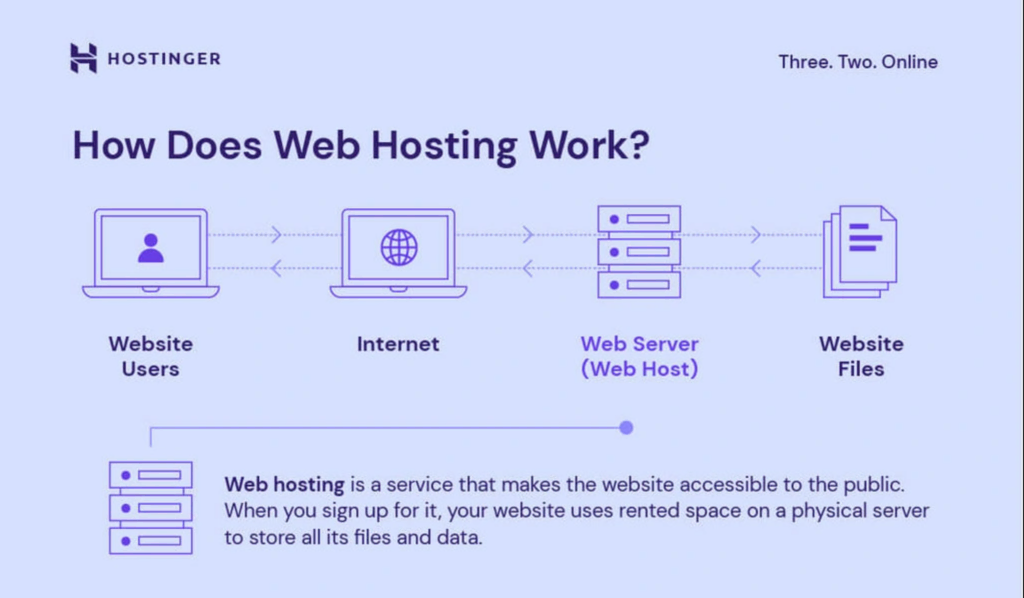
Credit: www.hostinger.com
Managing And Maintaining Your Website
Choosing the right web hosting plan ensures your website runs smoothly and stays online. Consider your site’s needs, like storage and bandwidth. Comparing different hosting providers helps find the best fit for your budget and technical requirements.
Regular Backups
Backing up your website is crucial. It keeps your data safe. Mistakes happen. Hackers attack. Regular backups help you restore your site. Set a schedule. Weekly or daily. Use tools that automate backups. Store copies safely. Cloud storage or external drives. Protect your valuable information.
Monitoring Performance
Check how your website performs. Slow sites lose visitors. Use tools to monitor speed. Look at traffic patterns. Identify peak times. Fix issues quickly. Improve load times. Users want fast access. Happy users stay longer. Happy users return. Keep your site efficient.
Updating Software
Software updates keep your website secure. Outdated software has bugs. Bugs cause problems. Install updates promptly. Use the latest versions. Improve functionality. Protect against security threats. Updates add new features. Ensure your site runs smoothly. Stay ahead of potential issues.
Scaling And Upgrading Hosting Plans
Choosing the right web hosting plan is crucial for your website’s success. Upgrading and scaling hosting ensures better performance and growth. A good plan supports increased traffic, improves load times, and enhances user experience.
Analyzing Traffic Needs
Understanding your website’s traffic needs is very important. Start by checking how many visitors come daily. Are they from different countries? Do they visit often? Keep an eye on any traffic spikes. This helps in making informed decisions. Your website should not crash during busy times. Know your traffic to choose the right plan.
Upgrading Resources
As your website grows, it needs more resources. This includes storage, bandwidth, and CPU power. More resources mean a faster website. A slow website can make users leave. Regular checks help in knowing when to upgrade. Upgrading ensures everything runs smoothly. It’s like giving your site a bigger backpack to carry more stuff.
Migrating To New Servers
Sometimes, changing to new servers is needed. This can be due to growth or better options. New servers might offer faster speeds. Or more space for your data. During migration, ensure no data is lost. Test the new server before full migration. This helps in a smooth transition. Keep backups to be safe.
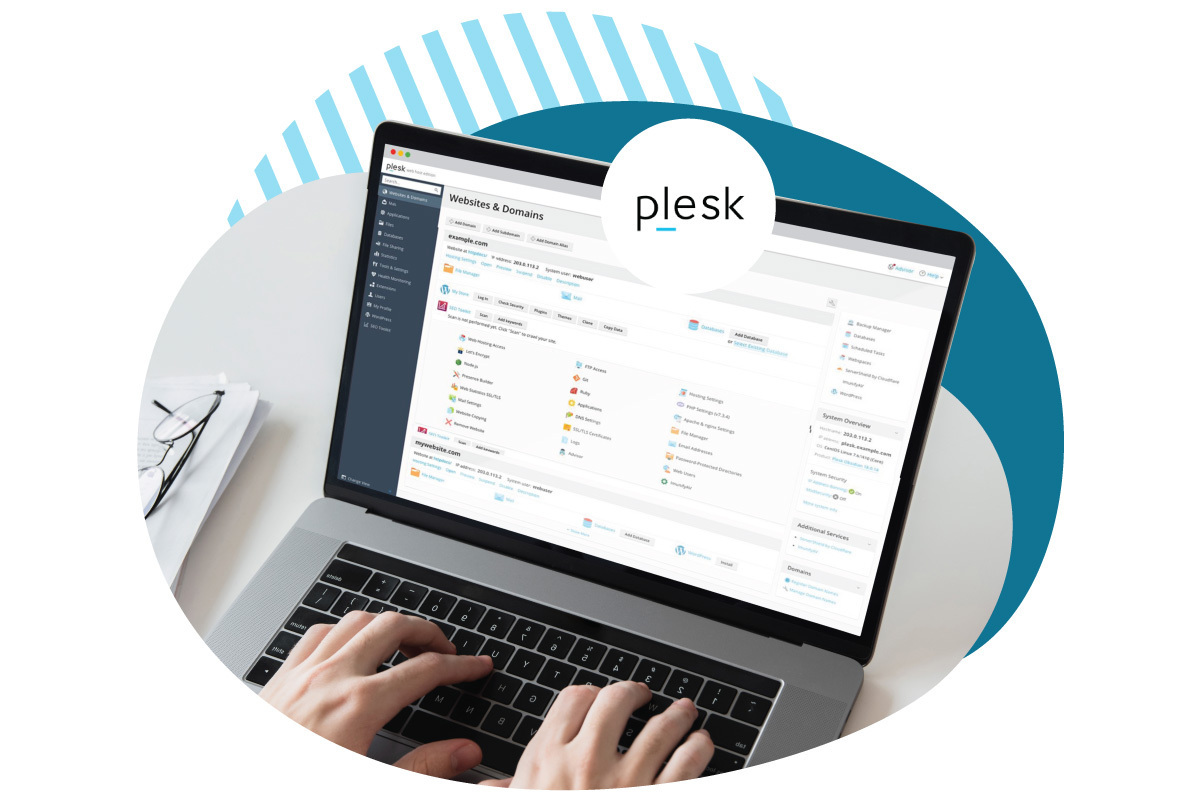
Credit: www.eurodns.com
Frequently Asked Questions
How Do I Host My Own Website Hosting?
To host your own website, purchase a domain, set up a server, and install web hosting software. Configure your server, upload your website files, and ensure security measures are in place. Regularly update software and monitor server performance for optimal results.
Do You Need A Hosting Plan For A Website?
Yes, a hosting plan is essential for a website. It stores site files and makes them accessible online. Hosting ensures your website loads efficiently and remains secure. Choose a reliable provider to support your site’s needs and growth.
How Much Does A Web Hosting Plan Cost?
Web hosting plans typically range from $3 to $300 per month. Prices vary based on features and provider. Shared hosting is cheaper, while dedicated servers cost more. Choose a plan based on your website’s needs and budget. Compare providers for the best deal and features.
How Do I Put My Website On Hosting?
Choose a web hosting provider and sign up for a plan. Upload your website files via FTP or cPanel. Point your domain to the hosting server using DNS settings. Ensure all necessary configurations are complete. Test your website to confirm it’s live and functioning properly.
Conclusion
Choosing the right web hosting plan is crucial. It affects your site’s performance. Evaluate your needs carefully. Consider factors like speed, security, and support. Compare different hosting options. Select a plan that fits your budget. Reliable hosting ensures a smooth user experience.
It also boosts your site’s credibility. Remember to think about future growth. Your website may need more resources later. Make an informed decision today. Your website’s success depends on it. Happy hosting!


