
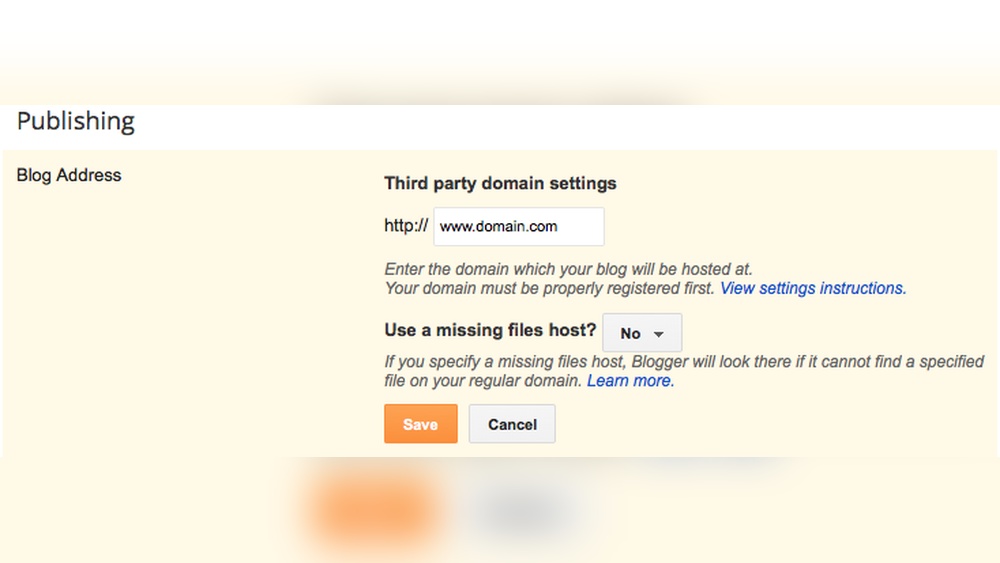
Have you ever wanted full control over your website without relying on someone else? Hosting your own domain means you get to decide how your site runs, who manages it, and how it looks—all without paying extra fees or facing restrictions.
It might sound complicated, but with the right steps, you can do it yourself. This guide will show you exactly how to host your own domain without a third party, so you can take charge and make your online presence truly yours.
Keep reading, and you’ll discover how simple and empowering this process can be.
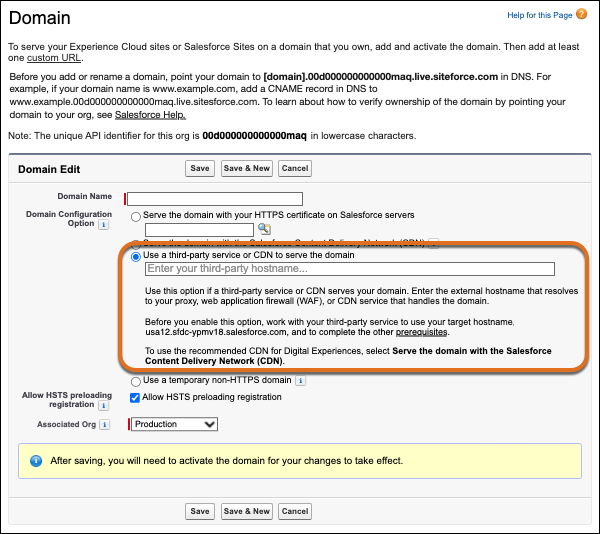
Credit: help.salesforce.com
Choosing Your Hardware
Choosing the right hardware is a key step in hosting your own domain. Good hardware ensures your site runs smoothly and stays online. It affects speed, reliability, and how many visitors your site can handle. This section covers the main points to consider before buying or setting up your server.
Selecting A Suitable Server
Pick a server that matches your website’s needs. Start with the processor. A fast CPU helps your site load quickly. Memory is next. More RAM means better performance, especially for busy sites. Storage matters too. Use solid-state drives (SSD) for faster data access. Decide between a desktop, tower, or rack server. Each type fits different spaces and budgets.
Assessing Network Requirements
Network speed affects how fast visitors see your site. Choose an internet plan with enough bandwidth. Consider upload and download speeds. A good router and modem improve connection stability. Use a wired connection for better reliability than Wi-Fi. Plan for future growth by selecting hardware that handles more traffic.
Power And Cooling Considerations
Your server needs constant power to avoid downtime. Use a reliable power supply or an uninterruptible power supply (UPS). This protects against outages and power surges. Cooling is essential to prevent overheating. Place servers in a cool, ventilated room. Use fans or air conditioning if needed. Overheated hardware can fail and slow your site.
Setting Up Your Network
Setting up your network is the first step to hosting your own domain without a third party. Your network must be configured to allow outside access to your server. This means setting the right IP address, opening ports, and making sure your internet connection is stable. Each part helps your domain stay online and reachable.
Configuring A Static Ip Address
A static IP address stays the same every time you connect to the internet. This is important because your domain needs a fixed location. Without it, your server’s address might change, making your site hard to find. You can set a static IP on your router or directly on your server device.
Check your router’s manual or settings page for static IP options. Assign an IP outside the DHCP range to avoid conflicts. This ensures your server keeps the same address continuously.
Port Forwarding And Firewall Settings
Port forwarding tells your router to send web traffic to your server. Usually, web servers use port 80 for HTTP and port 443 for HTTPS. Open these ports in your router settings to allow access. Without port forwarding, requests from the internet won’t reach your server.
Firewalls protect your network by blocking unwanted traffic. You must allow connections on the ports your server uses. Adjust your firewall settings carefully to keep your network safe but accessible.
Ensuring Reliable Internet Connection
Your internet connection must be fast and stable. A weak connection causes your website to load slowly or become unavailable. Use a wired Ethernet connection for the best stability. Wi-Fi can be less reliable and slower.
Check your upload speed because hosting requires good upload bandwidth. Consider contacting your internet provider if your upload speed is low. Consistent uptime is key to keeping your domain live and reachable.
Installing Server Software
Installing server software is a key step to host your own domain. This software handles requests and delivers your website to visitors. Choosing the right tools affects your site’s speed and reliability. It also impacts how easy it is to manage your server.
Choosing The Right Operating System
Pick an operating system that suits your needs. Linux is popular for servers because it is free and stable. Windows Server works well if you use Microsoft technologies. Consider your comfort with each system. Think about software support and security updates. A good OS keeps your server safe and fast.
Web Server Options
Web servers serve web pages to users. Apache is widely used and easy to set up. Nginx is fast and uses fewer resources. Both support many features and can handle many visitors. Choose one based on your website’s needs. Test them to see which fits best.
Database And Scripting Support
Many websites need databases to store data. MySQL and PostgreSQL are popular free databases. They work well with many web servers. Choose a database that fits your project size. Scripting languages like PHP or Python help create dynamic pages. Confirm your server software supports the language you choose. This support ensures your website runs smoothly.
Registering And Configuring Your Domain
Registering and configuring your domain is the first step to hosting your own website. It gives you control over your online space. This process involves choosing a domain name, registering it, and setting up the right settings for it to work properly. Proper setup helps visitors find your site and improves its reliability.
Domain Registration Process
Start by choosing a unique domain name that fits your site. Use a domain registrar like Namecheap or GoDaddy to check availability. Once you find a name, register it by providing your contact details and paying the fee. Registration usually lasts one year but can be renewed. Keep your registration info updated to avoid losing your domain.
Managing Dns Records
DNS records link your domain to your server. Common types include A, CNAME, and MX records. The A record points your domain to your server’s IP address. CNAME aliases one domain to another. MX records handle email delivery for your domain. Manage these records in your domain registrar’s control panel. Set them correctly to ensure your website and email work smoothly.
Setting Up Reverse Dns
Reverse DNS maps your server’s IP address back to your domain name. It helps with email delivery and spam prevention. Your hosting provider or ISP usually manages reverse DNS. Request them to set it for your server IP. Check the setup using online tools to confirm it works. Proper reverse DNS improves your domain’s trust and reputation online.
Securing Your Server
Securing your server is crucial when hosting your own domain. It protects your data and keeps your site safe from attacks. Without strong security, your server can be vulnerable to hackers and malware. Taking simple but effective steps helps maintain server safety. This section covers key ways to secure your server.
Implementing Ssl Certificates
SSL certificates encrypt data between your server and visitors. This encryption keeps information private and safe. Installing an SSL certificate shows visitors your site is secure. It also improves your search engine ranking. Free SSL options, like Let’s Encrypt, make it easy to add encryption.
Firewall And Access Controls
Firewalls block unauthorized access to your server. Configure your firewall to allow only necessary traffic. Use strong passwords and limit login attempts. Set up user roles to control who can access the server. These steps prevent hackers from gaining entry.
Regular Updates And Patching
Software updates fix security flaws and bugs. Keep your server’s operating system and applications up to date. Regular patches close vulnerabilities that hackers exploit. Schedule updates frequently to maintain strong protection. Neglecting updates risks exposing your server to attacks.

Credit: zipwp.com
Maintaining Your Server
Maintaining your server is key to hosting your own domain successfully. It keeps your website running smoothly and protects your data. Regular care stops small problems from turning into big ones. Simple steps can save time and stress later.
Monitoring Performance And Uptime
Check your server’s speed often. Slow sites lose visitors quickly. Use tools to see how fast your pages load. Watch for downtime. Every minute offline means lost visitors. Set alerts to know when your server stops working. Act fast to fix issues.
Backup Strategies
Create backups regularly. Backups save your data in case of failure. Store copies in different places, like an external drive or cloud. Test backups to make sure they work. Automate backups to avoid forgetting. Keep several versions in case recent files get corrupted.
Handling Troubleshooting
Problems will happen. Stay calm and check logs for errors. Use simple commands to restart services or check settings. Search online forums for solutions. Keep notes of fixes for future issues. Ask for help if needed. Quick responses reduce downtime and loss.
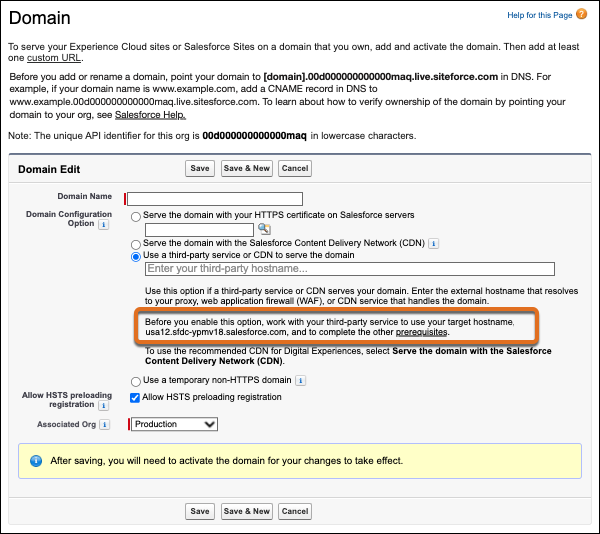
Credit: help.salesforce.com
Frequently Asked Questions
What Is Domain Hosting Without A Third Party?
Domain hosting without a third party means managing your domain and website on your own server. You avoid using external hosting services. This gives you full control over your domain settings, security, and costs. It requires technical knowledge and proper server setup.
How Do I Set Up My Own Domain Server?
To set up your own domain server, you need a dedicated computer or VPS. Install server software like Apache or Nginx. Configure DNS records manually. Ensure your server has a static IP address and proper security measures to avoid downtime or attacks.
What Are The Benefits Of Self-hosting A Domain?
Self-hosting a domain offers complete control over data and configurations. It reduces reliance on third-party providers and can lower costs. You can customize your server environment freely. However, it demands technical skills and regular maintenance to ensure uptime and security.
Is Self-hosting A Domain Secure?
Self-hosting can be secure if you implement strong security protocols. Use firewalls, SSL certificates, and regular software updates. Monitor your server for vulnerabilities. Without proper security, self-hosting can expose your site to risks compared to professional hosting services.
Conclusion
Hosting your own domain gives you full control and saves costs. It may seem hard at first, but small steps make it easier. You choose your server, set rules, and manage your site freely. This way, you avoid relying on others for your website’s future.
Start simple and learn as you go. Your domain, your rules, your way.


