
Have you ever wanted full control over your website and its address? Hosting your own domain and website gives you that power.
Imagine having a unique online space that reflects your style, without relying on third-party platforms. In this guide, you’ll discover simple steps to make your website live, manage your domain, and keep everything running smoothly. Ready to take charge of your online presence?
Keep reading, and you’ll learn exactly how to do it—no confusing jargon, just clear and easy instructions.
Choosing A Domain Name
Choosing the right domain name is an important step in hosting your own website. It affects how visitors find and remember your site. A good domain name reflects your brand or topic clearly. It should be easy to spell and say. This helps people share your website by word of mouth or in writing.
Your domain name is the first impression. It appears in search engines and browser bars. A strong name can build trust and invite clicks. Think about your goals and audience. The domain name should match your website’s purpose well.
Tips For Picking The Right Name
Keep your domain short and simple. Long names are hard to remember and type. Avoid using numbers or special characters that confuse visitors. Use words that are easy to spell and say out loud. Choose a name that tells what your website is about. This helps visitors understand your site quickly.
Try to make your domain unique but clear. Avoid copying other brands or sites. Use keywords related to your topic to boost search engine ranking. Think about future growth. Pick a name that can grow with your business or project.
Checking Domain Availability
Before you decide on a name, check if it is available. Many domain names are already taken. Use online domain checkers to see if your choice is free. If your preferred name is taken, try variations with small changes. Add short words or use different endings.
Check for trademarks or copyrights to avoid legal issues. Make sure your domain does not infringe on other brands. Also, verify social media availability. Having the same name on social platforms keeps your brand consistent.
Selecting The Best Domain Extension
The domain extension is the ending part, like .com or .org. It affects how people see your site. The most common extension is .com. It is trusted and easy to remember. If .com is not available, try other popular extensions like .net or .org.
Newer extensions like .shop, .blog, or .tech show your website’s focus clearly. Country-specific extensions like .uk or .ca work well for local businesses. Choose an extension that fits your website’s purpose and audience. This helps with credibility and search ranking.
Credit: help.vimeo.com
Registering Your Domain
Registering your domain is the first step to owning a website. This process gives your site a unique address on the internet. Choose a domain name that matches your brand or idea. It should be easy to remember and type. Once you have a name, you need to register it with a domain registrar. This ensures no one else can use it. The registration usually lasts one year but can be renewed.
Popular Domain Registrars
Several companies offer domain registration services. Some popular registrars include GoDaddy, Namecheap, and Google Domains. These companies are trusted and provide user-friendly tools. They help you search for available domain names. Each registrar offers various extensions like .com, .net, or .org. Choose one that fits your website’s purpose.
Comparing Pricing And Features
Domain prices vary by registrar and extension. Some domains cost a few dollars per year. Others, especially rare names, might cost more. Look for hidden fees before buying. Check if the price includes domain renewal costs. Some registrars offer free email forwarding or website builders. Compare features to get the best value for your money.
Setting Up Domain Privacy
Domain privacy protects your personal information. By default, your name and contact details show up in the public WHOIS database. This can lead to spam and unwanted calls. Most registrars offer privacy protection services. This service hides your real information from public view. It usually costs extra but is worth the protection. Enable domain privacy to keep your details safe.
Selecting A Hosting Service
Selecting the right hosting service is an important step to get your website online. It affects your site’s speed, security, and uptime. Choosing the best host means your visitors will have a smooth experience. This guide will help you understand the main types of hosting, how to compare providers, and what plans offer the best value.
Types Of Web Hosting
Web hosting comes in several forms. Shared hosting means many websites share one server. It is cheap but slower. VPS hosting offers more power by dividing a server into virtual servers. Dedicated hosting gives you a whole server for your site only. Cloud hosting uses multiple servers to keep your site online and fast. Each type suits different needs and budgets.
Evaluating Hosting Providers
Not all hosting providers are the same. Check for uptime guarantees to avoid downtime. Look for customer support that is fast and helpful. Security features like SSL certificates and backups are important. Also, read user reviews to learn about real experiences. Choose a provider known for reliability and good service.
Understanding Hosting Plans
Hosting plans differ by storage, bandwidth, and features. Storage is space for your website files. Bandwidth controls how much data can be transferred. Some plans include free domains or email accounts. Make sure the plan matches your website size and traffic. Start small and upgrade as your site grows.

Credit: www.wikihow.com
Setting Up Your Hosting Account
Setting up your hosting account is the next step after buying your domain. This step lets you put your website online. You will need to create an account with a hosting provider. Then, configure your domain to point to your hosting. This process makes your website visible to visitors. Follow the steps below to get started.
Creating Your Hosting Account
Choose a hosting provider that fits your needs and budget. Visit the provider’s website and click the sign-up or register button. Fill out your personal details and payment information. Select a hosting plan based on your website size and traffic. After payment, you will receive an email with login details.
Configuring Dns Settings
Log in to your domain registrar’s control panel. Find the DNS settings or nameservers section. Replace the default nameservers with those from your hosting provider. This change tells the internet where your website files are stored. Save your changes and wait for them to take effect. This process can take a few hours to a day.
Linking Domain To Hosting
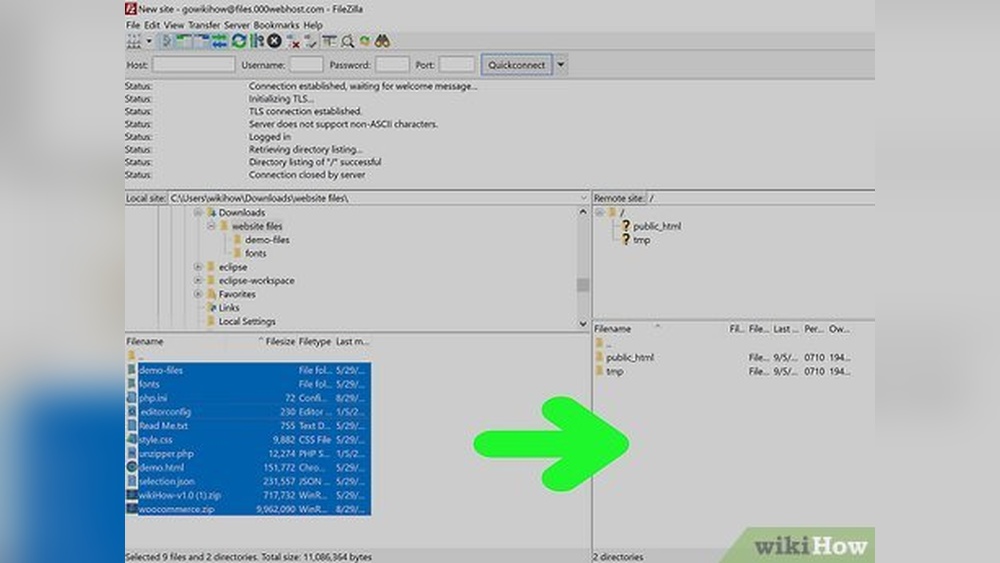
Access your hosting control panel using the login details from the provider. Look for the section to add or manage domains. Add your domain name to your hosting account here. Upload your website files to the hosting server. Test by typing your domain name in a browser. Your website should load if everything is set correctly.
Building Your Website
Building your website is a key step after securing your domain and hosting. It turns your online presence into a visible site. This part focuses on creating and managing your site content.
You have several options to build your site. Choose one that fits your skills and needs. Each method offers unique features and ease of use.
Using Website Builders
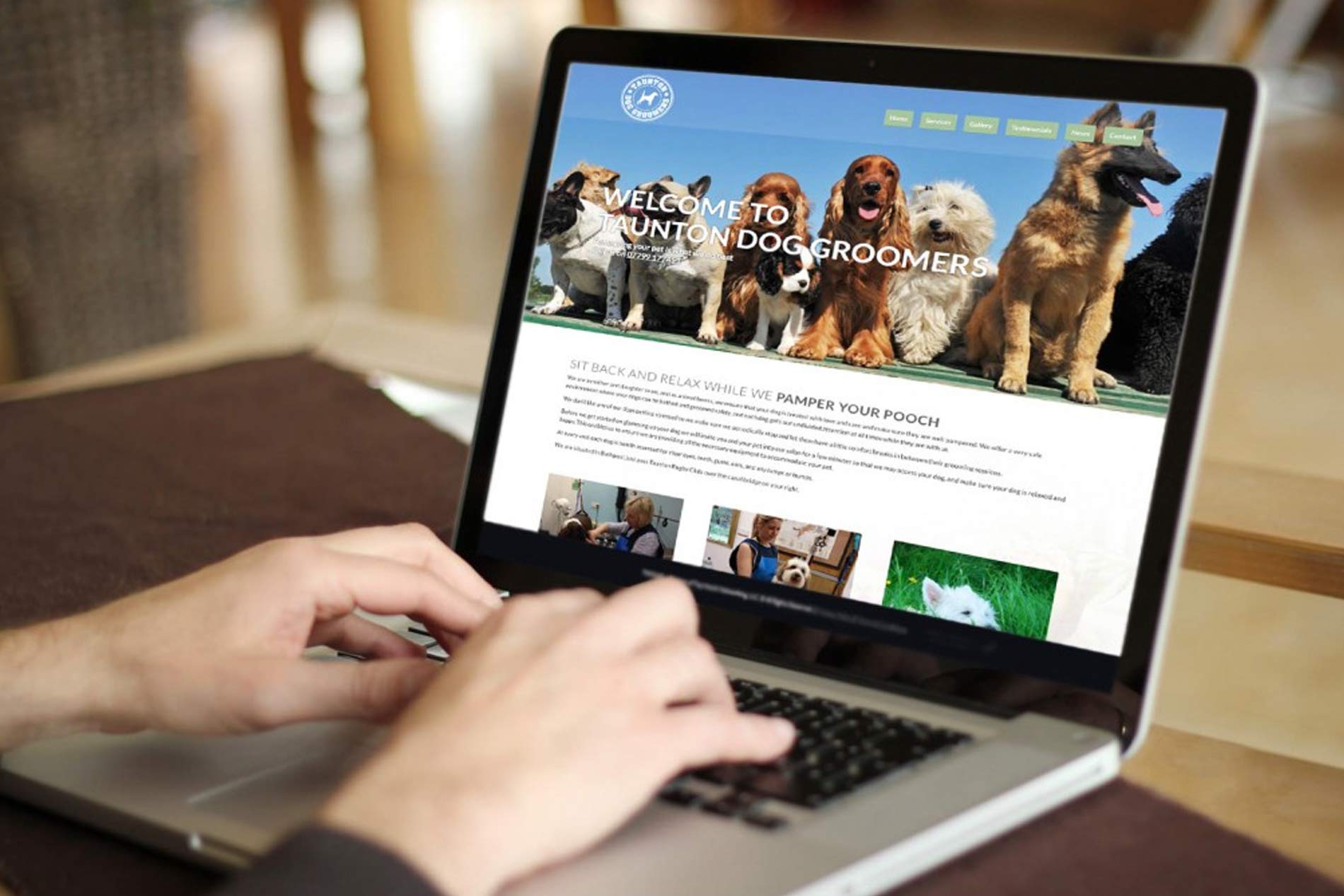
Website builders are tools with drag-and-drop features. They let you create pages without coding. Templates help you design your site quickly. Builders often include hosting and domain setup. Ideal for beginners and simple sites.
Installing Content Management Systems
Content Management Systems (CMS) like WordPress provide more control. They need installation on your hosting server. CMS platforms offer plugins and themes for customization. Perfect for blogs, portfolios, and online stores. Some technical skill is helpful but not required.
Uploading Your Website Files
Uploading files is needed if you build your site offline. Use FTP or file managers in your hosting control panel. Transfer your HTML, CSS, images, and scripts to the server. This method suits those who code or use custom designs. Ensures full control over your site’s structure.
Credit: www.resellerclub.com
Securing Your Website
Securing your website protects your data and your visitors. A safe site builds trust and keeps hackers away. Simple steps can make your website much safer. Focus on SSL certificates, backups, and good security habits.
Installing Ssl Certificates
SSL certificates encrypt information between your site and visitors. This stops hackers from stealing data. Most hosting providers offer free SSL certificates. Use tools like Let’s Encrypt for easy installation. Once active, your website will show “https” and a padlock icon. This signals safety to visitors and search engines.
Setting Up Backups
Backups save copies of your website files and data. They protect your site if anything goes wrong. Set up automatic backups regularly. Store backups in a separate location from your website. This way, you can restore your site fast after a problem. Test backups to make sure they work correctly.
Implementing Security Best Practices
Use strong passwords for your website accounts. Change passwords regularly and avoid simple words. Keep your software, plugins, and themes updated. Updates fix security holes and bugs. Limit login attempts to block hackers from guessing passwords. Use firewalls and security plugins for extra protection. Monitor your site for unusual activity every day.
Launching And Maintaining Your Site
Launching and maintaining your website is a key step after setting up your domain. It means making your site live for visitors and keeping it working well over time. Regular care helps your site stay fast, secure, and useful. This section shows how to test, monitor, and update your website effectively.
Testing Your Website
Test your website before going live. Check all pages load quickly. Click every link to ensure it works. Test on different devices like phones and tablets. Make sure the site looks good on all screen sizes. Fix any errors found during testing. This helps give visitors a smooth experience.
Monitoring Performance
Keep an eye on your website’s performance after launch. Use tools to track loading speed and uptime. Watch for slow pages or broken links. Monitor traffic to see how many visitors come to your site. This info helps you spot problems early. Fix issues quickly to keep visitors happy.
Updating Content Regularly
Update your website content often. Add new articles, images, or products regularly. Fresh content keeps visitors coming back. It also improves your search engine ranking. Check old content for accuracy and update it as needed. Consistent updates show your site is active and trustworthy.
Frequently Asked Questions
What Is The First Step To Host Your Own Domain?
The first step is to register your domain name with a reliable registrar. Choose a unique, relevant domain for your website’s niche.
How Do I Connect My Domain To A Website Host?
You must update your domain’s DNS settings to point to your hosting provider’s servers. This links your domain to your website.
Can I Host A Website From My Home Computer?
Yes, but it requires proper setup like static IP, security, and 24/7 uptime. It’s often easier to use a hosting service.
What Are The Costs Involved In Domain And Website Hosting?
Domain registration usually costs $10-$15 per year. Hosting plans vary from free to hundreds monthly, depending on features and traffic needs.
Conclusion
Hosting your own domain and website takes some effort but is very rewarding. You control your online space fully. Choose a reliable hosting service and set up your domain carefully. Keep your site updated and secure for best results. This guide helps you start with confidence.
Your website can grow as you learn more. Take small steps and keep improving. Enjoy the process of building your own website!


