
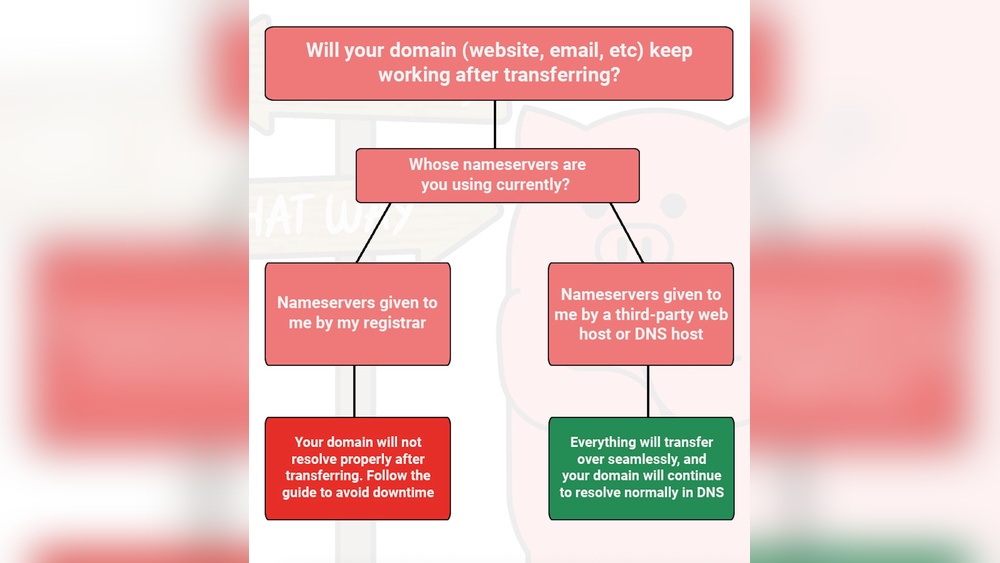
Are you ready to get your website online but don’t want to move your domain name? Hosting your site without transferring your domain is easier than you think.
You can keep your domain where it is and still enjoy fast, reliable hosting. This means less hassle and more control over your online presence. You’ll discover simple steps to set up hosting without the need to change your domain registrar.
Keep reading, and you’ll have your website up and running in no time—without losing any control over your domain.

Credit: hostarmada.com
Choosing A Hosting Provider
Choosing the right hosting provider is a key step when hosting without transferring your domain. Your host stores your website files and delivers them to visitors. Picking a reliable host ensures your website stays live and loads fast. It also affects your site’s security and support. Take time to compare options before deciding.
Key Features To Look For
Start with uptime guarantees. Your site should be online at least 99.9% of the time. Check the storage space and bandwidth limits. These affect how much content your site can hold and how many visitors it can handle. Look for hosts with easy-to-use control panels. This helps you manage your site without technical skills. Also, consider customer support. Fast, helpful support saves time during problems. Security features like SSL certificates and backups protect your site. Make sure these come with the hosting plan.
Comparing Popular Hosts
Compare hosts like Bluehost, SiteGround, and HostGator. Each offers good uptime and customer support. Bluehost is user-friendly and good for beginners. SiteGround provides strong security and fast speeds. HostGator offers affordable plans with easy setup. Check if they allow hosting without domain transfer. Some hosts let you keep your domain at the current registrar. Look at pricing and renewal fees. Choose a host that fits your budget and needs. Reading user reviews can also help you decide.
Credit: www.easyhosting.com
Registering Your Domain Separately
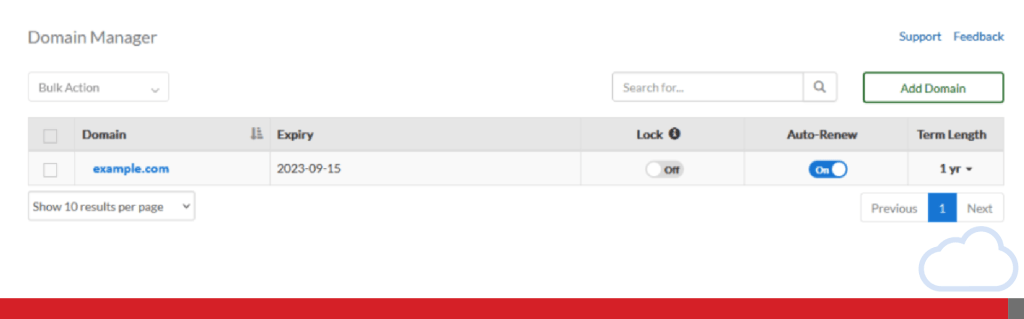
Registering your domain separately lets you control your website and domain independently. This method helps keep your domain safe if you change hosting providers. You manage your domain name with a registrar while your website files stay with your host.
This separation makes switching hosts easier and avoids domain transfer delays. It also gives you full control over your domain settings and renewals. You can update DNS records anytime without affecting your hosting service.
Selecting A Domain Registrar
Choose a domain registrar that is reliable and easy to use. Look for one with good customer support and clear pricing. Check if they offer privacy protection to keep your details safe. Popular registrars include Namecheap, GoDaddy, and Google Domains.
Compare features before you buy. Some registrars offer free SSL certificates or email forwarding. Make sure the registrar lets you easily manage DNS settings. This control is important for hosting without transferring your domain.
Setting Up Domain Management
After buying your domain, log in to the registrar’s control panel. Find the DNS management or name server settings. You must point your domain to your hosting provider’s servers here.
Enter the nameservers given by your web host. This connects your domain with your website files. Save changes and allow time for DNS to update worldwide. This process can take up to 48 hours but often happens faster.
Keep your registrar account details safe. Renew your domain before it expires to avoid losing it. Managing your domain separately ensures your website stays online without interruptions.
Connecting Domain To Hosting
Connecting your domain to hosting is a key step to get your website online. It allows visitors to find your site using your domain name without moving the domain. This process involves changing settings that link the domain to your hosting service.
There are two main ways to connect your domain: updating DNS records or changing name servers. Both methods tell the internet where to find your website files. Understanding these options helps keep your domain registration separate from your hosting.
Updating Dns Records
DNS records control how your domain points to your hosting server. The most common record to update is the A record. It tells browsers the IP address of your hosting server.
You can log into your domain registrar’s control panel. Find the DNS management section. Replace the old IP address with the new one from your hosting provider. Save your changes.
Using Name Servers
Name servers handle all DNS settings for your domain. Changing them moves DNS control to your hosting provider. This means your hosting company manages your domain’s DNS records.
Get the name server addresses from your hosting account. Then, enter these addresses in your domain registrar’s name server settings. Save the changes to link your domain to your hosting.
Propagating Dns Changes
After updating DNS or name servers, changes take time to spread across the internet. This process is called propagation. It can take anywhere from a few minutes to 48 hours.
During propagation, your website might not appear immediately. Be patient. Check your site periodically to see if it loads with the new hosting.
Uploading Your Website Files
Uploading your website files is a key step in hosting your site without moving your domain. You need to place your website’s files on your hosting server. This process makes your site visible online. The files include HTML, CSS, images, and scripts. There are two common ways to upload files. Each method suits different user needs and skills.
Using Ftp Clients
FTP clients help transfer files between your computer and server. They use the File Transfer Protocol. Popular FTP clients include FileZilla and Cyberduck. You start by entering your hosting server details. These details include server address, username, and password. After connecting, you can drag and drop your files. FTP clients allow you to upload many files quickly. They also support resuming interrupted transfers. This method is great for users comfortable with basic software.
File Manager Tools
File manager tools come built into most hosting control panels. They offer a simple way to upload files through your web browser. You log into your hosting account and open the file manager. You can upload files one by one or in a compressed folder. The tool lets you create folders and organize files easily. It also allows you to edit files directly online. This method is user-friendly for beginners. No extra software installation is needed.
Configuring Email Services
Configuring email services without transferring your domain is possible and practical. You can keep your domain registered where it is and still use email services from another provider. This method saves time and avoids the hassle of moving domain control.
Setting up email correctly ensures you send and receive messages smoothly. It also keeps your email professional and reliable. Let’s explore how to set up email without transferring your domain and how third-party providers can help.
Setting Up Email Without Domain Transfer
Start by accessing your domain’s DNS settings at the current registrar. Locate the MX records section. MX records tell the internet where to deliver your emails.
Change the MX records to point to your chosen email service provider. This step directs emails to the new server without moving your domain.
Adjust SPF, DKIM, and DMARC records next. These help prevent your emails from being marked as spam. They improve email security and trust.
Check all settings carefully. Then, test sending and receiving emails. Your email should work seamlessly without domain transfer.
Using Third-party Email Providers
Third-party email providers offer strong email hosting services. Examples include Google Workspace, Microsoft 365, and Zoho Mail.
These providers let you use your domain name for email without moving it. They offer easy setup guides and support.
Sign up with a provider and get the MX records to add to your domain. Follow their instructions to update DNS records.
These services often include extra features like spam filtering and large storage. They keep your email safe and efficient.
Testing Your Website Setup
Testing your website setup is a key step after hosting without transferring your domain. This ensures your site works properly before going live. You can catch issues early and fix them fast. A smooth launch depends on careful checks.
Start by verifying that your domain points correctly to your new host. Then, watch for common problems that can block access or slow down your site. Simple tests save time and avoid frustration later.
Verifying Domain Connection
Check if your domain connects to your hosting server. Use online tools like DNS checkers or ping tests. Confirm the IP address matches your hosting provider’s details.
Open your website in a browser. See if it loads without errors. Clear your cache to avoid old data showing. Use different devices or networks to confirm access.
Troubleshooting Common Issues
Look for common problems such as DNS propagation delays. These delays can take up to 48 hours. If your site does not load, wait and test again.
Check for typos in DNS records. Incorrect entries stop your site from connecting. Verify A records, CNAME, and nameservers carefully.
Contact your hosting support if problems persist. They can guide you through specific fixes. Keep records of your settings for quick reference.
Maintaining Your Hosting And Domain
Maintaining your hosting and domain without transferring the domain requires careful attention. Proper management keeps your website running smoothly and secure. Both hosting and domain have separate controls and renewal processes. Staying organized prevents downtime and loss of data.
Regular checks on your hosting account ensure your website performs well. Meanwhile, managing your domain settings independently avoids conflicts. Keeping your domain and hosting separate gives you more control over each service.
Renewal Tips
Set reminders for your domain and hosting renewal dates. Renew each service on time to avoid service interruption. Use auto-renew options if available, but verify charges regularly. Keep your payment details updated to prevent failed transactions. Check renewal terms carefully to avoid surprise price increases. Renewing early can save stress and protect your website.
Security Best Practices
Use strong, unique passwords for your hosting and domain accounts. Enable two-factor authentication for extra protection. Regularly update your website software and plugins. Monitor your accounts for any unusual activity or login attempts. Keep backups of your website and domain settings. Contact support immediately if you notice suspicious behavior.

Credit: www.easyhosting.com
Frequently Asked Questions
What Does Hosting Without Transferring Domain Mean?
Hosting without transferring a domain means keeping your domain registered elsewhere. You point your domain’s DNS to your hosting provider. This lets you manage hosting and domain separately, offering flexibility and control over each service independently.
How To Point Domain To New Hosting Without Transfer?
To point your domain, update the DNS records at your domain registrar. Change the nameservers or A record to match your hosting provider’s details. This directs visitors to your new hosting without moving the domain registration itself.
Are There Benefits Of Hosting Without Domain Transfer?
Yes, benefits include maintaining domain management control and easier domain renewals. You avoid downtime from domain transfer processes. It also allows using specialized domain registrars and hosting providers simultaneously for best services.
Can I Use Different Providers For Hosting And Domain?
Absolutely. Many users host websites with one company while registering domains with another. This setup offers flexibility, better pricing, and tailored services without forcing you to consolidate both services under one provider.
Conclusion
Hosting without moving your domain is simple and saves time. Keep your domain where it is while choosing a good hosting service. Change only the DNS settings to point to your new host. This way, your website stays live without downtime.
You can manage your domain and hosting separately. It gives you more control and flexibility. Try this method to keep your site running smoothly. It works well for beginners and experts alike. Hosting without transferring your domain is a smart, easy choice.


