
Are you ready to take your web service to the next level? Hosting your web service on a server is the key to delivering reliable and seamless experiences to your users.
Imagine the satisfaction of knowing your service is always available, secure, and performing at its best. You’ll discover how easy it is to host your web service, regardless of your technical background. We’ll simplify the steps, demystify the jargon, and empower you with the knowledge to make informed decisions.
Whether you’re a seasoned developer or a curious beginner, this guide will provide you with everything you need to confidently host your web service on a server. Dive in and learn how you can transform your web service into a robust, high-performing powerhouse.
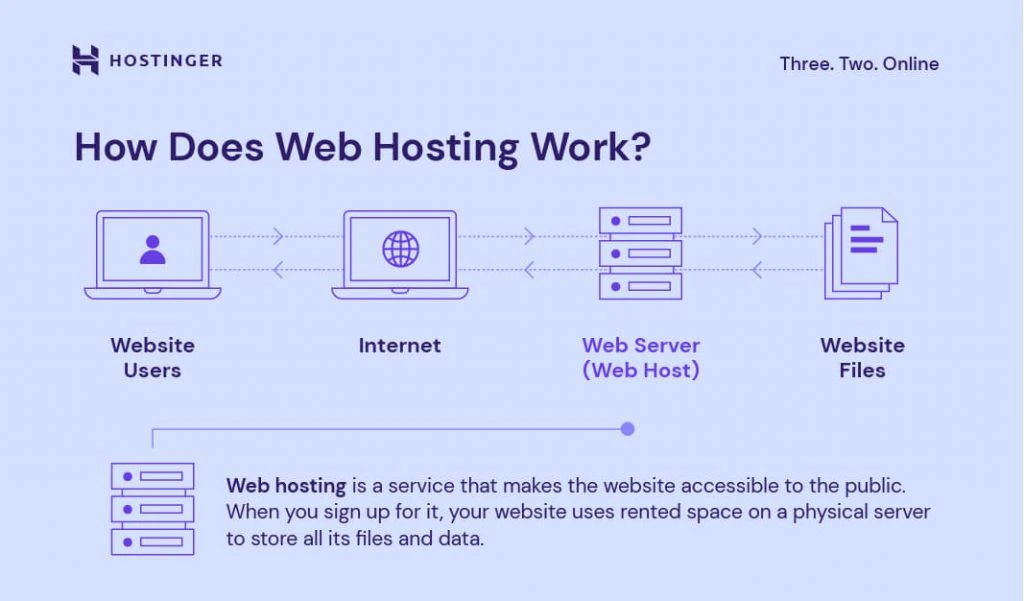
Credit: www.hostinger.com
Choosing The Right Server
Servers come in different types. Dedicated servers work for one user. Shared servers host many users. Virtual servers act like real servers but are not. Cloud servers store data online. Each type has its own advantages and limitations.
Specifications are important for a server. CPU power helps process data fast. RAM allows more tasks at once. Storage space keeps files safe. Bandwidth affects speed. More bandwidth means faster data transfer. Choose specs based on needs. High specs for busy sites. Low specs for small sites.
Preparing The Environment
Choose a good operating system for your server. Popular choices include Linux and Windows. Make sure your system is up-to-date. Install all the latest security patches. This keeps your server secure. Allocate sufficient resources like RAM and CPU. This ensures smooth running of services. Set up your network settings correctly. Check your firewall rules to allow traffic.
Identify the software you need. Install a web server like Apache or Nginx. Choose a database such as MySQL or PostgreSQL. Install necessary libraries and frameworks for your application. Use package managers like apt or yum for easy installs. Regularly check for updates to keep software current. Ensure all dependencies are compatible with your application.
Deploying The Web Service
First, gather all your web files. These include HTML, CSS, and JavaScript. Use an FTP client like FileZilla. Connect to your server. Enter the server’s IP address, username, and password. Drag and drop your files into the server’s directory. Ensure all files are uploaded correctly. Double-check the file paths. This avoids errors later.
Access your server’s control panel. Look for the web hosting settings. Set the root directory for your web service. Ensure the correct permissions are set for files and folders. Permissions help in protecting your data. Configure your server’s IP address and port. This helps in connecting to your web service. Restart the server to apply changes. Check if the web service runs smoothly.
Ensuring Security Measures
Firewalls are like safety guards for servers. They block bad traffic. Set up firewalls to protect your web service. This keeps hackers away. Permissions control who can see or change files. Always give the least permissions needed. This is called the principle of least privilege. It makes your server safer. Regularly check and update these settings. This ensures everything stays secure.
SSL certificates help keep data safe. They protect information between the user and the server. Always use SSL certificates for your web service. They make your site trustworthy. Users will see a lock icon in their browser. This shows the site is secure. Renew certificates regularly. This keeps the security up-to-date.
Monitoring And Maintenance
Monitoring and maintenance are crucial for hosting web services on a server. Regularly check server performance to ensure reliable service. Address issues promptly to minimize downtime and maintain smooth operations.
Performance Tracking
Watching server performance is very important. It helps find problems early. Use tools to check speed and load times. Slow servers can make users unhappy. Regular checks show how well the server works. They help keep services smooth. Set alerts for important events. Alerts warn about problems fast. Quick action can fix issues before users see them.
Regular Updates
Servers need updates often. Updates fix bugs and improve security. Old software can be risky. New versions keep data safe. Make a plan for updates. Plan updates during low traffic times. Users will not notice changes. Check for new updates weekly. Stay current with technology trends. This helps servers run better and faster.
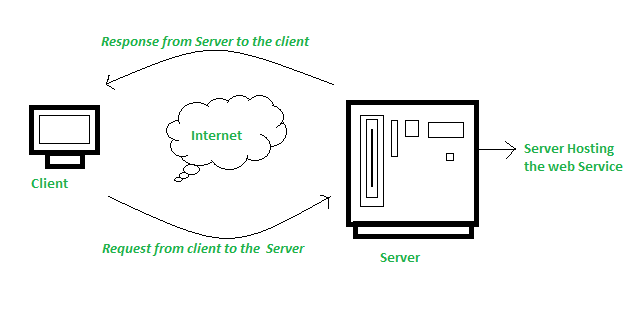
Credit: www.geeksforgeeks.org
Handling Traffic And Scalability
Hosting a web service on a server involves managing traffic and ensuring scalability. Servers must handle many users accessing the site at once. This requires good server setup and sometimes extra resources to keep things running smoothly.
Load Balancing
Load balancing helps your web service handle more users. It splits the traffic between different servers. This keeps the service running smoothly. Each server gets a fair share of the traffic. If one server fails, others take over. This makes the service reliable. Load balancing is important for busy websites. It ensures users have a good experience.
Scaling Strategies
Scaling helps your service grow with more users. There are two main types: vertical scaling and horizontal scaling. Vertical scaling means adding more power to a single server. It is simple but has limits. Horizontal scaling means adding more servers. It is more flexible and can handle larger loads. Many big websites use both. Scaling keeps your service fast and reliable.
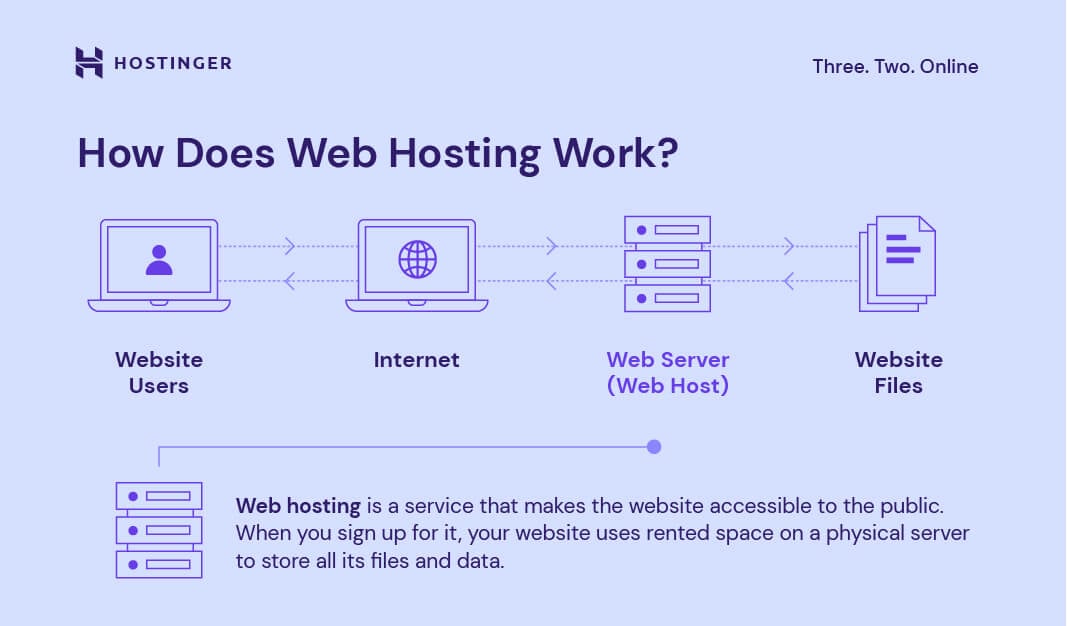
Credit: www.hostinger.com
Frequently Asked Questions
How Do I Host A Webservice?
To host a web service, select a reliable hosting provider, install necessary software, and configure server settings. Ensure security measures and scalability options are in place. Monitor performance regularly and update software to maintain efficiency.
How To Host A Website On A Server?
To host a website, buy a domain name and choose a hosting provider. Upload your website files via FTP or a control panel. Configure DNS settings to point the domain to your server. Ensure security measures, like SSL certificates, are in place.
Regularly update and maintain your website.
How To Host A Service In Iis?
Open IIS Manager. Create a new site under ‘Sites’. Set the physical path to your service folder. Assign a unique site name and a port number. Configure application pool settings. Start the site to host your service.
How To Host A Website On An Iis Server?
Install IIS via Windows Features. Launch IIS Manager. Add a new website, set physical path and hostname. Bind to port 80 or 443. Configure permissions and firewall settings. Test your website in a browser to ensure it’s running smoothly.
Conclusion
Hosting a web service on a server is easier than it seems. Follow the right steps to ensure smooth operation. Start with selecting the server type that suits your needs. Install necessary software for your web service. Configure security settings to protect your data.
Test your setup thoroughly to avoid issues later. Regular monitoring helps maintain server health. You can host efficiently with practice and patience. Explore more resources to enhance your skills. Happy hosting!


