
Are you ready to take your web app to the next level? Hosting it on a reliable cloud platform can make all the difference, and Oracle Cloud offers a powerful solution.
If you’ve ever felt overwhelmed by the technical jargon and intricate steps involved, you’re not alone. But imagine the peace of mind and confidence you’ll gain knowing your web app is secure, scalable, and ready to handle whatever traffic comes its way.
In this guide, we’ll demystify the process of hosting your web app using Oracle Cloud. You’ll discover straightforward steps and tips, designed to empower you with the knowledge you need without unnecessary complexity. Whether you’re a seasoned developer or a tech enthusiast, this article is crafted with you in mind. Let’s unlock the potential of your web app together and put the power of Oracle Cloud at your fingertips. Keep reading, and you’ll soon see how easy it can be to host your app with confidence.
Oracle Cloud Overview
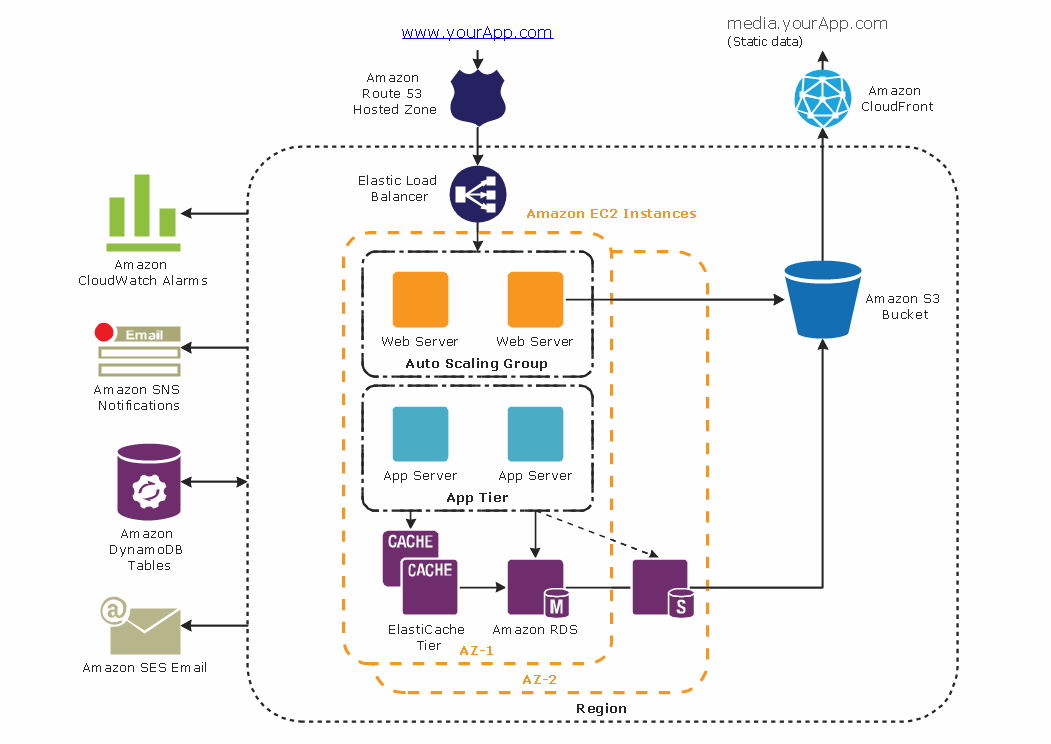
Oracle Cloud offers many features. It has powerful computing options. Users can choose from various storage types. It also provides networking services. These help connect apps safely. Security is a top priority. Oracle Cloud keeps data safe. It has tools for monitoring. This makes managing apps easy. Users can scale their apps. This means they can grow when needed. Costs are flexible. Users pay for what they use. This saves money.
Oracle Cloud has different service models. Each serves a unique need. The first is Infrastructure as a Service (IaaS). It offers basic resources. This includes virtual machines and storage. Next is Platform as a Service (PaaS). It provides tools for developers. These tools help build apps quickly. Lastly, there’s Software as a Service (SaaS). Users get ready-to-use apps. These apps are hosted on the cloud. Each model is useful. Users pick what fits their needs best.
Credit: www.conceptdraw.com
Setting Up An Oracle Cloud Account
Creating an Oracle Cloud account is easy. Visit the Oracle Cloud website. Look for the sign-up button. Click on it. Fill out your details like name and email. Choose a secure password. Confirm your email address. This will complete the sign-up process. Now you have an Oracle Cloud account.
After signing up, set up your payment options. Go to the billing section. You can add a credit or debit card. This is needed for paid services. Oracle offers a free tier too. This means some services are free. Always check your billing details. This avoids extra charges. Now, your account is ready for use.
Creating A Compute Instance
Pick a shape for your compute instance. Shapes decide the power of your server. There are many options available. Choose based on your app needs. Standard shapes work for most apps. High-performance shapes are for bigger tasks. Always consider your budget.
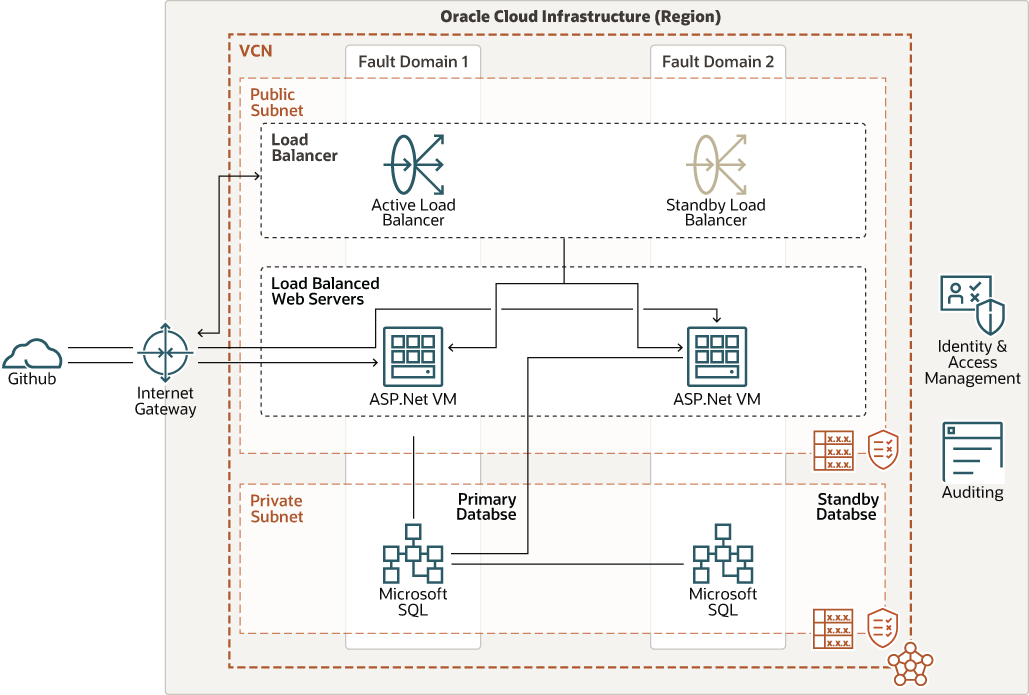
Next, set up the network settings. Your app needs a way to connect. First, choose a Virtual Cloud Network (VCN). It’s like a big road system for your app. Next, set up subnets. These are smaller roads. Decide if your app needs a public IP. This helps it talk to the world. Set up firewalls to keep your app safe. These block bad traffic. Keeping settings simple helps your app run smoothly.
Deploying The Web App
First, open the Oracle Cloud console. Find the storage section. Click on create bucket. Name the bucket clearly. Choose a compartment for it. Now, click create. Go to the bucket. Click upload. Choose your files. Click upload again. Wait for the files to finish. Check if all files are there.
Go to the Oracle Cloud console. Find your app in the list. Click on it. Look for environment variables. Click on the option. Add new variables one by one. Enter the name and value. Save each change. Double-check all variables. Make sure they are correct.
Configuring Security And Access
Setting up firewalls is crucial for security. Firewalls block unwanted visitors. They keep your web app safe. Use Oracle Cloud’s tools to manage them. Set rules for incoming and outgoing traffic. Only allow trusted sources. This protects your app from threats. Regularly update firewall settings. Always check logs for suspicious activity.
Managing SSH keys is important for access control. SSH keys let you connect securely. They are like special passwords. Generate keys in Oracle Cloud. Keep them safe and private. Only share with trusted people. Regularly change keys to improve security. Delete old keys that are not used. This ensures only the right people can access your app.
Scaling And Monitoring
Oracle Cloud provides auto-scaling for web apps. This means the app can grow with more users. It works by adding more resources when needed. This keeps the app fast and responsive. Auto-scaling saves money by using only what you need. It is a smart way to keep apps running well.
Monitoring tools help keep an eye on your web app. They show how the app is doing. If there is a problem, you will know quickly. Oracle Cloud offers many tools for this. These tools track performance and usage. They help find issues before they become big problems. Keeping your app healthy is easy with these tools.
Managing Costs
Oracle Cloud offers several pricing models for hosting web apps. The first model is pay-as-you-go. This means you pay for resources you use. Another model is monthly subscriptions. You pay a fixed amount every month. Some users prefer annual subscriptions. This involves paying once a year. Choosing the right model saves money. Understand your app’s needs. Compare different models. Make sure to read the terms carefully. It helps avoid extra charges. Always check for discounts or offers.
Use resource tagging to track usage. This helps identify costly resources. Set budget alerts to prevent overspending. Regularly review your usage. Remove unused resources. Consider using auto-scaling. It adjusts resources based on demand. Use reserved instances for predictable workloads. These often come with discounts. Explore cost analysis tools provided by Oracle. They help monitor spending efficiently. Regular reports can identify trends. Optimize storage by using object storage for less critical data. This is often cheaper than block storage.
Credit: docs.oracle.com
Troubleshooting And Support
Many users face common issues with Oracle Cloud. Sometimes, apps do not load. Check your internet connection first. Another issue is slow speed. This can be due to high server load. Reduce load by optimizing your app. Also, check your resource limits. Low resources can cause problems. Lastly, ensure your settings are correct. Incorrect settings lead to errors.
Oracle provides support for troubleshooting. Use their support portal for help. You can submit a ticket for issues. Describe your problem clearly. This helps the support team to understand better. You can also find help articles in their portal. These articles cover many topics. They provide step-by-step solutions. Use these resources to solve problems quickly.
Credit: cloud.google.com
Frequently Asked Questions
How To Host A Website On Oracle Cloud?
To host a website on Oracle Cloud, sign up for an account. Choose a compute instance, configure network settings, and upload your website files. Set up a domain and DNS settings for accessibility. Ensure security measures are in place, and monitor resources for optimal performance.
How To Create Web Service In Oracle Apps?
Create a web service in Oracle Apps by using Oracle SOA Suite. Define service interfaces, configure bindings, and deploy. Integrate with Oracle WebLogic for hosting. Ensure security and test thoroughly for optimal performance.
What Are The Three Types Of Oracle Cloud?
Oracle Cloud offers three types: Infrastructure as a Service (IaaS), Platform as a Service (PaaS), and Software as a Service (SaaS). These services provide scalable resources, development tools, and business applications for diverse needs, enhancing efficiency and flexibility in cloud computing.
How To Host An Oracle Database Online?
Host an Oracle database online by selecting a reliable cloud provider like Oracle Cloud, AWS, or Azure. Set up an account, create a virtual machine, and install Oracle Database. Configure security settings and backups for data protection. Ensure regular updates for optimal performance and security.
Conclusion
Hosting your web app on Oracle Cloud is straightforward. Follow the steps carefully. Start by setting up your account. Choose the right service for your needs. Use the dashboard to manage resources easily. Configure your app with security in mind.
Test thoroughly to ensure functionality. Oracle Cloud offers scalability and flexibility. It helps your app grow with demand. Remember to monitor performance regularly. Keep your data safe and secure. Hosting on Oracle Cloud can boost efficiency. It’s a reliable platform for web applications.
Now, you’re ready to host confidently and efficiently.


