
Imagine having an app that works seamlessly on any device without the need for app store downloads or updates. Sounds like magic, right?
This is the power of Progressive Web Apps (PWAs). They blend the best of web and mobile apps, offering you speed, reliability, and engagement. But how do you host a PWA to unlock its full potential? You’re about to discover the secrets to making your app available to users worldwide.
Get ready to explore the simple steps and insider tips that will make hosting your PWA a breeze. With this guide, you’ll not only understand how to host your PWA, but also how to ensure it performs at its best, captivating your users and keeping them coming back for more. Dive in, and let’s make your app shine!
Credit: www.heroku.com
What Is A Progressive Web App
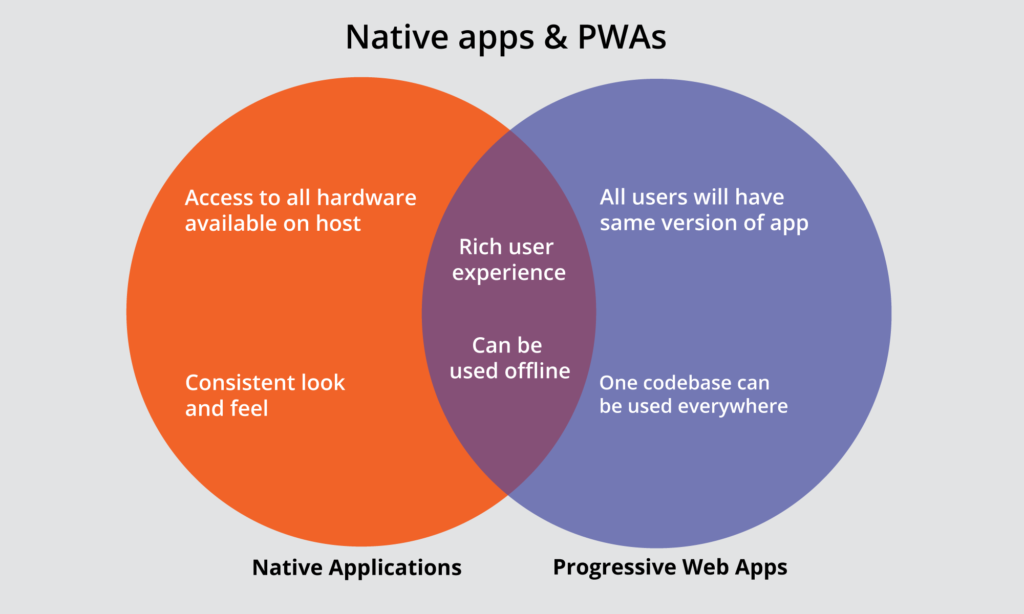
A Progressive Web App, often called PWA, is a type of web application. It is built using common web technologies like HTML, CSS, and JavaScript. These apps work on any device and are accessible through web browsers. PWAs offer a native-like experience, making them popular among users.
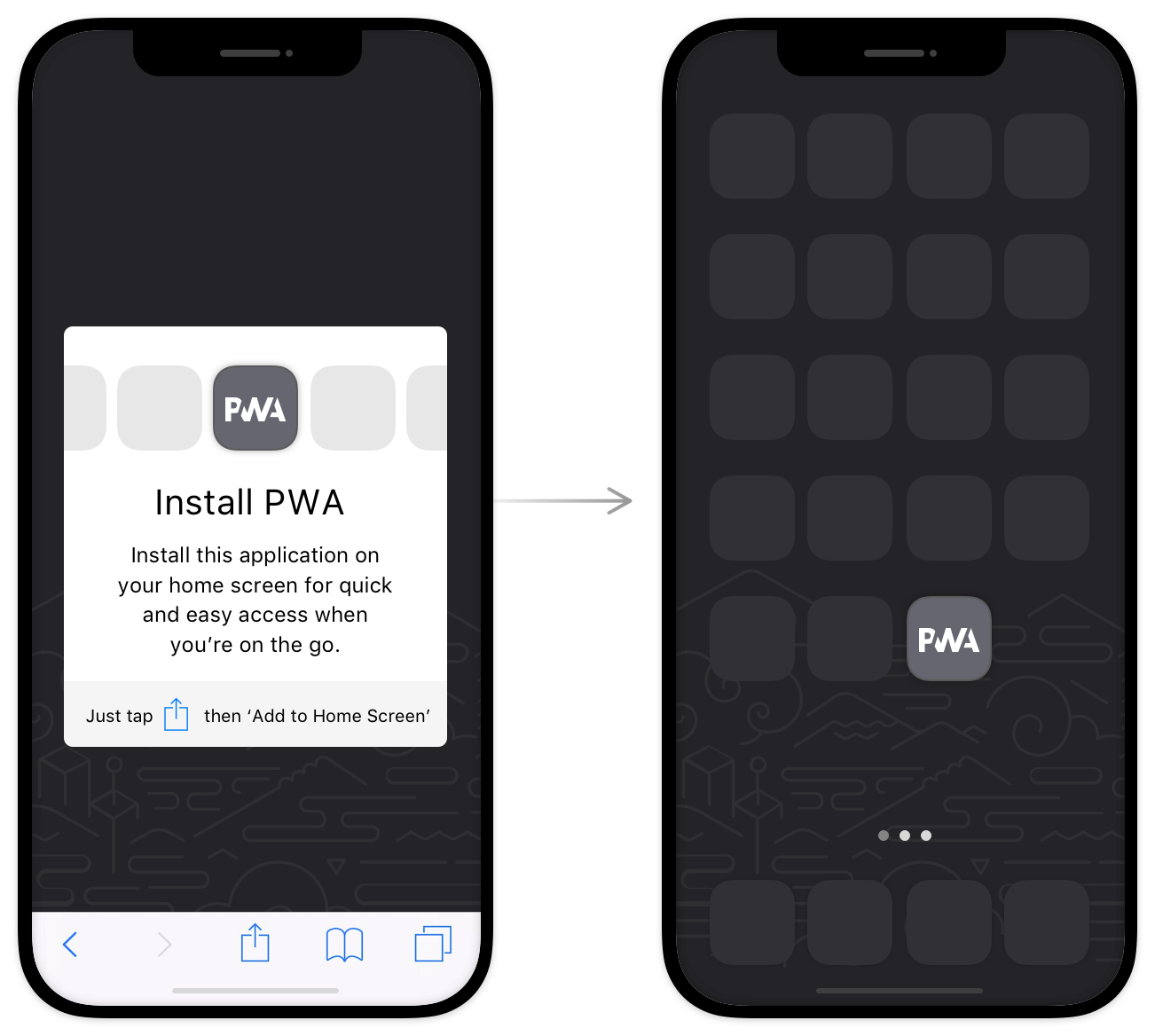
PWAs can be installed on a device like a regular app. They provide features such as offline access and push notifications. These apps are fast and responsive, improving user satisfaction. PWAs are also secure due to their use of HTTPS, protecting user data.
Benefits Of Hosting A Pwa
Progressive Web Apps (PWAs) are special apps. They work like websites but feel like apps. They are fast and light. Hosting a PWA makes your site load quickly. This keeps users happy. Users can use PWAs offline. This means they can use your app without internet. PWAs save data. This helps users with limited data plans.
PWAs are secure and safe. They use HTTPS for security. This keeps user data protected. PWAs are easy to update. You can make changes without asking users to update. Users love this ease. PWAs can work on any device. They are flexible and adaptable. This means more users can access your app.
PWAs improve user experience. They are smooth and responsive. This makes users stay longer on your site. Hosting a PWA is simple. It does not need special servers. You can start quickly. This saves time and effort.
Essential Components Of A Pwa
Service workers help make your web app work offline. They act like a middleman between the app and the internet. They store parts of your app in the browser. This makes the app load faster. It also saves data. Service workers can send push notifications. They run in the background. This makes them very useful for your app.
The web app manifest is a simple JSON file. It tells browsers about your app. It includes details like the app’s name and icon. It also sets the app’s theme color. This file helps users save your app to their home screen. A web app manifest makes your app feel like a real app. Users can open it without a browser.
HTTPS keeps your app and users safe. It encrypts data sent between the user and server. This stops bad people from stealing information. HTTPS is important for service workers too. They only work with secure sites. To host a PWA, use HTTPS. Many hosting providers offer free HTTPS certificates.
Choosing The Right Hosting Platform
Cloud hosting is a popular choice for many. It is because it is flexible. You pay for what you use. It can grow as your app grows. Providers like AWS and Google Cloud are famous. They offer many tools. These tools help in managing your web app. It is also secure. Your data stays safe.
Shared hosting is cheap. It is good for small apps. Many websites use the same server. This makes it less costly. But, it can be slow. If one site gets busy, others slow down. Security is less. It is not ideal for apps with many users. But it is a start.
Dedicated servers mean the server is only for you. They are fast and secure. Your app runs smoothly. You have full control. But, they are costly. They are good for big apps. If you have many users, this is a good choice. You can change settings as you like.
Setting Up Your Development Environment
Node.js helps run JavaScript outside the browser. NPM is a package manager. It installs libraries for Node.js. First, download and install Node.js from the official site. Check the version using the terminal. Type node -v for Node.js version. Type npm -v for NPM version.
Command Line Interface or CLI tools are essential. They let you manage files and run commands. CLI tools are used to install packages. They help in setting up projects. Use simple commands to navigate folders. cd changes the directory. ls lists files in the directory.
Credit: www.directimpactsolutions.com
Deploying Your Pwa
Start with a simple plan. Break tasks into small steps. Focus on creating the main features first. Use a reliable framework like React or Angular. Ensure your code is clean and easy to read. Test your app on different devices. Make sure it works well everywhere. Optimize images and scripts for faster loading. This helps users enjoy a smooth experience.
Choose a good hosting service. There are many options like Netlify or Firebase. Prepare your files for upload. Use tools like FTP or Git. These tools help move files to the server. Check if everything uploaded correctly. Visit your app’s URL to see it live. Ensure all links and buttons work. Fix any errors you find. Keep a backup of your files. This is important if something goes wrong.
Configuring Https
SSL Certificates make sites secure. They protect user data. You need one for HTTPS. To get it, visit a certificate authority. This is often called a CA. Some offer free certificates. Others charge money. Choose what’s best for you. Once you have it, install on your server. This step is crucial for safety. Follow the instructions carefully. Each CA has different steps. Read them thoroughly.
Servers need to be set up for HTTPS. Start by enabling port 443. This port is for secure connections. Make sure it’s open. Check your server settings. Configure it to use your SSL Certificate. This involves editing configuration files. The files depend on your server type. Apache, Nginx, or others. Find the right guide for your server. Follow each step closely. Test your setup after. Ensure HTTPS is working well.

Credit: www.azurestaticwebapps.dev
Implementing Service Workers
Service workers help apps work offline. They cache important files. This means storing data. So, apps load faster. Even without internet. Choose the right caching strategy. Static caching saves files that don’t change. Like logos or icons. Dynamic caching saves files that update often. Like news articles or weather info.
Offline functionality makes apps useful. Even without WiFi. Service workers keep apps running. They save data for later. Users can browse without connection. This is important for users. They always have access. Offline mode is handy for travel. Or areas with poor signal. Make sure your app is ready. Test it offline. Ensure it works well.
Testing And Debugging
Testing and debugging are crucial for hosting a Progressive Web App. They ensure the app runs smoothly and efficiently. Regular checks help identify and fix errors, enhancing user experience.
Testing Tools
Using the right testing tools is important for your app. Lighthouse can check your app’s performance and quality. It shows areas to improve. Chrome DevTools helps debug your app. You can see problems and fix them easily. WebPageTest helps see how fast your app loads. It gives you a detailed report. These tools make testing easier and faster. They help you build a better app.
Common Issues And Fixes
PWAs may have some common issues. Caching problems can occur. Clear cache to solve this. Sometimes, the app doesn’t work offline. Check your service worker code. Ensure it has the right files cached. Problems with HTTPS might happen. Always use a secure server. App not updating? Look into your cache strategies. Update them if needed. Fixing these issues helps your app run smoothly.
Monitoring And Maintenance
Ensuring a Progressive Web App runs smoothly involves regular monitoring and maintenance. Check for updates and fix any bugs quickly. Keep an eye on server performance to prevent downtime.
Performance Monitoring
Check your app regularly. Make sure it runs smoothly. Use tools to watch speed and load time. Fix slow parts quickly. Users like fast apps. Slow apps lose users. Set alerts for problems. Get reports often. Look at data closely. Find issues before users do. Keep users happy with fast apps.
Regular Updates
Update your app often. Add new features and fix old bugs. Users like new things. Fresh apps attract users. Keep your app safe. Fix security holes fast. Test updates before you release them. Ensure the app works well. Users need reliable apps. Plan updates regularly. This keeps the app exciting and secure.
Future Trends In Pwa Hosting
Progressive Web Apps or PWAs are getting popular. They work offline and load fast. More websites turn into PWAs every day. Companies want their sites to be fast and smooth. This makes users happy.
New hosting options appear for PWAs. Some use cloud services. Others use edge computing. This helps reduce load times. Faster sites mean happier users.
Security is also important. Hosting must be safe. Users trust websites more when they are secure.
Easy updates make PWAs better. Hosting should allow quick updates. This keeps the app fresh and new.
PWAs are part of the future. Hosting them well is key. It keeps users returning.
Frequently Asked Questions
How Do I Build A Progressive Web App?
To build a progressive web app, use a responsive design and implement service workers for offline capabilities. Add a web app manifest for installability. Ensure fast performance and secure connections via HTTPS. Test across devices and browsers for compatibility.
How Much Does It Cost To Build A Pwa?
Building a PWA typically costs between $3,000 to $10,000, depending on complexity and features. Factors influencing price include design, functionality, and development team expertise. For accurate pricing, consult developers to understand specific needs and requirements. Quality PWAs can enhance user experience and improve business reach significantly.
How To Launch A Pwa?
To launch a PWA, build a responsive website using HTTPS. Implement a service worker for offline capabilities. Create a web app manifest for installation. Test across devices and browsers. Promote installation with call-to-action buttons. Ensure regular updates for user engagement and app reliability.
Is Pwa Still Relevant?
Yes, PWAs remain relevant due to their seamless user experience, offline capabilities, and enhanced performance. They offer app-like features without requiring downloads, making them ideal for businesses seeking broader reach and engagement. PWAs also improve website loading speed, boosting SEO and user satisfaction.
Conclusion
Hosting a Progressive Web App (PWA) can be straightforward. Begin with choosing reliable hosting. Ensure you meet the basic requirements for PWAs. Fast load times matter. Secure the site with HTTPS. Optimize for offline access. Test everything thoroughly. Make sure your app is user-friendly.
Regular updates keep the app fresh. Use analytics to understand user behavior. Good hosting supports your app’s success. Focus on delivering a seamless experience. Keep learning as technology evolves. Your PWA can thrive with proper hosting. Take the first step today.


