
Imagine managing all your websites from one powerful hub. No more juggling between different platforms or drowning in a sea of logins and passwords.
Hosting multiple websites on a single web application can save you time, money, and a whole lot of stress. You’re about to unlock the secrets to streamlining your online presence. Whether you’re a business owner, blogger, or developer, this guide will empower you to simplify your digital ecosystem.
Ready to make your life easier and your websites more efficient? Let’s dive in and explore how you can master this game-changing strategy.
Benefits Of Hosting Multiple Websites
Hosting multiple websites on one application saves money. You pay for one server instead of many. This reduces costs and keeps budgets low. Managing websites becomes easier. Everything is in one place. You use one login and dashboard. This saves time and effort.
Site performance improves with one hosting. Resources are shared smartly. Websites load fast. Users stay happy. Sharing tools between sites is simple. This boosts efficiency. Teams work better and faster. Updates are simple too. One update applies to all sites. This keeps everything current.
Security is stronger with combined hosting. One security system protects all sites. Risks are reduced. Backup is easy and quick. Data is safe and sound.
Choosing The Right Hosting Plan
Shared hosting is like living in a big house with others. Everyone shares the space and resources. It’s cheaper and good for small websites. But if one site gets busy, others might slow down.
Dedicated hosting gives you your own house. No sharing with others. It’s great for large websites. But it costs more. You have more control and no sharing problems.
Cloud hosting is different. It’s like renting space on many servers. If one server is busy, others help. This makes your site fast and reliable.
You pay for what you use. This is good for growing websites. It’s flexible and can handle more visitors without slowing down.
Domain Management
Buying different domains is easy. Visit a domain registrar’s website. Search for your desired domain names. Check availability before you purchase. Once available, add to cart. Proceed to checkout. Provide correct contact details. Complete your payment. Now, you own multiple domains. Save the confirmation email. It holds important information.
Access your domain registrar account. Locate the DNS settings section. You will find options to manage DNS. Update the A record to point to your web server’s IP address. This connects your domain to your server. Modify the CNAME record for subdomains. It helps direct traffic correctly. Always save changes before exiting. Check if your settings work by visiting your domain.
Configuring Your Web Server
Apache allows you to host many websites. You do this using Virtual Hosts. Each website gets its own settings. This includes domain name and directory. The Virtual Host file tells Apache where to find each website. Always check the configuration for errors. Errors can stop the websites from loading.
Nginx uses Server Blocks to host websites. Each block holds settings for one website. This includes the root directory and domain name. You must edit the Nginx configuration file. This tells Nginx about each Server Block. Always test the configuration after changes. This ensures all websites work well.
Database Considerations
Choosing between a single database or multiple databases is crucial. A single database is easier to manage. It requires less space. But, it can be risky. If it fails, all websites suffer. Multiple databases offer more safety. Each website has its own database. If one fails, others stay safe. This setup needs more space. It can be complex to manage.
Keeping data safe is important. Use strong passwords for databases. Change them often. Limit access to databases. Only trusted people should have access. Use firewalls to protect data. Regularly check for security updates. Apply them quickly. Encrypt sensitive data. This makes it unreadable to hackers. Backup data often. Store backups in safe locations.
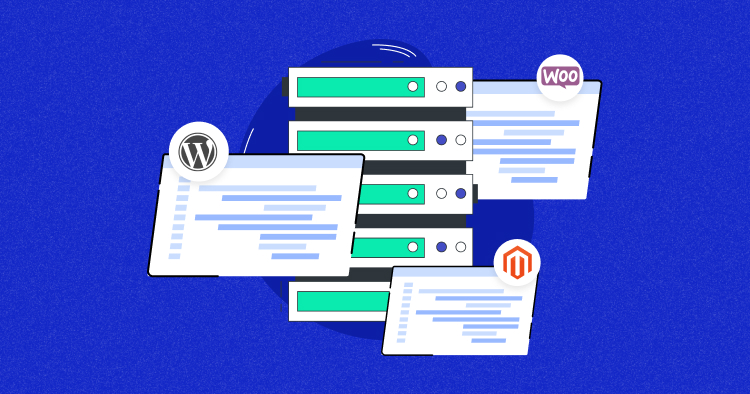
Credit: www.cloudways.com
Content Management Systems
WordPress is a popular tool for hosting multiple sites. It offers a feature called WordPress Multisite. This feature lets users manage different sites from one dashboard. Each site can have its own unique look. Also, plugins can be shared or used on specific sites. This saves time and effort for users. Installing WordPress Multisite is easy. Follow the simple setup guide to get started. It’s important to keep all sites updated. This keeps them secure and running smoothly.
Joomla and Drupal are also great choices for managing many websites. Joomla provides the ability to create and manage multiple sites through extensions. These help in managing different domains from one place. Drupal offers a multi-site setup too. It allows you to share themes and modules across sites. This makes it easier to keep everything organized. Both platforms require some learning. But they offer flexibility and customization options.
Security Best Practices
Hosting multiple websites on a single web application requires secure practices. Protect data by using strong passwords and SSL certificates. Regular software updates and monitoring prevent vulnerabilities, ensuring each website’s safety.
Ssl Certificates
SSL certificates protect data. They keep hackers away. They encrypt information. Websites need SSL certificates. Users trust sites with SSL. Google prefers secure sites. Websites rank better with SSL. SSL is easy to install. Many hosts offer free SSL. Always check your SSL status. Keep SSL updated for safety.
Firewall Configurations
Firewalls stop bad traffic. They protect your server. They block harmful requests. Configuring firewalls is important. Use strong firewall rules. Allow only trusted IPs. Monitor traffic regularly. Update firewall settings often. Many tools help with firewalls. Choose a firewall that suits you. Firewalls are essential for website safety.

Credit: runcloud.io
Performance Optimization
Caching makes websites load faster. It stores data temporarily. This way, the server doesn’t fetch it each time. Speed is important for user experience. Users like quick sites. Caching can reduce server load. It helps handle more visitors. Use caching plugins or built-in features. Keep cache updated for accuracy. Outdated cache can mislead users.
A Content Delivery Network (CDN) helps spread website content. It has servers in many places. These servers store copies of your site. So, users get data from the nearest server. This makes websites load faster. Websites with CDNs handle more visitors. They also have better uptime. Using a CDN is simple. Many hosting providers offer it. It’s a great way to enhance website speed.
Monitoring And Maintenance
Efficiently hosting multiple websites on one web application requires ongoing monitoring and maintenance. Regular checks help ensure optimal performance and security. Addressing issues promptly can prevent downtime and enhance user experience.
Regular Backups
Backing up your websites is very important. Data can be lost due to errors. It can also be lost due to hacking. Make sure to schedule regular backups. Daily backups are best. Weekly backups can work too. Use reliable backup tools for this task. Cloud storage is a good option. You can also use external drives. Always test your backup files. Ensure they work when needed. This keeps your websites safe.
Monitoring Tools
Monitoring tools help keep your websites running. They alert you to problems. Downtime can hurt your site’s performance. Use tools like Pingdom or UptimeRobot. These tools check your site often. They send alerts if something goes wrong. You can also track website speed. Slow sites drive users away. Use monitoring tools to track speed. Fix issues quickly. This keeps visitors happy.
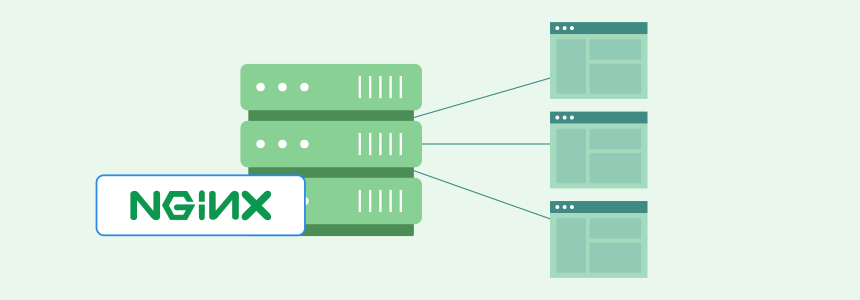
Credit: www.cloudpanel.io
Frequently Asked Questions
Can A Web Server Host Multiple Websites?
Yes, a web server can host multiple websites. This is achieved using virtual hosting. Each website can have its own domain name. This setup optimizes resource usage and reduces costs. It’s a common practice for hosting providers and allows efficient management of multiple sites on one server.
Can I Host Multiple Websites On One Hosting Account?
Yes, you can host multiple websites on one hosting account. Choose a hosting plan that supports multiple domains. Ensure your hosting plan offers enough resources for all websites. Check with your provider for specific limitations or requirements. This setup is cost-effective and convenient for managing several sites.
How To Combine Multiple Websites Into One?
Merge websites by consolidating content, updating URLs, and redirecting old domains. Ensure consistent branding and optimize for SEO. Use 301 redirects for smooth transitions and maintain search rankings. Update internal links and monitor analytics for performance. Keep user experience seamless across the combined site.
How Many Websites Can Be Hosted In One Server?
The number of websites a server can host depends on server resources like CPU, RAM, and storage. Efficient management allows multiple sites on one server. Typically, shared servers host hundreds, while dedicated servers handle more, depending on configuration and traffic demands.
Consider server capabilities for optimal performance.
Conclusion
Hosting multiple websites on one application is practical and efficient. It saves resources and simplifies management tasks. You don’t need complex setups. Basic knowledge can help you achieve this. Learning this skill opens new possibilities. You can expand your online presence easily.
It’s a smart choice for web developers. Keep exploring and experimenting. The benefits are worth the effort. With practice, you can manage multiple sites with ease. Remember, simplicity is key. Stay focused and organized. Your web hosting journey will be smooth and successful.


