
Are you ready to bring your ASP.NET website to life on the internet? Hosting your site can seem daunting, but with the right guidance, it can be a straightforward and rewarding process.
Imagine your website running smoothly and efficiently, accessible to users around the globe. Whether you’re a seasoned developer or just starting out, understanding how to host your ASP. NET site is crucial. This article will provide you with clear, practical steps to get your site online quickly and efficiently.
You’ll learn about choosing the right hosting provider, configuring your server, and deploying your site successfully. By the end, you’ll be equipped with the knowledge and confidence to host your ASP. NET website like a pro. Dive in and discover how easy it can be to share your creation with the world!
Credit: learn.microsoft.com
Preparing The Environment
First, download Visual Studio from the official site. Choose the Community version. It is free for everyone. Run the installer. Choose the ASP.NET workload. Click install and wait. This may take a few minutes. After installation, launch Visual Studio. You are ready for the next step.
Open Visual Studio. Click on “Create a new project”. Select ASP.NET Web Application. Choose a name for your project. Select the framework version. Click “Create”. Wait for the setup to complete. Your project is now ready.
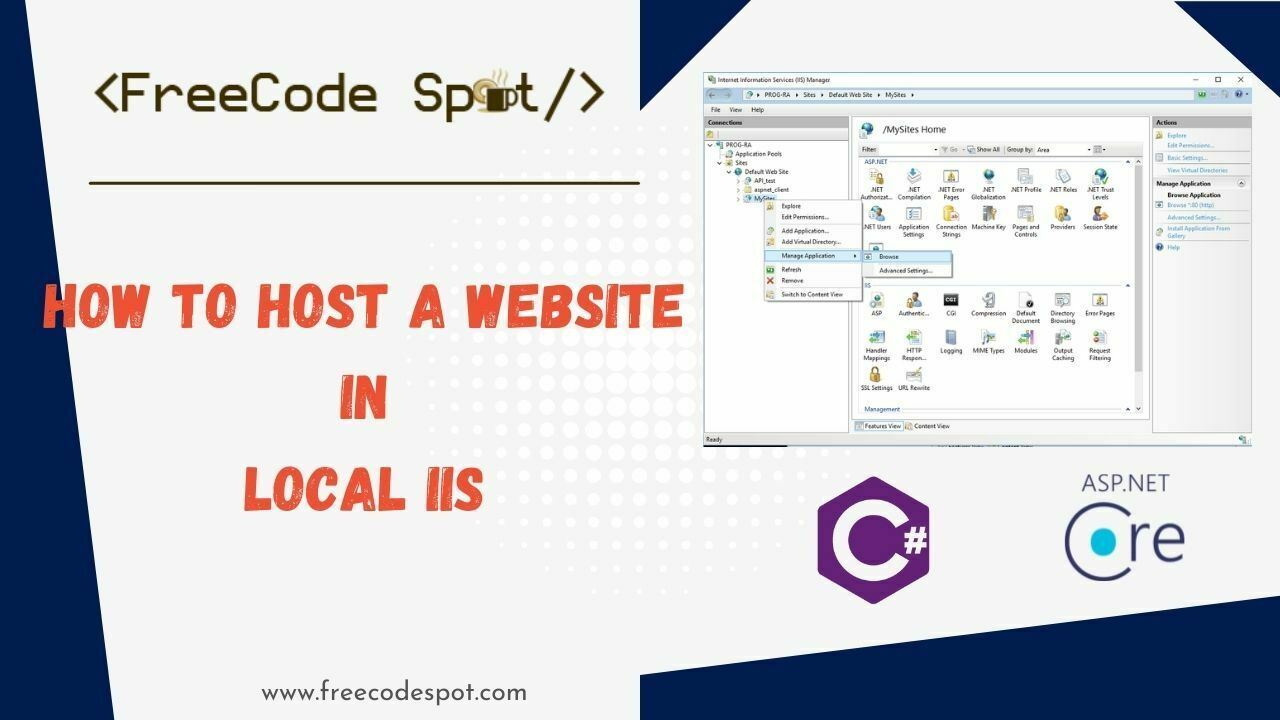
Open the Control Panel. Click on “Programs”. Click “Turn Windows features on or off”. Find Internet Information Services (IIS). Check the box next to it. Click “OK” to install. Open IIS Manager. Right-click “Sites”. Choose “Add Website”. Fill in the site name and path. Select the correct application pool. Click “OK” to finish.
Credit: www.hanselman.com
Building The Website
Start by opening Visual Studio. Click on File and then New Project. Choose ASP.NET Web Application from the list. Select a template that fits your needs. It could be Web Forms or MVC. Name your project and hit Create. Your project is now ready. You can see it in the Solution Explorer.
The user interface is what users see and interact with. Use the Toolbox to drag and drop controls. Add buttons, text boxes, and labels. Arrange them in a neat way. Make sure it looks nice. Users should find it easy to use. Use styles to make it look pretty.
Business logic is the brain of your website. It does all the important work. Write code in the Code-Behind files. These files have a .cs extension. Use C# language to write your logic. Make sure the logic is simple and clear. Test your code to see if it works well.
Deploying The Website
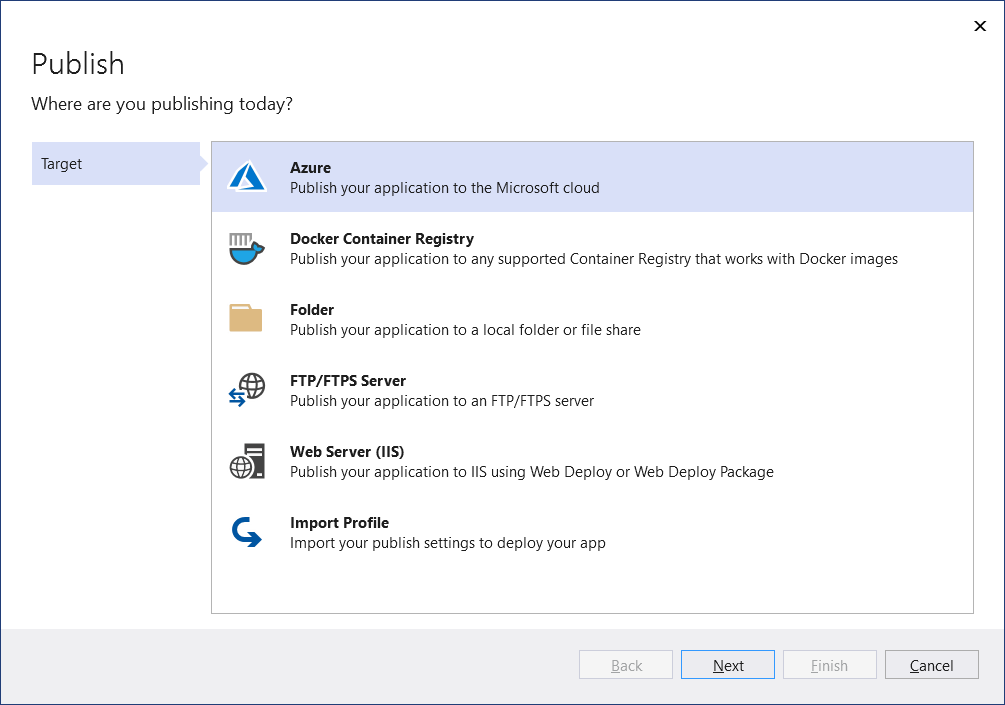
Use Visual Studio for easy publishing of your website. First, open your project in Visual Studio. Click on “Build” in the menu. Choose “Publish [YourProjectName]”. Select the publish method you prefer. You can use FTP, Web Deploy, or Folder. Fill in the required details. Click “Publish”. Your website is now live.
Start by building your project. Open the command prompt. Use the command dotnet publish. This creates a folder with all needed files. Copy these files to your server. Configure your web server settings. Make sure the server can access your files. Your site is now ready.
FTP helps in uploading files to your server. Download an FTP client like FileZilla. Connect to your server using FTP credentials. Drag your files to the server directory. Ensure all files are uploaded. Check if your website is working. Troubleshoot if there are errors.
Credit: www.freecodespot.com
Configuring Server Settings
First, open the IIS Manager on your server. Find your website in the list. Click on it to open the settings. Make sure to set the correct .NET version. This is important for the site to run properly. Next, check the application pool. It should match the .NET version of your website. After that, enable directory browsing if needed. This helps to see file lists.
Connection strings tell your site how to find the database. Open the web.config file. Look for the connectionStrings section. Enter the server name, database name, user ID, and password. Double-check these details. Any mistake will cause connection issues. Save the file after editing. Test the connection to make sure it works.
Error pages help users when something goes wrong. Go to the IIS Manager again. Find the Error Pages section. Add custom error pages for common errors. Errors like 404 and 500 need special pages. This helps users understand what happened. Make the error message simple and clear. Update these pages as needed.
Security Considerations
Server security is crucial for any website. Ensure firewalls are active. Regularly update security patches. Limit access to server files. Use strong passwords for all accounts. Monitor server logs for suspicious activity.
HTTPS protects data between browser and server. Obtain a SSL certificate. Install it on the server. Redirect HTTP traffic to HTTPS. Ensure all links use HTTPS. Check for mixed content issues.
User authentication keeps data safe. Require strong passwords. Implement two-factor authentication. Limit login attempts to prevent brute force attacks. Use encrypted connections for login pages. Regularly review access permissions.
Monitoring And Maintenance
Keep an eye on your website’s speed and uptime. Use tools to check if pages load fast. Slow pages can scare visitors. Look for any errors or downtime. Fix them quickly to keep users happy.
Always make copies of your website’s data. Backups protect from data loss. Sometimes, things go wrong. A backup helps you get your site back. Schedule backups often. Keep them in a safe place.
Keep your website’s software updated. New updates fix problems and add features. Patches close security holes. Without updates, your site may be at risk. Set a schedule to check for updates regularly.
Frequently Asked Questions
Can You Host Asp.net For Free?
Yes, you can host ASP. NET for free using platforms like Azure, InfinityFree, or GitHub Pages. These services offer limited resources but support ASP. NET hosting without cost. Ensure you check their specific terms and limitations for free hosting plans.
Can Asp.net Run Without Iis?
ASP. NET can run without IIS using Kestrel server. It is a lightweight, cross-platform web server. For production environments, pairing Kestrel with a reverse proxy server like Nginx or Apache is recommended. This setup enhances performance and security for ASP.
NET applications.
How Do I Host A Website In Visual Studio?
Open Visual Studio and create a new project. Select the desired web template. Click “Run” or press F5 to host locally. For deployment, use Azure or another hosting service. Configure publish settings and deploy directly from Visual Studio. Ensure all dependencies are included for seamless hosting.
Which Web Server Is Used To Run Asp.net Programs?
The web server used to run ASP. NET programs is Microsoft Internet Information Services (IIS). IIS supports ASP. NET applications, providing a secure environment for hosting. It integrates with Windows Server, offering scalability and reliable performance for web applications.
Conclusion
Hosting an ASP. NET website is simpler than you think. Start by choosing a reliable hosting provider. Ensure they support ASP. NET and SQL databases. Set up your server environment correctly. Deploy your website using FTP or a web deploy tool.
Regularly update and monitor your site for smooth performance. Pay attention to security to protect your data. Keep an eye on traffic and make adjustments as needed. Follow these steps to ensure your site runs efficiently. Your ASP. NET website can thrive with proper hosting and maintenance.
Happy hosting!


