
Imagine having the power to host your .NET Web API on Linux, expanding your development horizons and optimizing your server’s potential. You might think it’s a daunting task reserved for seasoned developers, but it’s more accessible than you imagine.
Whether you’re a tech enthusiast or a developer looking to diversify your skill set, this guide will walk you through the process step by step. By mastering this setup, you’ll gain flexibility, enhance your project’s performance, and maybe even discover new efficiencies that you hadn’t considered before.
Your curiosity and desire to innovate are already your strongest tools; let’s use them to unlock this new capability. Ready to dive in? Your Linux hosting adventure begins here.

Credit: dev.to
Setting Up The Linux Environment
Linux has many choices. Ubuntu, CentOS, and Debian are popular. They are stable and easy to use. Ubuntu is user-friendly. CentOS is strong for servers. Debian is stable and reliable. Choose what fits your needs best.
Start by installing needed packages. Open a terminal to begin. Use commands to install. Type sudo apt-get update to refresh package lists. Install .NET Core SDK next. Type sudo apt-get install dotnet-sdk-3.1. This installs the SDK. It is necessary for running .NET applications. Check if the installation is successful. Type dotnet --version. It shows the installed version. Keep your system updated. Regular updates prevent issues.

Credit: www.youtube.com
Preparing The .net Web Api
First, make sure your API works on Linux. Check the libraries and dependencies. They should support cross-platform use. Update them if needed. This ensures your API runs smoothly on Linux.
Next, modify the configuration files. Use Linux paths and settings. This is important for compatibility. Adjust the settings for the Linux environment.
Start by opening your development environment. Create a new project if you haven’t. Choose ASP.NET Core as the framework. This framework is great for web APIs.
Add the required packages and dependencies. These are essential for your API to function. Check for updates and keep them current. This helps in maintaining a stable project.
Deploying The Web Api
Docker makes deployment easy. It uses containers to hold your app. Each container has everything the app needs. This includes libraries and settings. First, install Docker on your Linux system. Next, create a Dockerfile. This file tells Docker how to build your app. Use the command docker build to make your image. Then, run your image with docker run. Your app is now live.
Install the .NET SDK on your Linux machine. Use the command dotnet publish to prepare your app. This command creates a folder with all necessary files. Copy these files to your Linux server. Use dotnet YourApp.dll to start your app. Keep it running with tools like systemd. This ensures your app stays live, even after a reboot.
Configuring The Web Server
Nginx and Apache are popular web servers. They help serve your API. First, install your chosen server. Use package managers like apt or yum. Next, configure the server to point to your API. This means setting the correct port and directory. Ensure the server listens to your API’s port. Test the setup by accessing the API in a browser.
SSL certificates protect data. They keep your connection safe. Start by obtaining a free SSL certificate from Let’s Encrypt. Use Certbot for easy installation. Certbot automates the process. It configures your server for SSL. Ensure the HTTPS protocol is active. This means your data is encrypted. Always check the SSL status for safety.
Managing The Web Api
Hosting a. NET Web API on Linux is straightforward. Install the. NET SDK, set up your API, and configure Kestrel for server management. Use Nginx for reverse proxy to enhance performance and security.
Monitoring Api Performance
Check the speed and efficiency of your API. Use tools to see how fast your API responds. Slow APIs can upset users. Ensure your server has enough resources. Analyze data regularly to find bottlenecks. Use graphs to track changes over time. Optimize settings to improve speed.
Setting Up Logging And Error Handling
Errors happen when code fails. Logs store error details. Use logs to find problems fast. Set up a system to report errors. Save logs in a safe place. Check logs often to catch issues early. Improve code based on log data. This helps keep your API running smooth.
Troubleshooting Common Issues
Hosting a. NET Web API on Linux can present challenges like dependency issues and server configuration errors. Debugging involves checking compatibility, ensuring proper installation of. NET Core runtime, and configuring web server settings correctly. Monitor logs and use diagnostic tools for efficient problem resolution.
Resolving Dependency Problems
Sometimes, your application might need extra tools. These tools are called dependencies. Make sure they are installed. Use package managers like apt or yum for this. Check the version numbers. They should match what your application needs. If not, update them. This helps avoid many errors. Missing dependencies stop your app from working. Always double-check these before starting.
Addressing Network Connectivity Issues
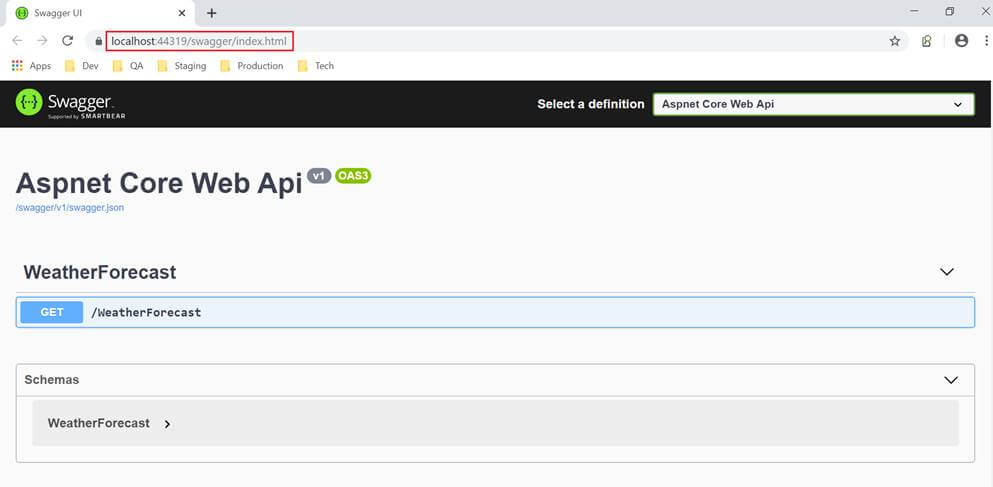
Check your network settings first. Is your server connected to the internet? Test it with a simple command like ping. Ensure your firewall settings allow traffic. Open necessary ports for your API. Sometimes, a blocked port can cause issues. Verify your IP address and hostname. They should be correct and reachable. Fixing network issues ensures smooth API operation.
Credit: www.c-sharpcorner.com
Frequently Asked Questions
How To Host .net Core Web Api In Linux?
Install .NET SDK on Linux. Publish your .NET Core Web API. Use Nginx as a reverse proxy. Run the application using the `dotnet .dll` command. Configure Nginx to direct traffic to your application.
Can .net Be Hosted On Linux?
Yes,. NET can be hosted on Linux. Use. NET Core or. NET 5+ versions for cross-platform compatibility. Install the. NET runtime on Linux and deploy your applications. Hosting options include Docker containers, cloud services, and traditional servers. Enjoy robust performance and flexibility with.
NET on Linux systems.
How To Run .net Web Application On Linux?
Install. NET Core on Linux using the package manager. Build the web app with. NET Core SDK. Deploy using Kestrel web server or Apache/Nginx as a reverse proxy. Ensure compatibility by using cross-platform libraries. Utilize Docker for containerization to simplify deployment and management on Linux environments.
How Do I Host My Web Api?
Host your Web API using cloud services like AWS or Azure. Install necessary software and configure server settings. Deploy your API files, ensuring proper security measures. Monitor and scale your server as needed for optimal performance. Use HTTPS for secure communication and regularly update your API to maintain functionality.
Conclusion
Hosting a Net Web API on Linux is straightforward with the right steps. Linux offers a stable environment for your applications. Follow basic setup instructions to ensure smooth operation. Test your API regularly to catch issues early. Use security best practices to protect your data.
Optimize your server for better performance. Keep your software updated for new features and security. With these tips, your Net Web API will run efficiently. Start exploring Linux for your hosting needs today. Make the most of your API setup on this reliable platform.


