
Are you tired of juggling multiple hosting plans for your websites? Imagine managing 25 domains all in one place without extra hassle or cost.
Hosting multiple domains on a single unlimited hosting account can save you time, money, and headaches. But how do you make it work smoothly and securely? You’ll discover simple, proven steps to host all your domains effortlessly on one unlimited hosting plan.
Keep reading, and you’ll learn how to get the most out of your hosting, so your websites run fast and stay safe—all under one roof.
Choosing The Right Unlimited Hosting Plan
Choosing the right unlimited hosting plan is key to managing 25 domains on one account. The right plan saves money and keeps your websites running smoothly. It must offer enough resources and support for multiple sites. Not all unlimited plans are equal. Careful selection avoids future problems.
Key Features To Look For
Start with disk space and bandwidth. Unlimited means no set limits but check for fair use policies. Look for plans that support multiple domains easily. Email accounts and databases per domain matter too.
Server speed and uptime are critical. Slow servers hurt visitor experience. Uptime guarantees keep your sites online most of the time. Good customer support helps fix issues fast. Check if they offer easy control panels and one-click installs.
Popular Hosting Providers
Many providers offer unlimited hosting but not all fit 25 domains well. Choose providers with proven reliability and positive reviews. Some popular names include Bluehost, HostGator, and SiteGround. They offer plans designed for many domains.
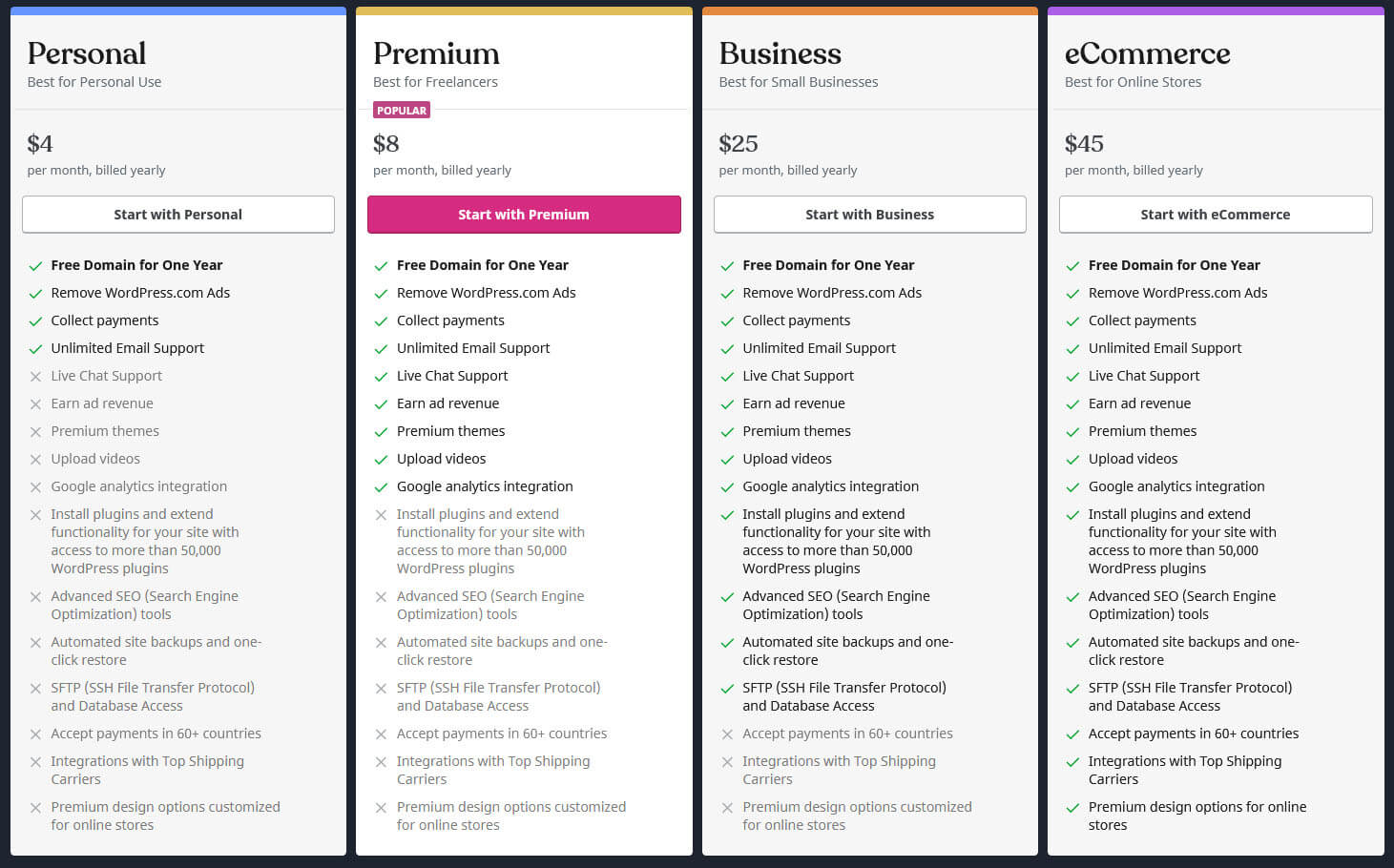
Compare their features, prices, and support options. Some give free domain registration or SSL certificates. These extras add value. Pick a provider that matches your needs and budget. Test their support before buying if possible.
Preparing Your Domains
Preparing your domains is a key step before hosting 25 domains on one unlimited hosting plan. Each domain needs careful setup to work smoothly. Organizing your domains saves time and avoids future problems. Follow simple steps to get started.
Domain Registration Tips
Choose a reliable registrar for your domains. Check the renewal fees and terms. Use clear and easy-to-remember domain names. Avoid using special characters or long strings. Keep your contact information updated. This helps in managing domains efficiently.
Dns Configuration Basics
Set up DNS records correctly for each domain. Point your domains to your hosting server’s IP address. Use A records for the main website address. Create CNAME records for subdomains as needed. Verify that your DNS settings propagate before moving forward. Correct DNS setup ensures your websites load without errors.
Setting Up Your Hosting Account
Setting up your hosting account is the first step to managing 25 domains on one unlimited hosting plan. This process ensures your hosting environment is ready. It allows you to control your websites easily and securely.
Follow clear steps to create your account and access the control panel. This setup helps you add and manage multiple domains efficiently. Let’s break down the process into simple parts.
Account Creation Steps
Choose a reliable hosting provider offering unlimited domains. Visit their website and find the signup page. Enter your personal details like name, email, and phone number. Create a strong password for security. Select the unlimited hosting plan that fits your needs. Provide payment information and complete the purchase. Check your email for the confirmation message. Follow the link to activate your account. Keep your login details safe for future access.
Accessing The Control Panel
After account activation, log in to the hosting provider’s website. Use your username and password to enter the dashboard. The control panel lets you manage all domains in one place. Look for the section named “Domains” or “Add Domains.” This area helps you add new domain names easily. Use the tools to configure settings for each domain. Manage files, emails, and databases from here. The control panel is user-friendly and designed for beginners. Check tutorials or support if you need help navigating it.
Adding Multiple Domains
Adding multiple domains to one unlimited hosting plan lets you save money and manage all sites in one place. This setup works well for small businesses, bloggers, and developers. You can host many websites without buying extra hosting accounts.
To organize your domains, use features in your hosting control panel. These tools help add, manage, and link domains easily. Each domain can have its own website or share content.
Using Addon Domains Feature
The Addon Domains feature lets you add extra domains to your account. Each domain acts like a separate website with its own files and email. You enter the new domain name in the control panel. Then, assign a folder where its files will be stored. This keeps websites separate but managed together.
Addon domains are simple to use and perfect for hosting multiple sites. You can upload different content for each domain easily. This feature helps keep your hosting organized and efficient.
Managing Subdomains And Parked Domains
Subdomains are parts of your main domain. Use them to create sections like blog.yoursite.com or shop.yoursite.com. They share the main domain but can show different content. Subdomains help organize your website without buying new domains.
Parked domains are extra domains that point to your main site. They show the same content as your main domain. Use parked domains if you want different domain names for one website. This is helpful for branding or protecting your domain name.
Both subdomains and parked domains are easy to set up in your hosting panel. They give you more control over how visitors see your websites.
Organizing Website Files
Organizing website files is a key step for hosting multiple domains on one hosting account. Proper file management keeps your sites clean and easy to maintain. It helps avoid mistakes like mixing files from different domains. A clear structure also improves site performance and security.
Each domain needs its own space on the server. This separation keeps files safe and accessible. Good organization saves time when updating or fixing sites. It also helps in backing up your data regularly without confusion.
Directory Structure For Each Domain
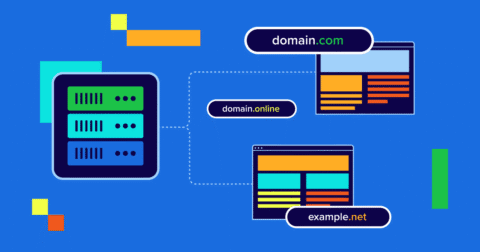
Create a separate folder for every domain inside your hosting root directory. Name each folder clearly after the domain name. For example, use public_html/domain1.com and public_html/domain2.com. This way, each domain has its own dedicated space.
Inside each folder, keep files organized by type. Use subfolders like images, css, and scripts. This structure helps find files quickly and keeps the site tidy. Avoid mixing files from different sites in one folder.
Uploading Website Content
Upload website files to the correct domain folder only. Use FTP clients or your hosting control panel’s file manager. Ensure all files go into the right directory to avoid errors. Check file permissions to keep your site secure.
Keep backup copies of your files before making changes. Upload new files carefully to not overwrite important content. Organize files by date or version if you update often. This practice helps track changes and fix issues fast.
Credit: www.bluehost.com
Configuring Email For Each Domain
Configuring email for each domain on your unlimited hosting plan is essential. It helps keep communication organized and professional. Each domain can have its own email accounts. This setup allows you to manage messages separately for every website.
Setting up email for multiple domains might seem hard. The right steps make it simple and efficient. You can create new email addresses and forward messages easily. This section explains how to do both.
Creating Email Accounts
Start by logging into your hosting control panel. Find the email section, often called “Email Accounts” or “Mail.” Select the domain you want to add an email to.
Choose a name for the email address, like info or support. Create a strong password. Click the button to add the new account. Repeat for each domain and email you need.
Check storage limits for each email account. Most unlimited hosting plans offer plenty of space. This ensures your emails will not get lost due to full mailboxes.
Setting Up Email Forwarding
Email forwarding sends messages from one email to another. It helps manage emails without logging into multiple accounts. Go to the forwarding section in your hosting panel.
Select the domain and the email account you want to forward. Enter the destination email address to receive the forwarded mail. Save your settings to activate forwarding.
Test the forwarding by sending a message to the original email. Confirm it arrives at the destination address. This keeps your communication smooth and centralized.
Optimizing Performance And Security
Hosting 25 domains on one unlimited hosting plan demands strong performance and security. Speedy websites keep visitors happy and reduce bounce rates. Safe sites protect your data and build trust with users. This section guides you on improving both aspects easily and effectively.
Implementing Ssl Certificates
SSL certificates secure data sent between the browser and server. They encrypt information, stopping hackers from stealing it. Most hosting providers offer free SSL for each domain. Activate SSL on all 25 domains to boost security. Visitors see a padlock icon, which builds confidence. Search engines also favor secure websites, improving rankings.
Using Caching And Cdn
Caching saves copies of your web pages. This reduces the time needed to load sites. It lowers server load and speeds up user experience. A Content Delivery Network (CDN) stores your files globally. Visitors access content from servers near them. This cuts down loading times and handles traffic spikes. Use caching and CDN together for best results.
Credit: www.boldgrid.com
Monitoring And Managing Resources
Managing 25 domains on one unlimited hosting account needs careful monitoring. Resources like bandwidth and storage can quickly fill up. Keeping track helps avoid site slowdowns or crashes. It also helps keep your hosting costs in control.
Good resource management ensures all your websites run smoothly. It gives you control over how much space and data each site uses. Monitoring these details prevents surprises and keeps your hosting reliable.
Tracking Bandwidth And Storage
Bandwidth shows how much data your sites send and receive. Each visitor uses bandwidth when loading pages or downloading files. Storage is the amount of disk space your websites use for files and databases.
Check your hosting control panel to see bandwidth and storage reports. Watch for sites that use more resources than expected. This helps you find heavy users or possible issues fast.
Regular tracking stops any one site from using too much bandwidth or storage. It helps keep all 25 domains running well together. Set alerts if your bandwidth or storage nears your hosting limits.
Handling Resource Limits
Unlimited hosting often has fair use policies. This means limits exist to keep servers stable. Understand your hosting provider’s resource rules clearly.
When a site uses too many resources, it may slow down or get suspended. Manage your sites by optimizing images and using caching. Remove old files and unused plugins to save space.
Consider spreading sites across multiple hosting accounts if limits become a problem. Resource management keeps your hosting account healthy and your domains live.
Troubleshooting Common Issues
Hosting 25 domains on one unlimited hosting plan can be efficient and cost-saving. Still, it may bring some common issues. Knowing how to fix these issues helps keep your websites running smoothly. This section covers typical problems and ways to solve them fast. Simple steps can save time and avoid frustration.
Domain Not Loading
Domains may not load due to DNS errors or incorrect settings. Check if your domain points to the right server IP address. Make sure the nameservers are correctly set at the domain registrar. Clear your browser cache to remove old files. Sometimes, DNS changes take time to update globally. Wait a few hours and try again. Also, confirm that your hosting account has the domain added properly. Verify no typos in the domain name or DNS records. Use online tools to check DNS propagation status. Fixing these details often resolves loading issues quickly.
Email Delivery Problems
Emails might not send or arrive because of wrong configurations. Verify your email settings in the hosting control panel. Check that the MX records point to the correct mail server. Ensure your email quota is not full. Review spam filters and blacklists that may block emails. Test sending emails from different devices or accounts. Use tools to check if your IP or domain is blacklisted. Reset your email password if you suspect unauthorized access. Clear stuck emails in the outbox to avoid delays. Following these checks improves email reliability and delivery.

Credit: www.hosted.com
Frequently Asked Questions
How Can I Host 25 Domains On One Unlimited Hosting?
You can host 25 domains by adding them as addon domains in your hosting control panel. Ensure your hosting plan supports unlimited domains. Manage each domain’s files separately within your account to keep sites organized and secure.
Does Unlimited Hosting Support Multiple Domain Hosting?
Yes, unlimited hosting plans typically allow multiple domain hosting. They provide sufficient resources to manage several websites under one account, making it cost-effective and easy to maintain multiple domains.
What Are Addon Domains In Unlimited Hosting?
Addon domains are additional domains you can host on a single hosting account. Each addon domain works like a separate website with its own files and content, but shares the main account’s resources.
Will Hosting Many Domains Affect Website Speed?
Hosting many domains can impact speed if server resources are overloaded. Choose a reliable unlimited hosting provider with good performance and resource allocation to maintain fast loading times.
Conclusion
Hosting 25 domains on one unlimited hosting is simple and cost-effective. You save money by using one account for many websites. Set up each domain carefully to avoid mistakes. Keep your sites organized and updated for best results. This method works well for small businesses and personal projects.
With basic steps, you can manage many domains easily. Start today and enjoy the convenience of all-in-one hosting.


