
Are you looking to streamline your WordPress site without deleting important pages? Imagine having the power to keep certain pages hidden from your visitors while still retaining their valuable content for future use.
Whether it’s a seasonal landing page or a draft that isn’t quite ready for prime time, knowing how to hide pages without trashing them can be a game-changer for your site management strategy. This guide is your go-to resource, designed to help you master this essential skill with ease.
Discover simple, effective techniques that will keep your WordPress site organized and your content under wraps, all while ensuring your SEO efforts remain unharmed. Read on to unlock the secrets to a cleaner, more efficient website.
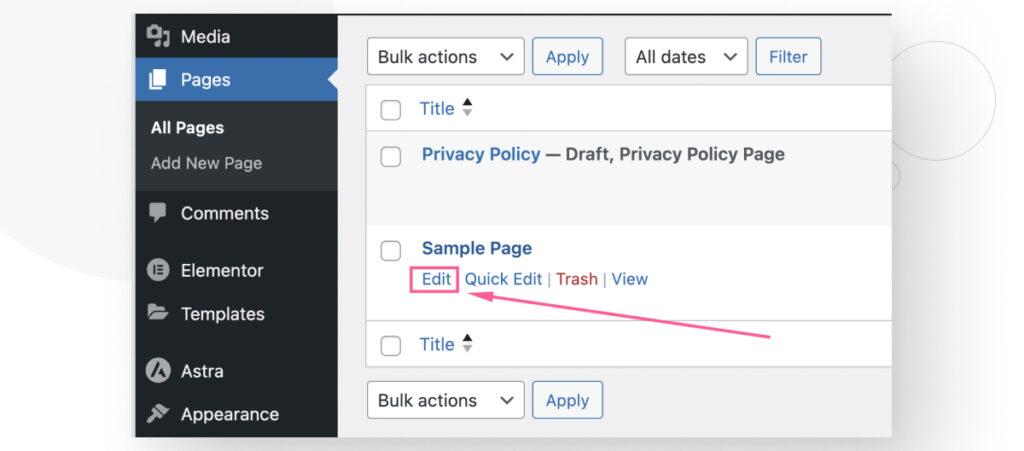
Credit: wcanvas.com
Reasons To Hide Pages
Some pages are not ready for public view. They might need more work. Draft pages can be hidden until ready. Old pages may not be useful anymore. Keeping them can clutter your site. Private pages are for special eyes only. Not everyone should see them. Members-only pages need hiding from non-members. Hiding pages keeps your site tidy and organized. Search engines won’t find hidden pages easily. This protects private content. Hidden pages keep secrets safe and secure. Organized sites look clean and professional. Keeping pages in drafts helps with future use. Hidden pages give you control over who sees them.
Credit: www.seedprod.com
Using WordPress Plugins
Many plugins help hide pages on WordPress. These tools make it easy. You can hide without deleting. Some plugins are very popular for this task.
Popular Plugins For Hiding Pages
- Yoast SEO: Great for hiding pages from search engines.
- WordPress Hide Page: Simple tool to hide pages.
- All-in-One SEO: Offers options to hide content easily.
Step-by-step Plugin Installation
First, open your WordPress dashboard. Next, click on “Plugins” then “Add New.” Type the plugin name in the search box. Hit “Install” next to the plugin. After that, click “Activate.” Now, set the plugin settings to hide your page.
Customizing Visibility Settings
Password protection keeps a page hidden from regular visitors. Only people with the password can see the page. This way, special information stays safe and private. To do this, go to the page settings. Choose ‘Password Protect’ option. Enter a strong password that is hard to guess. Share the password only with trusted people. This method is easy and secure.
Private pages are visible only to site admins or editors. Regular visitors cannot see them. This setting is useful for drafts or work-in-progress pages. Go to the page settings. Choose ‘Private’ visibility. Save your changes. This makes the page hidden from public view. Only logged-in members with permission can access it. This ensures safety for sensitive content.
Editing Robots.txt
Robots.txt is a file. It tells search engines what to see and what to skip. This file sits in the root folder of your site. It’s simple to edit. You can use any text editor. Changes are quick and easy. No coding skills needed. Just follow the rules.
You can block pages. Keep them away from search engines. Start with “User-agent: “. This means all search engines. Then use “Disallow: /page-name”. This stops the engine from seeing the page. Repeat for each page you want to hide. Be careful with your choices. Wrong moves can hide important pages.
Utilizing Redirects
A 301 redirect moves visitors from one page to another. It helps keep your website tidy. Users won’t see the page you want to hide. They will go to the new page instead. This keeps your content organized without deleting anything. It’s a simple way to manage your site.
Several plugins help with redirects. Popular choices include Redirection and Yoast SEO. They make setting up redirects easy. Just install the plugin. Then follow simple steps to create redirects. These plugins are user-friendly. No need for coding skills. Your site will stay neat and professional.
Modifying Theme Code
Sometimes, you need to hide pages in WordPress. You might not want to delete them. You can do this by editing the theme’s template files. Open your theme files in a text editor. Look for page templates like page.php or single.php. You need to find the loop section. This is where content is displayed.
Use conditional tags to control page visibility. Insert these tags into your theme’s code. For example, is_page() checks if you are on a specific page. Combine it with !is_page('page-slug') to hide a page. This way, you can hide pages without deleting them. Always make a backup before changing files. This keeps your site safe.
Testing Page Visibility
Incognito mode helps check if a page is hidden. Open a browser in incognito. Visit the page you want to test. See if it shows up. If it doesn’t, the page is hidden. This method is simple. It helps keep your pages private.
SEO audit tools are useful. They check page visibility. They tell you if search engines see your page. Some tools are free. Others need payment. Choose one that suits you. Use it to scan your site. These tools give you insights. They make managing your pages easier.
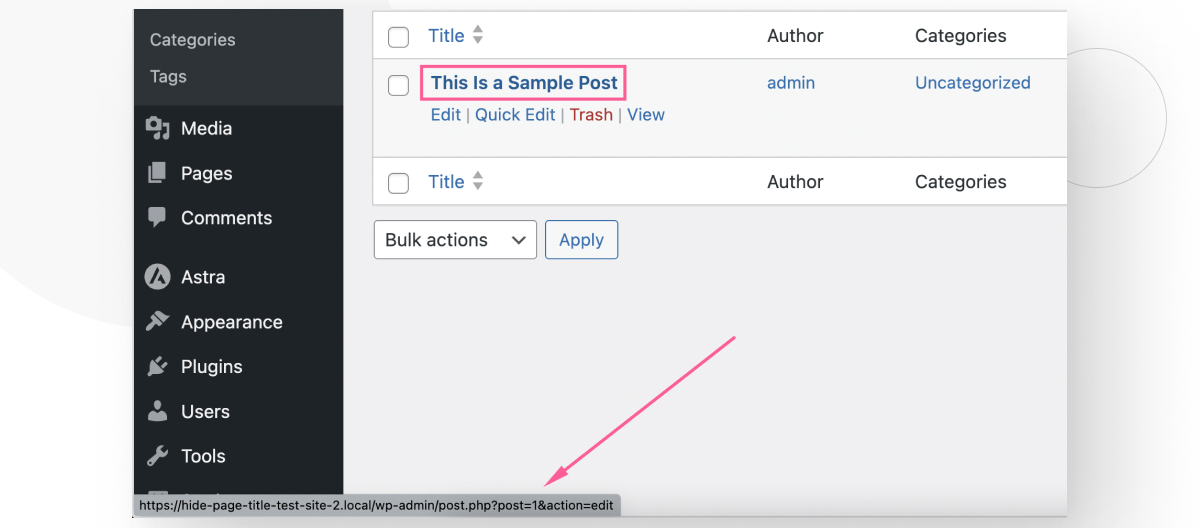
Credit: wcanvas.com
Common Mistakes To Avoid
Hiding pages can affect SEO rankings. Search engines might still find them. It’s important to use the right methods. Redirects can help keep the ranking safe. Use noindex tags if needed. This can prevent pages from appearing in search results. Always check how changes affect SEO performance.
Users might get confused if pages disappear. Always think about their journey. Missing pages can lead to frustration. Use clear navigation paths. This helps users find what they need. Ensure hidden pages don’t break links. This improves the user experience greatly. Keep things simple for everyone.
Frequently Asked Questions
How Can I Hide A Page In WordPress?
To hide a page in WordPress, you can use the “Visibility” option in the editor. Set it to “Private” or “Password Protected”. Alternatively, you can use plugins like “Yoast SEO” or “WP Hide Post” to manage page visibility without deleting them.
What Plugin Hides Pages In WordPress?
The “WP Hide Post” plugin effectively hides pages in WordPress. It allows you to control the visibility of posts and pages on your site. You can hide them from the homepage, category pages, or search results without deleting them.
Can I Hide A Page From Search Engines?
Yes, you can hide a page from search engines using the “Yoast SEO” plugin. Simply set the page to “noindex” in the plugin’s settings. This prevents search engines from indexing the page, keeping it hidden from search results while still available to users with the link.
How To Hide A Page From The Menu?
To hide a page from the menu, navigate to “Appearance” > “Menus” in your WordPress dashboard. Find the page you want to hide and remove it from the menu structure. Save your changes, and the page will no longer appear in the menu.
Conclusion
Hiding pages in WordPress is simple and keeps your site tidy. Use plugins or adjust visibility settings. This approach helps you manage content without deleting. Visitors won’t see hidden pages, but you can access them anytime. This method maintains your site’s organization.
Plus, it ensures important content remains available when needed. Experiment with these techniques to find what suits you. Remember, managing pages effectively enhances user experience. Keep practicing and soon it will become second nature. Your website will run smoothly, and you’ll have full control over content visibility.
Happy blogging!


