
Unlocking the secrets of your WordPress theme can feel like discovering a hidden treasure chest. It’s fascinating and empowering, especially when you realize just how much you can customize your website.
You might be wondering how to tweak the design, add unique features, or optimize your site for better performance. The good news? It’s easier than you think! By learning how to hack your WordPress theme, you can transform your site into something truly remarkable.
Imagine having complete control over your site’s appearance and functionality, making it not just a website, but an extension of your vision. Stick around, because we’re about to dive into the simple strategies that will elevate your WordPress game. Your website’s transformation starts here!
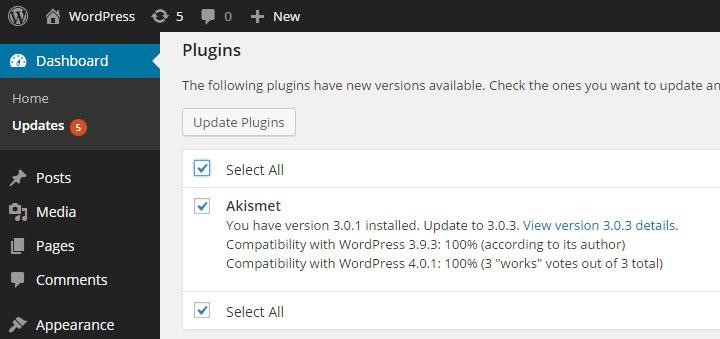
Credit: www.acunetix.com
Choosing The Right Theme
Choosing a theme is like picking clothes. It must fit well. Start by listing your needs. Is it for a blog? An online shop? Functionality matters. Think about colors and fonts. Do they match your style? Make sure it supports necessary plugins. Check if it loads fast. Speed is crucial. A slow site loses visitors. Consider the layout. It should be simple and clean. Avoid clutter.
Popular themes are often chosen for their features. Compare them for design options. Look at reviews. They tell you about user experiences. Test the themes. Some offer free trials. This helps you see how they work. Check for updates. Regular updates mean better security. Look at customer support. Good support helps solve problems fast. Consider the price. Some themes are free while others cost money. Choose the best fit for your site.
Setting Up A Development Environment
Installing a local server is the first step. Use tools like XAMPP or MAMP. They are free and easy to use. Download them from their websites. Follow the steps to install. Once installed, start the server. This helps run WordPress on your computer. It’s like a test space. Not live for the world to see.
Some tools make theme hacking easy. Get a good code editor. Examples are Visual Studio Code or Sublime Text. They help with editing files. Install plugins like Developer and Theme Check. These help check your work. They show errors and warnings. Keeping your theme clean is important. Use these tools to make your work better.
Understanding Theme Structure
WordPress themes have many core files. Each file has a job. The style.css file styles the site. The functions.php file adds features. The index.php file is the main template. All these files work together. They create the look of your site.
Themes have directories too. One is the assets directory. It holds images and fonts. Another is the templates directory. It contains layout files. These directories keep everything organized. They make the theme work smoothly.
WordPress uses a template hierarchy. This decides which file to load. It starts with the most specific file. If not found, it uses a general one. For example, single.php is for single posts. If it’s missing, WordPress uses index.php. This hierarchy helps WordPress show the right content.
Credit: www.malcare.com
Customizing Theme Design
Change your WordPress theme by editing its CSS styles. CSS controls the look of your site. Use the WordPress editor to find the CSS file. It is usually named style.css. You can adjust colors, fonts, and sizes here. Make sure to save your changes after editing. Always check how your site looks after each change. Small tweaks can make a big difference.
A child theme lets you make changes safely. It keeps the original theme intact. Use child themes to edit your site without losing updates. Create a new folder for your child theme. Add a style.css file and a functions.php file. Link your child theme to the parent theme. This way, you can update the parent theme without losing your custom design. It’s a smart way to keep your site fresh.
Enhancing Functionality
Boost your WordPress site’s capabilities by tweaking your theme. Explore options to add custom features. Modify layout and design easily through theme settings and code adjustments. Customize your website to fit your unique needs, enhancing user experience and functionality effortlessly.
Adding Custom Widgets
Custom widgets can make your site special. They let users do more. Widgets are small tools on your website. To add them, find your theme’s functions file. Use the register_sidebar() function. Then, build your widget using WP_Widget class. It’s simple once you try. This makes your site fun and unique.
Integrating New Features
Adding new features is exciting. It gives your site new abilities. You can add sliders, forms, or galleries. Use plugins to help. They are like apps for your website. Choose the right plugin for your needs. Always check if it’s updated. This keeps your site safe and fast. Make your website better step by step.
Optimizing For Performance
Websites should load fast. Reduce image sizes to make pages load quicker. Use tools like TinyPNG. They help shrink images without losing quality. Limit the number of plugins used. Too many plugins can slow down a site. Only keep the ones you need.
Enable caching for your website. Caching saves some data on the user’s browser. This makes the site load faster the next time. Choose a reliable hosting provider. Good hosting services improve speed. They have better resources and technology.
Following these steps helps your site run smoother. A fast website keeps visitors happy. They stay longer and explore more.
Use simple URLs. Short and clear URLs are better for SEO. They are easy to read and remember. Add alt text to images. Alt text helps search engines understand images. It also helps users with screen readers.
Include internal links. Linking to other pages on your site is good. It helps users find more content. Write quality content. Content should be useful and easy to read. This keeps visitors on your site longer.
Testing And Debugging
Themes can have many common issues. Broken links often cause frustration. Missing images can spoil a page’s look. Slow loading times can annoy users. These issues harm user experience. Checking for these problems is important. Keep a list of usual problems. It helps in solving faster. Regular testing keeps a theme smooth.
Debugging tools help find errors in themes. They show where problems are. Tools like Firebug and Chrome DevTools are popular. These tools are easy to use. They help in spotting issues quickly. You can see broken code. Fixing becomes simpler with these tools. A good tool saves time.
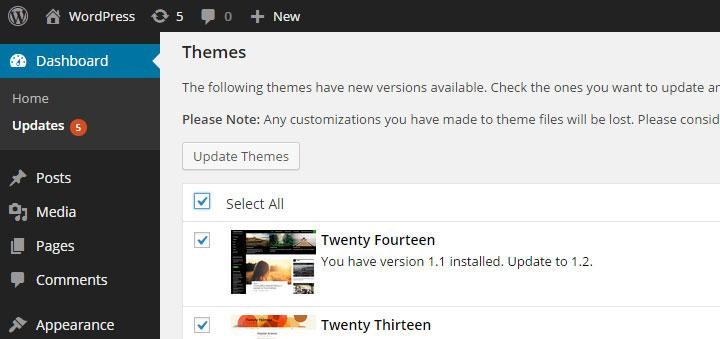
Credit: www.acunetix.com
Deploying Your Custom Theme
Preparing for Launch is exciting. First, check your theme works well. Test on all devices. Make sure the design is nice. Look for errors. Fix them fast. Create a backup. Save your old theme. You might need it later. Be ready to update plugins. Keep them fresh. This helps your theme run smooth. Double-check everything. Your site needs to be perfect.
Monitoring Post-Launch is very important. Watch your site closely. Check for any issues. Solve them quickly. Look at visitor comments. They tell you what works. And what doesn’t. Use tools to track site performance. They help you see problems. And fix them fast. Regular updates keep your site safe. And running well. Always be alert. Your theme needs attention.
Frequently Asked Questions
What Is WordPress Theme Hacking?
WordPress theme hacking involves modifying theme files to customize appearance or functionality. It’s done using code like PHP, HTML, and CSS. This allows users to tailor their site to specific needs. However, it’s essential to understand coding basics to avoid potential issues or conflicts with updates.
Can I Hack A Theme Without Coding Knowledge?
Yes, you can use WordPress plugins to customize themes without coding. These tools offer user-friendly interfaces to modify design elements. However, for more advanced customization, basic coding knowledge might be needed. Plugins can sometimes limit customization options compared to direct code editing.
Is It Safe To Hack WordPress Themes?
Hacking WordPress themes can be safe if done carefully. Always back up your site before making changes. Use child themes to prevent issues during updates. Unauthorized changes can cause functionality problems or security vulnerabilities. Ensure you understand the implications of each modification to maintain site integrity.
How Does Theme Hacking Affect Seo?
Theme hacking can positively or negatively impact SEO. Proper customization can improve site speed and user experience, boosting SEO. However, poor coding practices might harm SEO by affecting loading times or mobile responsiveness. Ensure your changes enhance rather than hinder your site’s SEO performance.
Conclusion
Exploring WordPress themes can be exciting and rewarding. You can customize your website to match your vision. Always back up your site before making changes. Safety first. Experiment with different styles and features. Find what works best. Stay updated on new theme trends.
Learning this skill enhances your online presence. Practice makes perfect. Make sure your website remains user-friendly and visually appealing. Your efforts will pay off with a stunning site. Enjoy the creative process and watch your site transform. Happy designing!


