
Are you ready to launch your very own website but not sure where to start with web hosting? You’re not alone.
Navigating the world of web hosting can seem daunting at first, but it doesn’t have to be. Imagine having your website up and running smoothly, reaching audiences worldwide, and showcasing your brand or project with ease. Sounds exciting, right? In this guide, we’ll demystify the process of getting web hosting, breaking it down into simple steps that you can follow easily.
Whether you’re a small business owner, a blogger, or an aspiring online entrepreneur, understanding how to choose the right web hosting can transform your online presence. Stick around to discover how you can make informed decisions and set your site up for success. Let’s dive in and get you one step closer to your online goals!
Types Of Web Hosting
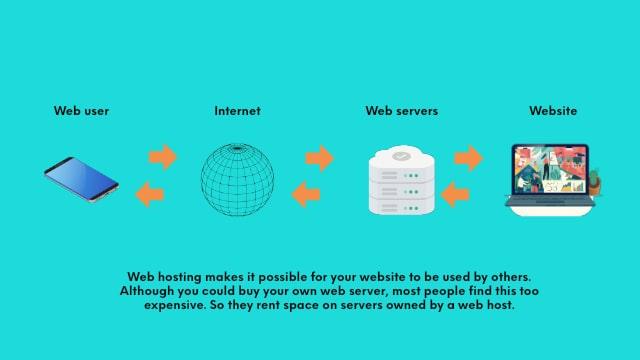
Shared hosting is like sharing a big house with others. Many websites live on one server. This makes it cheap. But, if one website gets busy, others slow down. It’s great for small sites and beginners. The cost is low. You don’t need much tech knowledge.
VPS hosting is a step up. Think of it as living in an apartment. You get your own space. But you still share the building. It offers more control and resources. It’s good for growing websites. There is a bit more cost than shared hosting. But you get better performance.
Dedicated hosting is like owning a house. You get a whole server to yourself. It’s for big websites with lots of traffic. Offers the best speed and control. But it costs more. You need some tech skills to manage it. It’s great for large businesses.
Cloud hosting is flexible. It uses many servers. So your website stays up, even if one server fails. It’s like having a backup plan. Costs can vary. You pay for what you use. It’s good for websites with unpredictable traffic. Offers scalability and reliability.
Credit: www.godaddy.com
Choosing A Hosting Provider
Always check the reputation of the hosting provider. Read reviews from other users. They share their experiences. Positive reviews mean good service. Negative reviews can be a warning. Check multiple sources. It helps in making the right choice.
Good customer support is crucial. Problems can happen anytime. Ensure the provider offers 24/7 support. Live chat is helpful. It provides quick answers. Email and phone support are also important. Check their response time. Fast support saves time and stress.
Compare the pricing and plans carefully. Some providers offer low prices. But they may have hidden fees. Look for value, not just the cheapest. Understand what each plan includes. Storage and bandwidth are key features. Choose a plan that fits your needs.
Essential Features To Consider
Bandwidth decides how much data your site can handle. More visitors need more bandwidth. Storage is where your website lives. Bigger sites need more space. Think of it like a bookcase. Big books need big shelves. Small sites need less storage.
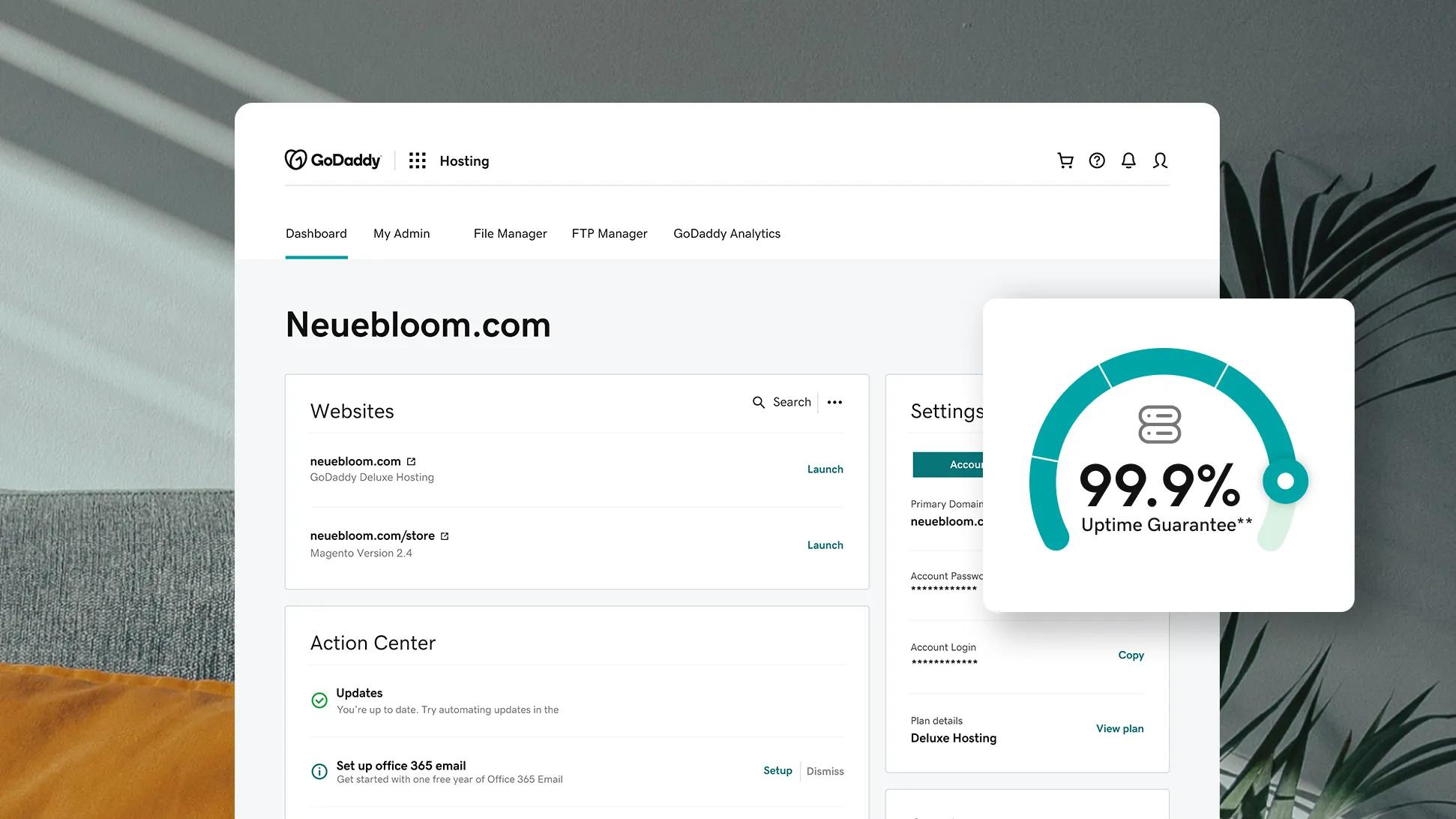
Uptime shows how often your site stays online. 99% uptime means your site is almost always up. Guarantee gives you peace of mind. You want your site to be up all the time. Downtime can make you lose visitors. Choose hosts with strong uptime records.
Security keeps your site safe from hackers. Look for SSL certificates. They keep data safe. Firewalls are like guards for your site. They block bad traffic. Backups help you recover your site if things go wrong. Choose hosts with strong security features.
Credit: www.godaddy.com
Domain Name Registration
Choosing a good domain name is very important. It should be short and easy to remember. Use words that are related to your website. Avoid numbers and special characters. They make it hard to remember. A good domain helps people find your site.
After selecting a name, you must register it. Use a domain registrar. Many companies offer this service. Make sure the name is available. If someone else owns it, choose another name. Once you register, it is yours. You need to pay a fee every year. This keeps the domain active.
Setting Up Your Hosting Account
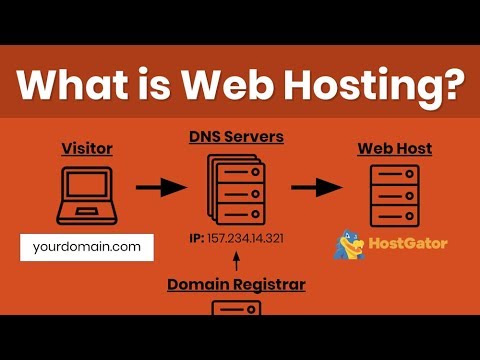
Control panels help you manage your hosting account. They show many options. You can find settings for emails and files. Control panels often look like a dashboard. Icons make it easy to find tools. Click on icons to open new screens. You may see options for security and backups.
Software installation is a simple process. Hosting panels have install tools. These tools help you add programs. Click the install button to start. Follow the steps on screen. You might need to choose settings. Some software needs a database. Create one if asked. Installations finish with a confirmation message.
Credit: www.youtube.com
Migrating An Existing Website
Start by making a complete backup of your website files. This ensures you have a copy if something goes wrong. Next, check your website’s current hosting details. You will need this information during the move. Write down your FTP, database, and other important information. Also, make sure you have the new host’s details ready. This will help when you are ready to start the transfer. Double-check your domain settings too. You may need to update them later.
Begin by uploading your website files to the new host. Use an FTP client for this task. Then, set up your databases on the new server. Import your old data carefully. Update your domain settings to point to the new host. This might take some time to update. Finally, test your website. Ensure everything works as expected. Fix any errors you find quickly.
Managing Your Website
Finding the right web hosting is crucial for managing your website effectively. Compare providers based on speed, security, and support. Choose a plan that suits your site’s needs and budget.
Regular Backups
Backing up your website is very important. It helps keep your data safe. Regular backups ensure that you don’t lose your work. Many web hosts offer automatic backup services. You can also use plugins for this task. Always store backups in a different place. This way, your data stays safe even if your main server fails.
Monitoring Performance
Keep an eye on how your site works. Website performance affects user experience. Slow sites can lose visitors fast. Use tools to check speed and uptime. Some tools are free and easy to use. Good performance means happy users. Happy users return more often.
Frequently Asked Questions
How Much Does Web Hosting Cost?
Web hosting costs range from $3 to $300 per month. Prices vary by type and provider. Shared hosting is affordable, while dedicated hosting is more expensive. Features, support, and bandwidth also influence cost. Compare plans and providers to find the best fit for your needs and budget.
Can I Host My Website For Free?
Yes, you can host your website for free. Many platforms offer free hosting services. These include WordPress. com, GitHub Pages, and Wix. Free hosting usually comes with limitations like storage space and bandwidth. It can be a good start for small projects or personal sites.
Is Google Web Hosting Free?
Google offers free web hosting through Firebase and Google Sites. Firebase provides hosting for web apps, while Google Sites is for simple websites. Both have limitations but are great for beginners. For more features, consider paid options like Google Cloud Platform.
Is Godaddy A Website Host?
Yes, GoDaddy is a website host. It provides web hosting services, domain registration, and website building tools. Their hosting options include shared, VPS, and dedicated servers. GoDaddy is known for its user-friendly platform and strong customer support, making it a popular choice for businesses and individuals.
Conclusion
Choosing the right web hosting is crucial for your website. Start with your needs. Consider storage and bandwidth. Compare prices and features. Read reviews to learn from others. Check customer support and reliability. Make sure your hosting allows growth. Analyze security options to protect your site.
Decide based on your budget and goals. A good host helps your site run smoothly. It keeps your content accessible to visitors. Remember, your choice impacts your online presence. Take time to research and decide wisely. Your website deserves a strong foundation.


