
Are you ready to launch your website and bring your ideas to life online? The first step in this exciting process is securing reliable web hosting, and GoDaddy is a popular choice for many.
Known for its user-friendly interface and robust features, GoDaddy makes setting up your web hosting a breeze, even if you’re not a tech expert. But where do you start, and how can you ensure you’re making the right choices to support your website’s success?
In this guide, you’ll discover everything you need to know about getting web hosting on GoDaddy. We’ll walk you through each step, helping you avoid common pitfalls and make informed decisions. By the end of this article, you’ll not only know how to set up your hosting but also feel confident that your website has a strong foundation for growth. Keep reading to unlock the secrets of seamless web hosting with GoDaddy and take the first step towards your online success.
Choosing The Right Web Hosting Plan
Go Daddy offers various hosting plans. These include Shared Hosting, VPS Hosting, and Dedicated Hosting. Shared hosting is like sharing a house. Many websites live on one server. VPS is like owning a condo. You have your own space but share the building. Dedicated hosting is having your own house. No sharing with others.
Each plan suits different needs. Shared hosting is great for beginners. It’s cheap and easy. VPS hosting is better for growing sites. It offers more power. Dedicated hosting is best for large sites. It gives full control.
Before picking a plan, think about your site. How many visitors do you expect? Do you need special software? Shared hosting handles low traffic well. VPS can manage moderate traffic. Dedicated is for heavy traffic. Also, check your budget. Shared hosting is budget-friendly. VPS and dedicated are pricier but offer more features.

Credit: www.godaddy.com
Creating A Go Daddy Account
Visit the Go Daddy website and find the sign-up button. Click on it to start. Fill in your email, username, and password. Make sure to choose a strong password. You will need it to protect your account. Check the box to agree to the terms and conditions. Then click on the “Create Account” button.
After this step, you will get a confirmation email. Open your email and find the message from Go Daddy. Click on the link inside to confirm. This will complete your sign-up process.
Account verification is very important. After confirming your email, Go Daddy may ask for more details. You might need to provide a phone number. This helps to keep your account safe. Enter the code sent to your phone. This verifies your identity.
Keep your information updated. This ensures smooth access to your account. Verification protects your personal data. Always be cautious and follow the steps carefully.
Navigating The Go Daddy Dashboard
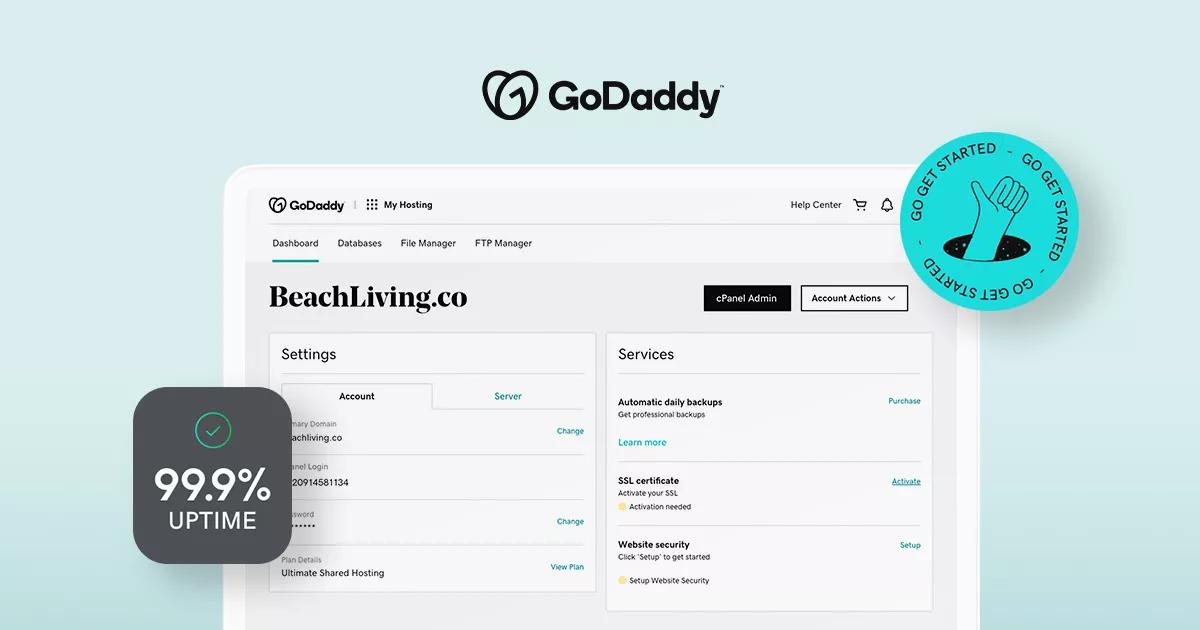
The Go Daddy dashboard is simple. It offers many useful features. Users can easily manage their domain names. There’s a web hosting section for hosting plans. Email settings are also available for business needs. Users can find security tools to keep websites safe. The dashboard is user-friendly. It helps users navigate quickly. Billing information and support options are easy to access. Customization options are available for personal preferences. Each feature is designed for easy use.
Hosting services are easy to find. Look for the “My Products” section. Click on “Web Hosting” to see options. Choose the right plan for your needs. Plans vary in features. Some offer more storage. Others provide more bandwidth. Check each plan carefully. Make sure it fits your requirements. You can manage hosting from this section. Settings and upgrades are simple. Support is just a click away if needed.
Selecting Your Domain Name
First, check if your desired domain is available. Use Go Daddy’s search tool. It’s easy and quick. Type your name idea. Click search. If it’s free, you’re lucky! If not, try another name. Keep it short and simple. People remember short names better.
Choose a name that’s easy to spell. Avoid tricky words. Use familiar words. This helps people find you online. Pick a name that matches your content. It should be relevant to your site. Think about your audience. What words do they know? Use those words in your domain. Make sure it’s unique. A unique name stands out. Avoid numbers or hyphens. They can confuse people.
Purchasing Your Hosting Package
Go Daddy offers different pricing plans. Each plan has its own features. Basic plans are cheaper. They are good for small websites. Premium plans cost more. They offer extra features and more space. Think about your website needs. Choose a plan that fits your budget.
Some plans offer free domain names. Others include email accounts. Check for SSL certificates. They keep your site safe. Backup services are important too. They protect your data. Always read the details before buying. This helps avoid surprises later.
Setting Up Your Website
GoDaddy offers many tools to help you. The control panel is your friend. It helps in installing applications. You can find popular apps like WordPress. Just click and install. It’s that simple. These apps make website building easy. They offer templates and plugins. This saves time and effort.
After installation, settings need to be configured. Set your site name and language. Choose a theme you like. Themes change how your site looks. Don’t forget to set up security features. Security keeps your site safe. Look for options to update your site often. Updates fix bugs and improve features.
Managing Your Hosting Account
Keep an eye on your hosting renewal dates. This helps avoid any service interruptions. Payments can be done monthly or yearly. Choose what fits your budget. Go Daddy provides different payment methods for convenience. Always check for special offers before renewing. This can save money. Keep your billing information up-to-date. It ensures smooth transactions. Review your bills regularly. This helps catch any errors early. For questions, Go Daddy’s billing support is available.
Go Daddy has a helpful support team. They assist with hosting issues. Support is available by phone, chat, or email. Choose what’s easiest for you. Their help center has guides and articles. These are useful for solving common problems. Don’t hesitate to ask for help. The team is friendly and ready to assist. Having trouble with your hosting? Contact them anytime. They aim to resolve issues quickly. Quick assistance saves time and stress.

Credit: me.pcmag.com
Tips For Optimizing Your Hosting
Faster sites keep visitors happy. Use a lightweight theme for your website. Reduce the size of images before uploading. Turn on browser caching to save files for visitors. Minimize the number of plugins you use. Each plugin can slow down your site. Choose a Content Delivery Network (CDN) for quicker delivery.
Security is important for trust. Use a strong password for your hosting account. Keep your software updated. Outdated software can have holes. Install a security plugin to protect your site. Backup your data regularly. Backups can save you in trouble times. Consider using SSL certificates for data safety. SSL keeps data private.
Credit: www.godaddy.com
Frequently Asked Questions
Does Godaddy Give You Hosting?
Yes, GoDaddy provides web hosting services. You can choose from various hosting plans, including shared, VPS, and dedicated hosting. These plans cater to different needs, ensuring flexibility and scalability for your website. You can also access features like domain registration, SSL certificates, and 24/7 customer support.
Is Godaddy Good For Web Hosting?
GoDaddy offers reliable web hosting with competitive pricing. It provides user-friendly features and 24/7 customer support. Many users appreciate its uptime and variety of hosting options. It’s suitable for both beginners and experienced users, making it a popular choice for web hosting services.
Why Is Godaddy Web Hosting So Expensive?
GoDaddy’s pricing reflects its extensive features, reliable service, and strong brand reputation. Premium support and security options add value. High-quality infrastructure ensures excellent site performance, contributing to costs. Competitive pricing strategies also factor in, with options for scalability and specialized services.
Does Godaddy Hosting Come With Domain?
GoDaddy hosting does not automatically include a domain. You must purchase a domain separately. Some hosting plans offer free domain registration for the first year. Always check the plan details before purchasing.
Conclusion
Choosing Go Daddy for web hosting is a smart decision. It’s simple to start, and their plans are affordable. The user-friendly interface makes managing your site easy. With reliable uptime, your website stays online. Their customer support helps you solve issues quickly.
You also get useful tools for building your site. Security features protect your data. Go Daddy offers flexibility for growing your online presence. Consider your needs and budget before selecting a plan. Begin your web hosting journey with confidence on Go Daddy.
Create, manage, and grow your site effortlessly. Ready to get started?


