
Choosing a web hosting account is like picking the perfect home for your website. It’s where your site will live, grow, and interact with your visitors.
But with so many options out there, how do you find the right fit for you? Imagine having a reliable, fast, and secure space that supports your online goals seamlessly. Doesn’t that sound ideal? In this guide, we’ll explore the steps to get your own web hosting account.
Whether you’re starting a personal blog or launching a business site, understanding these steps will save you time and frustration. Ready to dive in and discover how to set your website up for success? Let’s get started!
Choosing The Right Hosting Provider
Different hosting types fit different needs. Shared hosting is a popular choice. It’s cheap and easy to use. VPS hosting offers more control. It’s good for growing sites. Dedicated hosting is the most powerful. It’s best for big businesses. Choose what suits your needs.
Compare features before choosing a plan. Check storage and bandwidth. Make sure the plan fits your needs. Pricing is important too. Look for discounts or offers. Some providers have free trials. This helps you test before buying. Always choose value over cost.
Read reviews to know more. Past users share their experiences. Check for positive and negative feedback. Testimonials can be found on provider sites. They show customer satisfaction. But read with care. Some may not be genuine. Trust reviews on trusted platforms.
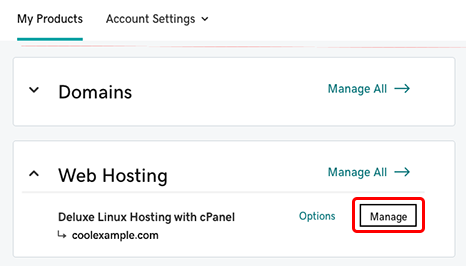
Credit: www.godaddy.com
Registering Your Domain Name
Choose a name that is easy to remember. It should reflect your website’s purpose. A short name is best. Avoid numbers and hyphens. Make sure it is unique. Unique names stand out more. Consider using keywords. Keywords help people find your site.
Use a domain search tool. It tells if your name is available. These tools are easy to find online. Check different extensions. Extensions are the last part of a web address. Popular extensions include .com, .net, and .org. Always have a backup name ready. Popular names get taken quickly.
Choose a trusted registrar. Registrars help you buy your domain. Fill out the registration form. Forms ask for your contact details. Pay the registration fee. Fees vary by registrar. Confirm your purchase. You will get a confirmation email. Keep this email safe. It proves you own the domain.
Setting Up Your Hosting Account
Begin by visiting the hosting provider’s website. Look for the sign-up or register button. Click it to start the process. Enter your email, username, and create a password. Make sure the password is strong. You might need to verify your email. Check your inbox for a verification link. Click it to complete the setup.
After account creation, visit the settings page. Here, you can change your language or time zone. You can also update your contact information. Ensure all details are correct. This helps in receiving important updates. Save your settings once done. Always review them for accuracy.
The control panel is your main tool. It helps manage your hosting account. You can add or remove domains here. Look for options like file management or database setup. Familiarize yourself with these tools. They are essential for website management. Practice using them to gain confidence.

Credit: www.pcmag.com
Uploading Your Website Files
FTP clients help you transfer files to your hosting account. FileZilla is popular and easy to use. First, you need to download and install it. Enter your host, username, and password in the client. These details are in your hosting account. Connect to your server using FTP client. You will see two panels. Left panel shows your computer files. Right panel shows server files. Drag files from left to right to upload. Make sure all website files are transferred.
Most hosting accounts have a file manager. It is found in the control panel. Log in to your hosting control panel. Open the file manager tool. Look for folders like ‘public_html’ or ‘www’. These are your website folders. Click them to open and upload files. Use the upload button to select files from your computer. Once uploaded, they are live on your site.
Keep your files organized for easy access. Create folders for different file types. Images, scripts, and stylesheets can have their own folders. This helps in finding files quickly. Always name files clearly. Avoid spaces in file names. Use underscores or hyphens instead. Check your links and paths after uploading. Make sure they point to the correct files.
Managing Security And Backups
Implementing Security Measures is very important. Use strong passwords for your accounts. Always update your software. This keeps your site safe from threats. Install a good firewall. It blocks bad traffic. Also, use SSL certificates. They protect your data.
Automating Backup Processes helps save time. Schedule regular backups for your site. You can use backup plugins. They make the job easy. Store backups in different places. This way, you never lose data.
Monitoring for Threats is crucial. Always watch your website for strange activity. Use security plugins to help. They alert you to threats. Check your logs often. They show who visits your site. Keep your site safe.
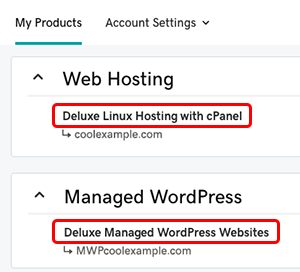
Credit: www.godaddy.com
Optimizing Performance
Fast websites make users happy. Slow pages can frustrate visitors. Use smaller images and files to help speed. Compress files to make them load quicker. Minimize code to keep it clean and fast. A quick site keeps users coming back.
Caching helps to store data temporarily. It makes pages load faster next time. Browsers remember parts of your site. This means less data to download. Use caching plugins to help with this. They make it easy to set up.
Always check how much resources your site uses. Too many resources can slow it down. Use tools to see what’s being used. Find and fix any problems. This helps keep your site fast. A fast site is a happy site.
Troubleshooting Common Issues
Navigating web hosting accounts can be tricky. Identify your needs and budget before choosing a provider. Research potential issues like downtime and customer support to avoid headaches.
Resolving Server Errors
Server errors are annoying. They stop the website from loading. Check server settings first. Look for incorrect configurations. Update software to the latest version. This can solve many problems. Restart the server to clear temporary issues. If errors persist, contact your hosting provider. They can help fix deeper issues.
Fixing Connectivity Problems
Connectivity problems can occur anytime. First, check internet connection. Make sure it is stable. Reset the modem or router if needed. Check server status online. Sometimes, servers are down for maintenance. Update DNS settings in your computer. This can solve connectivity issues. If problems remain, contact your service provider for help.
Addressing Domain Issues
Domain issues can be tricky. Ensure domain name is correctly spelled. Check if the domain is registered and active. Renew domain if expired. Verify DNS settings match hosting account. Wrong settings can cause domain issues. Contact domain registrar for support if needed. They can assist with domain problems.
Frequently Asked Questions
How To Create A Web Hosting Account?
Choose a reliable web hosting provider. Visit their website and select a suitable hosting plan. Create an account by entering your details. Complete payment to activate your hosting service. Access your control panel to start managing your web hosting account.
Is Web Hosting Free?
Web hosting isn’t always free. Some providers offer free plans with limited features. Paid hosting offers more resources and support. Free plans may include ads, limited storage, or bandwidth. Consider your needs before choosing.
What Is A Website Hosting Account?
A website hosting account stores your site’s files on a server, making it accessible online. It provides server space, bandwidth, and technical support, ensuring your website runs smoothly and remains available to visitors. Hosting accounts vary in type, including shared, VPS, and dedicated hosting options.
How Much Does Web Hosting Cost?
Web hosting costs vary widely, from $3 to over $300 monthly. Shared hosting is cheaper, while VPS or dedicated hosting is more expensive. Prices depend on features, performance, and support. Choose a plan that fits your needs and budget for the best value.
Conclusion
Choosing a web hosting account is simple. Research options and compare prices. Look for reliable support and strong security features. Read user reviews for honest feedback. Select the hosting plan that fits your needs. Consider scalability for future growth. Make sure it supports your website type and traffic.
Sign up and follow setup instructions. Keep login details safe. Regularly check for updates. Hosting is the backbone of your website. Choose wisely for smooth online presence. Engage with support if needed. Enjoy building and running your site.


