
Have you ever wondered where your website’s home really is? Knowing the location of your web host can be more important than you might think.
It can affect your website’s speed, security, and even SEO. Whether you’re troubleshooting issues or just curious, finding out where your web host is located doesn’t have to be a mystery. You’ll learn simple steps to uncover this information, empowering you with valuable insights about your website’s virtual residence.
Stay with us, and you’ll discover how easy it is to pinpoint your web host’s location, enhancing your understanding and control over your online presence.
Credit: www.elegantthemes.com
Understanding Web Hosting Locations
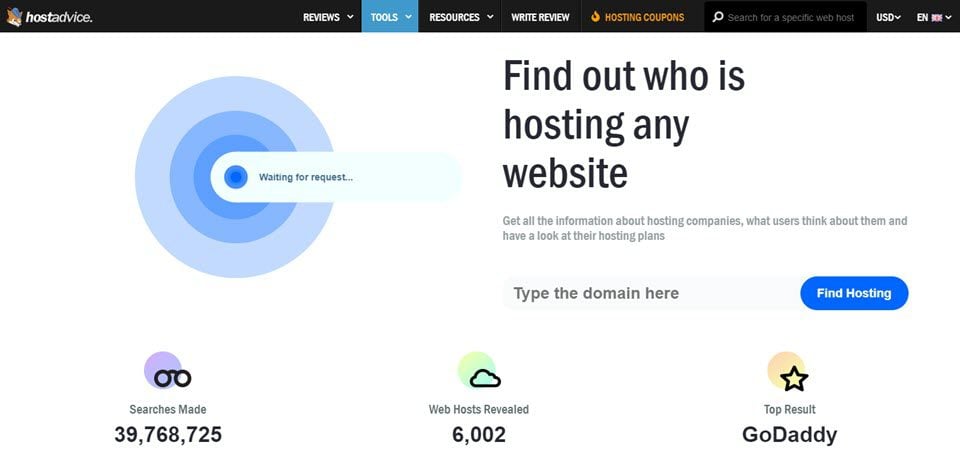
Web hosting locations matter for speed and security. Find out where the host is located using IP address tools. These tools show server location. Some hosts show location details on their websites. Check the footer or contact page. Look for a map or address. Use WHOIS lookup services. They tell you about the host’s location.
Hosting location affects website loading time. Nearby servers mean faster access. Websites load quicker. Users stay happy. Privacy laws differ by country. Know your host’s location for legal reasons. Choose a host in a safe country. Secure your data.
Importance Of Knowing Host Location
Location of a web host affects website speed. If the host is far, your site might be slow. Data travels a long distance. Visitors get frustrated waiting. Speed is crucial for user experience. Fast sites keep visitors happy. Search engines prefer fast sites too. This can boost your site’s rank. A nearby host can help with this.
Host location can impact legal rules. Different countries have different laws. Your site must follow these laws. You might need to store data in certain places. Check the laws in your host’s country. This keeps your site safe from legal issues. Compliance is key for trust.
Security is vital for any website. Host location can affect this. Some places have strong data protection. Others might not. Choose a host in a secure region. This protects your users’ data. Secure hosts have better safeguards. This reduces risks of data leaks. Always prioritize safety for peace of mind.
Tools For Identifying Host Location
IP Address tracking helps find a host’s location. Every device has a unique IP address. Tools like Traceroute track the path of data. This helps you see where a web host is located. Some websites offer free IP tracking. You can easily find these tools online.
Whois Lookup is another way to find a host’s location. It shows the owner of a domain name. Also, it gives details about the server location. Many websites offer free Whois Lookup services. This makes it easy for you to access this information.
Geolocation services use IP addresses to find locations. They are popular for finding server locations. These services give details like country and city. Some advanced tools offer more precise information. Using these services is simple and effective.

Credit: www.webhostinghub.com
Manual Methods To Determine Host Location
Checking Hosting Provider Information can be simple. Look for the provider’s name on the website. Find the “About Us” section. It often gives details. Use WHOIS lookup tools. They show where the host is located. Search the domain name. Find the host’s address. This gives clues about the location. Check the IP address. It tells more about the server’s place.
Analyzing Server Response Headers helps a lot. Open the browser’s developer tools. Go to the “Network” tab. Look for response headers. Check the “Server” header. It may show the server’s location. Some headers give direct clues. Others need more research. Use online tools for deeper analysis. These tools can pinpoint the host’s location. Always verify details for accuracy.
Common Challenges In Locating Web Hosts
Dynamic IPs change often. This makes tracking hard. Web hosts use these to manage traffic. They rotate IPs to keep sites running smoothly. This helps avoid overload. But it makes location tracking difficult. IPs can change several times a day. Users often find it confusing. It’s like chasing a moving target.
CDN stands for Content Delivery Network. It spreads content across many servers. This helps speed up websites. Cloud services work in a similar way. They store data in many places. Finding a host’s location becomes tricky. The data can be anywhere. Web hosts use these services to improve performance. But it hides their true location. Tracking becomes complex. Users face many challenges.
Tips For Accurate Host Location Identification
Use different tools to find a web host’s location. These tools can help you get accurate information. A single tool might not always be correct. So, checking with more tools is smart. Tools like IP lookup, DNS records, and Whois search are helpful. Each tool gives clues about the host location. Sometimes, they show different places. It’s important to verify this data. Look for matches in the results. This helps you get the right location. Always cross-check information. This way, you avoid mistakes. Find the web host location easily with these methods.

Credit: www.godaddy.com
Frequently Asked Questions
How Do I Tell Where A Website Is Hosted?
Use tools like “Whois” or “Site24x7” to find hosting details. Enter the website’s URL to check.
How To Know Website Server Location?
Use online tools like “Whois” or “IP Location” to find a website’s server location. Enter the domain name to get details. These tools provide server IP and geographical data, helping you identify the server’s country.
Where Is The Host Located?
The host is located in [specific location or city]. You can find the detailed address on our website. For more information, please contact our support team.
How To Find Out What Platform A Website Is Hosted On?
Use online tools like BuiltWith or Netcraft to identify hosting platforms. Check website source code for hosting clues. Access WHOIS databases for hosting details. Analyze server response headers for host information.
Conclusion
Finding a web host’s location is easier than you think. Tools and techniques simplify this task. Knowing the host’s location enhances your web strategy. It helps in optimizing site speed and ensuring better privacy. Always choose a host that fits your needs.
Consider factors like speed, privacy, and reliability. Research thoroughly before making decisions. With the right information, you can make smarter choices. Your website’s success depends on good hosting. Stay informed and make wise decisions. These steps lead to improved site performance.
Keep learning and exploring hosting options. Your site deserves the best.


