
Imagine you’re trying to make your website run smoother or troubleshoot a pesky issue, but you’re stuck because you don’t know what PHP handler your web host uses. It’s like trying to solve a puzzle without seeing all the pieces.
Knowing your PHP handler can unlock the door to better performance and easier problem-solving. You’ll learn how to quickly and easily identify the PHP handler your web host uses. This knowledge will empower you to make informed decisions, optimize your site, and ensure everything runs just the way you want it.
Stick around, and you’ll discover simple steps and tools to get this vital information, freeing you from any technical guesswork. Let’s dive in and take control of your website’s performance!
Credit: www.loggly.com
Understanding Php Handlers
PHP handlers help process the code on your website. Different handlers can affect speed and performance. PHP handlers include CGI, FastCGI, DSO, and suPHP. Each handler has its own features. Understanding these can help you choose the best one.
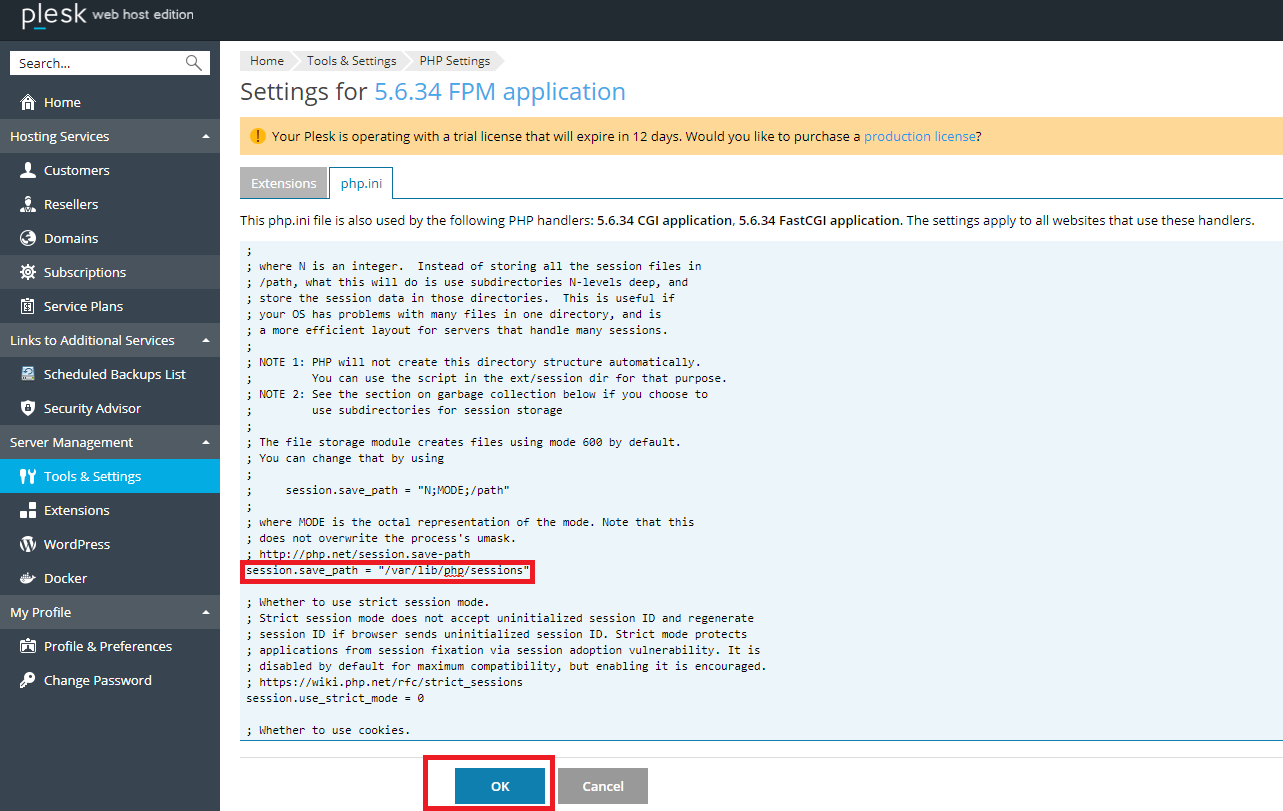
To find your PHP handler, check the hosting control panel. Look for a section about PHP settings. Some hosts show this information clearly. If not, you might need to ask your host directly. Knowing your PHP handler helps you make better site choices.
Importance Of Php Handlers
PHP handlers help in running PHP scripts on servers. They affect the speed and performance of websites. Different handlers have unique features. Some are fast but use more resources. Others are slower but save server resources. Choosing the right handler is crucial. It can improve site speed and user experience.
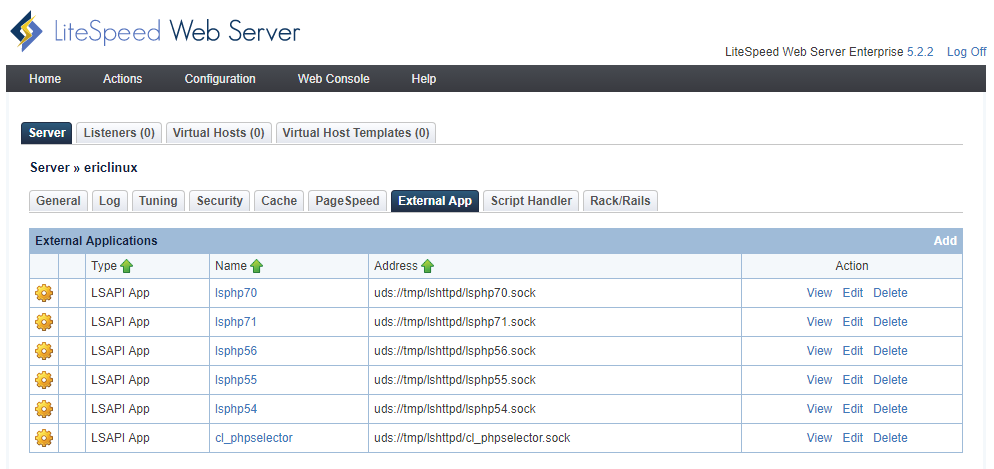
Popular handlers include CGI, FastCGI, and LSAPI. Each offers distinct benefits. For instance, FastCGI is faster than CGI. But it uses more memory. LSAPI is both fast and resource-efficient. Knowing your handler helps in troubleshooting. It also aids in optimization. Always check with your web host about the handler in use.
Common Types Of Php Handlers
CGI stands for Common Gateway Interface. It helps run PHP scripts. CGI is not always fast. It uses more server resources. Each request starts a new process. This can slow things down. CGI is simple to use. It is often supported by hosts. CGI does not have many security features.
FastCGI is better than CGI. It is faster and uses fewer resources. It can handle many requests at once. FastCGI keeps processes running longer. This makes it quicker. It is safer than CGI. FastCGI is popular with many hosts. It helps websites load faster.
DSO stands for Dynamic Shared Object. It is very fast. DSO runs PHP as part of the server. This makes it quick and efficient. It is not as secure as other handlers. DSO can use mod_php. This can save memory. Many older hosts use DSO.
SuPHP is safe and secure. It checks who runs the script. This makes it safer. SuPHP uses more resources. It is slower than FastCGI. SuPHP helps with file permissions. It stops scripts from running as the server. Many hosts prefer SuPHP for security.
Checking Your Php Handler In Cpanel
First, log in to your cPanel account. You will need your username and password. Once logged in, you will see a dashboard. This dashboard has many options and tools.
Look for the Software section in your cPanel dashboard. In this section, find the option labeled PHP Configuration or Select PHP Version. Click on it to access the settings. Here, you will see details about your PHP handler. This shows the PHP version and the handler in use.
Using Command Line To Determine Php Handler
SSH Access is a way to connect to your web server. It lets you run commands directly. You need a username and password from your web host. Open a terminal window on your computer. Type the SSH command. It looks like this: ssh username@yourdomain.com. Press Enter. You will see a prompt for a password. Type it and press Enter again. Now you are in your web server.
Use these commands to find the PHP handler. Run the command: php -v. This shows the PHP version. Another command is httpd -V. It gives information about the Apache server. To check the handler, use: apachectl -M. Look for words like mod_php or php_fpm. These tell you the handler type. Each command helps you learn more about your server.
Consulting Web Host Documentation
Web host documentation is a helpful tool. It shows important details about your server. PHP handlers are part of these details. To find them, search the documentation. Look for sections on server settings or PHP configuration. Many web hosts provide guides. These guides help you understand their setup.
Sometimes, the documentation has FAQs. FAQs often answer common questions. PHP handler information might be there. Look for words like “PHP version” or “PHP setup“. If you are unsure, contact support. They can help you find what you need. Documentation is a great starting point. It helps you learn more about your hosting setup.
Contacting Web Host Support
Start by gathering details. You need your account information. Include your username and hosting plan. This helps support identify your account. Mention your PHP version if possible. It’s important for finding the right handler. Be clear about your query. State that you want to know the PHP handler used. This reduces confusion.
Make sure to be polite. Support teams are here to help. They respond faster to friendly requests. Keep your message short. Long messages can be confusing. Double-check your email or message for errors. Clear communication is key. Thank the support team in advance. This shows respect and appreciation.
Impacts Of Php Handler On Performance
The PHP handler you choose affects how your website runs. It can change how fast pages load. A fast PHP handler makes a website load quickly. This keeps visitors happy. Slow handlers can make users leave. They get frustrated waiting. Choosing the right handler is important. It helps with server performance too. Less strain means better uptime. Hosting companies offer different handlers. Each has its own benefits. Understanding these can help in making the right choice.
Changing Php Handler
Changing the PHP handler can affect your website’s speed. Some handlers make PHP run faster. Others might use less server memory. It’s important to know the benefits. Faster sites can improve user experience. But, it might also cause compatibility issues with some scripts. Some handlers are more secure but could slow down your site. Consider what’s best for your needs.
Switching PHP handlers needs care. First, check your web host’s control panel. Look for the PHP section. Find the option to change the handler. Select a handler from the list. Save the changes. Test your site after switching. Ensure everything works well. If issues arise, revert back quickly.
Credit: www.plesk.com
Credit: docs.litespeedtech.com
Frequently Asked Questions
What Are Php Handlers?
PHP handlers are modules that process PHP scripts on a server. They determine how PHP code executes. Popular handlers include CGI, FastCGI, and Apache Module. Each offers different performance and security features. Choosing the right handler impacts your website’s speed and functionality.
How To Check Which Php Apache Is Using?
Open terminal and run `apachectl -V`. Check ‘Loaded Modules’ section for PHP module. Alternatively, create a PHP file with “ code, upload it to your server, and access via browser to view PHP version Apache is using.
How To Change Php Handler In Cpanel?
Log into cPanel and navigate to “MultiPHP Manager”. Select the domain and choose the desired PHP handler from the dropdown menu. Click “Apply” to save changes. This process allows for easy PHP handler modification in cPanel.
How To Find Out What Php Version A Website Is Running?
Check the PHP version using phpinfo(). Create a PHP file with “ and upload it. Access the file via your browser. Alternatively, use terminal commands like `php -v` if you have server access. Keep files secure by deleting or restricting access after checking.
Conclusion
Finding the PHP handler your web host uses is crucial. It ensures compatibility and enhances website performance. Follow the steps outlined to identify your PHP handler. This understanding can help you troubleshoot issues more effectively. Always check your web host’s documentation for specific instructions.
Understanding your PHP handler promotes smoother website management. Keep your website running optimally. Regular checks can prevent unexpected problems. Stay informed and maintain your site’s health. This knowledge empowers you to manage your website confidently. Happy hosting!


